1. บทนำ
Thank you for choosing the Codnida 5.5" LCD Baby Monitor Camera. This device is designed to provide a secure and reliable way to monitor your baby, offering high-definition video, two-way audio, and various smart features to ensure peace of mind. Please read this manual thoroughly before use to ensure proper operation and to maximize the lifespan of your product.
2. ข้อมูลด้านความปลอดภัยที่สำคัญ
Please keep this manual for future reference. Failure to follow these safety instructions could result in fire, electric shock, or other injury or damage.
- อันตรายจากการรัดคอ: Keep the camera and monitor cords out of reach of children (at least 3 feet / 1 meter away). Never place the camera or cords within the crib or playpen.
- อันตรายจากไฟฟ้าช็อต: Do not expose the product to rain or moisture. Do not open the casing of the product. There are no user-serviceable parts inside.
- ความร้อนสูงเกินไป: Do not place the product in direct sunlight or near heat sources. Ensure adequate ventilation around the camera and monitor.
- การรบกวน: Keep the product away from other electronic devices that may cause interference, such as microwaves or Wi-Fi routers.
- ความปลอดภัยของแบตเตอรี่: The monitor contains a rechargeable lithium-ion battery. Do not disassemble, crush, or expose the battery to extreme temperatures. Dispose of batteries properly according to local regulations.
- การจัดวาง: Place the camera on a flat, stable surface or mount it securely to a wall, ensuring a clear view ของทารก
3. เนื้อหาบรรจุภัณฑ์
โปรดแกะกล่องอย่างระมัดระวัง และตรวจสอบให้แน่ใจว่าสินค้าทุกรายการที่ระบุไว้ด้านล่างครบถ้วนและอยู่ในสภาพดี หากมีสินค้าใดขาดหายหรือเสียหาย โปรดติดต่อฝ่ายบริการลูกค้า
- 5.5" LCD Baby Monitor (Parent Unit)
- 2K 3MP Baby Camera (Baby Unit)
- อะแดปเตอร์ไฟฟ้าสำหรับจอภาพ
- Power Adapter for Camera
- สายชาร์จ USB (2)
- Wall Mounting Kit (Screws and Anchors)
- คู่มือการใช้งาน

4. สินค้าหมดview
4.1 หน่วยหลัก (จอภาพ)
The parent unit features a 5.5-inch LCD screen for clear viewing of your baby. It includes control buttons for navigation, volume, zoom, and two-way audio. The built-in rechargeable battery allows for portable use.
- จอแสดงผล LCD ขนาด 5.5 นิ้ว
- ปุ่มเปิด/ปิด/เมนู
- Navigation Buttons (Up/Down/Left/Right/OK)
- การควบคุมระดับเสียง
- ปุ่มซูม
- Two-Way Audio Button
- ไมโครโฟนและลำโพง
- เสาอากาศ
- พอร์ตชาร์จ
4.2 Baby Unit (กล้อง)
The baby unit is equipped with a 2K 3MP HD camera, infrared LEDs for night vision, and a microphone and speaker for two-way audio. It also features pan, tilt, and zoom (PTZ) capabilities for comprehensive room coverage.
- 2K 3MP HD Camera Lens
- Infrared LEDs (for Night Vision)
- ไมโครโฟนและลำโพง
- เซ็นเซอร์วัดอุณหภูมิ/ความชื้น
- ปุ่มจับคู่
- พาวเวอร์พอร์ต
- รูยึด
5. การตั้งค่า
5.1 การชาร์จเริ่มต้น
Before first use, fully charge the parent unit for approximately 8 hours. Connect the power adapter to the parent unit and a power outlet. The charging indicator will show the charging status.

5.2 การจัดวางกล้อง
วางตัวกล้อง (ตัวเครื่องสำหรับเด็ก) ในตำแหน่งที่มองเห็นได้ชัดเจน view of your baby, but always keep it at least 3 feet (1 meter) away from the crib or playpen to avoid strangulation hazards from the power cord. You can place it on a flat surface or mount it to a wall using the provided kit.
5.3 การเปิดเครื่อง
- Connect the power adapter to the baby unit (camera) and a power outlet. The camera will power on automatically.
- Press and hold the Power button on the parent unit (monitor) for a few seconds to turn it on.
- The parent unit and baby unit are pre-paired at the factory. If they do not connect automatically, refer to the "Pairing Camera and Monitor" section.
5.4 Pairing Camera and Monitor
If the monitor displays "No Signal" or you wish to add another camera (sold separately), follow these steps:
- On the parent unit, press the Menu button.
- Navigate to the "Camera" or "Add Camera" option and select it.
- Select an empty camera channel (e.g., CAM 2, CAM 3).
- The monitor will display a message to press the pairing button on the camera.
- Within 10 seconds, press the Pairing button on the back or bottom of the baby unit (camera).
- Once paired, the image from the camera will appear on the monitor.
5.5 การติดตั้งและการเชื่อมต่อแอปพลิเคชัน (ไม่บังคับ)
The Codnida baby monitor also supports connection via the "Tuya" application for remote monitoring. This feature requires a Wi-Fi connection.
- ดาวน์โหลดแอปพลิเคชัน "Tuya Smart" หรือ "Smart Life" จาก App Store ของสมาร์ทโฟนของคุณ (iOS App Store หรือ Google Play Store)
- ลงทะเบียนบัญชีใหม่หรือเข้าสู่ระบบหากคุณมีบัญชีอยู่แล้ว
- Follow the in-app instructions to add a new device. Select "Security & Video Surveillance" and then "Smart Camera (Wi-Fi)".
- Ensure your camera is powered on and in pairing mode (usually indicated by a flashing light).
- เชื่อมต่อโทรศัพท์ของคุณกับเครือข่าย Wi-Fi 2.4GHz
- Scan the QR code displayed on your phone with the baby unit camera, or follow alternative pairing methods if prompted.
- เมื่อเชื่อมต่อแล้ว คุณสามารถ view the live feed, control PTZ, and access other features via the app.
6. การดำเนินการ
6.1 การตรวจสอบขั้นพื้นฐาน
Once the camera and monitor are connected, the live video feed of your baby's room will be displayed on the 5.5" LCD screen.

6.2 VOX Mode (Voice Operated Exchange)
VOX mode is an energy-saving feature. When enabled, the monitor screen will turn off to conserve battery. It will automatically activate and display the video feed when a sound (like crying) is detected in the baby's room.
- To activate/deactivate VOX mode: Press the Menu button, navigate to "VOX" or "Sound Activation", and select your desired sensitivity level (Low, Medium, High) or turn it off.

6.3 เสียงสองทาง
Communicate with your baby remotely using the two-way audio feature.
- Press and hold the Talk button (microphone icon) on the parent unit to speak. Release the button to hear your baby.

6.4 การหมุน การเอียง และการซูม (PTZ)
ควบคุมกล้อง viewing angle and zoom level directly from the parent unit.
- Use the Navigation buttons (Up/Down/Left/Right) to pan and tilt the camera.
- Press the Zoom button (magnifying glass icon) to zoom in (up to 4X digital zoom). Press again to zoom out.

6.5 การมองเห็นตอนกลางคืน
The camera automatically switches to infrared night vision in low-light conditions, providing a clear black-and-white image of your baby.

6.6 เพลงกล่อมเด็ก
Soothe your baby with built-in lullabies played directly from the baby unit.
- To play lullabies: Press the Menu button, navigate to "Lullabies", and select a melody or play all.
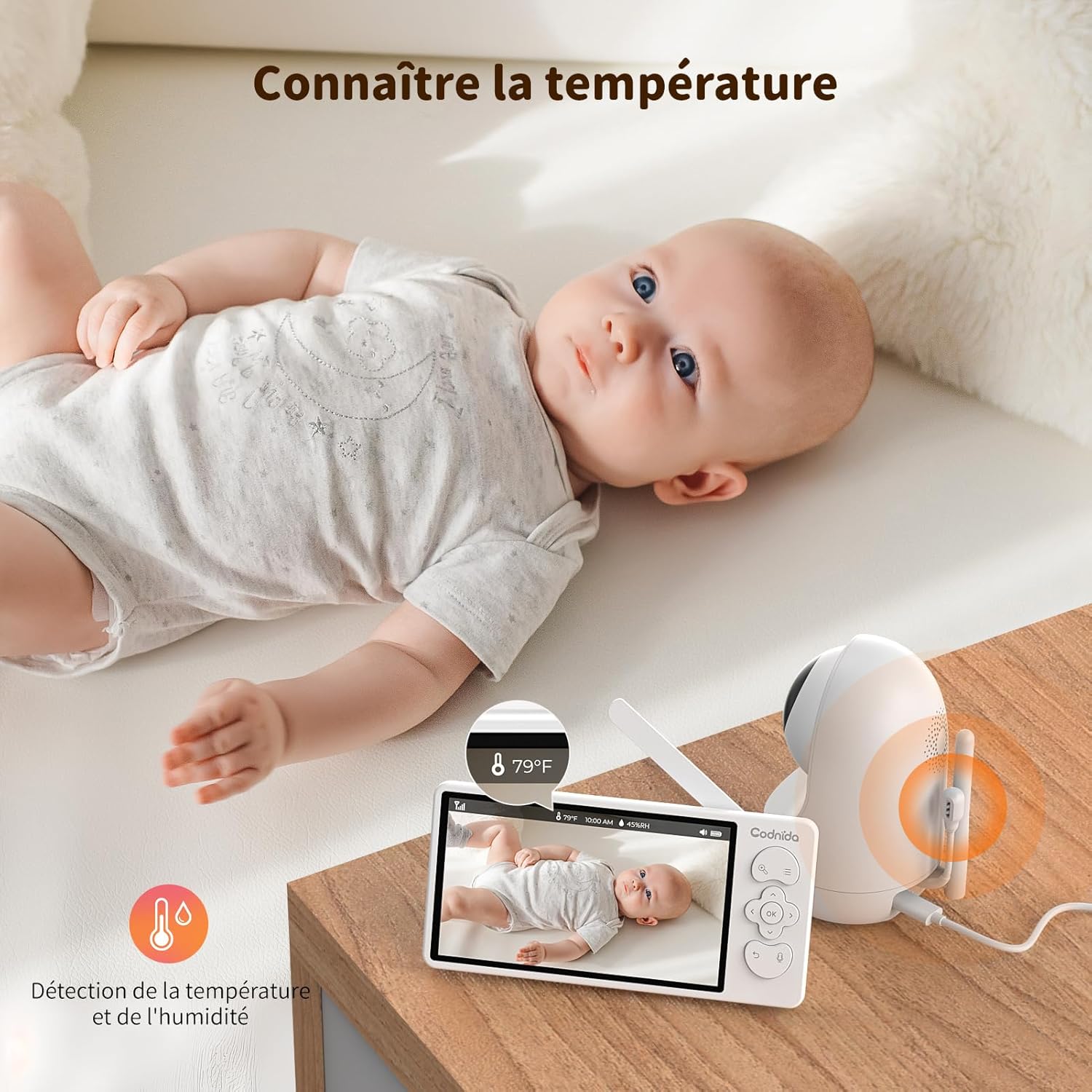
6.7 การตรวจสอบอุณหภูมิและความชื้น
The baby unit includes sensors to monitor the room's temperature and humidity, displayed on the parent unit screen. You can set alerts for out-of-range conditions.
6.8 การแจ้งเตือนการให้อาหาร
Set reminders for feeding times to help maintain your baby's schedule.
- To set a feeding reminder: Press the Menu button, navigate to "Feeding Reminder", and set the desired interval.

7. การบำรุงรักษา
7.1 การทำความสะอาด
To keep your baby monitor clean and functioning properly:
- ถอดปลั๊กไฟของอุปกรณ์ทั้งสองก่อนทำความสะอาด
- Wipe the surfaces of the camera and monitor with a soft, dry, lint-free cloth.
- Do not use cleaning sprays or liquid cleaners directly on the units.
- สำหรับรอยฝังแน่น ให้เช็ดเบาๆampชุบผ้าด้วยน้ำแล้วเช็ดเบาๆ จากนั้นเช็ดให้แห้งทันที
- ห้ามใช้น้ำยาทำความสะอาดที่มีฤทธิ์กัดกร่อนหรือตัวทำละลาย
7.2 พื้นที่จัดเก็บ
If you do not plan to use the baby monitor for an extended period:
- Fully charge the parent unit before storing.
- Store the units in a cool, dry place, away from direct sunlight and extreme temperatures.
- Keep all components, including cables and adapters, neatly organized to prevent damage.
8 การแก้ไขปัญหา
If you encounter issues with your Codnida baby monitor, please refer to the following common problems and solutions:
| ปัญหา | สาเหตุที่เป็นไปได้ | สารละลาย |
|---|---|---|
| No signal on monitor / Screen is black |
|
|
| คุณภาพของภาพไม่ดี / ภาพเบลอ |
|
|
| ไม่มีเสียงหรือเสียงผิดเพี้ยน |
|
|
| แบตไม่เก็บไฟ |
|
|
9. ข้อมูลจำเพาะ
| คุณสมบัติ | รายละเอียด |
|---|---|
| หมายเลขรุ่น | MWM553+MWZ553C |
| ขนาดจอแสดงผล | จอ LCD ขนาด 5.5 นิ้ว |
| ความละเอียดของกล้อง | 2K 3MP (1296p recording, 1440 effective video resolution) |
| ช่วงการมองเห็นตอนกลางคืน | สูงสุด 5 เมตร |
| การควบคุม PTZ | Pan (350°), Tilt (90°), 4X Digital Zoom |
| เทคโนโลยีการเชื่อมต่อ | Wireless (Wi-Fi for App) |
| ระบบเสียงสองทาง | ใช่ |
| โหมด VOX | ใช่ |
| เซ็นเซอร์วัดอุณหภูมิ/ความชื้น | ใช่ |
| กล่อม | ใช่ |
| การแจ้งเตือนการให้อาหาร | ใช่ |
| กำลังไฟเข้า | 5 โวลต์ 3.8 วัตต์ |
| วัสดุ | พลาสติก |
| ขนาด (กว้าง x ยาว x สูง) | 10 x 5 x 10 ซม. (โดยประมาณ) |
| น้ำหนัก | 850 กรัม (โดยประมาณ) |
| ประเภทแบตเตอรี่ | ลิเธียมไอออน |
10. การรับประกันและการสนับสนุน
10.1 ข้อมูลการรับประกัน
The Codnida 5.5" LCD Baby Monitor Camera comes with a รับประกัน 1 ปี นับจากวันที่ซื้อสินค้า การรับประกันนี้ครอบคลุมถึงข้อบกพร่องจากการผลิตและการทำงานผิดปกติภายใต้การใช้งานปกติ ไม่ครอบคลุมถึงความเสียหายที่เกิดจากการใช้งานผิดวิธี อุบัติเหตุ การซ่อมแซมโดยไม่ได้รับอนุญาต หรือการสึกหรอตามปกติ
นอกจากนี้ ยังมี นโยบายการคืนสินค้าภายใน 30 วัน is offered. Please refer to your retailer's return policy for specific details.
10.2 การสนับสนุนลูกค้า
If you have any questions, concerns, or require technical assistance with your Codnida baby monitor, please contact our customer support team. For Amazon purchases, you can typically reach support by navigating to "Your account - Choose your order - Ask us your question" on the Amazon platform.
Please have your model number (MWM553+MWZ553C) and purchase date ready when contacting support to expedite the process.
11. วิดีโอผลิตภัณฑ์อย่างเป็นทางการ
No official product videos from the seller were found in the provided product data. For visual demonstrations or additional information, please refer to the product page or contact Codnida customer support.
