1. บทนำ
This manual provides essential information for the proper setup, operation, and maintenance of your GOWENIC BT Thermal Label Printer. Please read these instructions carefully before using the device to ensure optimal performance and longevity.
2. เนื้อหาบรรจุภัณฑ์
ตรวจสอบว่ามีรายการทั้งหมดอยู่ในแพ็คเกจ:
- 1 x GOWENIC BT Thermal Label Printer
- 1 x สายชาร์จ
- 1 x คู่มือผู้ใช้ (เอกสารนี้)
- 1 x Roll of Test Paper
3. คู่มือการติดตั้ง
3.1 การชาร์จเครื่องพิมพ์
Before initial use, fully charge the printer. Connect the provided charging cable to the printer's charging port and a suitable USB power adapter. The charging time is approximately 2-3 hours for the 1000mAh battery.
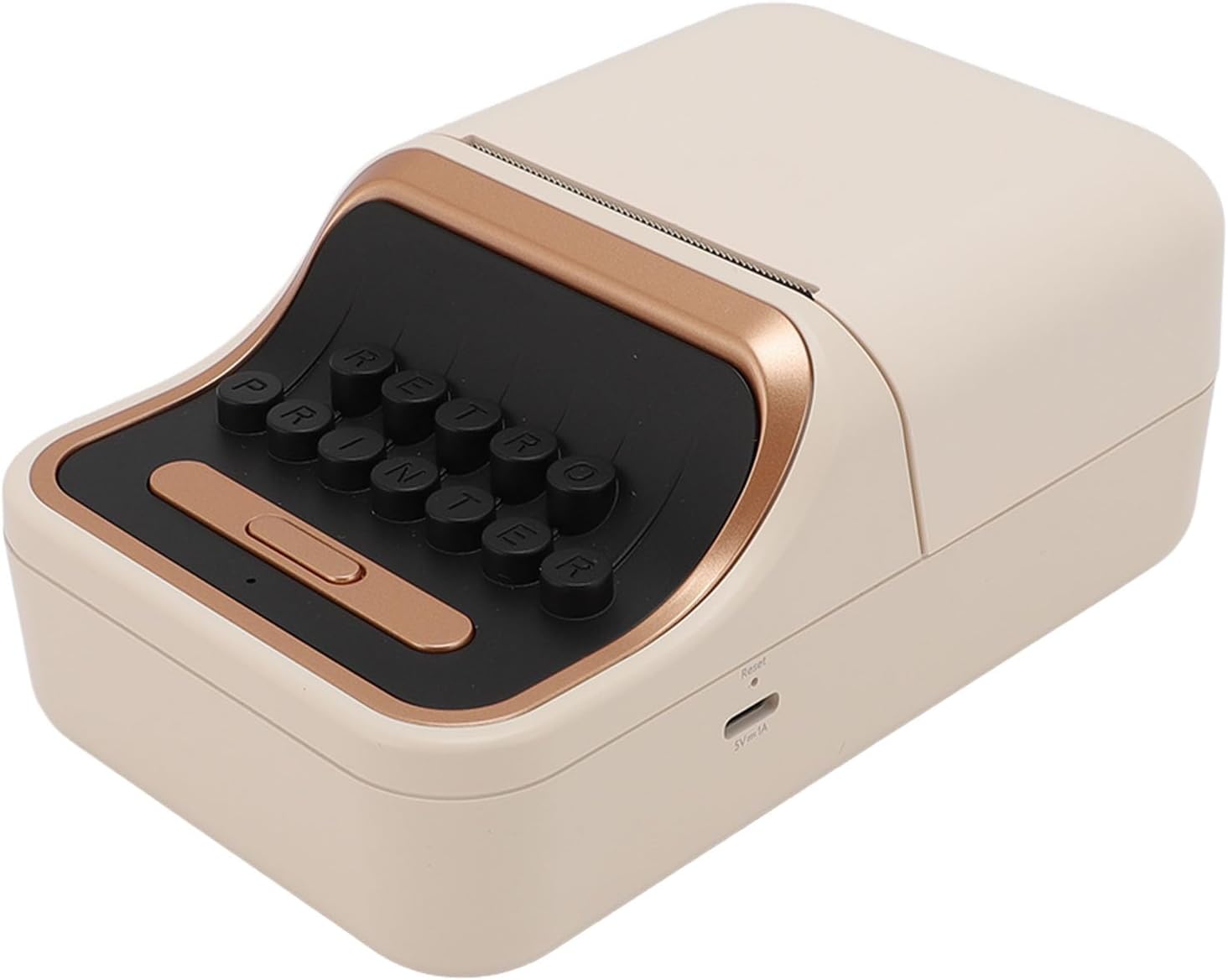
ภาพ: ด้านข้าง view of the printer, highlighting the charging port and reset button for easy identification.
3.2 การใส่กระดาษฉลาก
- เปิดฝาครอบด้านบนของเครื่องพิมพ์
- Insert the label paper roll into the designated compartment. Ensure the paper feeds smoothly and the print side is facing the print head. The printer supports label paper with a core inner diameter of at least 13mm and a width of up to 52mm.
- ปิดฝาด้านบนให้แน่น

Image: The printer with its top cover open, showing how to load the label paper roll. Examples of printed labels on storage jars are also displayed.
3.3 Powering On and Bluetooth Pairing
- กดปุ่มเปิด/ปิดค้างไว้เพื่อเปิดเครื่องพิมพ์
- Download the dedicated mobile application for the printer (refer to the included user manual for app name and download instructions, or scan a QR code if provided on the device/packaging).
- เปิดใช้งานบลูทูธบนอุปกรณ์เคลื่อนที่ของคุณ
- Open the printer's mobile application and follow the on-screen instructions to connect to the printer via Bluetooth 5.0. The printer should appear in the app's device list.
4. คู่มือการใช้งาน
4.1 Designing and Printing Labels
- Launch the mobile application on your smartphone.
- Utilize the app's interface to design your labels. The application provides various templates and editing tools.
- Select the desired label size and content. The printer supports label sizes from 30mm to 52mm.
- Once your design is complete, tap the print button within the app.
- The printer will automatically print the label.
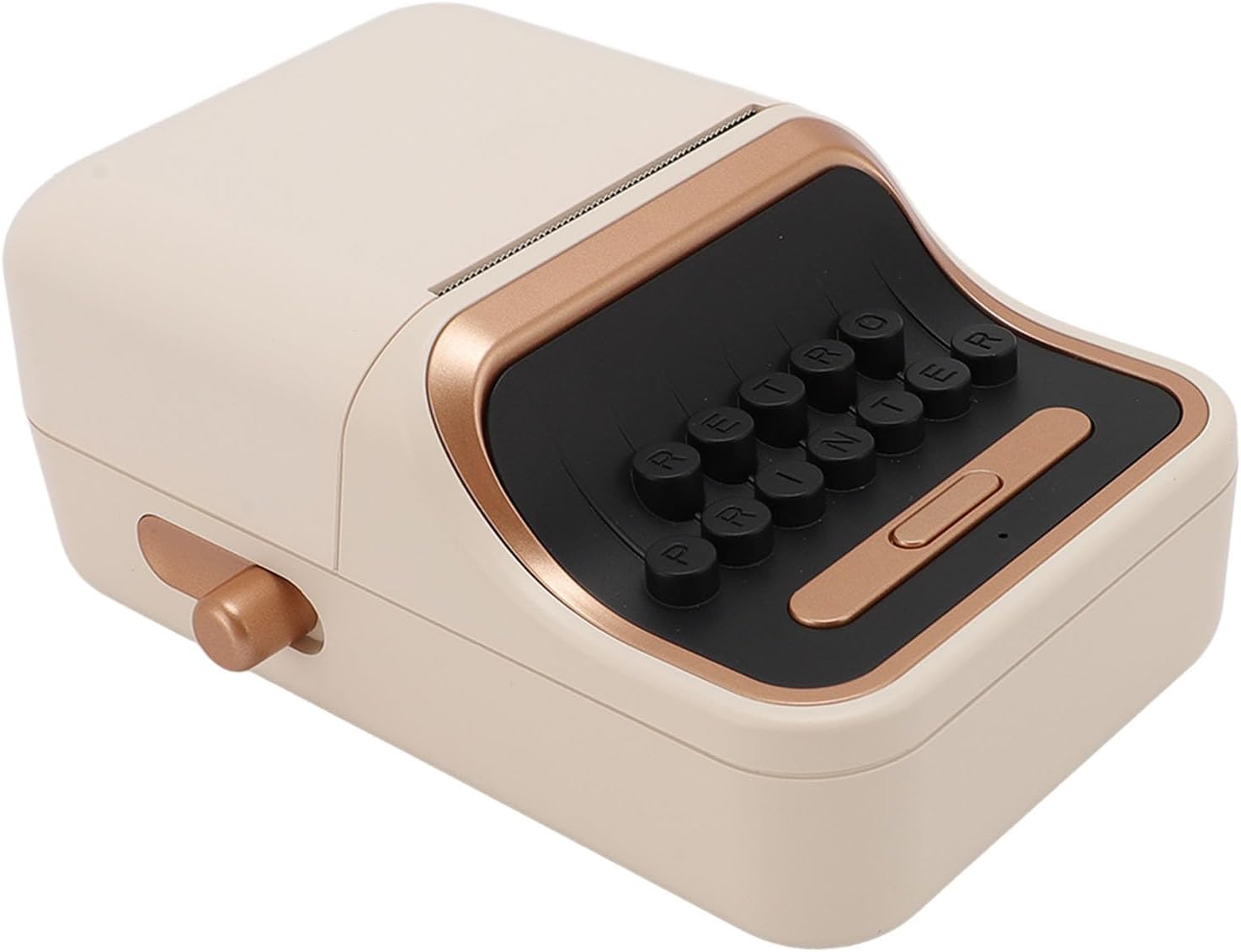
ภาพ: ด้านหน้า view of the GOWENIC BT Thermal Label Printer, illustrating its compact and vintagการออกแบบที่ได้แรงบันดาลใจจากอิเล็กทรอนิกส์
4.2 Adjusting Paper Settings
The printer features adjustable paper settings to accommodate different label types and sizes within its supported range. These adjustments are typically managed through the mobile application to ensure proper alignment and print quality.
5. การบำรุงรักษา
5.1 การทำความสะอาดหัวพิมพ์
To maintain print quality, periodically clean the print head. Use a soft, lint-free cloth lightly dampชุบด้วยไอโซโพรพิลแอลกอฮอล์ เช็ดทำความสะอาดพื้นผิวหัวพิมพ์อย่างเบามือ ตรวจสอบให้แน่ใจว่าเครื่องพิมพ์ปิดอยู่และถอดปลั๊กไฟออกก่อนทำความสะอาด
5.2 การทำความสะอาดทั่วไป
Wipe the exterior of the printer with a soft, dry cloth. Avoid using abrasive cleaners or solvents that could damage the surface.
5.3 พื้นที่จัดเก็บ
Store the printer in a cool, dry place away from direct sunlight and extreme temperatures when not in use for extended periods.
6 การแก้ไขปัญหา
6.1 เครื่องพิมพ์ไม่เปิดเครื่อง
- Ensure the printer is fully charged. Connect it to a power source and allow it to charge for at least 30 minutes before attempting to power on again.
- ตรวจสอบสายชาร์จและอะแดปเตอร์ว่ามีรอยชำรุดหรือไม่
6.2 ไม่สามารถเชื่อมต่อผ่านบลูทูธได้
- ตรวจสอบว่าบลูทู ธ เปิดใช้งานบนอุปกรณ์มือถือของคุณ
- Ensure the printer is within the Bluetooth range (typically 10 meters or 33 feet).
- โปรดรีสตาร์ททั้งเครื่องพิมพ์และอุปกรณ์มือถือของคุณ
- If issues persist, try unpairing and re-pairing the printer through your mobile device's Bluetooth settings and the printer's application.
6.3 คุณภาพการพิมพ์ไม่ดี
- Check if the label paper is loaded correctly and is not creased or damaged.
- ทำความสะอาดหัวพิมพ์ตามที่อธิบายไว้ในส่วนการบำรุงรักษา
- Ensure you are using high-quality thermal label paper.
- Adjust print density settings within the mobile application, if available.
6.4 กระดาษติด
- ปิดเครื่องพิมพ์ทันที
- Open the top cover and carefully remove any jammed paper. Avoid tearing the paper inside the mechanism.
- Reload the paper correctly and close the cover before powering on.
7. ข้อมูลจำเพาะ
| ยี่ห้อ | โกเวนิค |
| ชื่อรุ่น | GOWENICipd0rkncw5 |
| ประเภทการพิมพ์ | การพิมพ์ความร้อน |
| เทคโนโลยีการเชื่อมต่อ | บลูทูธ 5.0 |
| ความกว้างของฉลากที่รองรับ | 30มม. ถึง 52มม. |
| แกนเส้นผ่านศูนย์กลางภายใน | ≥13มม. |
| ประเภทแบตเตอรี่ | แบตเตอรี่ 1000mAh |
| เวลาในการชาร์จ | ประมาณ 2-3 ชั่วโมง |
| ขนาดสินค้า (ลึก x กว้าง x สูง) | 6.69" x 4.33" x 2.75" (17.0 ซม. x 11.0 ซม. x 7.0 ซม.) |
| น้ำหนักสินค้า | 11.8 ออนซ์ (334.5 กรัม) |
| เอาท์พุตเครื่องพิมพ์ | เอกรงค์ |
| ความเร็วในการพิมพ์สูงสุด (ขาวดำ) | 100 หน้าต่อนาที |
8. การรับประกันและการสนับสนุน
8.1 ข้อมูลการรับประกัน
Warranty terms and conditions are typically provided at the time of purchase or included with the product packaging. Please refer to your purchase documentation for specific warranty details and duration.
8.2 การสนับสนุนลูกค้า
For technical assistance, troubleshooting beyond this manual, or warranty claims, please contact GOWENIC customer support through the vendor's webเว็บไซต์หรือข้อมูลการติดต่อที่ให้มาพร้อมกับการซื้อของคุณ