การแนะนำ
Welcome to the user manual for your new SUNROAD G5 Pro GPS Sports Watch. This advanced device is designed to be your ultimate companion for health and fitness tracking, offering a wide range of features including GPS navigation, multiple sports modes, and comprehensive health monitoring. Please read this manual carefully to understand the full capabilities of your watch and ensure optimal performance.
เนื้อหาแพ็คเกจ
ตรวจสอบให้แน่ใจว่ามีสินค้าทั้งหมดอยู่ในแพ็คเกจของคุณ:
- SUNROAD G5 Pro GPS Sports Watch
- เครื่องชาร์จ USB
- คู่มือการใช้งาน (เอกสารนี้)
คู่มือการติดตั้ง
1. การชาร์จครั้งแรก
Before first use, fully charge your SUNROAD G5 Pro watch. Connect the included USB charger to the charging port on the watch and a power source. A full charge typically takes a few hours. The watch has a standby time of up to 20 days and can continuously use GPS for up to 12 hours on a single charge.
2. การเปิด/ปิดเครื่อง
- การเปิดเครื่อง: Press and hold the power button (usually the top-left button) until the screen illuminates.
- วิธีปิดเครื่อง: Navigate to the system settings on the watch, then select 'Power Off' or press and hold the power button and confirm the power-off prompt.
3. การเลือกภาษา
Upon first startup, you may need to select your preferred language. If the watch is in an unfamiliar language (e.g., Chinese), follow these steps to change it to English:
- กดปุ่ม upper left button บนนาฬิกา
- Swipe the touchscreen until you locate a small green icon in the lower left corner that displays “EN”. Tap this icon to select English.
4. การจับคู่แอป
To unlock the full potential of your G5 Pro, download the companion application on your smartphone. The app is compatible with Android 4.4 and iOS 9.0 or higher. Follow the in-app instructions to pair your watch via Bluetooth 4.0 for data synchronization and additional features.
คำแนะนำการใช้งาน
1. การนำทางและการแสดงผล
The SUNROAD G5 Pro features a 1.3-inch AMOLED HD touch screen for clear visibility and easy interaction. Swipe left/right, up/down, and tap to navigate through menus and select options. The physical buttons on the side provide quick access to specific functions and navigation.
2. GPS and Route Navigation
The watch integrates GPS and Glonass for precise location tracking and route navigation. It can display longitude and latitude, direction, and distance, and store up to 9 groups of GPS tracks.

Image: Watch face showing GPS tracking with distance and time.
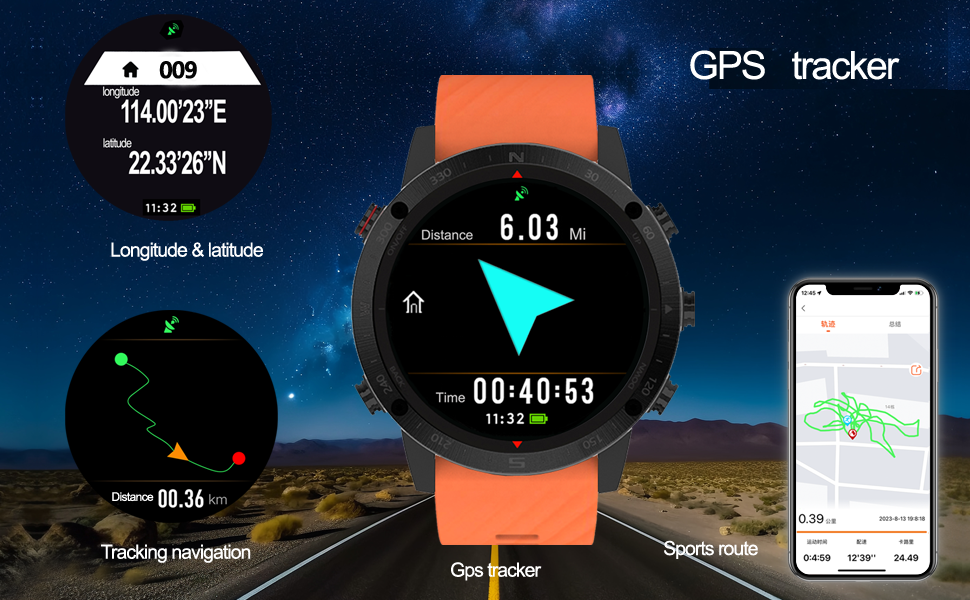
Image: Detailed GPS tracking features including coordinates and route display.
3. โหมดกีฬา
The G5 Pro offers professional analysis for various sports, including Running, Cycling, Mountaineering, Triathlon, Snorkeling Diving, Swimming, and Fishing. Each mode tracks relevant data such as pace, calories, dynamic heart rate, sports time, steps, speed, distance, and GPS sports route.

Image: Swimming mode display showing maximum distance achieved.
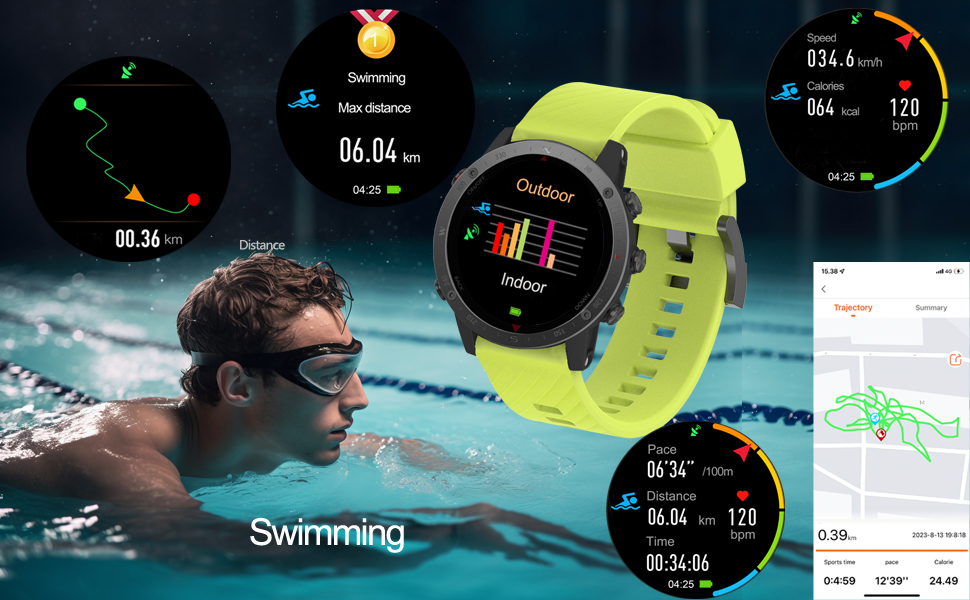
Image: Swimming mode data display with various metrics.

Image: Hiking/Climbing mode display showing altitude and heart rate.
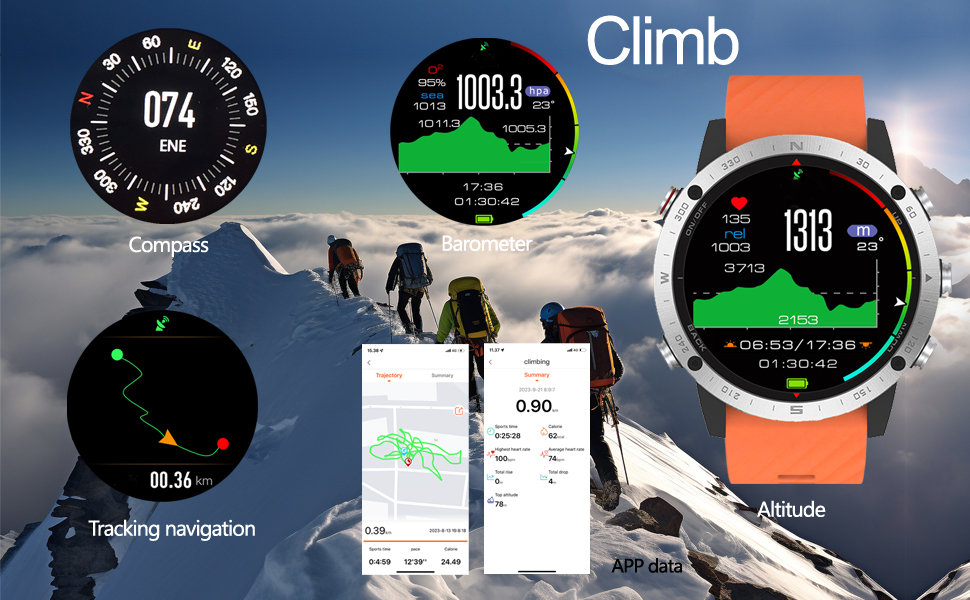
Image: Climbing mode features including compass, barometer, and altitude.
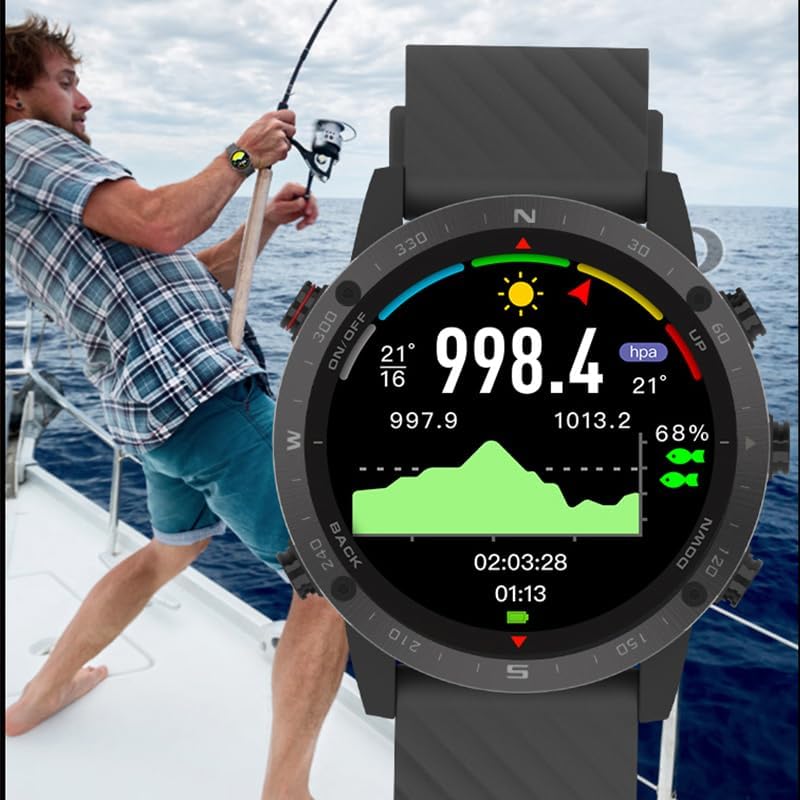
Image: Fishing mode display showing environmental data.
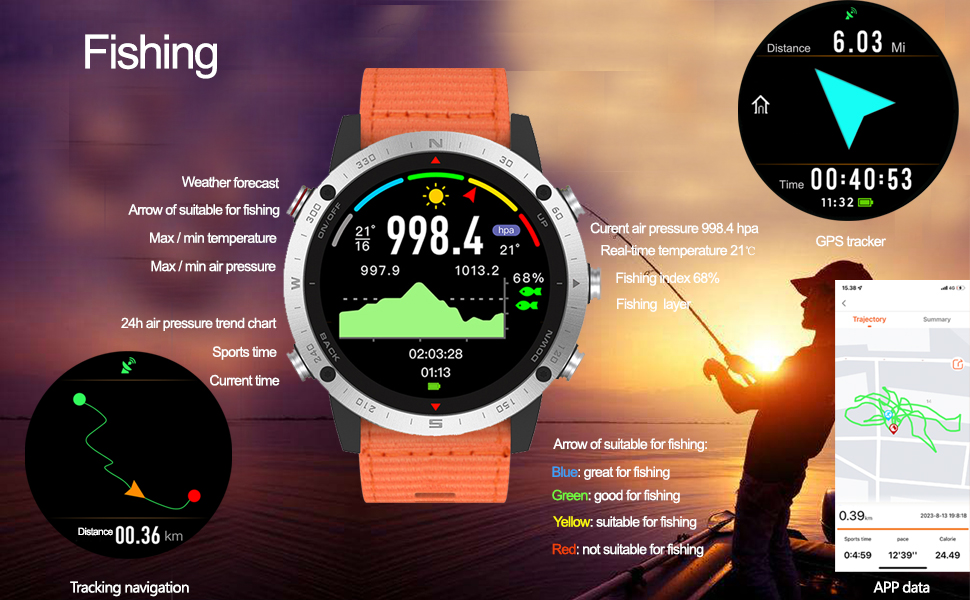
Image: Fishing mode features with weather and air pressure trends.
4. การติดตามสุขภาพ
The watch continuously monitors your health metrics, including dynamic heart rate and blood oxygen levels. It also provides sleep monitoring and sedentary reminders to encourage a healthier lifestyle.
5. คุณสมบัติเพิ่มเติม
The G5 Pro includes several utility features:
- พยากรณ์อากาศ: รับข้อมูลอัปเดตสภาพอากาศแบบเรียลไทม์
- เข็มทิศดิจิตอล: For navigation and orientation.
- Selfie Remote Control: ควบคุมกล้องโทรศัพท์ของคุณจากระยะไกล
- การควบคุมเพลง: Manage music playback on your paired smartphone.
- เครื่องเมตรอนอม: For rhythm training.
- Alarm Clock, Countdown, Stopwatch: เครื่องมือสำคัญสำหรับการบันทึกเวลา

Image: Watch face showing longitude and latitude for precise location data.
การซ่อมบำรุง
1. ความทนทานต่อน้ำ
The SUNROAD G5 Pro is water-resistant up to 50 meters. This means it is suitable for swimming, snorkeling, and other water activities. However, it is not recommended for high-pressure water activities or hot water environments (e.g., hot showers, saunas) as steam can penetrate the seals.
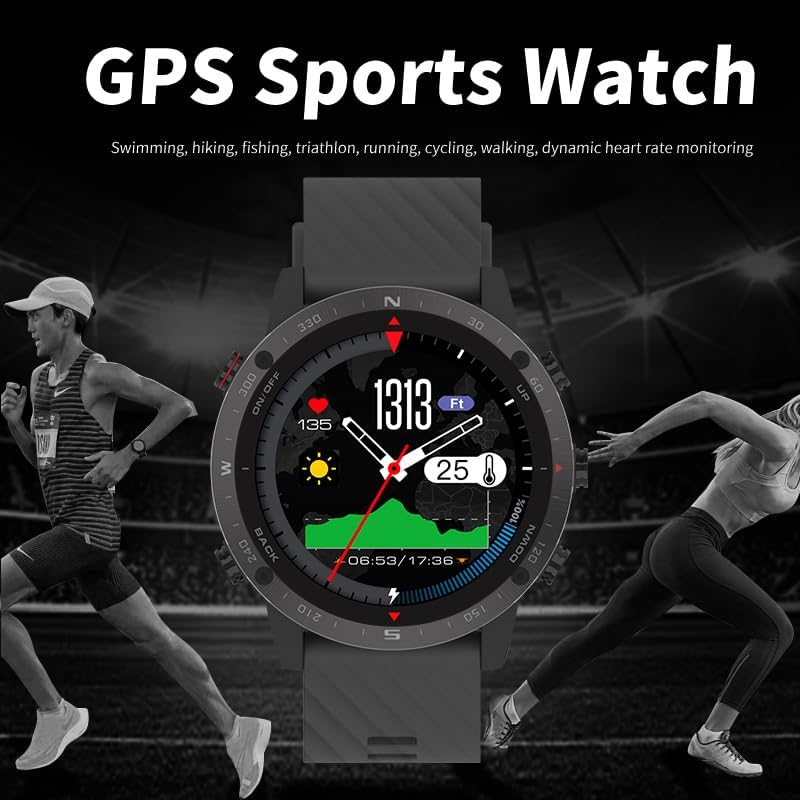
Image: Diving mode display, highlighting the watch's 50m water resistance.
2. การทำความสะอาด
To maintain your watch, regularly wipe the screen and strap with a soft, damp ผ้า หลีกเลี่ยงการใช้สารเคมีรุนแรงหรือวัสดุขัดถูที่อาจสร้างความเสียหายให้กับผิวสัมผัสของนาฬิกาหรือเซ็นเซอร์ โปรดตรวจสอบให้แน่ใจว่าหน้าสัมผัสสำหรับชาร์จสะอาดและแห้งก่อนชาร์จ
การแก้ไขปัญหา
1. Language Issues
If your watch displays an unfamiliar language, refer to the 'Language Selection' section under 'Setup Guide' for detailed instructions on how to change it to English.
2. ปัญหาการเชื่อมต่อ
If your watch is not connecting to your smartphone app:
- ตรวจสอบให้แน่ใจว่าได้เปิดใช้งาน Bluetooth บนนาฬิกาและสมาร์ทโฟนของคุณแล้ว
- ตรวจสอบให้แน่ใจว่านาฬิกาอยู่ในระยะที่สามารถเชื่อมต่อกับสมาร์ทโฟนของคุณได้
- รีสตาร์ททั้งนาฬิกาและสมาร์ทโฟน
- ตรวจสอบว่าแอปได้รับการอัปเดตเป็นเวอร์ชั่นล่าสุดหรือไม่
3. การรับสัญญาณ GPS
เพื่อประสิทธิภาพ GPS ที่ดีที่สุด ให้แน่ใจว่าคุณอยู่ในพื้นที่กลางแจ้งที่เปิดโล่งและมีอากาศแจ่มใส view of the sky. Initial GPS lock may take longer in new locations or after a long period of inactivity.
ข้อมูลจำเพาะ
| หมายเลขรุ่น | G5Pro |
| แสดง | 1.3-inch AMOLED HD Touch Screen |
| ความต้านทานต่อน้ำ | 50 เมตร |
| จีพีเอส | Built-in GPS, Glonass |
| การเชื่อมต่อ | บลูทูธ 4.0 |
| ความจุของแบตเตอรี่ | 320 มิลลิวินาทีamp ชั่วโมง |
| อายุการใช้งานแบตเตอรี่ (สแตนด์บาย) | นานถึง 20 วัน |
| Battery Life (GPS Continuous) | นานถึง 12 ชั่วโมง |
| การเก็บข้อมูลความทรงจำ | 127.99MB |
| ความเข้ากันได้ | Android 4.4 +, iOS 9.0 + |
| น้ำหนักสินค้า | 70 กรัม (2.47 ออนซ์) |
ข้อมูลการรับประกัน
Your SUNROAD G5 Pro GPS Sports Watch is covered by a manufacturer's warranty against defects in materials and workmanship. Please refer to the warranty card included with your product or visit the official SUNROAD website for specific terms and conditions. Keep your proof of purchase for warranty claims.
สนับสนุน
For further assistance, technical support, or to explore other SUNROAD products, please visit the official SUNROAD store:


