3. เนื้อหาบรรจุภัณฑ์
ตรวจสอบว่ามีรายการทั้งหมดอยู่ในแพ็คเกจ:
- JONSBO ZA-240B PC Case Fan Unit (with 2x120mm ARGB Fans)
- สกรูยึด
- เอกสารประกอบ (คู่มือนี้)

Image: JONSBO ZA-240B fan unit with its integrated cables for power and ARGB connection.
Model: ZA-240B
This manual provides detailed instructions for the installation, operation, and maintenance of your JONSBO ZA-240B PC Case Fan. Please read this manual thoroughly before installation and use to ensure proper function and longevity of the product. The JONSBO ZA-240B is an all-in-one unit featuring two 120mm ARGB fans, designed for efficient cooling and customizable lighting within a PC chassis.
ตรวจสอบว่ามีรายการทั้งหมดอยู่ในแพ็คเกจ:
Image: JONSBO ZA-240B fan unit with its integrated cables for power and ARGB connection.

ภาพ: ด้านหน้า view of the JONSBO ZA-240B PC Case Fan showcasing its ARGB lighting and infinity mirror effect.
Follow these steps to install the JONSBO ZA-240B PC Case Fan into your computer chassis:

Image: JONSBO ZA-240B fan unit installed at the top of a PC case, demonstrating typical mounting.
The JONSBO ZA-240B fan unit utilizes Pulse Width Modulation (PWM) technology, allowing your motherboard to dynamically adjust fan speeds based on system temperature. This ensures optimal cooling performance while minimizing noise levels. You can configure fan curves through your motherboard's BIOS/UEFI settings or using compatible software provided by your motherboard manufacturer.
The Addressable RGB (ARGB) lighting of the ZA-240B can be controlled via your motherboard's ARGB software (e.g., ASUS Aura Sync, MSI Mystic Light Sync, GIGABYTE RGB Fusion, ASRock Polychrome Sync). Ensure your motherboard supports 3-pin 5V ARGB headers. This software allows you to customize lighting effects, colors, and synchronization with other ARGB components in your system.
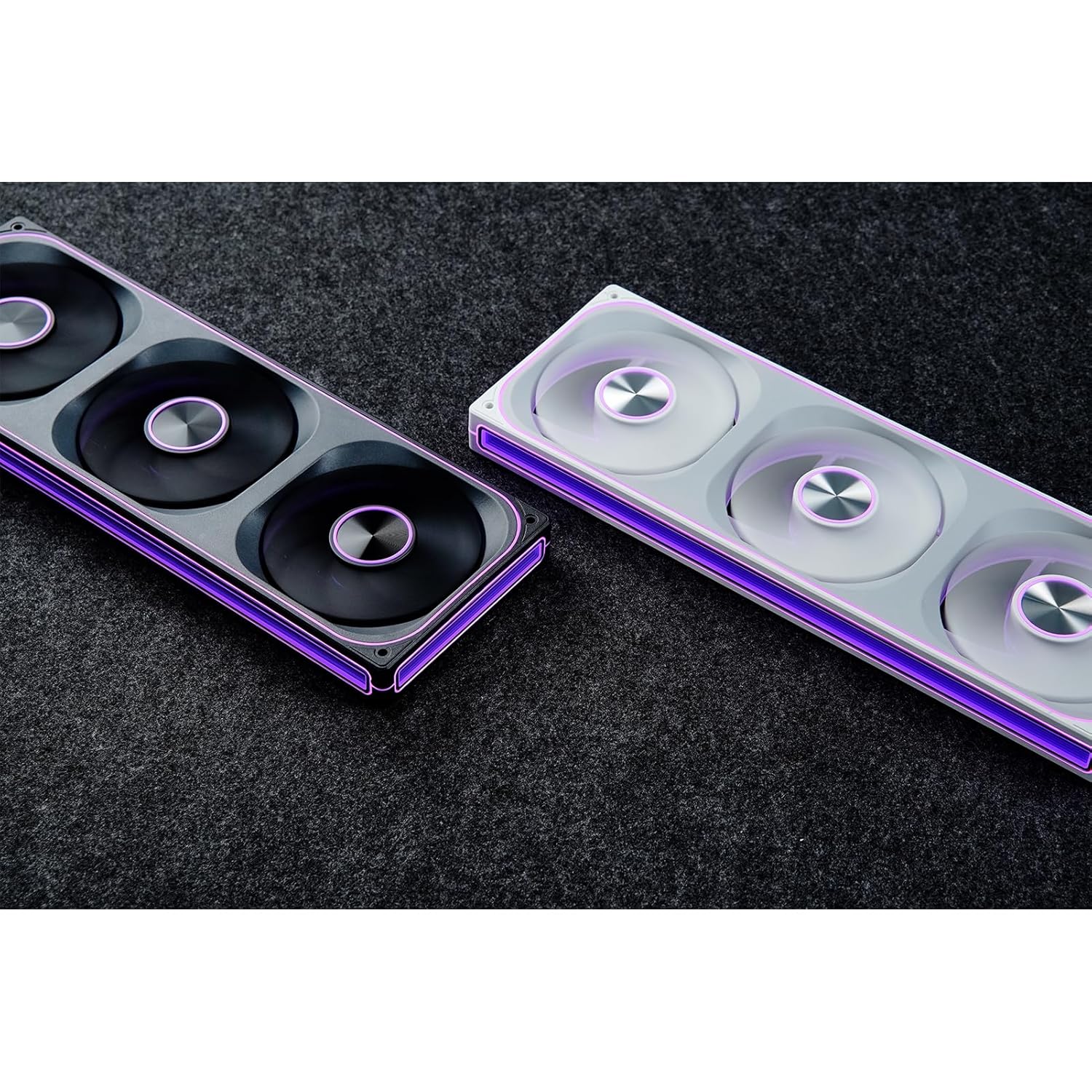
Image: The JONSBO ZA-240B fan unit displaying its customizable ARGB lighting within a computer system.
Regular maintenance helps ensure optimal performance and extends the lifespan of your fan unit.
| ปัญหา | สาเหตุที่เป็นไปได้ | สารละลาย |
|---|---|---|
| พัดลมไม่หมุน | Loose or incorrect PWM cable connection. Insufficient power. | Check the 4-pin PWM cable connection to the motherboard. Ensure the motherboard is supplying power to the fan header. |
| แสง ARGB ไม่ทำงาน | Loose or incorrect ARGB cable connection. Connected to 12V RGB header. Motherboard ARGB software not configured. | Verify the 3-pin ARGB cable is securely connected to a 5V ARGB header. Ensure it is not connected to a 12V RGB header. Check motherboard ARGB software settings. |
| พัดลมเสียงดังเกินไป | Fan speed set too high. Obstruction. | Adjust fan speed settings in your motherboard's BIOS/UEFI or software. Ensure no cables or objects are obstructing the fan blades. |
| ประสิทธิภาพการระบายความร้อนไม่ดี | Insufficient airflow. Dust buildup. Incorrect fan orientation. | Ensure proper airflow within the case. Clean dust from fans. Verify fan is oriented to push or pull air in the desired direction. |
| คุณสมบัติ | รายละเอียด |
|---|---|
| หมายเลขรุ่น | ZA-240B |
| ขนาดพัดลม | 2 x 120mm (integrated unit) |
| Fan Thickness | 28มม. |
| ความเร็วในการหมุน | 700-2400 รอบต่อนาที (±10%) |
| ระดับเสียง | 21.3-37.3 เดซิเบล(เอ) |
| ขั้วต่อไฟฟ้า | 4-Pin PWM |
| ขั้วต่อ ARGB | ARGB 3 พิน 5V |
| เล่มที่tage | DC 12 Volts (Fan), 5 Volts (LED) |
| วัดtage | 5.16 watts (Fan), 5.80 watts (LED) |
| อุปกรณ์ที่รองรับ | เคสพีซี |
| ขนาด (พัสดุ) | 29.97 x 15.75 x 4.19 ซม. |
| น้ำหนัก (พัสดุ) | 707.6 กรัม |
สำหรับข้อมูลการรับประกันและการสนับสนุนทางเทคนิค โปรดดูที่เว็บไซต์อย่างเป็นทางการของ JONSBO webหรือติดต่อผู้ค้าปลีกของคุณ เก็บหลักฐานการซื้อไว้เพื่อใช้ในการเรียกร้องการรับประกัน
 |
คำแนะนำและคำเตือนด้านความปลอดภัยของพัดลม Jonsbo เอกสารนี้ให้คำแนะนำและคำเตือนด้านความปลอดภัยที่จำเป็นสำหรับพัดลม Jonsbo ครอบคลุมถึงความปลอดภัยทางกล ความปลอดภัยทางไฟฟ้า การระบายอากาศ และการบำรุงรักษา มีวัตถุประสงค์เพื่อความปลอดภัยในการใช้งานและการใช้งานผลิตภัณฑ์อย่างถูกต้อง |
 |
คู่มือการติดตั้งและข้อมูลจำเพาะของเคสคอมพิวเตอร์ Jonsbo D31 คู่มือฉบับสมบูรณ์สำหรับเคสคอมพิวเตอร์ Jonsbo D31 ครอบคลุมรายการอะไหล่ สเปคเคส การติดตั้ง PSU และการ์ดจอ ตัวเลือกการระบายความร้อน และความเข้ากันได้ พร้อมรายละเอียดขั้นตอนการประกอบพีซีของคุณอย่างละเอียด |
 |
เคสพีซี JONSBO C6: คู่มือผู้ใช้และคำแนะนำในการติดตั้ง คู่มือผู้ใช้และคู่มือการติดตั้งที่ครอบคลุมสำหรับเคสพีซี JONSBO C6 เอกสารนี้ให้รายละเอียดเกี่ยวกับส่วนประกอบภายในกล่อง การระบุส่วนประกอบ และคำแนะนำการประกอบทีละขั้นตอนสำหรับการประกอบพีซีของคุณ |
 |
คู่มือการติดตั้งเคสพีซี JONSBO NV10 คู่มือการติดตั้งที่ครอบคลุมสำหรับเคสพีซี JONSBO NV10 ซึ่งมีรายละเอียดเกี่ยวกับเนื้อหาแพ็คเกจ ชิ้นส่วน ขั้วต่อ และคำแนะนำในการประกอบทีละขั้นตอนสำหรับการประกอบคอมพิวเตอร์ของคุณ |
 |
JONSBO N5 NAS Case User Guide Comprehensive user guide for the JONSBO N5 NAS Case, detailing product specifications, parts list, and step-by-step installation instructions for components like power supply, motherboard, storage drives, and cooling. |
 |
คู่มือผู้ใช้ตู้แยก JONSBO T9 คู่มือการใช้งานฉบับสมบูรณ์สำหรับเคสคอมพิวเตอร์แบบแยกส่วน JONSBO T9 ซึ่งประกอบด้วยรายละเอียดเกี่ยวกับคุณสมบัติของผลิตภัณฑ์ รายการชิ้นส่วน และคำแนะนำการติดตั้งทีละขั้นตอนสำหรับผู้ประกอบพีซี |