การแนะนำ
This manual provides essential information for the safe operation, setup, maintenance, and troubleshooting of your Womaqu 1/14 Brushless RC Car. Please read this manual thoroughly before operating the vehicle to ensure optimal performance and longevity.
This high-performance remote control truck is designed for enthusiasts aged 14 years and up, featuring a powerful brushless motor, 4WD system, and durable components for thrilling off-road experiences.
เนื้อหาแพ็คเกจ
ตรวจสอบว่ารายการทั้งหมดที่ระบุไว้ด้านล่างนี้รวมอยู่ในแพ็คเกจของคุณ:
- RC car x 1
- รีโมตคอนโทรล x 1
- 2S 7.4V 1500 mAh lithium battery x 2
- สายชาร์จ USB x 1
- ไขควง x 1
- Cross wrench x 1
- All-terrain tire set x 1 (installed on the vehicle)
- Sand tire set x 1
- คู่มือการใช้งาน x 1

Image: Complete package contents of the Womaqu 1/14 Brushless RC Car.
ข้อมูลด้านความปลอดภัย
For safe operation and to prevent damage, please observe the following safety guidelines:
- เก็บให้ห่างจากไฟและอุณหภูมิสูง
- ห้ามเล่นรถบังคับวิทยุใกล้คน สัตว์เลี้ยง หรือสิ่งกีดขวาง
- Ensure batteries are charged using the provided USB charging cable only.
- Supervise children aged 14 and up during operation.
- Avoid operating in wet conditions to prevent damage to electronic components, despite the waterproof ESC.
- ควรปิดรถบังคับวิทยุและรีโมทคอนโทรลทุกครั้งเมื่อไม่ได้ใช้งาน
คุณสมบัติ
- Powerful Brushless Motor & 45A Waterproof ESC: Equipped with a 2847 4000KV brushless motor and a 45A waterproof ESC, delivering exceptional power and efficiency. The advanced circuit design supports 7.4V-11.1V batteries for high performance.

Image: Visual representation of the RC car's speed capabilities and key electronic components.
- Dual 2S Modular Batteries for High Speed: Includes two 7.4V 2S 1500mAh modular lithium batteries for extended playtime and speeds up to 50km/h. Compatible with optional 3S 11.1V battery for speeds up to 42mph (70km/h).

Image: High-power batteries and their contribution to extended playtime.
- Durable Metal Components & Adjustable Suspension: Constructed with full-metal gears, a steel metal drive shaft, and alloy coilover suspension with adjustable strength for unmatched durability and stability.

ภาพ: รายละเอียด view of the robust metal drive system components.
- High Torque Steering Servo & Versatile Terrain Performance: The steering servo provides real-time, precise wheel angle adjustment. Combined with a 4x4 drivetrain, it conquers diverse terrains. Six integrated LED lights enhance visibility for nighttime adventures.
- Dual-Tire Configuration and Full Roll-Cage Frame: Includes a versatile all-terrain set and specialized split sand tires. Features exciting Desert Truck styling with a full roll cage, multi-panel body, and detailed interior for enhanced body strength and twist resistance.
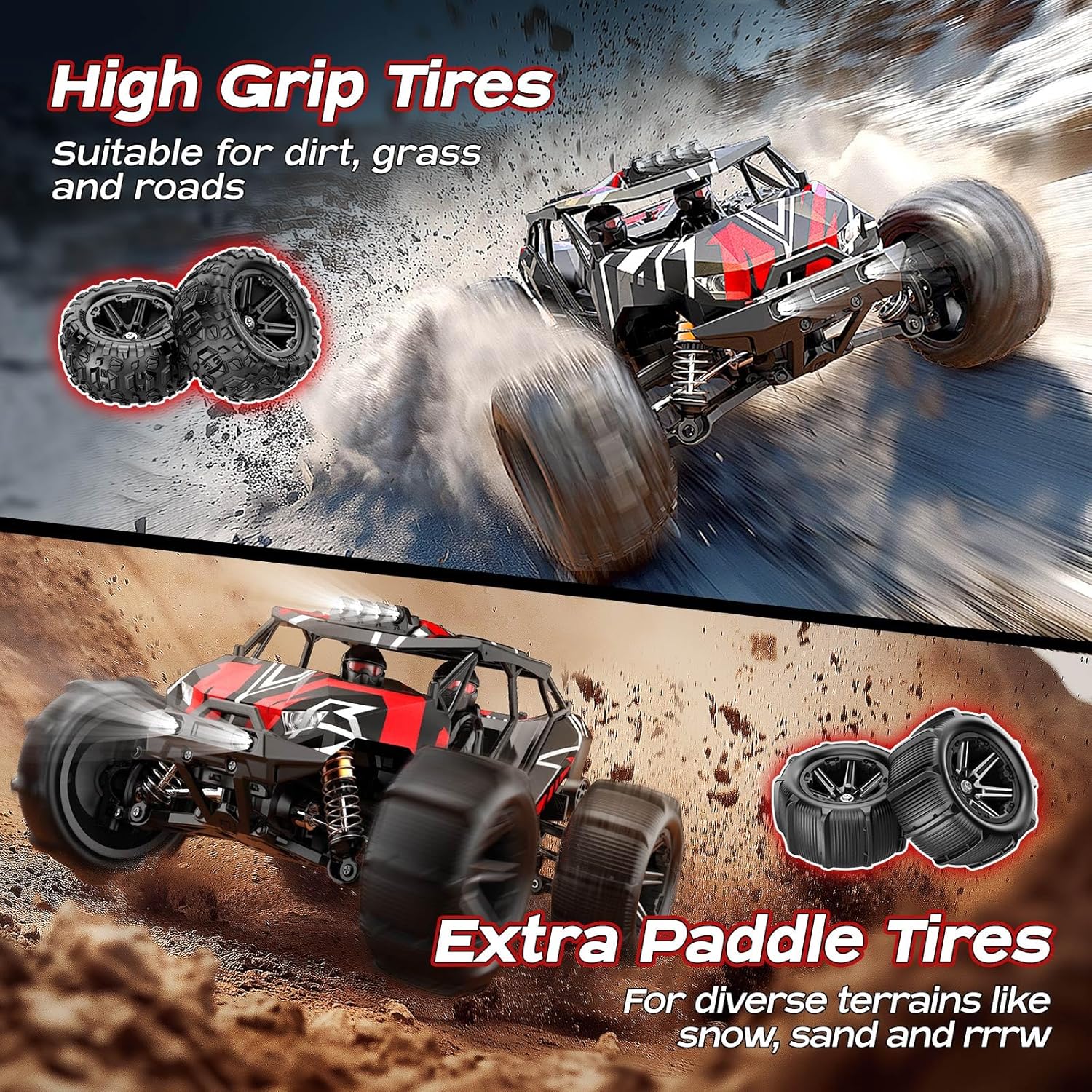
Image: Different tire types for various terrains.

Image: The full roll-cage frame design for durability.
การตั้งค่า
1. การชาร์จแบตเตอรี่
Connect the provided USB charging cable to a compatible USB power source (e.g., computer USB port, USB wall adapter). Connect the other end to the 7.4V 1500mAh LiPo battery. The indicator light on the charger will show charging status (e.g., red for charging, green for fully charged). Charging time may vary. Always ensure batteries are fully charged before first use.
2. Installing Batteries in the RC Car
- Locate the battery compartment on the RC car.
- Carefully insert a charged 7.4V 1500mAh LiPo battery into the compartment.
- Connect the battery connector to the car's power port. Ensure a secure connection.
- ปิดฝาช่องใส่แบตเตอรี่
3. การใส่แบตเตอรี่ลงในรีโมทคอนโทรล
The remote controller requires 3 AA batteries (included). Open the battery cover on the back of the remote controller and insert the batteries, observing the correct polarity (+/-). Close the cover securely.
4. Pairing the Remote Controller with the RC Car
- Turn on the RC car using the power switch. The car's indicator light will blink.
- Turn on the remote controller. The controller's indicator light will also blink.
- Wait a few seconds for the car and controller to automatically pair. Once paired, both indicator lights will become solid.
- หากการจับคู่ล้มเหลว ให้ปิดอุปกรณ์ทั้งสองเครื่องแล้วทำตามขั้นตอนซ้ำอีกครั้ง
คำแนะนำการใช้งาน
ฟังก์ชั่นรีโมทคอนโทรล

Image: Remote controller layout and RC car dimensions.
- พวงมาลัย: ควบคุมการเลี้ยวซ้ายและขวา
- คันเร่งทริกเกอร์: ดึงเพื่อเคลื่อนที่ไปข้างหน้า ผลักเพื่อเบรก/ถอยหลัง
- ตัดแต่งพวงมาลัย: Adjusts the steering to keep the car driving straight when the steering wheel is centered.
- การปรับอัตราการหมุนพวงมาลัยแบบสองระดับ: ปรับมุมการเลี้ยวสูงสุด
- การปรับความเร็วสูงสุด: Limits the top speed of the RC car (50%-100% for children-friendly operation).
- สวิตช์: Power ON/OFF for the remote controller.
เคล็ดลับการขับขี่
- Start slowly to get a feel for the controls before attempting high speeds.
- ฝึกการควบคุมพวงมาลัยและคันเร่งในพื้นที่โล่ง
- Utilize the speed adjustment feature, especially for beginners or younger users.
- The 4WD system allows for excellent traction on various surfaces. Experiment with different terrains.
- For optimal performance on sandy terrains, consider installing the specialized sand tires.

Image: Instructions for changing tires.
การซ่อมบำรุง
การทำความสะอาด
- After each use, especially in dusty or dirty conditions, clean the RC car.
- ใช้แปรงขนนุ่มหรือลมเป่าเพื่อขจัดสิ่งสกปรกและเศษฝุ่นออกจากตัวถัง ล้อ และชิ้นส่วนช่วงล่าง
- เช็ดตัวด้วยโฆษณาamp ผ้า. หลีกเลี่ยงการใช้สารเคมีที่รุนแรง
พื้นที่จัดเก็บ
- Store the RC car and remote controller in a cool, dry place away from direct sunlight and extreme temperatures.
- Remove batteries from both the RC car and the remote controller if storing for extended periods to prevent leakage.
เช็คทั่วไป
- Regularly inspect all screws and fasteners to ensure they are tight.
- Check the tires for wear and tear. Replace if necessary.
- Ensure the suspension components move freely and are not damaged.
การแก้ไขปัญหา
| ปัญหา | สาเหตุที่เป็นไปได้ | สารละลาย |
|---|---|---|
| RC car does not respond to remote. |
|
|
| Reduced speed or short playtime. |
|
|
| รถเบี่ยงไปด้านใดด้านหนึ่ง |
|
|
ข้อมูลจำเพาะ
- ขนาดสินค้า : 13 x 9.5 x 4.8 นิ้ว
- น้ำหนักสินค้า: 4 ปอนด์
- หมายเลขรุ่น: HS14431
- อายุที่แนะนำของผู้ผลิต: 14 ปีขึ้นไป
- Batteries (Car): Two 7.4V 1500mAh LiPo (included)
- Batteries (Controller): แบตเตอรี่ AA 3 ก้อน (รวมอยู่ด้วย)
- ประเภทมอเตอร์: มอเตอร์ไร้แปรงถ่าน 2847 4000KV
- เอสซีเอส: 45A Waterproof Brushless ESC
- ระบบขับเคลื่อน: รถขับเคลื่อน 4 ล้อ
- Max Speed (2S LiPo): Up to 50 km/h (approx. 31 mph)
- Max Speed (3S LiPo): Up to 70 km/h (approx. 42 mph)
- ระยะการควบคุม: ประมาณ 300 ฟุต
การรับประกันและการสนับสนุน
Womaqu products are manufactured to high-quality standards. For warranty information, technical support, or replacement parts, please contact Womaqu customer service through the retailer's platform or visit the official Womaqu store online. Please retain your proof of purchase for warranty claims.
หากต้องการความช่วยเหลือเพิ่มเติม คุณสามารถไปที่ Womaqu Store on Amazon.