1. บทนำ
This manual provides essential information for the proper installation, operation, and maintenance of your LaView 2K Solar Camera Outdoor Wireless Security System. Please read this manual thoroughly before using the product to ensure optimal performance and safety. This system includes four (4) 2K QHD wireless cameras with integrated solar panels for continuous power.
2. สินค้าหมดview
ลาView 2K Solar Camera is a high-performance outdoor security solution designed for ease of use and comprehensive surveillance. Key features include:
- ความละเอียด 2K QHD และระบบมองเห็นสีในเวลากลางคืน: Captures ultra-clear color images day and night.
- 100% Wireless & Solar-Powered: Eliminates wiring and manual recharging.
- หมุนได้ 360° ในแนวนอน และ 120° ในแนวตั้ง: Provides full coverage with no blind spots.
- ระบบตรวจจับ PIR อัจฉริยะ: Reduces false alarms by accurately detecting people, vehicles, and pets.
- เสียงสองทาง: Enables communication with visitors or deterring intruders.
- กันฝนระดับ IP65: ออกแบบมาเพื่อทนทานต่อสภาพอากาศภายนอกที่รุนแรง
- การแชร์แบบหลายผู้ใช้: Supports up to 20 simultaneous viewERS
- ความเข้ากันได้ของสมาร์ทโฮม: ทำงานร่วมกับ Amazon Alexa และ Google Assistant

รูปที่ 1: ลาView 2K Solar Camera Outdoor Wireless Security System (4 Pack)
3. อะไรอยู่ในกล่อง
ลาของคุณView 2K Solar Camera system includes the following components:
- 4 x LaView 2K Solar Camera Bodies
- 4 x Solar Panels (integrated or separate, depending on model variant)
- Mounting Hardware (screws, anchors, mounting brackets)
- สายชาร์จ USB-C
- คู่มือเริ่มต้นใช้งานฉบับย่อ / คู่มือผู้ใช้

Figure 2: Typical box contents for LaView 2K Solar Camera.
4. การตั้งค่า
4.1 การตั้งค่ากล้องเบื้องต้น
- ชาร์จกล้อง: Fully charge the camera battery using the provided USB-C cable before installation.
- ดาวน์โหลดแอป: Download and install the "WansView Cloud" app from your smartphone's app store (available for Android and iOS).
- เปิดเครื่อง: Open the waterproof cover on the bottom of the camera. Press and hold the power button for approximately 5 seconds until you hear a chime and the camera begins its self-test rotation.
- การจับคู่: เปิด WansView Cloud app, create an account, and log in. Tap the "+" or "Add Device" button. The app should automatically detect nearby devices via Bluetooth. Follow the in-app instructions to complete the pairing process. Ensure your smartphone is connected to a 2.4GHz Wi-Fi network.
4.2 การติดตั้งทางกายภาพ
- เลือกตำแหน่ง: Select an outdoor location with good Wi-Fi signal strength and sufficient sunlight exposure for the solar panel. The camera is IP65 weatherproof.
- ติดตั้งกล้อง: Use the provided mounting template to mark drill holes on your wall. Drill holes, insert anchors, and secure the camera's mounting bracket with screws. Attach the camera body to the bracket.
- ติดตั้งแผงโซลาร์เซลล์: If the solar panel is separate, mount it in a location that receives maximum direct sunlight throughout the day. Connect the solar panel cable to the camera's 5V charging port.
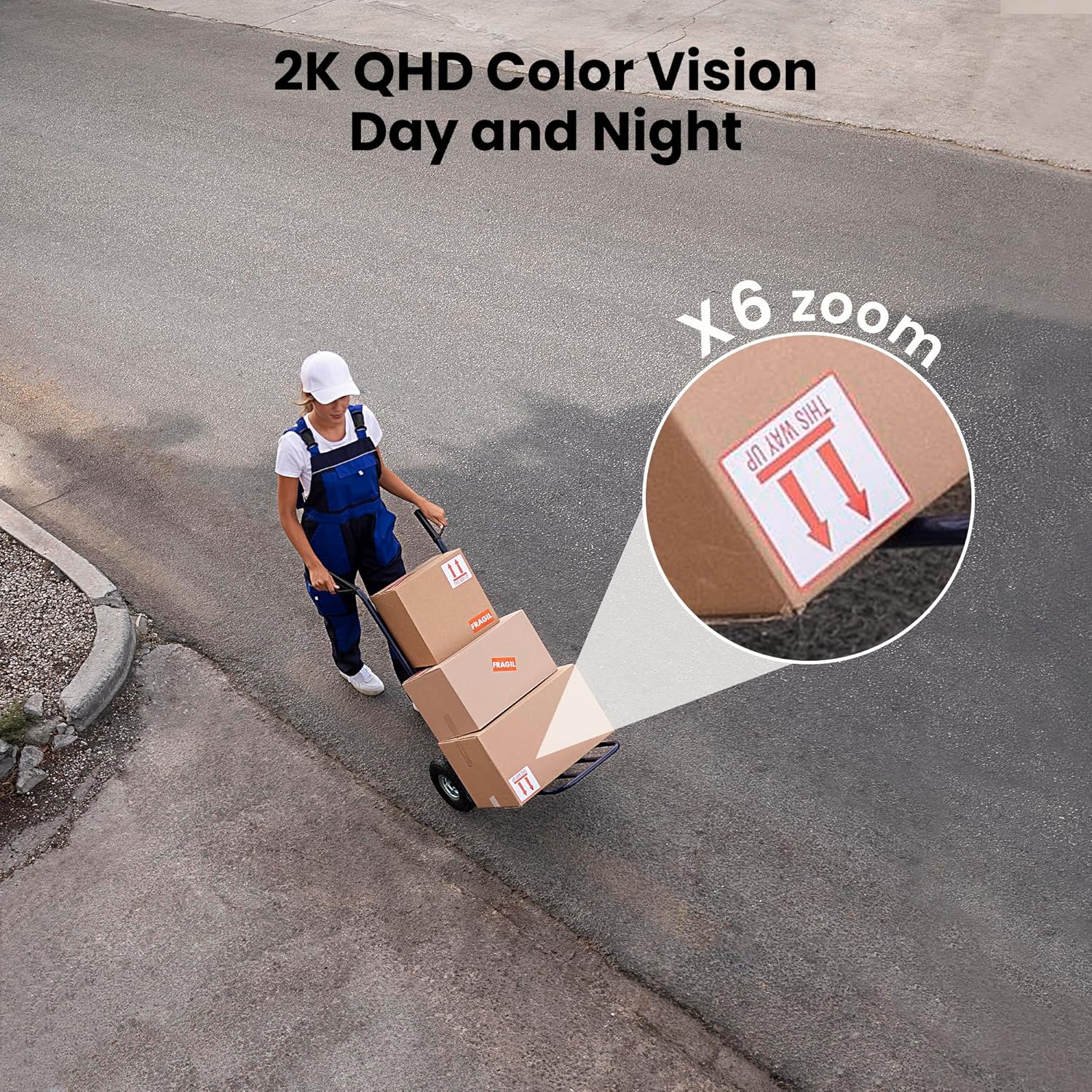
Figure 3: Flexible installation options for the LaView 2K Solar Camera.
5. คู่มือการใช้งาน
5.1 สด View และการควบคุมกล้อง
- เปิด WansView Cloud app to access the live feed from your camera.
- Use the on-screen controls to pan the camera 360° horizontally and tilt it 120° vertically for full coverage.
- Utilize the 6X digital zoom feature to view details in the 2K QHD resolution.

Figure 4: Control 360° pan and 120° tilt directly from your phone.
5.2 คุณภาพวิดีโอและการมองเห็นในเวลากลางคืน
- The camera provides 2K QHD video resolution for clear images.
- การมองเห็นสีกลางคืน: With an F/1.6 aperture, the camera captures clear color images even in low-light conditions.
- อินฟราเรดคืนวิสัยทัศน์: For complete darkness, the camera automatically switches to infrared mode for black and white video.
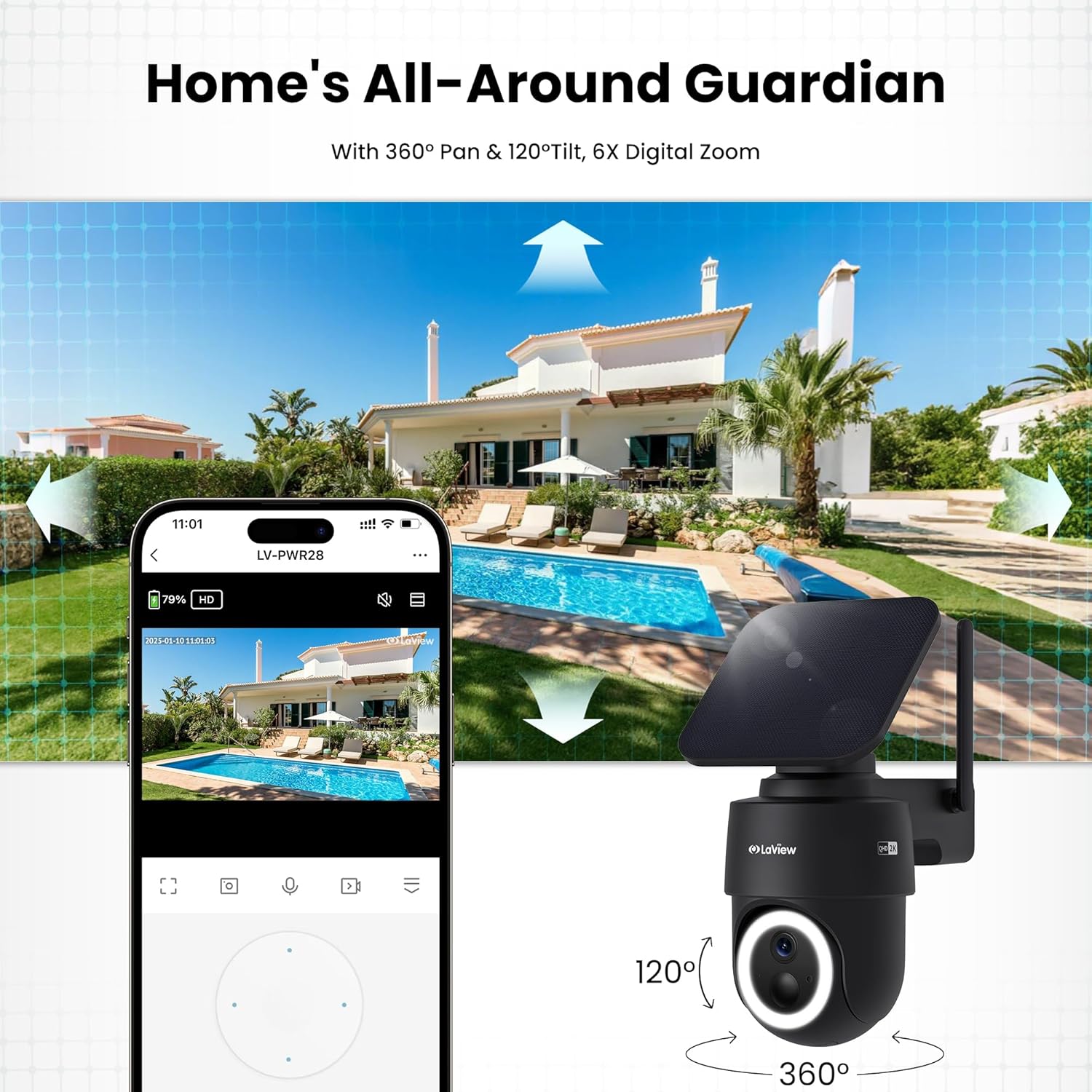
Figure 5: Experience 2K QHD color vision day and night with 6X zoom.
5.3 การตรวจจับการเคลื่อนไหวและการแจ้งเตือน
- การตรวจจับ PIR: The advanced PIR sensor and intelligent algorithms accurately detect human, vehicle, and pet motion, reducing false alarms.
- โซนที่สามารถปรับแต่งได้: Set specific detection sensitivity and zones within the app.
- แจ้งเตือนทันที: รับการแจ้งเตือนแบบพุชบนสมาร์ทโฟนของคุณเมื่อตรวจพบการเคลื่อนไหว
- เสียงไซเรนและไฟสปอตไลท์: Configure the camera to trigger a siren and spotlight upon motion detection for deterrence.

Figure 6: Auto-record on motion detection, capturing movement paths for clear activity tracking.
5.4 เสียงสองทาง
- Use the microphone and speaker in the app to communicate with anyone near the camera.

Figure 7: Stay connected with two-way talk functionality.
5.5 ตัวเลือกการจัดเก็บข้อมูล
- การ์ด Micro SD: เสียบการ์ด Micro SD (สูงสุด 256GB ไม่รวมอยู่ในชุด) ลงในช่องที่กำหนดเพื่อจัดเก็บข้อมูลการบันทึกในเครื่อง
- การเก็บข้อมูลบนคลาวด์: Optional cloud storage is available with a 30-day free trial. A subscription is required for continued cloud service.

Figure 8: Dual storage options: Micro SD card and Cloud Storage.
5.6 การรวมระบบบ้านอัจฉริยะ
- The camera is compatible with Amazon Alexa and Google Assistant. Follow the instructions in your smart home app to connect the camera.

Figure 9: Works with smart home devices like Amazon Alexa and Google Assistant.
6. การบำรุงรักษา
6.1 การชาร์จแบตเตอรี่
- The integrated solar panel continuously charges the camera's rechargeable battery. Ensure the solar panel is clean and free from obstructions for optimal charging.
- If necessary, the camera can also be charged directly via the USB-C port using the provided cable.
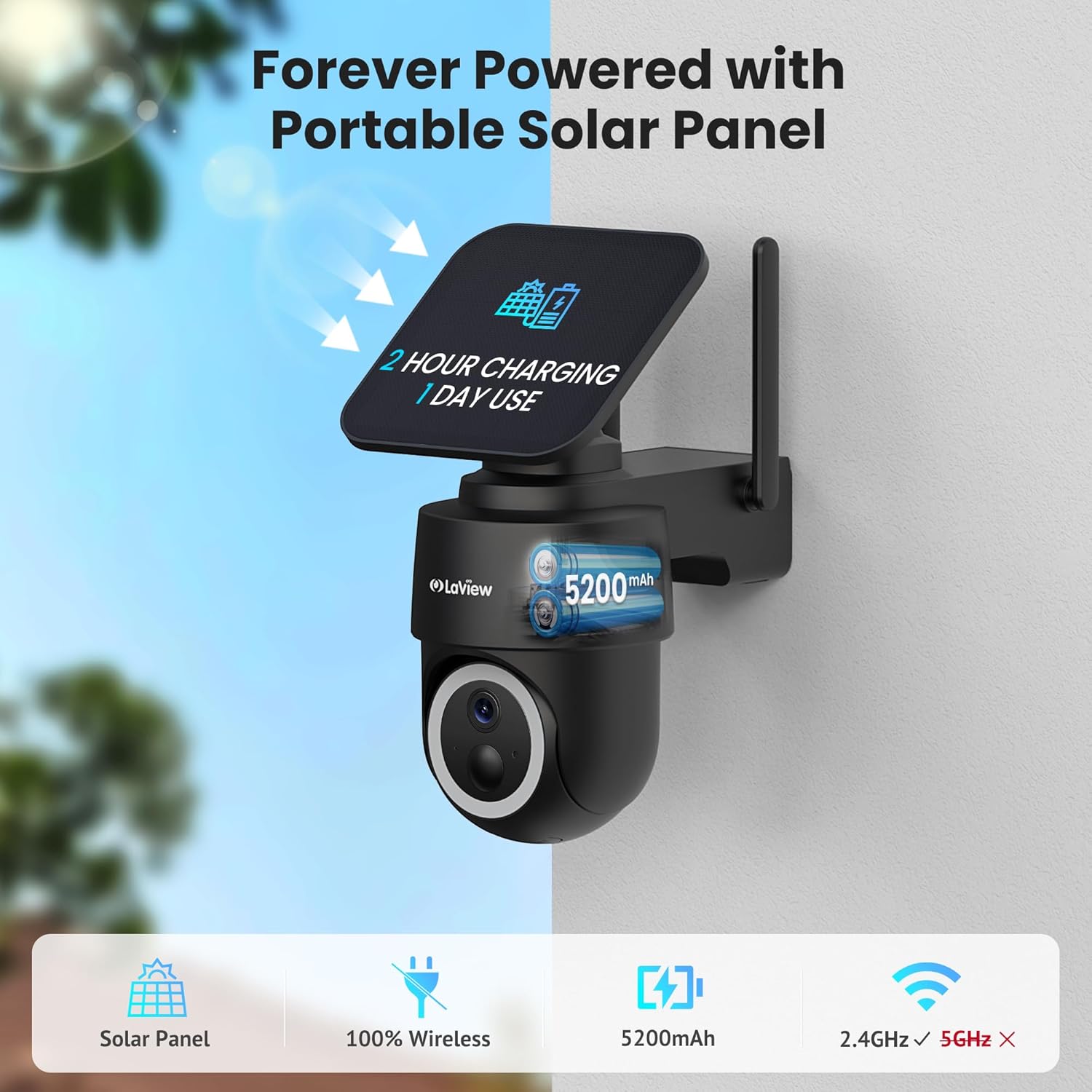
Figure 10: Forever powered with portable solar panel.
6.2 ความต้านทานต่อสภาพอากาศ
- The camera has an IP65 weatherproof rating, protecting it from dust and water jets. It operates in temperatures from 14°F to 122°F (-10°C to 50°C).

Figure 11: IP65 Weatherproof design for all conditions.
6.3 การทำความสะอาด
- ทำความสะอาดเลนส์กล้องและแผงโซลาร์เซลล์ด้วยผ้านุ่มเป็นประจำamp cloth to ensure clear image quality and efficient charging.
7 การแก้ไขปัญหา
- กล้องไม่ได้เชื่อมต่อกับ Wi-Fi: Ensure your Wi-Fi network is 2.4GHz. Reboot your router and smartphone. Reset the camera by holding the reset button for 5 seconds until you hear a chime, then attempt pairing again.
- สัญญาณเตือนผิดพลาดบ่อยครั้ง: Adjust the PIR detection sensitivity and customize detection zones within the app to minimize unwanted alerts from non-relevant motion sources.
- คุณภาพของภาพต่ำ: ตรวจสอบให้แน่ใจว่าเลนส์กล้องสะอาดและไม่มีสิ่งกีดขวาง ตรวจสอบความแรงของสัญญาณ Wi-Fi
- แบตเตอรี่ไม่ชาร์จ: Verify the solar panel is receiving direct sunlight and is free from dirt or obstructions. Ensure the solar panel cable is securely connected to the camera.
8. ข้อมูลจำเพาะ
| ชื่อรุ่น | LV-PWR28Q-B-4PK |
| การใช้งานภายใน/ภายนอกอาคาร | กลางแจ้ง |
| แหล่งพลังงาน | พลังงานแสงอาทิตย์ |
| โปรโตคอลการเชื่อมต่อ | Wi-Fi (2.4GHz เท่านั้น) |
| ความละเอียดในการจับภาพวิดีโอ | 2K QHD (3K mentioned in specs, but 2K QHD in features) |
| ประเภทตัวควบคุม | อเมซอนอเล็กซา |
| ประเภทการติดตั้ง | ติดผนัง |
| คะแนนสภาพอากาศ | IP65 |
| อุณหภูมิในการทำงาน | 14°F ถึง 122°F (-10°C ถึง 50°C) |
| ขนาดรายการ (ยาว x กว้าง x สูง) | 10 x 13 x 9 นิ้ว |
| น้ำหนักสินค้า | 7.88 ปอนด์ |
| ยูพีซี | 192728016859 |
9. การรับประกันและการสนับสนุน
- รับประกันเปลี่ยนสินค้า 1 ปี: ลาของคุณView 2K Solar Camera system is covered by a 1-year replacement warranty.
- การสนับสนุนทางเทคนิคตลอดอายุการใช้งาน: LaView offers lifetime technical support via phone for prompt and reliable solutions.
- 1-on-1 Customer Service: Dedicated customer service is available for personalized assistance.

รูปที่ 12: ลาView provides comprehensive after-sales support.


