การแนะนำ
Thank you for choosing the Kamon K40 Wireless Earbuds. These earbuds are designed to provide a high-quality audio experience with advanced features such as Bluetooth 5.3 connectivity, AI Environmental Noise Cancellation (ENC), smart touch controls, and a portable charging case with an LED display. This manual will guide you through the setup, operation, and maintenance of your new earbuds to ensure optimal performance.

Image: Kamon K40 Wireless Earbuds in their charging case, displaying battery levels on the LED screen.
เนื้อหาแพ็คเกจ
โปรดตรวจสอบว่าสินค้าทั้งหมดมีอยู่ในแพ็คเกจของคุณ:
- 2 Wireless Earbuds (Left and Right)
- 1 LED Display Charging Case
- สายชาร์จ USB-C 1 เส้น
- 3 Pairs of Silicone Ear Tips (S/M/L)
- 1 คู่มือผู้ใช้
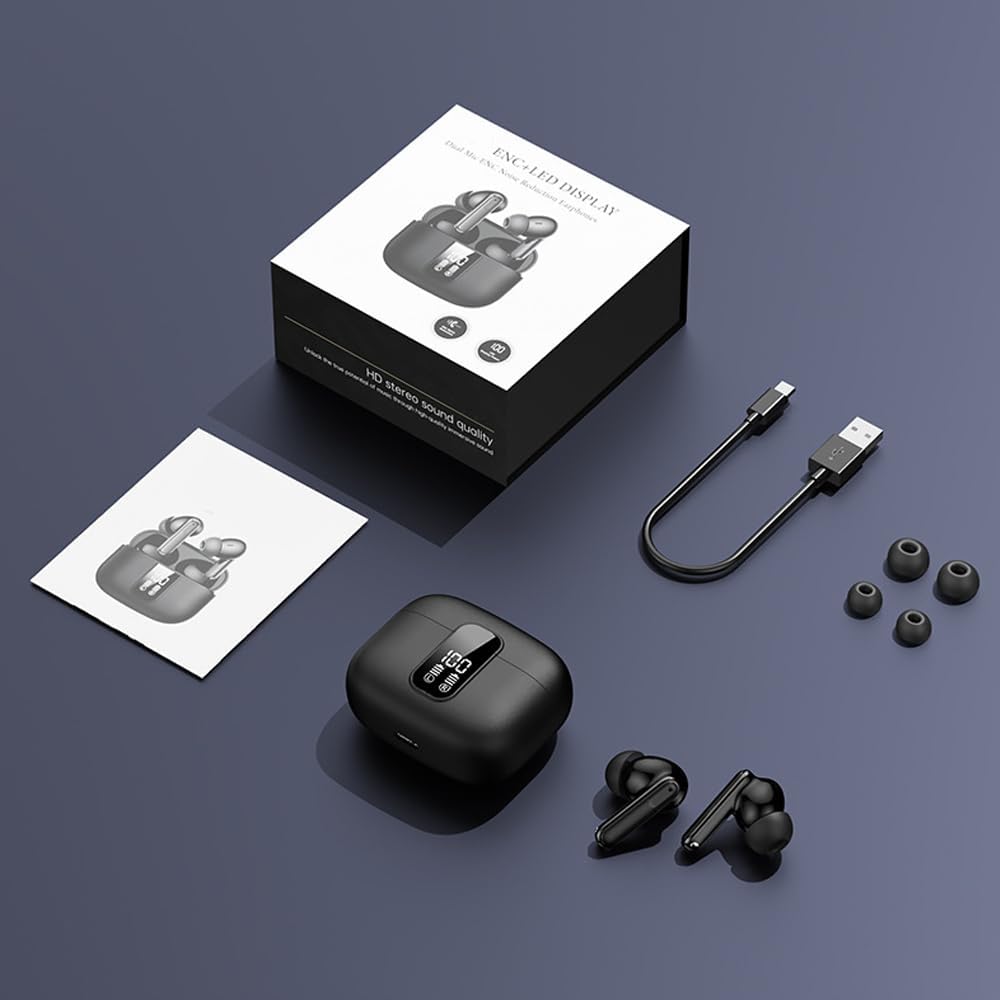
Image: All components included in the Kamon K40 Wireless Earbuds package: earbuds, charging case, USB-C cable, and three sizes of ear tips.
สินค้าเกินview
The Kamon K40 earbuds feature an ergonomic in-ear design for secure and comfortable fit. The charging case includes an LED display to show battery levels for both the case and individual earbuds. Key features include:
- Bluetooth 5.3: Provides stable and fast wireless connection up to 15 meters.
- AI ENC Noise Reduction: Enhances call clarity by filtering ambient noise.
- การควบคุมแบบสัมผัสอัจฉริยะ: Intuitive controls for music, calls, and voice assistant.
- เวลาเล่นนาน: Up to 5 hours per charge, extended to 20 hours total with the charging case.
- การออกแบบกันน้ำ: Resistant to sweat and light rain, suitable for workouts.
- HiFi Stereo Bass: Equipped with 13mm speakers for immersive audio.

Image: The Kamon K40 charging case open, revealing the earbuds and an LED display indicating the charge percentage and individual earbud battery status.
การตั้งค่า
1. การชาร์จหูฟังและเคส
ก่อนใช้งานครั้งแรก ควรชาร์จหูฟังและเคสชาร์จให้เต็ม
- วางหูฟังลงในกล่องชาร์จ ตรวจสอบให้แน่ใจว่าเสียบเข้าที่อย่างถูกต้อง ไฟ LED บนหูฟังจะสว่างขึ้น
- เชื่อมต่อสายชาร์จ USB-C เข้ากับพอร์ตชาร์จบนเคส และเชื่อมต่อปลายอีกด้านหนึ่งเข้ากับอะแดปเตอร์แปลงไฟ USB (ไม่ได้รวมอยู่ในชุด)
- The LED display on the case will show the charging progress. A full charge for the case takes approximately 1.5 hours.
Video: An official product video demonstrating the features of the Kamon K40 Wireless Earbuds, including charging and touch controls.
2. การจับคู่กับอุปกรณ์ของคุณ
The Kamon K40 earbuds feature one-step pairing for convenience.
- Open the charging case. The earbuds will automatically enter pairing mode, indicated by flashing lights (if applicable, refer to specific earbud light patterns).
- บนอุปกรณ์ของคุณ (สมาร์ทโฟน แท็บเล็ต แล็ปท็อป) ให้เปิดใช้งาน Bluetooth
- ค้นหา available Bluetooth devices and select "K40" from the list.
- Once connected, you will hear a confirmation tone, and the earbuds' indicator lights will stop flashing.
หูฟังจะเชื่อมต่อกับอุปกรณ์ที่จับคู่ล่าสุดโดยอัตโนมัติเมื่อนำออกจากเคส โดยมีเงื่อนไขว่าอุปกรณ์นั้นต้องเปิดใช้งานบลูทูธไว้
3. การสวมหูฟัง
For optimal sound quality and comfort, choose the correct size ear tips and ensure a proper fit.
- Select the silicone ear tips that best fit your ear canal. Experiment with different sizes (S/M/L) for the most secure and comfortable seal.
- Gently insert each earbud into your ear canal and twist slightly to secure it. The ergonomic design helps them stay in place during various activities.

Image: A Kamon K40 Wireless Earbud correctly positioned in a human ear, demonstrating its ergonomic fit.
คำแนะนำการใช้งาน
ระบบควบคุมแบบสัมผัสอัจฉริยะ
The Kamon K40 earbuds feature intuitive touch controls on each earbud. The following table outlines the functions:

Image: A visual guide to the smart touch controls on the Kamon K40 earbuds, detailing actions for various taps and holds.
| การกระทำ | การทำงาน |
|---|---|
| Hold for 3 seconds (either earbud) | เปิดเครื่อง |
| Tap & Hold for 3 seconds (either earbud) | ปิดเครื่อง |
| แตะครั้งเดียว (ซ้าย/ขวา) | Play/Pause Music / Answer/End Call |
| Double click left earbud | เพลงก่อนหน้า |
| Double click right earbud | เพลงถัดไป |
| เอียร์บัดข้างซ้ายแตะสามครั้ง | เล่ม + |
| เอียร์บัดด้านขวาแตะสามครั้ง | ปริมาณ - |
| Four strikes (L/R) | เปิดใช้งานผู้ช่วยเสียง |
| Tap & Hold for 1.5 seconds (either earbud) | ปฏิเสธการรับสาย |
| FTouch (either earbud) | Transparent/ANC Mode - Normal Mode Switch |
สวิตช์ Master-Slave
The Kamon K40 earbuds support a master-slave switch function, allowing you to use either earbud independently or both simultaneously. This provides flexibility for various scenarios, such as taking calls with one earbud while the other charges, or sharing audio with a friend.
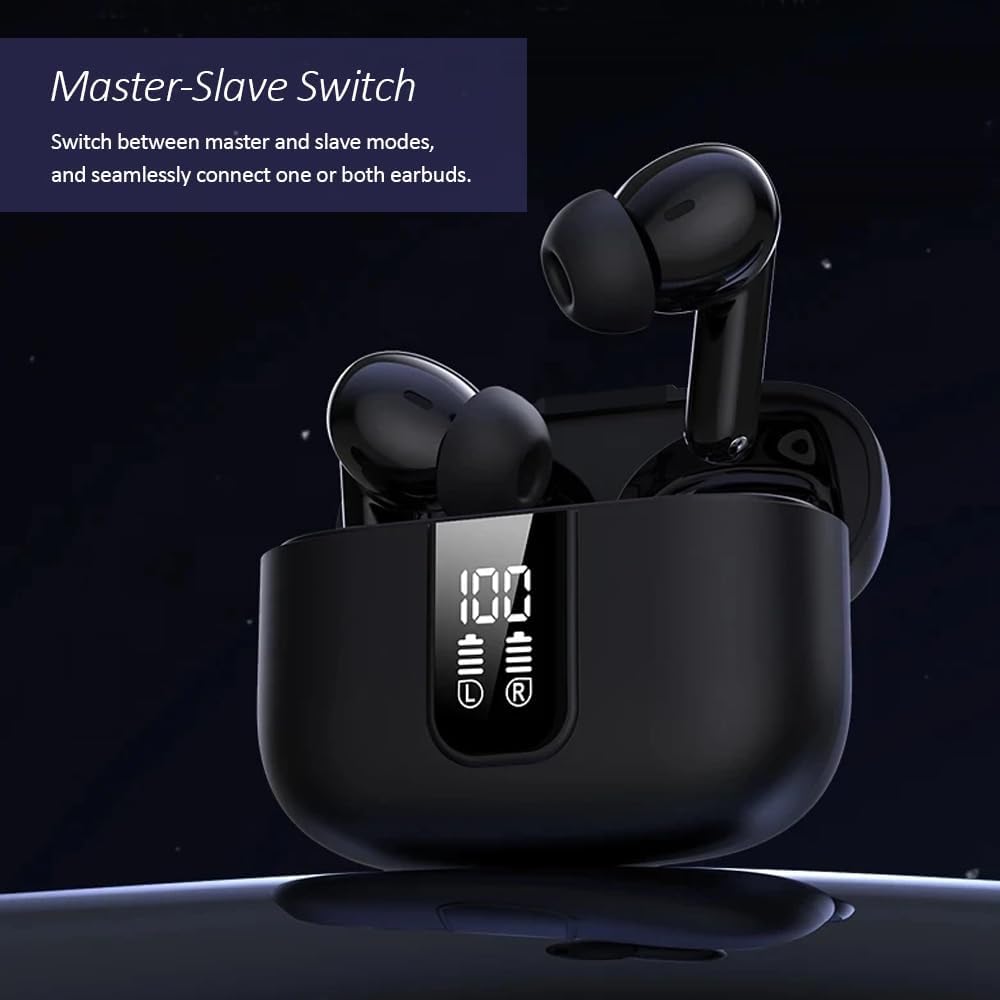
Image: The Kamon K40 earbuds in their charging case, highlighting the ability to use either earbud independently or together.
การซ่อมบำรุง
การทำความสะอาด
- ทำความสะอาดหูฟังและกล่องชาร์จเป็นประจำด้วยผ้าแห้งนุ่มที่ไม่เป็นขุย
- ถอดปลายหูออกแล้วทำความสะอาดด้วยสบู่ชนิดอ่อนและน้ำ จากนั้นเช็ดให้แห้งสนิทก่อนใส่กลับเข้าไปอีกครั้ง
- ใช้สำลีเช็ดทำความสะอาดหน้าสัมผัสการชาร์จบนหูฟังทั้งสองข้างและภายในเคสอย่างเบามือ
พื้นที่จัดเก็บ
- เมื่อไม่ได้ใช้งาน ควรเก็บหูฟังไว้ในกล่องชาร์จเสมอ เพื่อปกป้องหูฟังและให้หูฟังชาร์จไฟอยู่เสมอ
- เก็บอุปกรณ์ไว้ในที่แห้งและเย็น หลีกเลี่ยงอุณหภูมิที่สูงและแสงแดดโดยตรง
การแก้ไขปัญหา
หูฟังไม่จับคู่/เชื่อมต่อ
- ตรวจสอบให้แน่ใจว่าได้ชาร์จหูฟังเอียร์บัดทั้งสองข้างแล้ว
- ปิดบลูทูธบนอุปกรณ์ของคุณ จากนั้นเปิดใหม่อีกครั้ง
- Forget/delete "K40" from your device's Bluetooth list and attempt to pair again.
- ใส่หูฟังทั้งสองข้างกลับเข้าไปในกล่องชาร์จ ปิดฝา รอสักครู่ แล้วเปิดฝาเพื่อเริ่มโหมดจับคู่ใหม่อีกครั้ง
ไม่มีเสียงหรือระดับเสียงต่ำ
- ตรวจสอบระดับเสียงทั้งบนอุปกรณ์และหูฟังของคุณ
- Ensure the earbuds are properly seated in your ears and the ear tips provide a good seal.
- ทำความสะอาดเศษสิ่งสกปรกออกจากลำโพงของหูฟัง
- เชื่อมต่อหูฟังเอียร์บัดเข้ากับอุปกรณ์ของคุณอีกครั้ง
ปัญหาการชาร์จไฟ
- ตรวจสอบให้แน่ใจว่าสาย USB-C เชื่อมต่อกับเคสและแหล่งจ่ายไฟอย่างแน่นหนา
- ลองใช้สาย USB-C หรืออะแดปเตอร์ไฟอื่น
- ทำความสะอาดหน้าสัมผัสการชาร์จบนหูฟังและภายในเคส
ข้อมูลจำเพาะ
| คุณสมบัติ | รายละเอียด |
|---|---|
| ชื่อรุ่น | เค40 |
| ยี่ห้อ | กามอน |
| เทคโนโลยีการเชื่อมต่อ | ไร้สาย (Bluetooth) |
| เวอร์ชันบลูทูธ | 5.3 |
| ช่วงบลูทูธ | 15 เมตร |
| การควบคุมเสียงรบกวน | การลดเสียงรบกวนสิ่งแวดล้อม (ENC) |
| ประเภทการควบคุม | การควบคุมแบบสัมผัสอัจฉริยะ |
| การวางตำแหน่งหู | ในหู |
| อายุการใช้งานแบตเตอรี่ (หูฟัง) | นานถึง 5 ชั่วโมง |
| เวลาเล่นทั้งหมด (รวมเคส) | นานถึง 20 ชั่วโมง |
| อินเตอร์เฟซการชาร์จ | ยูเอสบี-ซี |
| ระดับความต้านทานต่อน้ำ | กันน้ำ |
| ประเภทไดร์เวอร์เสียง | ไดร์เวอร์บาลานซ์อาร์เมเจอร์ |
| น้ำหนักสินค้า | 2 ออนซ์ |
| วัสดุ | อะคริโลไนไตรล์ บิวทาไดอีน สไตรีน (ABS) |
| อุปกรณ์ที่รองรับ | Cellphones, Tablets, Laptops, Televisions |
ข้อมูลด้านความปลอดภัย
- ห้ามถอดประกอบหรือดัดแปลงผลิตภัณฑ์
- ควรเก็บหูฟังและเคสชาร์จให้ห่างจากน้ำ ความชื้น และอุณหภูมิที่สูงหรือต่ำเกินไป
- หลีกเลี่ยงการสัมผัสกับระดับเสียงสูงเป็นเวลานานเพื่อป้องกันความเสียหายต่อการได้ยิน
- เก็บให้พ้นจากมือเด็กและสัตว์เลี้ยง
- ใช้เฉพาะสายชาร์จที่ให้มาหรือที่เทียบเท่าที่ได้รับการรับรองเท่านั้น
การรับประกันและการสนับสนุน
Kamon products are designed for reliability and performance. For warranty information, technical support, or customer service inquiries, please refer to the contact details provided with your purchase or visit the official Kamon webไซต์ โปรดเก็บหลักฐานการซื้อไว้เพื่อใช้ในการเรียกร้องการรับประกัน


