1. บทนำ
ขอบคุณสำหรับการซื้อasing the Sharp KI-TX75-W Humidifying Air Purifier. This appliance is designed to improve your indoor air quality through advanced air purification and humidification technologies. It features Plasmacluster NEXT for high-density ion emission, AI AUTO mode for intelligent operation, Coanda flow for efficient dust collection, an AI monitor for real-time air quality feedback, and COCORO AIR for smart control via a smartphone app.
This manual provides essential information for the safe and efficient use, maintenance, and troubleshooting of your air purifier. Please read it thoroughly before use and keep it for future reference.
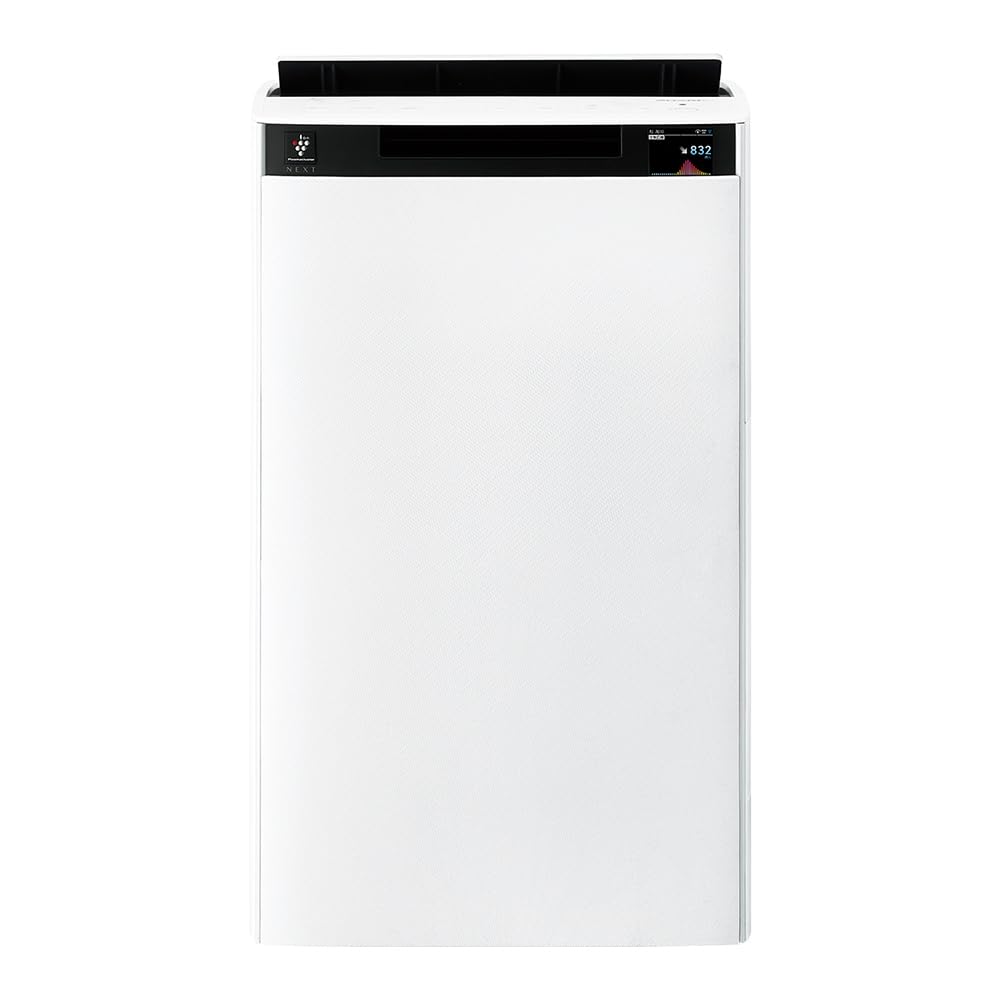
ด้านหน้า view of the Sharp KI-TX75-W Humidifying Air Purifier.
2. ข้อมูลด้านความปลอดภัย
เพื่อให้มั่นใจถึงการทำงานที่ปลอดภัยและป้องกันความเสียหาย โปรดปฏิบัติตามข้อควรระวังด้านความปลอดภัยต่อไปนี้:
- ควรใช้เครื่องใช้ไฟฟ้าด้วยปริมาตรที่ถูกต้องเสมอtagตามที่ระบุไว้บนฉลากการจัดระดับคุณภาพ
- ห้ามปิดกั้นช่องรับอากาศหรือช่องระบายอากาศ
- Keep the appliance away from water and moisture. Do not operate with wet hands.
- ถอดปลั๊กไฟก่อนทำความสะอาดหรือบำรุงรักษาใดๆ
- อย่าปล่อยให้เด็กใช้งานเครื่องโดยไม่ได้รับการดูแล
- หากสายไฟเสียหาย จะต้องเปลี่ยนโดยผู้ผลิต ตัวแทนให้บริการ หรือบุคคลที่มีคุณสมบัติใกล้เคียงเพื่อหลีกเลี่ยงอันตราย
- ห้ามใส่สิ่งแปลกปลอมเข้าไปในช่องเปิดใดๆ
- วางเครื่องบนพื้นผิวเรียบและมั่นคง
3. การตั้งค่า
3.1 การแกะและการจัดวาง
- นำเครื่องฟอกอากาศออกจากบรรจุภัณฑ์อย่างระมัดระวัง
- Choose a location with adequate space around the unit for optimal airflow. Avoid placing it directly against walls or furniture.
- Ensure the unit is placed on a flat, stable surface. The built-in casters with stoppers allow for easy movement and secure positioning.

The unit features casters with stoppers for convenient movement and secure placement.
3.2 การติดตั้งตัวกรอง
The unit comes with pre-installed filters. Verify they are correctly seated before first use.
- Open the back panel of the air purifier.
- Ensure the HEPA filter, deodorizing filter, and pre-filter are securely in place.
- ปิดแผงด้านหลัง

The air purifier utilizes a three-layer filter system: pre-filter, deodorizing filter, and HEPA filter.
3.3 ถังบรรจุน้ำ
For humidification, fill the water tank with clean tap water.
- Remove the water tank from the side of the unit.
- Open the water tank cap and fill it with fresh tap water.
- ปิดฝาให้สนิทและใส่ถังน้ำกลับเข้าไปในตัวเครื่อง

Remove the water tank from the side of the unit to fill it with water.
3.4 การเปิดเครื่องครั้งแรกและการเชื่อมต่อเครือข่าย
- เสียบสายไฟเข้ากับเต้ารับที่ผนัง
- กดปุ่มเปิด/ปิดบนแผงควบคุม
- To utilize smart features, download the COCORO AIR app on your smartphone and follow the in-app instructions to connect the air purifier to your wireless LAN network.
4. คู่มือการใช้งาน
4.1 แผงควบคุมโอเวอร์view

The control panel allows selection of various modes and settings.
4.2 โหมดการทำงาน
- AI AUTO Mode: This intelligent mode automatically adjusts operation based on detected air quality, aiming for a cleanroom Class 8 level environment. It optimizes airflow to effectively collect pollen, dust, and fine particles.
- โหมดฟอกอากาศ: Operates solely as an air purifier, removing airborne particles and odors.
- โหมดเพิ่มความชื้น: Adds moisture to the air while purifying. The unit can deliver up to 900 mL/h of humidification.
- Plasmacluster NEXT: This technology generates high-density Plasmacluster ions (50,000 ions/cm³) to suppress airborne and adhering viruses, allergens, and odors.

AI AUTO mode significantly reduces airborne particles to maintain a clean environment.
4.3 AI Monitor
The AI Monitor visualizes the number of particles in the room and provides feedback on air quality. It displays real-time particle counts and indicates when the air is clean or needs purification.

The AI Monitor provides a visual representation of airborne particle levels.
The AI Monitor also provides notifications for humidification status, maintenance timing, and estimated electricity costs.

Notifications include humidification status, maintenance alerts, and electricity usage.
4.4 COCORO AIR App
Connect your air purifier to the COCORO AIR app via Wi-Fi for enhanced control and monitoring. The app allows you to:
- Monitor air quality and operating status remotely.
- Customize operation schedules and settings.
- Receive notifications for filter replacement and maintenance.
- Access special operating modes, such as pet-specific modes.

The COCORO AIR app provides remote control and monitoring capabilities.
5. การบำรุงรักษา
การบำรุงรักษาตามปกติจะช่วยให้เครื่องฟอกอากาศของคุณทำงานได้อย่างเหมาะสมที่สุดและยืดอายุการใช้งาน
5.1 การทำความสะอาดและเปลี่ยนตัวกรอง
- ตัวกรองล่วงหน้า: Clean regularly (e.g., once a month) by vacuuming or washing with water.
- HEPA Filter & Deodorizing Filter: These filters are not washable. Replace them according to the recommended schedule (typically every 1-2 years, depending on usage and environment). The COCORO AIR app will notify you when replacement is due.
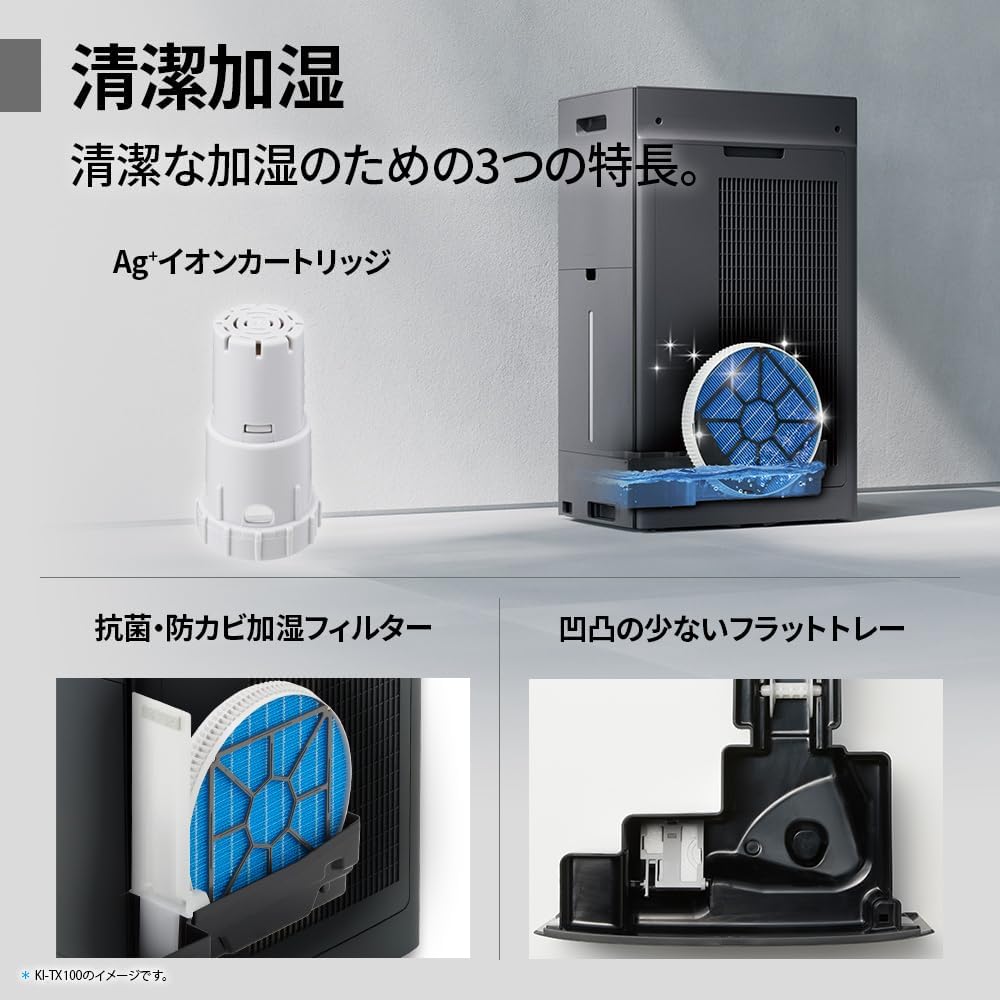
Regularly clean the pre-filter to maintain air purification efficiency.
5.2 Humidifying Filter Maintenance
The humidifying filter can be automatically cleaned using the unit's internal cleaning function. This helps prevent scale buildup.
- Remove the water tank and humidifying filter assembly.
- Add a small spoon of citric acid (commercially available) to the water tank and fill with water.
- Press the internal humidification cleaning button on the unit.
- After the cleaning cycle, rinse the tank and filter thoroughly.

The humidifying filter can be automatically cleaned using citric acid and water.
5.3 Ag+ Ion Cartridge Replacement
The Ag+ ion cartridge helps keep the water in the tank clean. Replace it approximately once a year.

Replace the Ag+ ion cartridge annually for optimal water tank hygiene.
6 การแก้ไขปัญหา
หากคุณพบปัญหาเกี่ยวกับเครื่องฟอกอากาศของคุณ โปรดดูปัญหาทั่วไปและวิธีแก้ไขต่อไปนี้:
| ปัญหา | สาเหตุที่เป็นไปได้ | สารละลาย |
|---|---|---|
| เครื่องไม่เปิด | สายไฟต่อไม่ถูกต้อง ไม่มีไฟจากเต้ารับ | ตรวจสอบการเชื่อมต่อสายไฟ ทดสอบเต้ารับกับอุปกรณ์อื่น |
| Weak airflow or poor purification. | Filters are dirty or clogged. Air intake/outlet blocked. | Clean or replace filters. Ensure vents are clear. |
| No humidification or low humidity output. | Water tank is empty. Humidifying filter is dirty. | Refill water tank. Clean the humidifying filter. |
| เสียงรบกวนที่ผิดปกติระหว่างการทำงาน | Unit not on a level surface. Foreign object in fan. | Ensure unit is stable. Check for obstructions (unplug first). |
| AI Monitor shows high particle count despite operation. | Filters need cleaning/replacement. Room size exceeds recommended area. | Perform filter maintenance. Consider unit placement or additional units for larger spaces. |
หากปัญหายังคงมีอยู่หลังจากลองวิธีแก้ไขเหล่านี้แล้ว โปรดติดต่อฝ่ายสนับสนุนลูกค้า
7. ข้อมูลจำเพาะ
| คุณสมบัติ | ข้อมูลจำเพาะ |
|---|---|
| หมายเลขรุ่น | KI-TX75-W |
| ยี่ห้อ | คม |
| ขนาด (กว้าง x ลึก x สูง) | 39.5 ซม. x 26.5 ซม. x 65 ซม. |
| น้ำหนัก | 12 กก. |
| แหล่งพลังงาน | สายไฟ |
| ระดับเสียง | 20-52 เดซิเบล |
| Recommended Room Size (Plasmacluster) | Up to 18 tatami (~29.7 m²) |
| Recommended Room Size (Air Purification) | Up to 34 tatami (~56.1 m²) |
| ความสามารถในการเพิ่มความชื้นสูงสุด | 900 มล. / ชม |
| Air Purification Time (8 tatami) | 9 นาที |
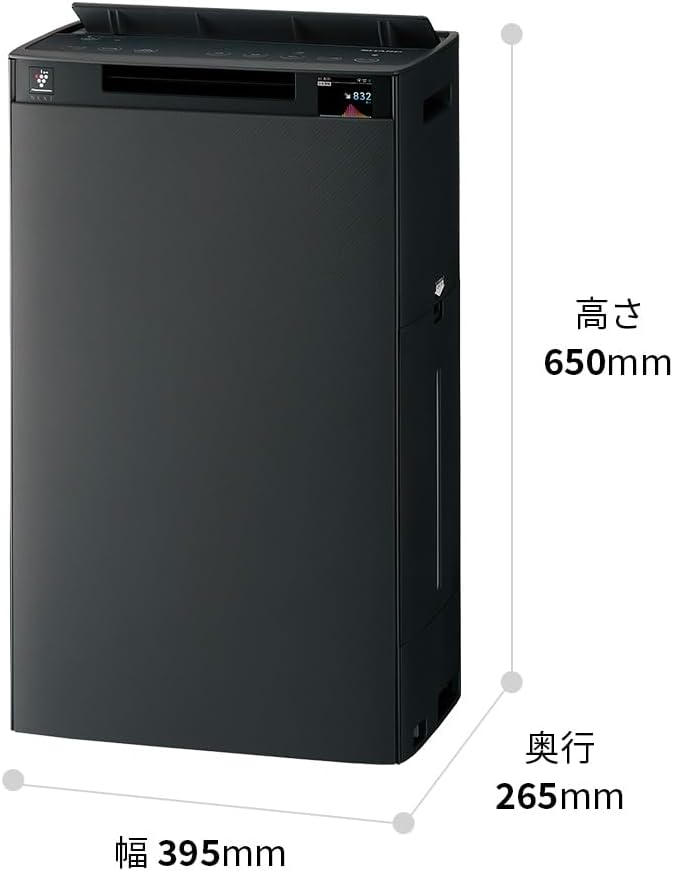
Detailed dimensions of the Sharp KI-TX75-W.
8. การรับประกันและการสนับสนุน
8.1 การรับประกันของผู้ผลิต
This Sharp KI-TX75-W Humidifying Air Purifier comes with a การรับประกันจากผู้ผลิต 1 ปี นับจากวันที่ซื้อ การรับประกันนี้ครอบคลุมถึงความบกพร่องของวัสดุและฝีมือการผลิตภายใต้การใช้งานปกติ โปรดเก็บหลักฐานการซื้อไว้เพื่อขอรับสิทธิ์การรับประกัน
การรับประกันไม่ครอบคลุมความเสียหายที่เกิดจากการใช้งานผิดวิธี อุบัติเหตุ การดัดแปลงโดยไม่ได้รับอนุญาต หรือการไม่ปฏิบัติตามคำแนะนำในคู่มือนี้
8.2 การสนับสนุนลูกค้า
For technical assistance, warranty service, or inquiries about replacement parts, please contact Sharp customer support.
You can find additional support resources and FAQs on the official Sharp webเว็บไซต์:


