1. บทนำ
Thank you for choosing the Primevolve Portable Rechargeable Fan. This versatile fan is designed for convenience and powerful airflow, suitable for various indoor and outdoor settings. Its unique foldable and telescopic design allows for easy portability and adjustable height, functioning as a table, desk, or floor fan. This manual provides detailed instructions for setup, operation, maintenance, and troubleshooting to ensure optimal performance and longevity of your fan.
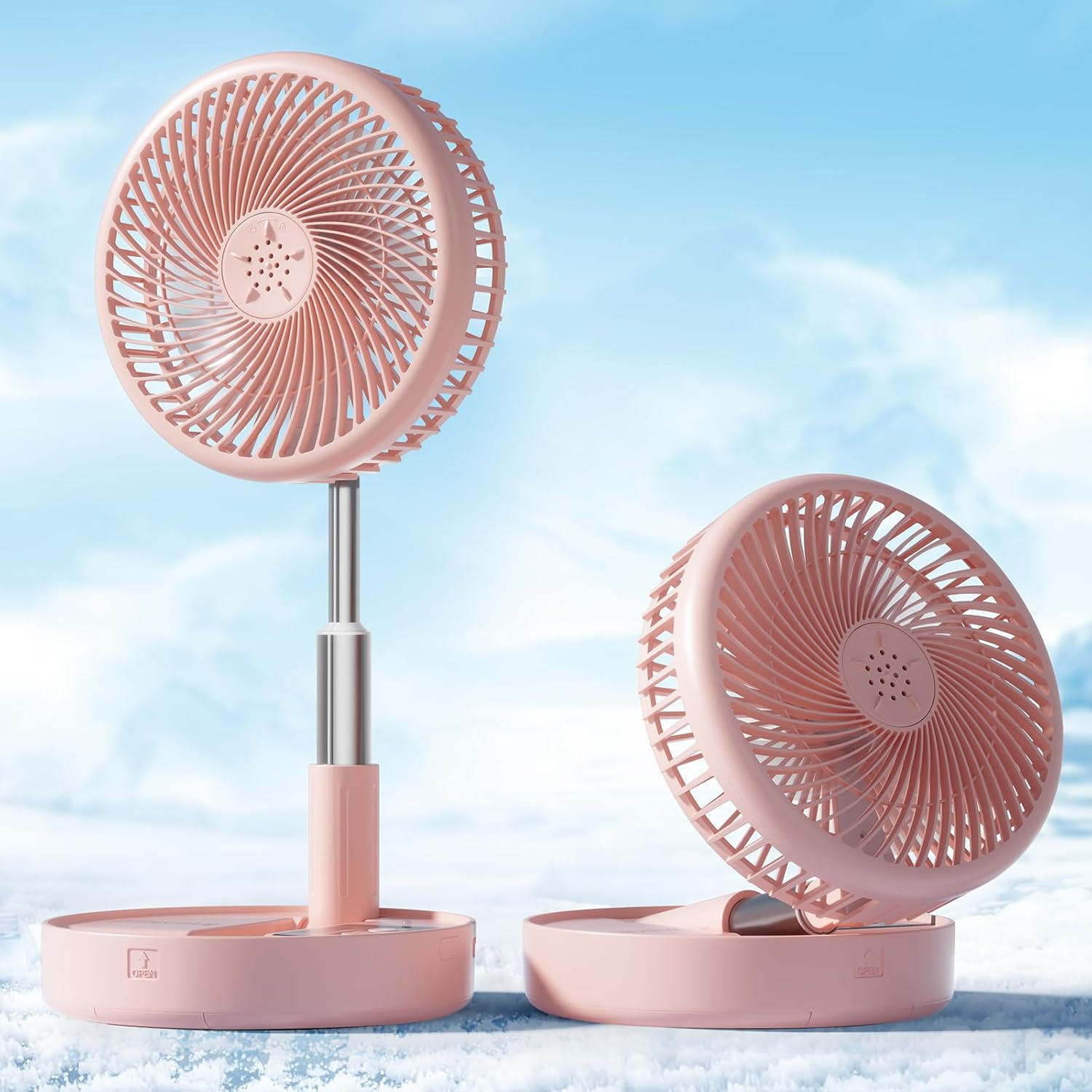
Figure 1: Primevolve Portable Rechargeable Fan in various configurations.
2. คุณสมบัติของผลิตภัณฑ์
- ความจุแบตเตอรี่ขนาดใหญ่: Equipped with a 7200mAh battery, providing 6-21 hours of operation depending on speed settings. Fully charges within 5 hours.
- ใช้พลังงานจาก USB: Compatible with USB (5V/2A) power sources such as PCs, laptops, power banks, AC adapters, and car chargers.
- การออกแบบแบบยืดหดได้: Height fully adjustable from 3.54 inches (compact) to 39.37 inches (floor fan).
- Multi-use Portable Design: Functions as a table fan, floor fan, or pedestal fan. Foldable for easy storage and transport.
- Adjustable Head Tilt: 180-degree adjustable head tilt angle for directed airflow.
- การตั้งค่าความเร็ว 4: Offers Low, Mid, High, and Natural wind modes (2.3m/s-4m/s wind speed).
- การทำงานที่มีเสียงรบกวนต่ำ: Operates quietly at 30-40 dB, suitable for sleeping, studying, or working environments.
- Detachable Fan Hood: ง่ายต่อการถอดทำความสะอาด
- Anti-slip Silicon Pads: Ensures stability on various surfaces.
- รีโมทคอนโทรล: รวมไว้เพื่อการใช้งานที่สะดวก

Figure 2: Fan with 4 speed settings and battery life indicators.

Figure 3: Fan's low noise operation (30-40 dB).

Figure 4: Anti-slip silicon pads and 180-degree head rotation.
วิดีโอ 1: จบview of Primevolve Fan features and operation.
3. เนื้อหาบรรจุภัณฑ์
กรุณาตรวจสอบแพ็คเกจสำหรับรายการต่อไปนี้:
- Primevolve Portable Rechargeable Fan (PF11R)
- สายชาร์จ USB-C
- รีโมทคอนโทรล
- คู่มือการใช้งาน (เอกสารนี้)
4. การติดตั้งและการประกอบ
The Primevolve fan features a unique foldable design for easy setup and adjustment.
- Unfolding the Fan: Gently pull the fan head upwards from its compact, folded position. The telescopic pole will extend.
- ปรับความสูง: Continue to pull the telescopic pole to your desired height. It can be set to a low desk height (approx. 14.17 inches) or fully extended to a floor fan height (approx. 39.37 inches).
- Adjusting Head Angle: Tilt the fan head up or down to direct airflow as needed. The head can rotate 180 degrees.
- รับประกันเสถียรภาพ: The base is equipped with anti-slip silicon pads. Ensure the fan is placed on a flat, stable surface.
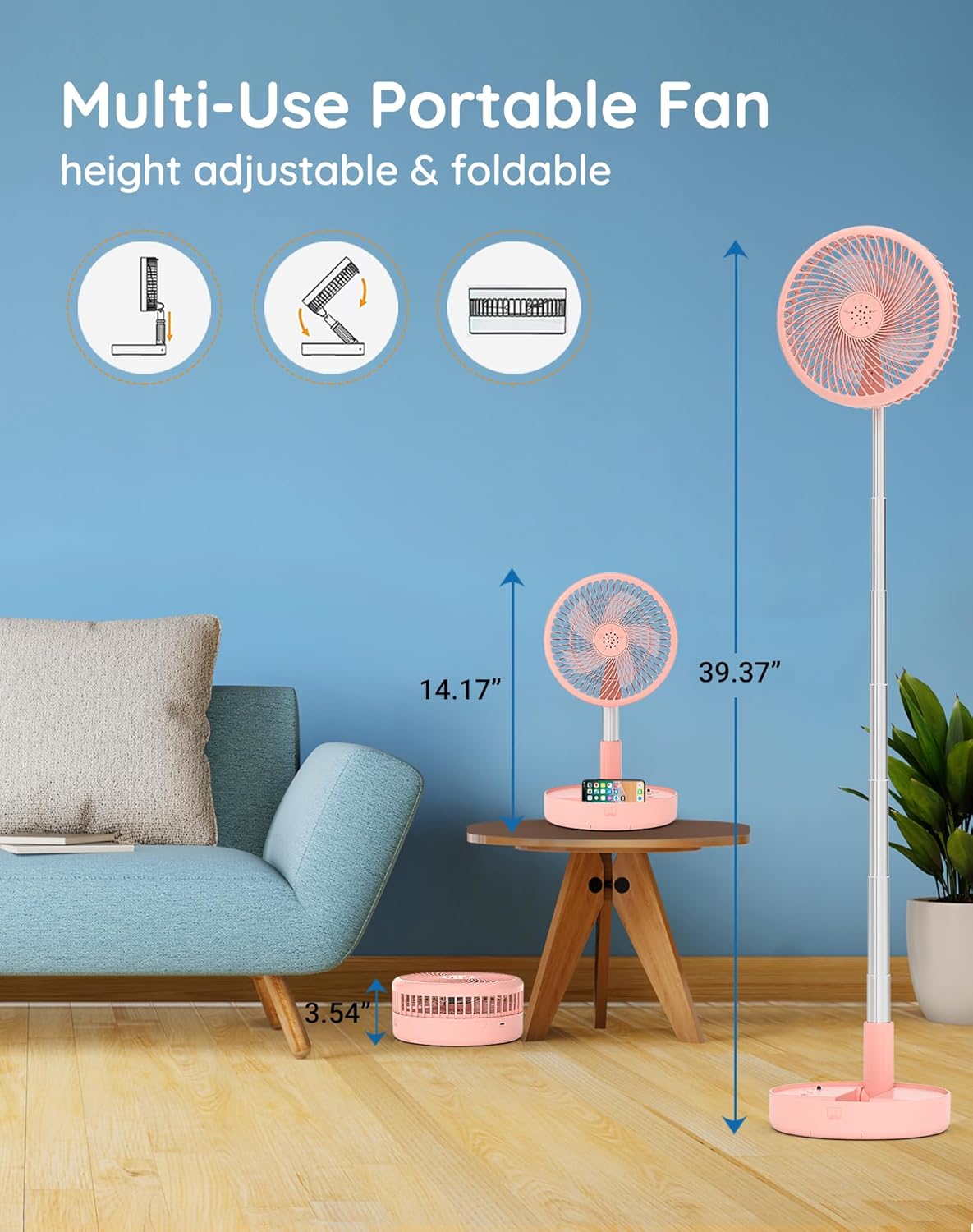
Figure 5: Fan height adjustment from compact to floor mode.
Video 2: Demonstration of unfolding and adjusting the fan's height.
5. คู่มือการใช้งาน
The fan can be operated using the control panel on the base or the included remote control.
5.1 การเปิด/ปิดเครื่อง
- กดปุ่ม Power (⏻) on the base or remote to turn the fan on or off.
5.2 การปรับความเร็วพัดลม
- กดปุ่มความเร็ว (💨) on the base or remote to cycle through the 4 speed settings: Low, Mid, High, and Natural wind.
- The Natural wind mode simulates varying wind speeds for a more natural feel.
5.3 การชาร์จพัดลม
Connect the provided USB-C charging cable to the fan's charging port and to a compatible USB power source (5V/2A). The indicator lights on the base will show charging status.
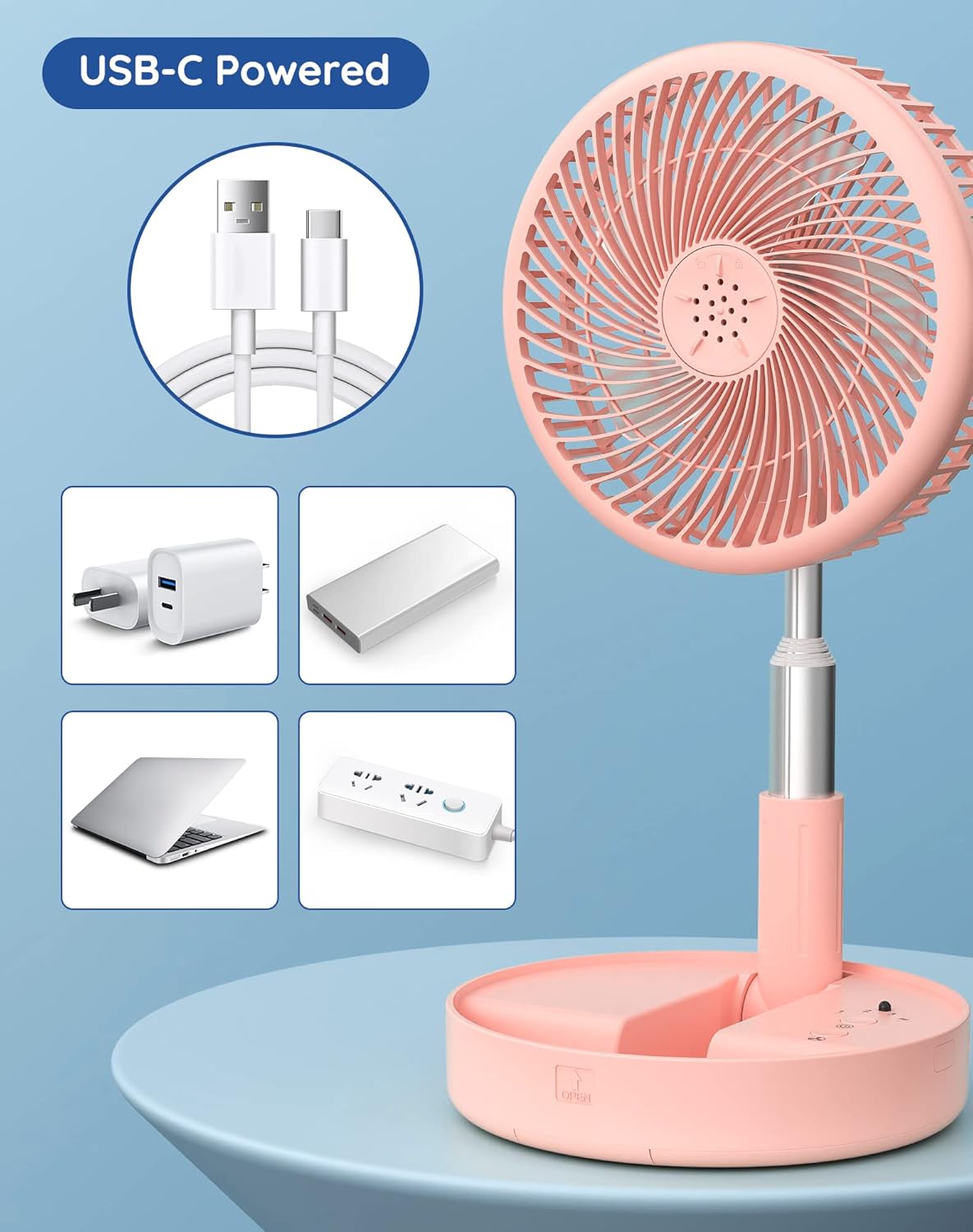
Figure 6: USB-C powered fan with various compatible power sources.
วิดีโอ 3: รายละเอียดเพิ่มเติมview and demonstration of the fan's operation and features.
6. การบำรุงรักษา
การทำความสะอาดอย่างสม่ำเสมอจะช่วยให้พัดลมทำงานได้อย่างมีประสิทธิภาพสูงสุดและยืดอายุการใช้งานของพัดลมได้
- หมดแรง: Always ensure the fan is turned off and unplugged before cleaning.
- Detaching Fan Hood: Turn the front fan hood counter-clockwise to unlock and remove it.
- Cleaning Blades and Hood: ใช้แบบนุ่มๆamp cloth to wipe down the fan blades and the inside of the fan hood. For stubborn dust, a mild soap solution can be used, but ensure no water enters the motor area.
- การอบแห้ง: ปล่อยให้ชิ้นส่วนทั้งหมดผึ่งลมให้แห้งสนิทก่อนประกอบกลับเข้าไปใหม่
- การประกอบกลับ: Align the fan hood and turn clockwise to lock it back into place.

Figure 7: Detachable fan hood for easy cleaning.
7 การแก้ไขปัญหา
If you encounter any issues with your Primevolve fan, please refer to the following common solutions:
- พัดลมไม่เปิด:
- Ensure the fan is fully charged. Connect it to a power source using the USB-C cable.
- ตรวจสอบว่ากดปุ่มเปิด/ปิดแน่นดีแล้ว
- การไหลเวียนของอากาศที่อ่อนแอ:
- เพิ่มการตั้งค่าความเร็วพัดลม
- Ensure the fan blades and hood are clean and free from dust buildup.
- Verify the fan head is tilted correctly towards your desired area.
- Fan making unusual noise:
- Check for any obstructions around or within the fan blades.
- Ensure the fan is placed on a stable, flat surface.
- Clean the fan blades and internal components as per maintenance instructions.
- การควบคุมระยะไกลไม่ทำงาน:
- ตรวจสอบให้แน่ใจว่าไม่มีสิ่งกีดขวางระหว่างรีโมทและพัดลม
- Check the remote control's battery (if applicable, though typically these are button cell batteries and not user replaceable).
If the issue persists after trying these steps, please contact Primevolve customer support for further assistance.
8. ข้อมูลจำเพาะ
| ยี่ห้อ | ไพรม์วอลฟ์ |
| ชื่อรุ่น | PF11R |
| สี | สีชมพู |
| แหล่งพลังงาน | ใช้แบตเตอรี่ (7200mAh) |
| เล่มที่tage | 5 โวลต์ (กระแสตรง) |
| ขนาดสินค้า (พับ) | 7.72 นิ้ว x 7.72 นิ้ว x 3.54 นิ้ว |
| ช่วงความสูงที่สามารถปรับได้ | 3.54 in to 39.37 in (90-1000 mm) |
| น้ำหนักสินค้า | 2.46 ปอนด์ |
| จำนวนระดับพลังงาน | 4 (Low, Mid, High, Natural) |
| ระดับเสียง | 30-40 เดซิเบล |
| ประเภทขั้วต่อ | USB ประเภท C |
| วัสดุใบมีด | โพลีโพรพีลีน |
9. การรับประกันและการสนับสนุน
Primevolve is committed to providing high-quality products and excellent customer service.
9.1 นโยบายการคืนสินค้า
This product is eligible for a 30-day refund/replacement return policy from the date of purchase. Please refer to your retailer's specific return guidelines for detailed instructions.
9.2 การสนับสนุนลูกค้า
For any questions, concerns, or technical support regarding your Primevolve fan, please contact the seller, SZUP, through the Amazon platform or refer to the Primevolve brand store for contact information.
เยี่ยมชม Primevolve Store for more products and brand information.

