1. บทนำและเรื่องอื่นๆview
Thank you for choosing the NKPU 52-inch Ceiling Fan with Light. This low-profile ceiling fan is designed for both indoor and outdoor use, offering smart control via remote and mobile application. It features a quiet DC reversible motor, dimmable LED lighting with adjustable color temperatures, and six fan speeds to provide optimal comfort throughout the year. This manual provides essential information for safe installation, operation, and maintenance of your new ceiling fan.
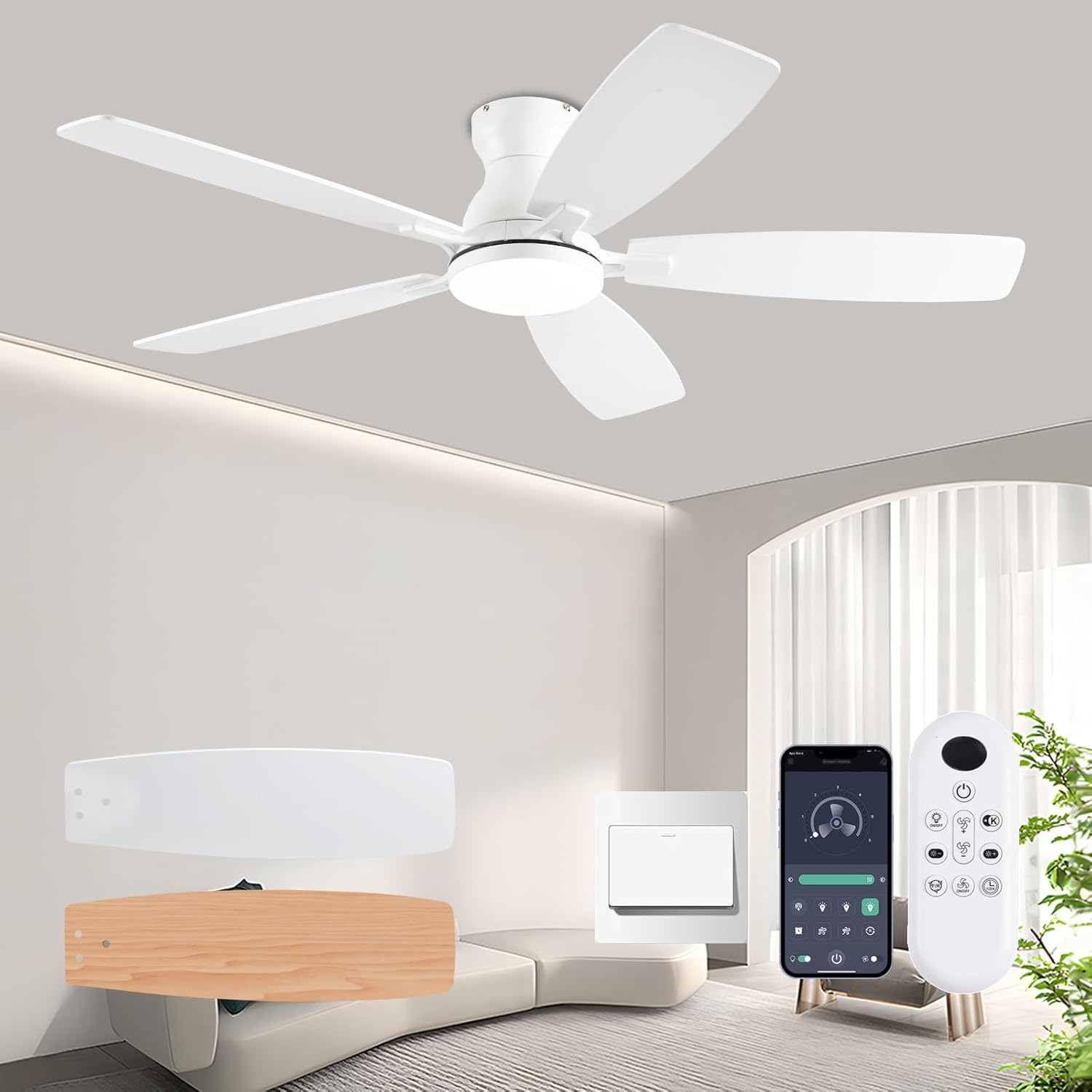
Figure 1.1: NKPU 52-inch Ceiling Fan with Light, showcasing the fan, remote control, and mobile app interface.
2. ข้อมูลด้านความปลอดภัย
โปรดอ่านคำแนะนำด้านความปลอดภัยทั้งหมดอย่างละเอียดก่อนการติดตั้งและใช้งาน การไม่ปฏิบัติตามคำแนะนำเหล่านี้อาจส่งผลให้เกิดไฟฟ้าช็อต ไฟไหม้ หรือบาดเจ็บสาหัสได้
- ความปลอดภัยทางไฟฟ้า: Always disconnect power at the main circuit breaker before attempting any installation, maintenance, or troubleshooting. Ensure all electrical connections comply with local codes and ordinances.
- การติดตั้งที่ปลอดภัย: The ceiling fan must be mounted to a structurally sound ceiling joist or an outlet box rated for fan support. Ensure the mounting structure can support the fan's weight (approximately 9.52 pounds).
- ระยะห่างของใบมีด: Maintain a minimum clearance of 7 feet (2.1 meters) from the floor to the fan blades. Ensure there are no obstructions in the path of the rotating blades.
- การติดตั้งโดยมืออาชีพ: If you are unsure about wiring or mounting, it is highly recommended to consult a qualified electrician to ensure proper and safe installation.
- เล่มที่tage: This fan operates on 110 Volts. Verify your electrical supply matches this requirement.
3. เนื้อหาบรรจุภัณฑ์
ตรวจสอบว่าส่วนประกอบทั้งหมดอยู่ครบถ้วนและไม่ได้รับความเสียหายก่อนเริ่มการติดตั้ง:
- 1 x Ceiling Fan with Lights Kit
- 1 x รีโมทคอนโทรล
- 1 x คู่มือการใช้งาน (เอกสารนี้)
4. การตั้งค่าและการติดตั้ง
The NKPU ceiling fan is designed for flush mount installation, fitting closely to the ceiling to maximize space. Detailed installation instructions and videos are provided with the product to guide you through the process. The main mounting piece is typically pre-attached for ease of assembly.
4.1. ขนาด
Ensure adequate space for the fan's dimensions before installation.
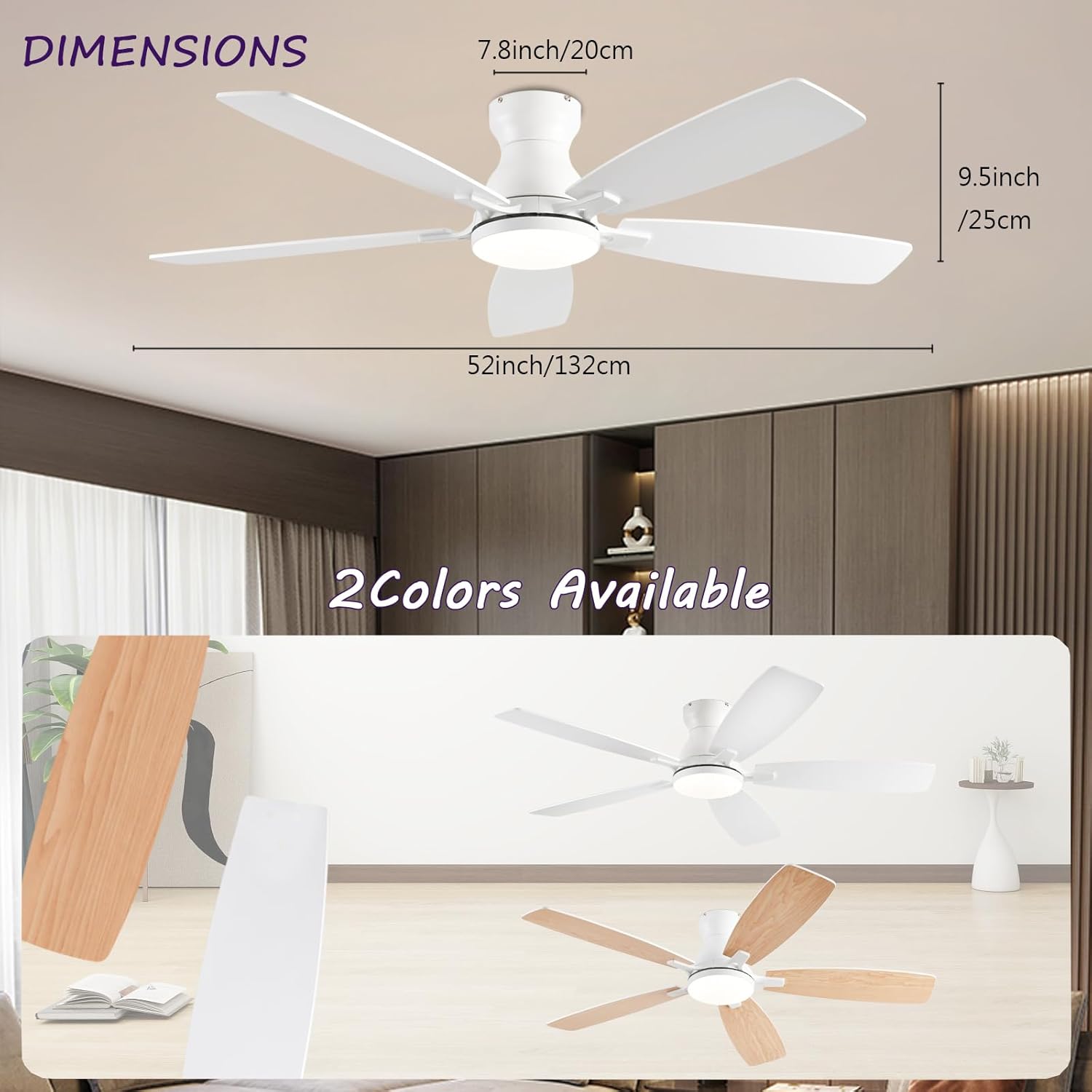
Figure 4.1: Fan Dimensions. The fan measures 52 inches (132 cm) in diameter, with a total height of 9.5 inches (25 cm) from the ceiling to the bottom of the light fixture. The motor housing is 7.8 inches (20 cm) in height.
4.2. การติดตั้งใบมีด
The fan features dual-sided blades. Choose your preferred color (white or wood grain) before attaching them to the motor housing. Ensure all screws are tightened securely to prevent wobbling during operation.
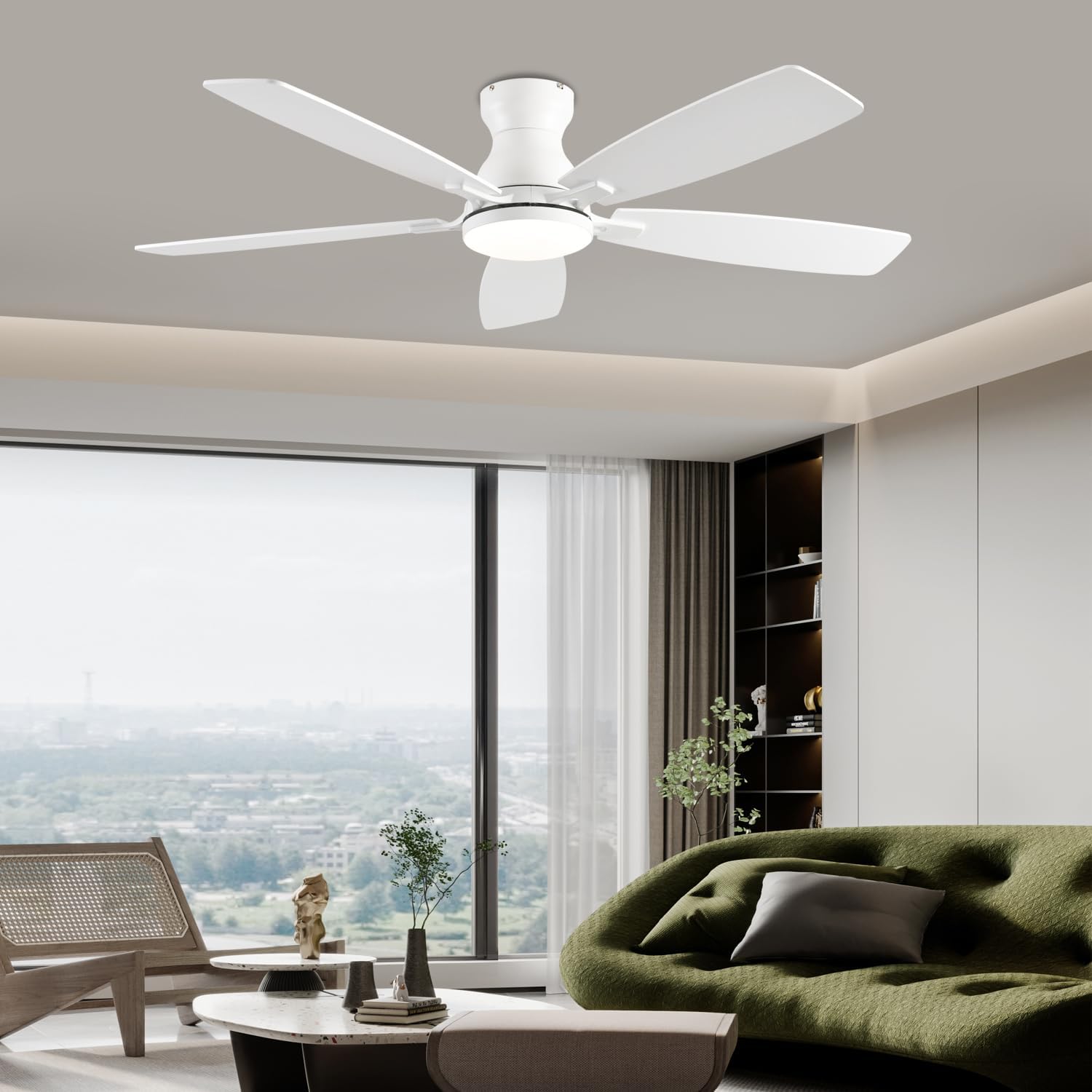
Figure 4.2: Fan Components. This image highlights the reversible blades, the integrated 3-color LED light, and the quiet DC motor, which contributes to energy efficiency.
5. คู่มือการใช้งาน
Your NKPU ceiling fan can be controlled using the included remote control or a mobile application.
5.1. การทำงานของรีโมทคอนโทรล
The remote control allows for comprehensive management of the fan and light functions.
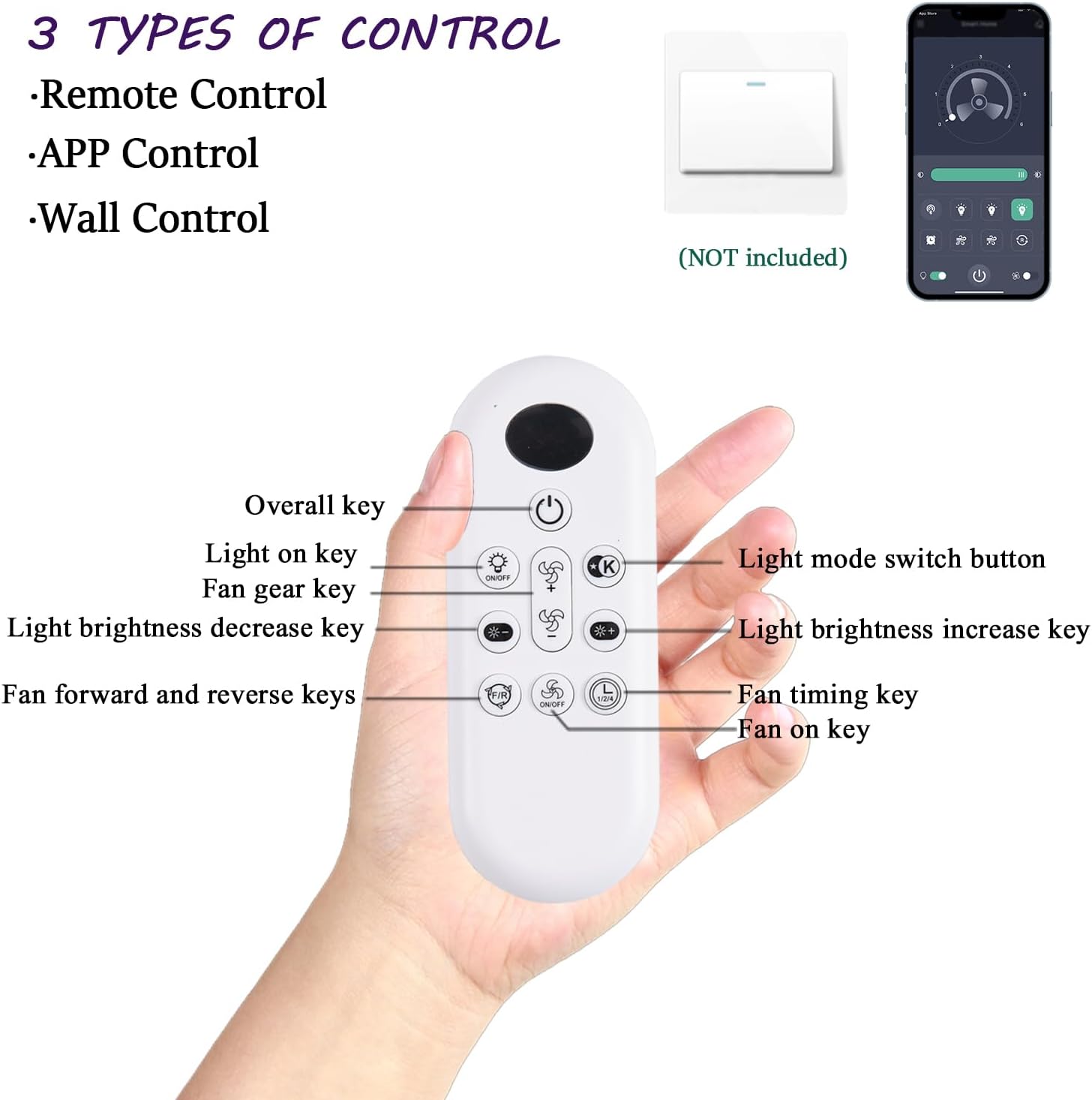
Figure 5.1: Control Methods. The fan supports control via remote control, mobile application, and a wall switch (not included).

Figure 5.2: Remote Control Functions. This diagram illustrates the various buttons on the remote control and their corresponding functions for fan speed, light settings, and timing.
- เปิด/ปิดเครื่อง: Use the "Overall key" to turn the fan and light on or off.
- ความเร็วพัดลม: Adjust fan speed with 6 levels using the "Fan gear key" (up/down arrows).
- การควบคุมแสง:
- Turn light on/off using the "Light on key".
- Change light color temperature (3000K Warm, 4500K Natural, 6500K Cool) using the "Light mode switch button".
- Adjust brightness from 5% to 100% using the "Light brightness increase/decrease keys".
- มอเตอร์แบบย้อนกลับ: Use the "Fan forward and reverse keys" to change the direction of the fan blades. This allows for cooling in summer (downward airflow) and improved air circulation for warmth in winter (upward airflow).
- การตั้งเวลา: Set a timer for the fan to automatically turn off using the "Fan timing key".
5.2. การควบคุมแอปพลิเคชันบนมือถือ
Control your fan conveniently from your smartphone using the dedicated mobile application.

Figure 5.3: Mobile App Instructions. This guide shows how to download the app, add a new device, pair the fan, and access further instructions. The app can be downloaded from jasonghost.com/fanlampโปร/.
- ดาวน์โหลดแอพ: Scan the QR code provided in the product packaging or refer to the image above to download the "FanLamp Pro" app.
- เพิ่มอุปกรณ์: Open the app and press the "+" button to add a new device.
- การจับคู่: Within 5 seconds of powering on the fan, press the pairing button in the app. The fan's light will flash or beep to confirm successful pairing.
- ควบคุม: Once paired, you can control fan speed, light settings, and timer functions directly from the app interface.
5.3. Fan Speed and Airflow
The fan offers 6 distinct wind speeds for customized comfort.

Figure 5.4: Wind Speed Levels. Choose from 6 speed settings, ranging from a gentle breeze to strong cooling airflow.
5.4. ไฟ LED หรี่แสงได้
The integrated 18W LED light panel provides versatile lighting options.
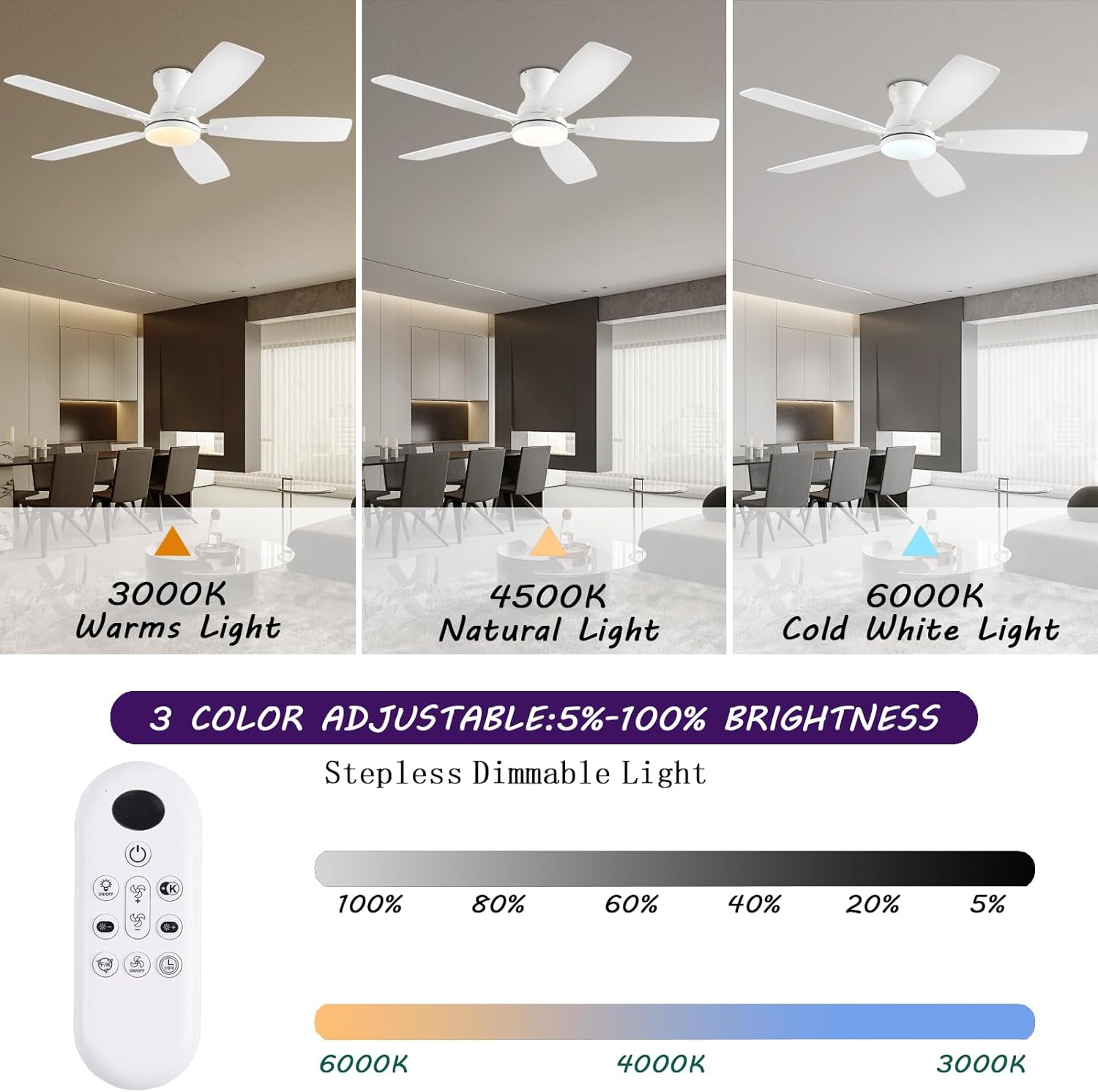
Figure 5.5: Adjustable Lighting. The LED light offers three color temperatures (3000K, 4500K, 6500K) and stepless dimming from 5% to 100% brightness.
6. การบำรุงรักษา
การบำรุงรักษาตามปกติจะช่วยให้พัดลมเพดานของคุณมีประสิทธิภาพสูงสุดและมีอายุการใช้งานยาวนาน
- การทำความสะอาด: Dust the fan blades and light cover periodically with a soft, damp ผ้า. หลีกเลี่ยงการใช้สารเคมีที่รุนแรงหรือน้ำยาทำความสะอาดที่มีฤทธิ์กัดกร่อน
- ขันสกรูให้แน่น: Check all screws and fasteners on the fan and mounting assembly at least twice a year to ensure they are secure.
- ไม่จำเป็นต้องหล่อลื่น: มอเตอร์ DC นี้ได้รับการหล่อลื่นอย่างถาวรและไม่จำเป็นต้องเติมน้ำมันเพิ่มเติม
7 การแก้ไขปัญหา
หากคุณพบปัญหาเกี่ยวกับพัดลม โปรดดูปัญหาทั่วไปและวิธีแก้ไขต่อไปนี้:
| ปัญหา | สาเหตุที่เป็นไปได้ | สารละลาย |
|---|---|---|
| พัดลมไม่เริ่มทำงาน | No power to the fan; Remote control battery low/dead; Fan not paired with remote/app. | Check circuit breaker and wall switch; Replace remote control batteries; Re-pair remote/app with fan (refer to Section 5.2). |
| ไฟไม่ทำงาน | No power to the light; LED panel issue. | Ensure light function is enabled on remote/app; Check electrical connections; Contact customer support if LED panel is faulty. |
| พัดลมสั่น | Loose fan blades or mounting screws; Unbalanced blades. | Ensure all blade screws and mounting screws are tight; Use a blade balancing kit (not included) if necessary. |
| เสียงดังเกินไป | Loose screws; Obstruction in fan's path; Motor issue. | Check and tighten all screws; Ensure nothing is touching the blades or motor housing; The DC motor is designed for quiet operation (below 30dB), if noise persists, contact support. |
| รีโมท/แอปไม่ตอบสนอง | Batteries dead; Interference; Not paired. | Replace batteries; Reduce interference from other devices; Re-pair remote/app. |
If the problem persists after attempting these solutions, please contact NKPU customer support.
8. ข้อมูลจำเพาะ
| ยี่ห้อ | วิทยาลัยเทคโนโลยีเอ็นเคพียู |
| ชื่อรุ่น | BR-SY84 |
| หมายเลขรุ่นสินค้า | SY84-White |
| ขนาดสินค้า | ยาว 52 นิ้ว x กว้าง 52 นิ้ว x สูง 9.5 นิ้ว |
| น้ำหนักสินค้า | 9.52 ปอนด์ |
| สี | สีขาว |
| วัสดุ | Metal (Frame), Acrylic (Shade) |
| แหล่งพลังงาน | DC |
| เล่มที่tage | 110 โวลต์ |
| วัดtage | 60 watts (Fan), 18 watts (LED Light) |
| ประเภทแหล่งกำเนิดแสง | LED (3000K Warm, 4500K Natural, 6500K Cool) |
| วิธีการควบคุม | แอพ, รีโมท |
| ระดับเสียง | 30 เดซิเบล (สูงสุด) |
| ความจุการไหลของอากาศ | 170 ลูกบาศก์เมตรต่อนาที |
| ความยาวใบมีด | 20.71 นิ้ว |
| ความเร็ว | 194 รอบ/นาที (สูงสุด) |
| ความครอบคลุม | 160-220 sq.ft. |
| การใช้งานภายใน/ภายนอกอาคาร | ในร่ม, กลางแจ้ง |
| จำเป็นต้องประกอบ | ใช่ |
9. การรับประกันและการสนับสนุน
NKPU provides comprehensive customer support for your ceiling fan.
- การรับประกัน: Enjoy a 24-month worry-free warranty from the date of purchase.
- การสนับสนุนหลังการขาย: We offer 24-hour after-sales support. If you have any questions or require assistance with your ceiling fan, please do not hesitate to contact us. Our professional customer service team is ready to help ensure your satisfaction.
- ข้อมูลติดต่อ: Please refer to your product packaging or purchase documentation for specific contact details for NKPU customer service.


