1. บทนำ
This manual provides comprehensive instructions for the Alienware TENKEYLESS Gaming Keyboard, model AW420K. It covers setup, operation, maintenance, troubleshooting, and product specifications to ensure optimal performance and longevity of your device.
2. สินค้าหมดview
The Alienware AW420K is a high-performance tenkeyless gaming keyboard designed for competitive gaming and efficient daily use. It features durable construction, customizable RGB lighting, and responsive mechanical switches.

รูปที่ 2.1: จากบนลงล่าง view of the Alienware AW420K Tenkeyless Gaming Keyboard, showcasinด้วยดีไซน์ที่กะทัดรัดและแสงไฟ RGB ที่สดใส
2.1 คุณสมบัติหลัก
- ดีไซน์แบบไม่มีแป้นตัวเลข: Streamlined form factor for more desk space and improved portability.
- Cherry MX Red Switches: Industry-leading mechanical switches with a 100 million actuation lifecycle for consistent, high-performance keystrokes.
- ไฟ LED RGB AlienFX: Per-key RGB lighting configurable through Alienware Command Center software, offering up to 16.8 million colors for personalized aesthetics.
- คีย์แคป PBT แบบ Double-Shot: Two layers of plastic with legends molded into the cap for enhanced durability and wear resistance.
- Integrated Cable Routing: Channels on the underside of the keyboard for organized cable management.
- ปรับความสูง: Flip-up risers with three height settings for ergonomic typing angles.

Figure 2.2: The compact TKL design of the AW420K keyboard allows for more space on your gaming setup and easy movability.
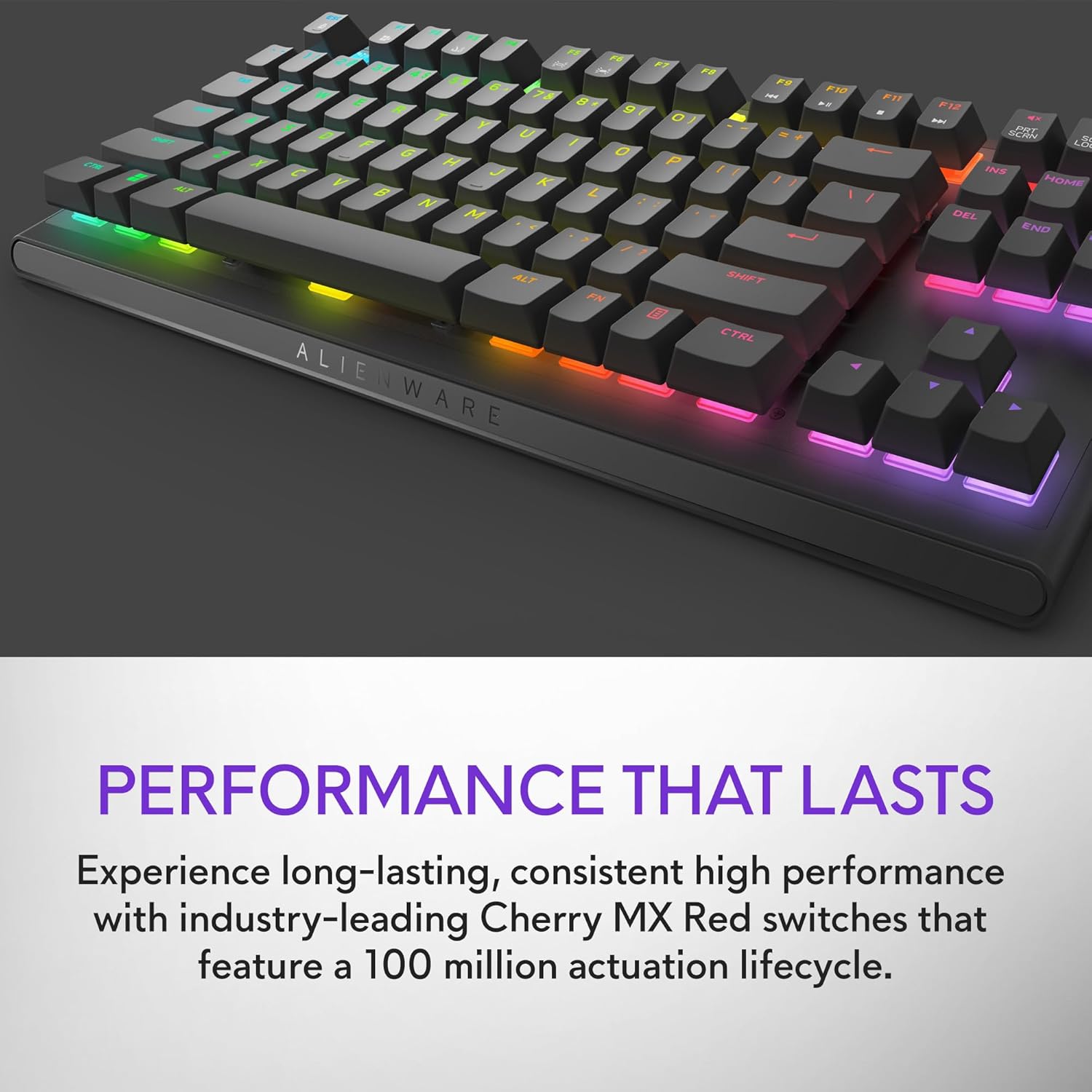
Figure 2.3: The keyboard features Cherry MX Red switches, known for their durability and consistent performance over 100 million keystrokes.

Figure 2.4: Customize your gaming experience with AlienFX per-key RGB lighting, offering up to 16.8 million colors via Alienware Command Center software.
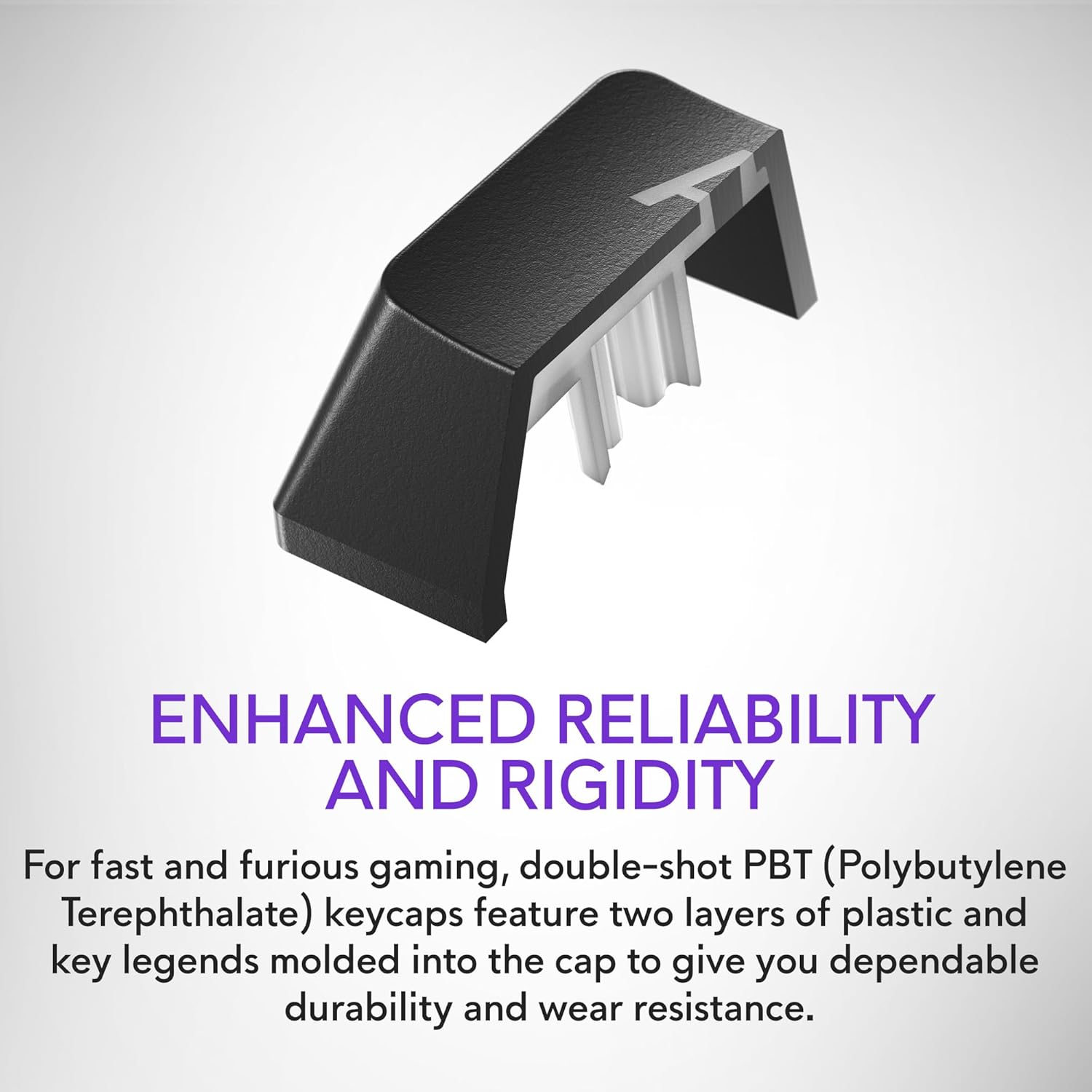
Figure 2.5: Double-shot PBT keycaps provide enhanced reliability and rigidity, ensuring legends do not wear off over time.
3. การตั้งค่า
Follow these steps to set up your Alienware AW420K Gaming Keyboard:
- แกะคีย์บอร์ดออก: นำแป้นพิมพ์และอุปกรณ์เสริมทั้งหมดออกจากบรรจุภัณฑ์อย่างระมัดระวัง
- เชื่อมต่อสาย USB: The keyboard features a detachable USB paracord cable. Connect the USB-C end to the port on the keyboard's underside.
- เส้นทางสายเคเบิล: Utilize the integrated cable routing channels on the underside of the keyboard to direct the cable to your preferred setup. This helps in keeping your desk tidy.
- เชื่อมต่อกับคอมพิวเตอร์: Plug the USB-A end of the cable into an available USB port on your computer. The keyboard is USB powered.
- ปรับความสูง: Flip up the risers on the back of the keyboard to select one of the three available height settings for your ideal typing angle.
- ติดตั้งซอฟต์แวร์ (ทางเลือกแต่แนะนำ): For full customization of RGB lighting and programmable keys, download and install the Alienware Command Center software from the official Alienware support webเว็บไซต์.

Figure 3.1: The detachable USB-C cable provides a secure and convenient connection.

Figure 3.2: Integrated cable routing on the underside helps manage the connection cable for a clean setup.

Figure 3.3: Flip-up risers allow for three height settings to achieve your ideal typing angle.
4. การใช้งานคีย์บอร์ด
The Alienware AW420K keyboard is designed for intuitive use with advanced features for gaming and productivity.
4.1 ฟังก์ชั่นพื้นฐาน
- การพิมพ์: แป้นพิมพ์ QWERTY มาตรฐานสำหรับการพิมพ์ทั่วไป
- การเล่นเกม: Responsive Cherry MX Red switches provide a smooth and linear feel, ideal for fast-paced gaming.
- การควบคุมสื่อ: Dedicated media keys (e.g., volume roller, mute button) are typically located on the top right of the keyboard for quick audio adjustments.
4.2 Customization with Alienware Command Center
The Alienware Command Center software unlocks the full potential of your keyboard:
- แสงไฟ RGB: Customize per-key RGB lighting with a spectrum of 16.8 million colors. Choose from various effects, create your own profiles, and synchronize lighting with other Alienware devices.
- การเขียนโปรแกรมมาโคร: Assign complex macros to programmable keys for in-game advantages or streamlined workflows.
- โปรfile การจัดการ: สร้างและบันทึกโปรหลายรายการfiles for different games or applications, allowing for quick switching of lighting and key assignments.
Video 4.1: An official video demonstrating the features and design of the Alienware Tenkeyless Gaming Keyboard - AW420K, including its RGB lighting and compact form factor.
5. การบำรุงรักษา
การบำรุงรักษาอย่างถูกต้องจะช่วยให้แป้นพิมพ์ของคุณมีอายุการใช้งานยาวนานและมีประสิทธิภาพเหมาะสมที่สุด
- การทำความสะอาดคีย์แคป: The floating keycap design makes cleaning easy. Use a soft brush or compressed air to remove dust and debris from between the keys. For stubborn grime, gently wipe keycaps with a dampผ้าที่ไม่เป็นขุย หลีกเลี่ยงความชื้นมากเกินไป
- การทำความสะอาดตัวถัง: Wipe the keyboard chassis with a soft, dry cloth. Do not use harsh chemicals or abrasive materials.
- การดูแลสายเคเบิล: หลีกเลี่ยงการโค้งงออย่างแรงหรือการดึงสาย USB มากเกินไปเพื่อป้องกันความเสียหาย
6 การแก้ไขปัญหา
If you encounter issues with your Alienware AW420K keyboard, try the following troubleshooting steps:
- แป้นพิมพ์ไม่ตอบสนอง:
- ตรวจสอบให้แน่ใจว่าสาย USB เชื่อมต่อกับคีย์บอร์ดและคอมพิวเตอร์อย่างแน่นหนา
- ลองเสียบคีย์บอร์ดเข้ากับพอร์ต USB อื่นบนคอมพิวเตอร์ของคุณ
- รีสตาร์ทเครื่องคอมพิวเตอร์ของคุณ
- ไฟ RGB ไม่ทำงาน/ปรับแต่งไม่ได้:
- Verify that the Alienware Command Center software is installed and up to date.
- Check the software settings to ensure lighting effects are enabled and configured correctly.
- Ensure no conflicting software is running that might interfere with RGB control.
- กุญแจไม่ลงทะเบียน:
- ทำความสะอาดเศษสิ่งสกปรกที่อยู่ใต้ปุ่มกดที่ได้รับผลกระทบออกให้หมด
- If the issue persists, it may indicate a hardware problem.
หากขั้นตอนเหล่านี้ไม่สามารถแก้ไขปัญหาได้ โปรดดูส่วนการรับประกันและการสนับสนุนเพื่อขอความช่วยเหลือเพิ่มเติม
7. ข้อมูลจำเพาะ
| ยี่ห้อ | เอเลี่ยนแวร์ |
| ชื่อรุ่น | ALIENWARE TENKEYLESS GAMING KEYBOARD - AW420K |
| หมายเลขรุ่นสินค้า | AW420K |
| แพลตฟอร์มฮาร์ดแวร์ | PC |
| น้ำหนักสินค้า | 1.74 ปอนด์ |
| ขนาดสินค้า (กxยxส) | 5.81 x 14.46 x 2.19 นิ้ว |
| สี | ด้านมืดของดวงจันทร์ |
| แหล่งพลังงาน | ขับเคลื่อนด้วย USB |
| ผู้ผลิต | เดลล์ |
| เทคโนโลยีการเชื่อมต่อ | ยูเอสบี-ซี |
| คำอธิบายแป้นพิมพ์ | เครื่องจักรกล |
| จำนวนคีย์ | 87 |
| แป้นพิมพ์แบ็คไลท์ | อาร์จีบี |
| คุณสมบัติพิเศษ | Backlit, Programmable Keys, Split Keyset Design |
8. การรับประกันและการสนับสนุน
For warranty information and technical support, please refer to the official Alienware website or contact Alienware customer service. Keep your proof of purchase for warranty claims.
You can typically find support resources, drivers, and software updates on the ฝ่ายสนับสนุนของ Dell Webเว็บไซต์ (as Alienware is a Dell brand).


