การแนะนำ
This manual provides detailed instructions for the Pyle Portable Bluetooth Speaker, model PPHP868ST. This speaker system is designed for versatile audio playback, featuring Bluetooth connectivity, multiple input options, and dynamic LED lighting. Please read this manual thoroughly before operating the device to ensure proper use and to maximize its performance.
มีอะไรอยู่ในกล่อง
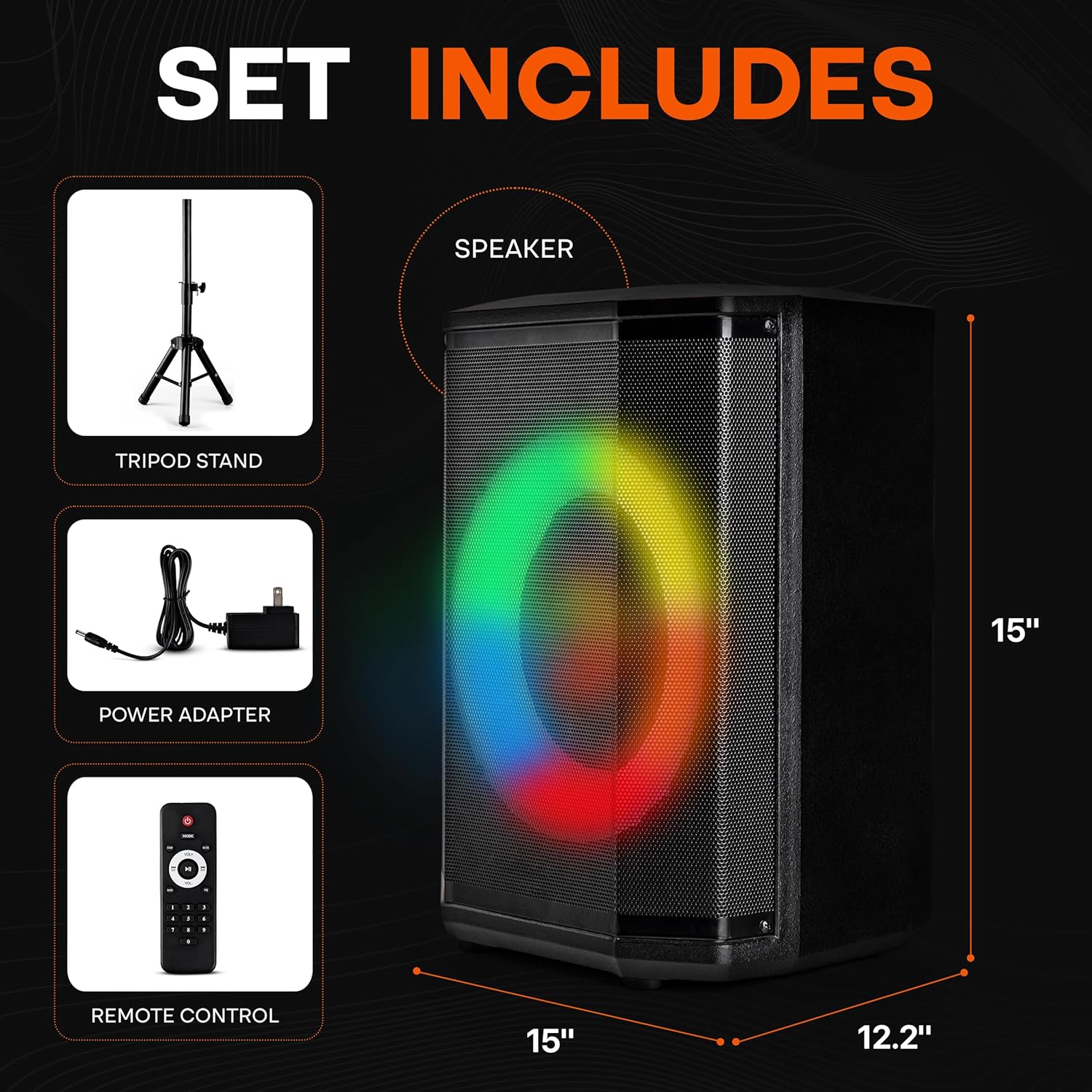
Image: The package contents, showing the speaker, tripod stand, power adapter, and remote control.
เมื่อแกะกล่องแล้ว โปรดตรวจสอบให้แน่ใจว่ามีสิ่งของทั้งหมดที่ระบุไว้ด้านล่างนี้ครบถ้วน:
- ลำโพงบลูทูธแบบพกพา
- อะแดปเตอร์แปลงไฟ
- รีโมทคอนโทรล
- ขาตั้งขาตั้งกล้อง
สินค้าเกินview
The Pyle PPHP868ST is a portable audio system featuring an 8-inch woofer and a 1-inch tweeter, delivering clear and powerful sound. It includes a True Wireless Stereo (TWS) function for connecting two speakers wirelessly, a microphone input for karaoke, and various connectivity options such as Bluetooth, USB, Micro SD, and FM radio. Dynamic LED ring lights enhance the audio experience.

Image: Internal components and portability features of the speaker.
การตั้งค่า
1. ชาร์จลำโพง
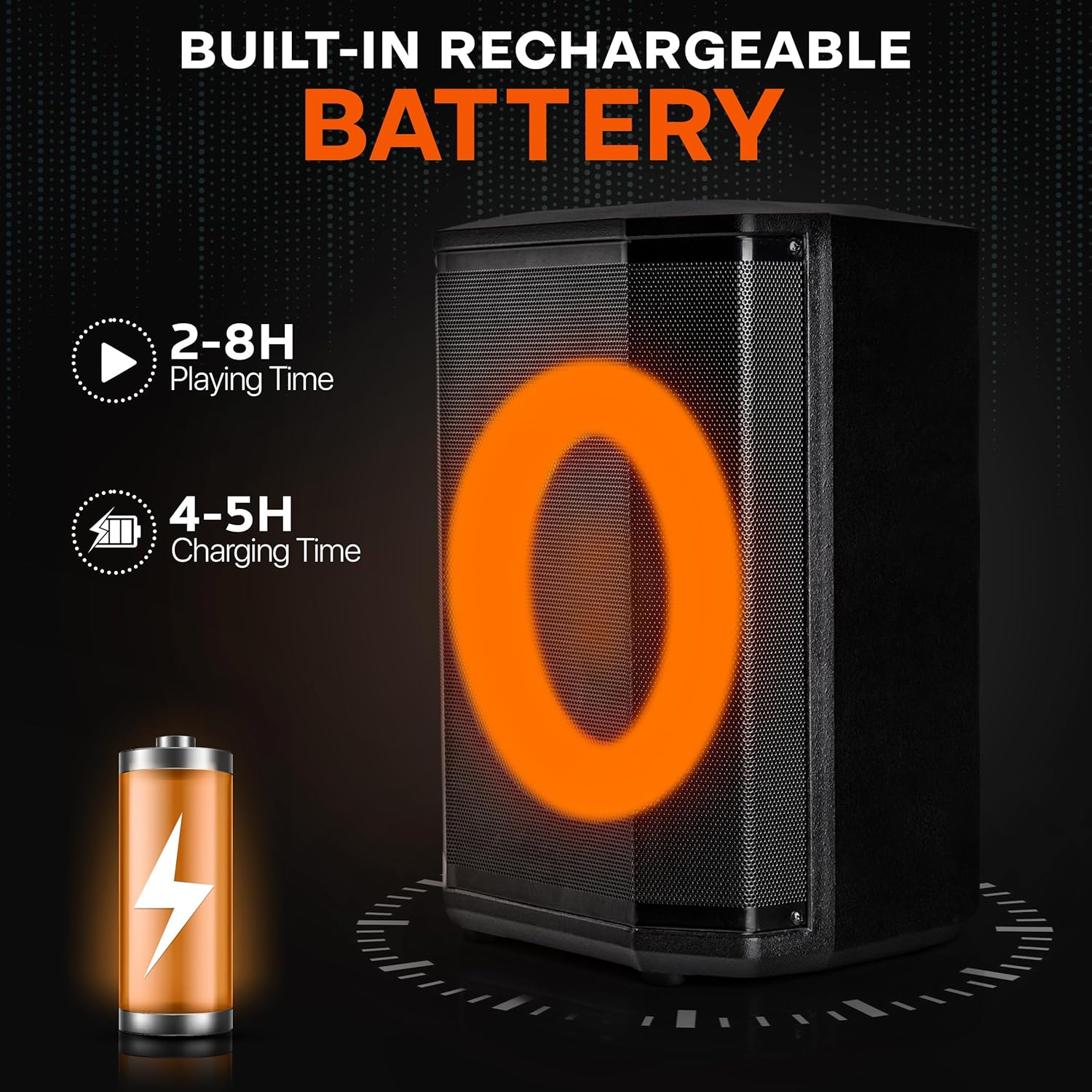
Image: Battery life and charging duration information.
- Connect the provided power adapter to the DC IN port on the speaker.
- เสียบอะแดปเตอร์ไฟเข้ากับเต้ารับไฟฟ้ามาตรฐาน
- The battery indicator light will illuminate during charging. A full charge typically takes 4-5 hours.
- Once fully charged, the speaker provides approximately 2-8 hours of playtime, depending on volume level and usage.
2. Tripod Stand Assembly

Image: Speaker on tripod stand in an outdoor setting.
- กางขาตั้งกล้องออกจนสุดและมั่นคง
- ปรับความสูงของขาตั้งโดยใช้กลไกการล็อก ตรวจสอบให้แน่ใจว่าล็อกแน่นสนิทแล้ว
- Carefully place the speaker onto the top pole of the tripod stand, ensuring it is seated firmly.
คำแนะนำการใช้งาน

ภาพ: รายละเอียด view ของแผงควบคุมลำโพง
1. เปิด/ปิดเครื่อง
- หากต้องการเปิดลำโพง ให้กดปุ่มค้างไว้ พลัง บนแผงควบคุมหรือรีโมทคอนโทรล
- ในการปิดเครื่องให้กดปุ่ม พลัง ปุ่มอีกครั้ง
2. การจับคู่บลูทู ธ
- Turn on the speaker. It will automatically enter Bluetooth pairing mode, indicated by a flashing Bluetooth icon on the LED display.
- บนอุปกรณ์ของคุณ (สมาร์ทโฟน แท็บเล็ต แล็ปท็อป) เปิดใช้งาน Bluetooth และค้นหาอุปกรณ์ที่มีอยู่
- Select "Pyle Audio" or similar from the list.
- Once connected, a confirmation tone will sound, and the Bluetooth icon will stop flashing.
ฟังก์ชัน True Wireless Stereo (TWS)
To connect two PPHP868ST speakers for a stereo experience:
- ตรวจสอบให้แน่ใจว่าลำโพงทั้งสองตัวเปิดใช้งานอยู่และอยู่ในโหมดบลูทูธ แต่ยังไม่ได้เชื่อมต่อกับอุปกรณ์ใดๆ
- สำหรับลำโพงตัวใดตัวหนึ่ง ให้กดปุ่มค้างไว้ ทไวซ์ button (if available) or the โหมด button until you hear a pairing sound.
- The two speakers will automatically connect to each other.
- Now, pair your device with the primary speaker as described above. Audio will play through both speakers in stereo.
3. การเล่น USB/Micro SD
- Insert a USB flash drive or Micro SD card (with MP3/WAV audio fileเสียบปลั๊ก (s) เข้ากับพอร์ตที่เกี่ยวข้องบนแผงควบคุม
- ลำโพงจะเปลี่ยนไปใช้โหมด USB/SD โดยอัตโนมัติและเริ่มเล่นเสียง หากไม่เป็นเช่นนั้น ให้กดปุ่ม โหมด กดปุ่มเพื่อเลือกใช้งาน USB หรือ SD
- ใช้ เล่น/หยุดชั่วคราว, ก่อนหน้า, และ ต่อไป ปุ่มเพื่อควบคุมการเล่น
4. วิทยุ FM
- กดปุ่ม โหมด ปุ่มเพื่อสลับไปยังโหมดวิทยุ FM
- กดปุ่ม เล่น/หยุดชั่วคราว button once to initiate an automatic scan for FM stations. The speaker will save detected stations.
- ใช้ ก่อนหน้า และ ต่อไป ปุ่มเพื่อนำทางผ่านสถานีที่บันทึกไว้
5. อินพุตไมโครโฟน

Image: Microphone input and audio control features.
- Connect a 6.5mm microphone to the ไมค์เข้า ท่าเรือ.
- ปรับระดับเสียงไมโครโฟนโดยใช้ ระดับเสียงไมค์ ปุ่มหมุนบนแผงควบคุม
- ใช้ เสียงสะท้อน control (if available) to add an echo effect to your voice.
6. การควบคุมเสียง
- ระดับปริญญาโท: Adjust the overall output volume using the large knob on the control panel or the ฉบับ+/- ปุ่มบนรีโมท
- เสียงแหลม/เบส: Use the dedicated knobs on the control panel to fine-tune the treble and bass levels of the audio output.
- EQ: The remote control may feature an EQ button to cycle through preset equalizer settings.
7. ไฟ LED

Image: Dynamic LED lights synchronized with music.
- The speaker features dynamic LED ring lights that synchronize with the music.
- To turn the lights on or off, or to change light modes, refer to the dedicated light button on the control panel or remote control (if available).
การซ่อมบำรุง
- ควรเก็บลำโพงให้ห่างจากน้ำ ความชื้น และอุณหภูมิที่สูงหรือต่ำเกินไป
- ทำความสะอาดลำโพงด้วยผ้านุ่มและแห้ง ห้ามใช้น้ำยาทำความสะอาดหรือสารละลายที่มีฤทธิ์กัดกร่อน
- When not in use for extended periods, store the speaker in a cool, dry place and ensure it is fully charged every few months to maintain battery health.
- Avoid blocking the speaker's vents to ensure proper airflow.
การแก้ไขปัญหา
| ปัญหา | สาเหตุที่เป็นไปได้ | สารละลาย |
|---|---|---|
| ไม่มีไฟฟ้า | Battery is depleted; Power adapter not connected. | Charge the speaker using the provided power adapter. Ensure the adapter is securely plugged into both the speaker and a working outlet. |
| ไม่มีเสียง | Volume is too low; Incorrect input mode selected; Device not paired correctly. | Increase the master volume. Press the MODE button to select the correct input (Bluetooth, USB, SD, FM, AUX). Re-pair your Bluetooth device. |
| การเชื่อมต่อบลูทูธไม่เสถียร | Device is too far from the speaker; Obstructions between devices. | Move your device closer to the speaker (within 50 feet). Remove any obstacles. Try re-pairing the device. |
| ไมโครโฟนไม่ทำงาน | Microphone not plugged in correctly; Mic volume is too low. | Ensure the microphone is fully inserted into the MIC IN port. Increase the MIC VOLUME knob. |
| สัญญาณวิทยุ FM | Weak signal; No antenna connected (if applicable). | Relocate the speaker to an area with better reception. Ensure any external antenna is properly connected. Perform an auto-scan again. |
ข้อมูลจำเพาะ
- แบบอย่าง: PPHP868ST
- ขนาดวูฟเฟอร์: 8 นิ้ว
- ขนาดทวีตเตอร์: 1 นิ้ว
- กำลังขับ: 120 วัตต์
- อิมพีแดนซ์: 4 โอห์ม
- การเชื่อมต่อ: Bluetooth, USB, Micro SD, AUX (3.5mm), 1/4" TRS Microphone Input
- ช่วงบลูทู ธ : สูงสุด 50 ฟุต (ประมาณ 15 เมตร)
- อายุการใช้งานแบตเตอรี่: 2-8 hours (depending on volume)
- เวลาในการชาร์จ: 4-5 ชั่วโมง
- เสียงดิจิตอล File สนับสนุน: MP3, WAV
- วัสดุโครงสร้าง: ABS, Iron Grill
- ขนาดสินค้า (กว้าง x ยาว x สูง) : 14.17" x 11.22" x 9.84" (36 x 28.5 x 25 ซม.)
- น้ำหนักสินค้า: 9.92 ปอนด์ (4.5 กก.)
การรับประกันและการสนับสนุน
ผลิตภัณฑ์ Pyle ออกแบบมาเพื่อความน่าเชื่อถือและประสิทธิภาพ สำหรับข้อมูลการรับประกันและการสนับสนุนทางเทคนิค โปรดดูที่ Pyle อย่างเป็นทางการ webหรือติดต่อฝ่ายบริการลูกค้า โปรดเก็บใบเสร็จรับเงินไว้เป็นหลักฐานการซื้อสำหรับการเรียกร้องการรับประกันใดๆ
หากต้องการความช่วยเหลือเพิ่มเติม โปรดไปที่: www.pyleusa.com


