1. บทนำ
Thank you for choosing the charmast 10000mAh Portable Charger. This device is designed to provide convenient and efficient power on the go for a wide range of electronic devices. Its integrated cables and compact design make it an ideal companion for daily use and travel.

Image 1.1: The charmast 10000mAh Portable Charger, showcasing its compact design and integrated charging cables.
This manual provides essential information on how to set up, operate, and maintain your portable charger, along with important safety guidelines and troubleshooting tips.

Image 1.2: Visual representation of how the built-in cables reduce clutter compared to traditional charging setups.
2. เนื้อหาบรรจุภัณฑ์
โปรดตรวจสอบว่าสินค้าทั้งหมดมีอยู่ในแพ็คเกจของคุณ:
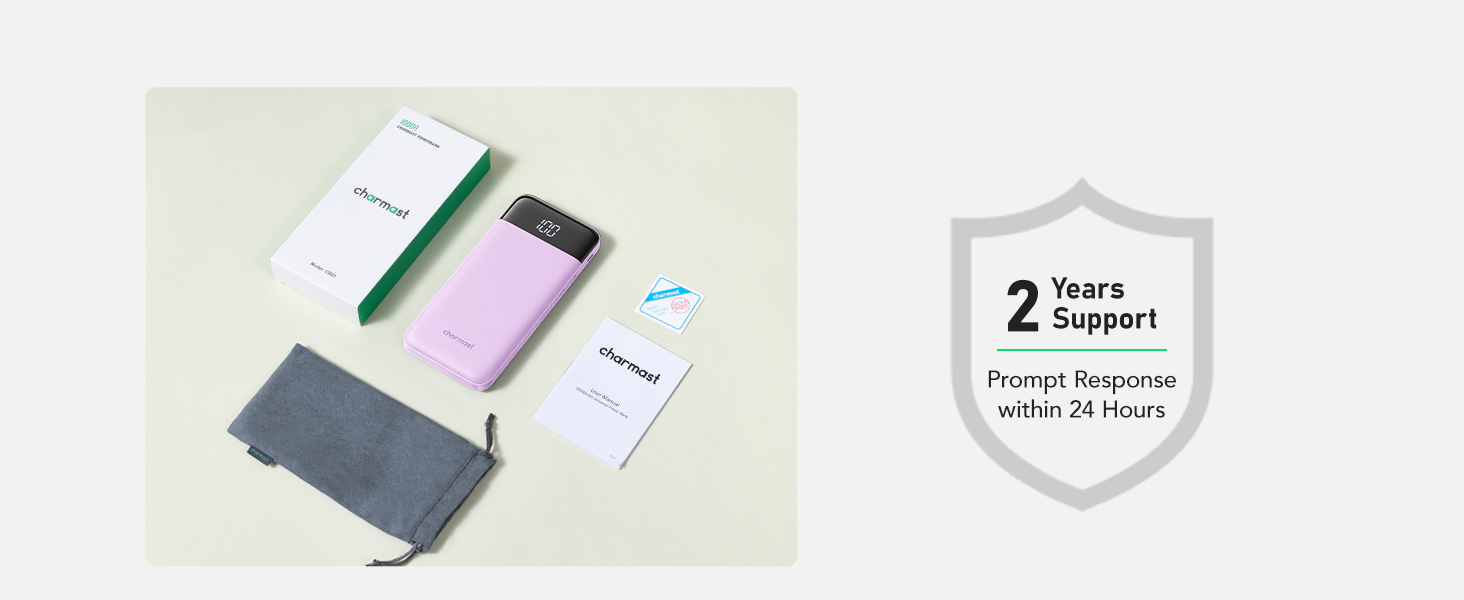
- 1 x charmast 10000mAh Portable Charger (Model CB01)
- 1 x คู่มือผู้ใช้
- 1 x กระเป๋าป้องกัน

Image 2.1: The complete package contents, including the power bank, user manual, and protective pouch.
3. สินค้าหมดview
The charmast CB01 portable charger features a 10000mAh battery capacity, multiple charging options, and a digital display for battery status. It includes built-in cables for various devices and additional ports for versatility.
3.1 Ports and Cables
ภาพที่ 3.1: รายละเอียด view of the multi-cable and port configuration on the power bank.
- สาย USB-A ในตัว: สำหรับชาร์จแบตเตอรี่สำรอง
- สาย USB-C ในตัว: For charging USB-C devices.
- สาย Lightning ในตัว: For charging Apple devices (iPhone/iPad).
- Built-in Micro USB Cable: For charging Micro USB devices.
- พอร์ตอินพุต/เอาต์พุต USB-C: Supports both charging the power bank and charging devices.
- พอร์ตเอาต์พุต USB (2 ช่อง): For charging devices via external USB cables.

Image 3.2: Illustration of the USB-C port's dual functionality for both input and output.
3.2 จอแสดงผลดิจิตอล
จอแสดงผลดิจิทัล LED ในตัวจะแสดงเปอร์เซ็นต์แบตเตอรี่ที่เหลืออยู่tage of the power bank, allowing for precise power management.
4. การตั้งค่า
4.1 การชาร์จ Power Bank ครั้งแรก
Before first use, fully charge your charmast portable charger. This ensures optimal battery performance.
- การใช้งานสาย USB-A ในตัว: Extend the built-in USB-A cable and plug it into a USB wall adapter (not included) or a computer's USB port.
- การใช้พอร์ต USB-C: Connect a USB-C to USB-C cable (not included) from a USB-C wall adapter to the power bank's USB-C input/output port.
- หน้าจอแสดงผลดิจิทัลจะแสดงความคืบหน้าการชาร์จ โดยจะแสดง 100% เมื่อชาร์จเต็มแล้ว

Image 4.1: Charging the power bank using its integrated USB-A cable.

Image 4.2: Charging the power bank using the dedicated USB-C port.
5. คู่มือการใช้งาน
5.1 การชาร์จอุปกรณ์ของคุณ
The power bank can charge up to six devices simultaneously using its various outputs.
- การใช้สายเคเบิลในตัว: Select the appropriate built-in cable (USB-C, Lightning, or Micro USB) and plug it directly into your device's charging port.
- การใช้งานพอร์ตเอาต์พุต USB: Connect your device's charging cable to one of the two USB output ports on the power bank.
- การใช้งานพอร์ตเอาต์พุต USB-C: Connect a USB-C to USB-C cable (not included) from your device to the power bank's USB-C input/output port.
- พาวเวอร์แบงค์จะเริ่มชาร์จอุปกรณ์ของคุณโดยอัตโนมัติ จอแสดงผลดิจิทัลจะแสดงเปอร์เซ็นต์แบตเตอรี่ที่เหลืออยู่tage.

Image 5.1: The power bank charging multiple devices concurrently, demonstrating its versatility.
5.2 โหมดกระแสต่ำ
For charging low-current devices such as wireless earphones, smartwatches, or small fans, the power bank features a low current mode to ensure safe and optimized charging. To activate, press and hold the power button for 3 seconds. The display will show a special indicator (e.g., a small 'L' or specific icon) to confirm low current mode is active. To exit, press and hold the power button again for 3 seconds.
5.3 การใช้งานจอแสดงผลดิจิทัล
The digital display provides real-time battery percentage. A quick press of the power button will illuminate the display to show the current charge level. This allows you to monitor the power bank's remaining capacity and plan your recharges.

Image 5.2: The LED digital display showing the battery percentage ระหว่างการใช้งาน
5.4 ความเข้ากันได้กว้าง
The charmast portable charger is compatible with a broad range of devices, including:
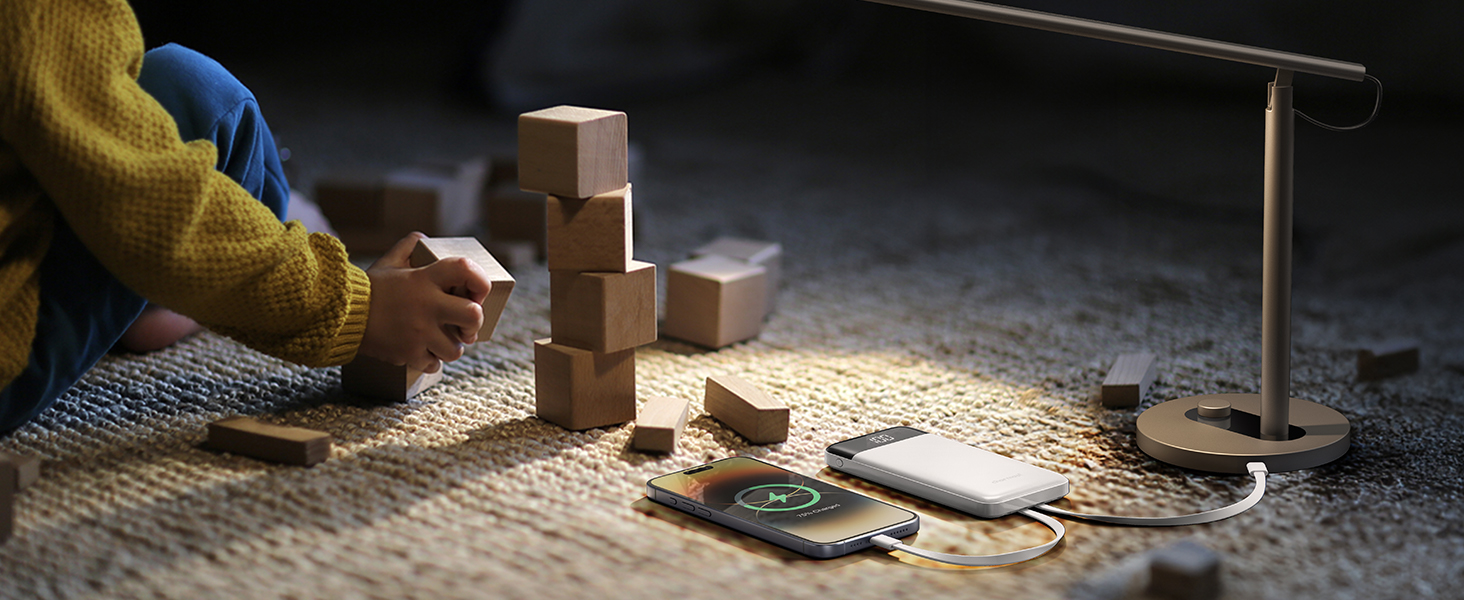
Image 5.3: Compatibility chart for various devices, including smartphones, tablets, and low-current gadgets.
- ไอโฟน : iPhone 16/15 series, iPhone 14/13/12 series, iPhone X/11 series, etc.
- โทรศัพท์ Android: Samsung, Google Pixel, and other Android models.
- แท็บเล็ต: iPad series and other Android tablets.
- อุปกรณ์ที่ใช้กระแสไฟต่ำ: Fans, earphones, speakers, etc.
6. ข้อมูลด้านความปลอดภัย
To ensure safe operation and prolong the life of your device, please observe the following safety guidelines:
- ห้ามให้พาวเวอร์แบงค์สัมผัสกับอุณหภูมิที่สูงหรือต่ำเกินไป (สูงกว่า 60°C/140°F หรือต่ำกว่า 0°C/32°F)
- หลีกเลี่ยงการทำตก ถอดประกอบ หรือดัดแปลงอุปกรณ์
- เก็บให้ห่างจากน้ำ ความชื้น และวัสดุไวไฟ
- ใช้เฉพาะสายชาร์จและอะแดปเตอร์ที่ผ่านการรับรองเท่านั้น
- ห้ามใช้งานหากอุปกรณ์ได้รับความเสียหาย
- The power bank is equipped with advanced safety features including short-circuit, overcharge, over-discharge, over-current, and temperature protection.
- This device complies with airline carry-on regulations (37Wh capacity).
7. การบำรุงรักษา
7.1 การทำความสะอาด
เช็ดทำความสะอาดพาวเวอร์แบงค์ด้วยผ้าแห้งเนื้อนุ่ม ห้ามใช้สารเคมีรุนแรงหรือน้ำยาทำความสะอาดที่มีฤทธิ์กัดกร่อน
7.2 พื้นที่จัดเก็บ
Store the power bank in a cool, dry place away from direct sunlight. Use the provided protective pouch to prevent scratches and wear when not in use or during transport.

Image 7.1: The multifunctional pouch can store the power bank or other small items.
8 การแก้ไขปัญหา
- พาวเวอร์แบงค์ไม่ชาร์จ:
- ตรวจสอบให้แน่ใจว่าสายชาร์จเชื่อมต่อกับพาวเวอร์แบงค์และแหล่งจ่ายไฟอย่างแน่นหนาแล้ว
- Try a different wall adapter or USB port.
- ตรวจสอบว่าแหล่งพลังงานกำลังทำงานอยู่
- อุปกรณ์ไม่ชาร์จจากพาวเวอร์แบงค์:
- ตรวจสอบให้แน่ใจว่าพาวเวอร์แบงค์มีประจุไฟเพียงพอ (ตรวจสอบจากหน้าจอแสดงผลดิจิทัล)
- Verify the charging cable (built-in or external) is securely connected to both the power bank and your device.
- ลองใช้สายเคเบิลหรือพอร์ตอื่นบนพาวเวอร์แบงค์ดู
- Ensure your device is compatible with the power bank's output.
- การชาร์จช้า:
- Ensure you are using a high-quality cable and a compatible wall adapter for optimal charging speed.
- การชาร์จอุปกรณ์หลายเครื่องพร้อมกันอาจทำให้ความเร็วในการชาร์จแต่ละอุปกรณ์ลดลง
9. ข้อมูลจำเพาะ
| คุณสมบัติ | ข้อมูลจำเพาะ |
|---|---|
| หมายเลขรุ่น | CB01 |
| ความจุของแบตเตอรี่ | 10000 มิลลิวินาทีamp ชั่วโมง (37 ชั่วโมง) |
| ขนาดสินค้า | 5.68 x 2.63 x 0.7 นิ้ว |
| น้ำหนักสินค้า | 8.8 ออนซ์ |
| อินพุต/เอาต์พุต USB-C | 15W (สูงสุด) |
| คุณสมบัติพิเศษ | Auto Shut-Off, Built-in Cables, LED Indicator Lights, Pocket Size, Slim |
10. การรับประกันและการสนับสนุน
charmast provides 24 months of care และ การสนับสนุนทางเทคนิคตลอดอายุการใช้งาน for this product. If you encounter any issues or have questions, please contact our customer support team for assistance.
For further information or to contact support, please visit the official charmast store or webเว็บไซต์.
Visit the charmast Store on Amazon


