1. บทนำ
This manual provides detailed instructions for the setup, operation, and maintenance of your TUINYO WH-819 Wireless Over-Ear Bluetooth Headphones. Please read this manual thoroughly before using the product to ensure proper function and longevity.
2. สินค้าหมดview
The TUINYO WH-819 headphones offer high-fidelity stereo sound, comfortable over-ear design, and versatile connectivity options. They are designed for extended listening periods, featuring a long-lasting battery and a foldable structure for portability.
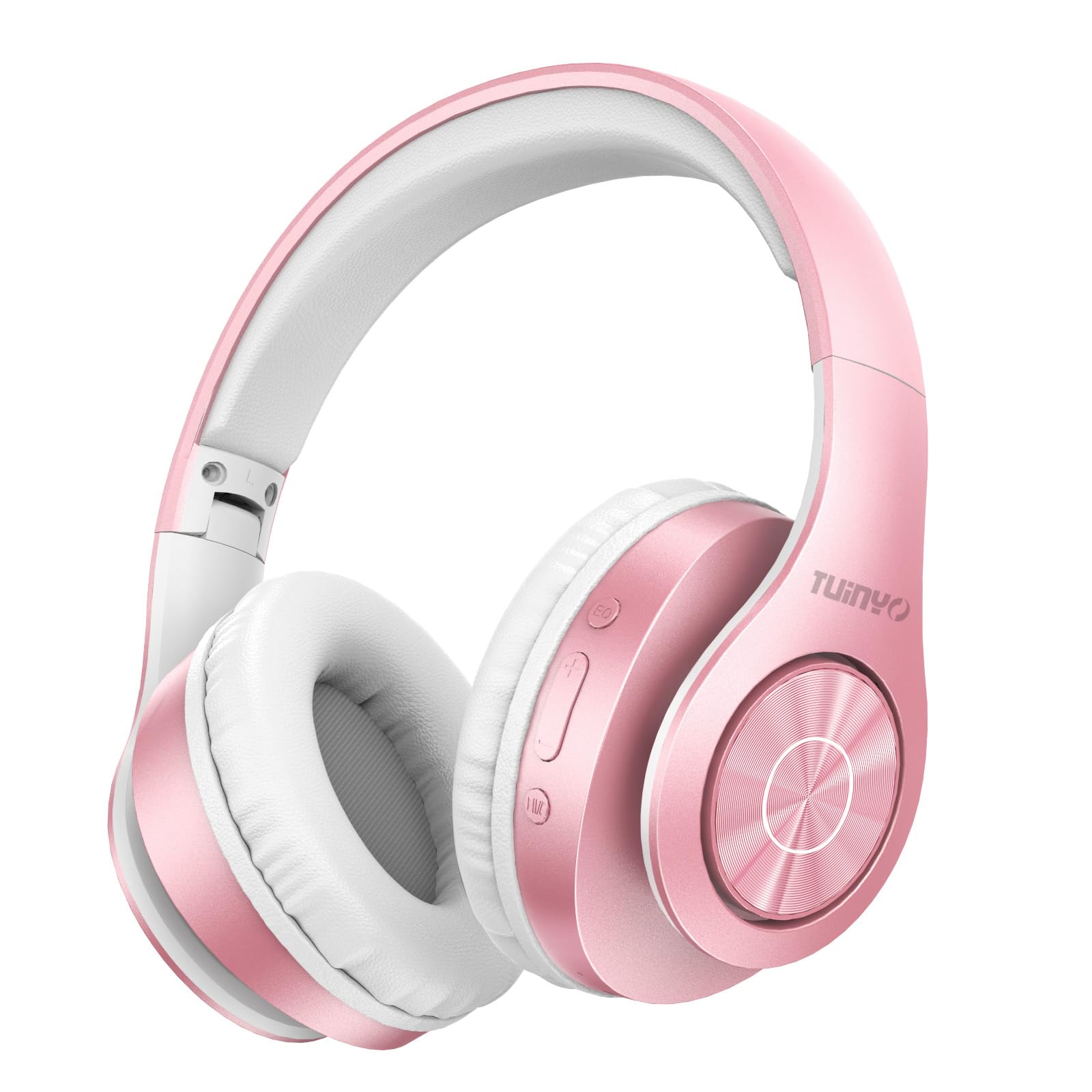
Figure 2.1: TUINYO WH-819 Rose Gold Wireless Over-Ear Bluetooth Headphones.
วิดีโอ 2.1: จบแล้วview of the TUINYO wireless Bluetooth headphones, highlighting their design and features.
3. เนื้อหาบรรจุภัณฑ์
ตรวจสอบให้แน่ใจว่ามีรายการทั้งหมดอยู่ในบรรจุภัณฑ์:
- TUINYO WH-819 Wireless Over-Ear Bluetooth Headphones
- สายชาร์จ USB
- สายสัญญาณเสียงขนาด 3.5 มม.
- Protective Premium Case
- คู่มือการใช้งาน

Figure 3.1: Included accessories with the TUINYO WH-819 headphones.
4. การควบคุมและพอร์ต
Familiarize yourself with the headphone controls and ports:
- ปุ่มเปิด/ปิด: Long press to power on/off. Short press to play/pause music or answer/end calls.
- ปุ่มเพิ่มเสียง/ปุ่มเปลี่ยนเพลงถัดไป: กดสั้นๆ เพื่อเพิ่มระดับเสียง กดยาวเพื่อเล่นเพลงถัดไป
- ปุ่มลดเสียง/ปุ่มเล่นเพลงก่อนหน้า: กดสั้นเพื่อลดระดับเสียง กดยาวเพื่อเล่นเพลงก่อนหน้า
- ปุ่ม EQ: Press to cycle through different equalizer modes (Normal, Rock, Pop, Classic, Jazz, Country).
- แจ็คเสียงขนาด 3.5 มม.: สำหรับการเชื่อมต่อแบบมีสาย
- พอร์ตชาร์จ USB: สำหรับการชาร์จหูฟัง
- ช่องเสียบการ์ด MicroSD: For direct music playback from a MicroSD card.

รูปที่ 4.1: รายละเอียด view of headphone controls and features.
Video 4.1: A demonstration of the TUINYO headphones' folding mechanism and button controls.
5. การตั้งค่า
5.1 การชาร์จหูฟัง
- Connect the USB charging cable to the headphone's charging port.
- ต่อปลายอีกด้านของสาย USB เข้ากับแหล่งจ่ายไฟ USB ที่ใช้งานร่วมกันได้ (เช่น คอมพิวเตอร์ อะแดปเตอร์ติดผนัง)
- ไฟ LED จะแสดงสถานะการชาร์จ (เช่น สีแดงเมื่อกำลังชาร์จ สีน้ำเงินเมื่อชาร์จเต็มแล้ว)
- การชาร์จเต็มโดยทั่วไปจะใช้เวลา 2-2.5 ชั่วโมง
5.2 การจับคู่บลูทูธ
- ตรวจสอบให้แน่ใจว่าหูฟังชาร์จเต็มแล้ว
- Long press the Power button until the LED indicator flashes blue and red, indicating pairing mode.
- บนอุปกรณ์ของคุณ (สมาร์ทโฟน แท็บเล็ต แล็ปท็อป) เปิดใช้งาน Bluetooth และค้นหาอุปกรณ์ที่มีอยู่
- Select "WH-819" from the list of devices.
- เมื่อเชื่อมต่อแล้ว ไฟ LED จะกะพริบเป็นสีน้ำเงินช้าๆ และจะมีเสียงแจ้งเตือนเพื่อยืนยันการจับคู่สำเร็จ
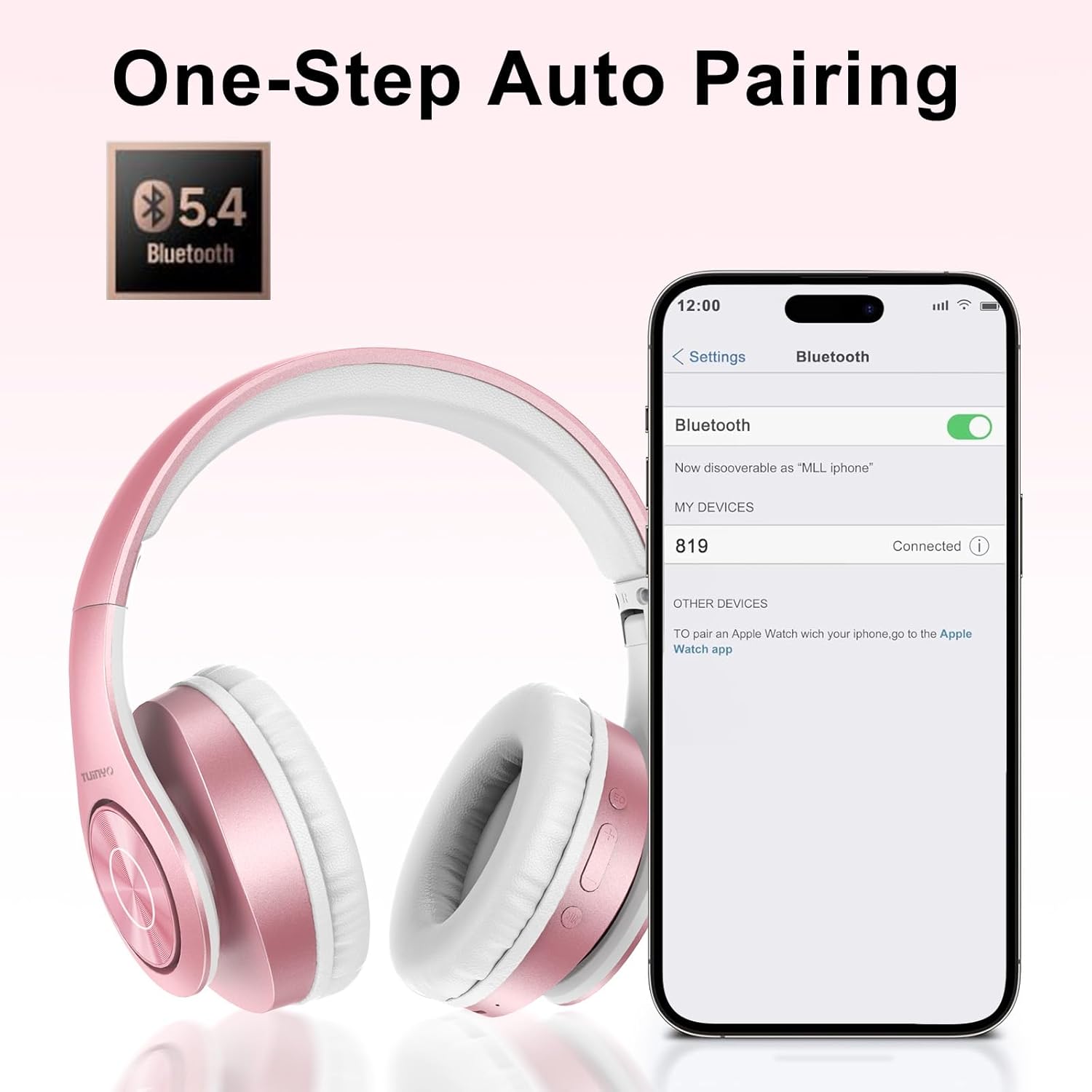
รูปที่ 5.1: ขั้นตอนการจับคู่บลูทูธบนสมาร์ทโฟน
6. คู่มือการใช้งาน
6.1 เปิด/ปิดเครื่อง
- เปิดเครื่อง: Long press the Power button until the LED indicator lights up blue.
- หมดแรง: Long press the Power button until the LED indicator turns off.
6.2 การเล่นเพลง
- เล่น/หยุดชั่วคราว: กดปุ่มเปิดปิดสั้น ๆ
- เพลงถัดไป: กดปุ่มเพิ่มระดับเสียงค้างไว้
- แทร็กก่อนหน้า: กดปุ่มลดระดับเสียงค้างไว้
- การปรับระดับเสียง: กดปุ่มเพิ่มเสียงหรือปุ่มลดเสียงสั้นๆ
6.3 การจัดการการโทร
- รับ/วางสาย: กดปุ่มเปิดปิดสั้น ๆ
- ปฏิเสธสาย: กดปุ่มเปิด/ปิดค้างไว้
โหมด EQ 6.4
- Press the EQ button to switch between different sound equalizer modes (Normal, Rock, Pop, Classic, Jazz, Country) to optimize your listening experience.
6.5 โหมดแบบมีสาย
- Insert the 3.5mm audio cable into the headphone's audio jack and the other end into your audio device.
- The headphones will automatically switch to wired mode, and Bluetooth functionality will be disabled.
6.6 การเล่นไฟล์จากการ์ด MicroSD
- Insert a MicroSD card with MP3 audio files into the MicroSD card slot.
- หูฟังจะตรวจจับการ์ดโดยอัตโนมัติและเริ่มเล่นเพลง
- Use the music playback controls (Play/Pause, Next/Previous Track, Volume) to manage your audio.
7. การบำรุงรักษา
- ทำความสะอาดหูฟังเป็นประจำด้วยผ้าแห้งนุ่ม
- หลีกเลี่ยงการใช้น้ำยาทำความสะอาดหรือตัวทำละลายที่มีฤทธิ์กัดกร่อน
- เก็บหูฟังไว้ในกล่องป้องกันเมื่อไม่ได้ใช้งานเพื่อป้องกันความเสียหาย
- เก็บให้ห่างจากอุณหภูมิและความชื้นที่สูงเกินไป
8 การแก้ไขปัญหา
| ปัญหา | สารละลาย |
|---|---|
| หูฟังไม่สามารถเปิดเครื่องได้ | ตรวจสอบให้แน่ใจว่าหูฟังชาร์จเต็มแล้ว เสียบปลั๊กแล้วลองอีกครั้ง |
| ไม่สามารถจับคู่ผ่านบลูทูธได้ | ตรวจสอบให้แน่ใจว่าหูฟังอยู่ในโหมดจับคู่ (ไฟ LED กะพริบสีน้ำเงิน/แดง) ปิดและเปิดบลูทูธบนอุปกรณ์ของคุณ ขยับเข้าใกล้อุปกรณ์มากขึ้น |
| ไม่มีเสียงในโหมดบลูทูธ | Check volume levels on both headphones and connected device. Ensure headphones are successfully paired. |
| ไม่มีเสียงในโหมดใช้สาย | Ensure the 3.5mm audio cable is fully inserted into both the headphones and the audio device. Check the audio source. |
| การ์ด microSD ไม่สามารถเล่นได้ | Ensure the MicroSD card is inserted correctly and contains compatible MP3 audio files. |
9. ข้อมูลจำเพาะ
| คุณสมบัติ | รายละเอียด |
|---|---|
| ชื่อรุ่น | ดับบลิวเอช-819 |
| เทคโนโลยีการเชื่อมต่อ | ไร้สาย (บลูทูธ), มีสาย (แจ็ค 3.5 มม.) |
| เทคโนโลยีการสื่อสารไร้สาย | บลูทูธ 4.0 |
| ประเภทไดร์เวอร์เสียง | Dynamic Driver (40mm neodymium) |
| อายุการใช้งานแบตเตอรี่ | Up to 40 hours of music time (800mAh battery) |
| เวลาในการชาร์จ | 2-2.5 ชั่วโมง |
| รูปทรงของหูฟัง | ครอบหู |
| วัสดุ | Plastic, Memory-Protein Earmuffs |
| น้ำหนัก | 13.4 ออนซ์ |
| ขนาด | 8.5 x 6.22 x 4.25 นิ้ว (บรรจุภัณฑ์) |
| อุปกรณ์ที่รองรับ | Tablets, Laptops, Desktops, Smartphones, Bluetooth-enabled devices |
| ระดับความต้านทานต่อน้ำ | ไม่ทนน้ำ |
10. การรับประกันและการสนับสนุน
Your TUINYO WH-819 headphones are covered by a 30-day warranty from the date of purchase. For any product inquiries, technical support, or warranty claims, please refer to the contact information provided with your purchase or visit the official TUINYO webเว็บไซต์.


