เคลิม K8

KLIM K8 Cassette Player Instruction Manual

รุ่น : K8

1. คำแนะนำด้านความปลอดภัยที่สำคัญ

2. เนื้อหาบรรจุภัณฑ์

ตรวจสอบว่ารายการทั้งหมดมีอยู่และอยู่ในสภาพดี:

3. สินค้าหมดview

KLIM K8 Cassette Player with included earbuds and a cassette tape inserted

ภาพที่ 3.1: The KLIM K8 Cassette Player, showing the cassette compartment, main controls, and included earbuds.

3.1. การควบคุมและพอร์ต

4. การตั้งค่า

4.1. การเปิดเครื่อง

The KLIM K8 can be powered by two AA batteries or via a USB Type-C cable connected to a compatible AC-DC adapter (not included) or USB power source.

  1. การติดตั้งแบตเตอรี่:
    • เปิดฝาปิดช่องใส่แบตเตอรี่ที่ด้านหลังของอุปกรณ์
    • ใส่แบตเตอรี่ AA สองก้อน โดยตรวจสอบให้แน่ใจว่าขั้ว (+/-) ถูกต้องตามที่ระบุภายในช่อง
    • ปิดฝาช่องใส่แบตเตอรี่ให้แน่น
    KLIM K8 Cassette Player showing 2x AA batteries and a USB Type-C cable

    ภาพที่ 4.1: Powering options for the KLIM K8, including AA batteries and USB Type-C cable.

  2. พลังงานภายนอก:
    • Connect the provided USB Type-C cable to the DC IN port on the device.
    • เชื่อมต่อปลายอีกด้านหนึ่งของสาย USB เข้ากับแหล่งพลังงาน USB ที่ใช้งานร่วมกันได้ (เช่น อะแดปเตอร์ติดผนัง พอร์ต USB ของคอมพิวเตอร์)

4.2. Inserting a Cassette Tape

  1. Gently slide open the cassette compartment door.
  2. Insert a standard audio cassette tape with the open edge facing the playback head and the desired side (A or B) facing outwards.
  3. ปิดฝาช่องใส่เทปจนกว่าจะได้ยินเสียงคลิกสนิท

5. คู่มือการใช้งาน

5.1. Cassette Playback

  1. ตรวจสอบให้แน่ใจว่าใส่เทปคาสเซ็ตอย่างถูกต้อง
  2. Set the AM/FM/TAPE selector to "TAPE".
  3. กดปุ่ม เล่น ปุ่มเพื่อเริ่มเล่น
  4. ปรับแต่ง เล่มที่ ควบคุมไปตามระดับการฟังที่คุณต้องการ
  5. หากต้องการกรอไปข้างหน้า ให้กด เอฟ.เอฟ.ดับบลิว ปุ่ม หากต้องการย้อนกลับ ให้กดปุ่ม รว. ปุ่ม. กด หยุด to resume playback after fast forwarding or rewinding.
  6. กดปุ่ม หยุด ปุ่มสำหรับสิ้นสุดการเล่น

5.2. Cassette Recording

The KLIM K8 allows recording audio directly onto a cassette tape using its built-in microphone.

  1. Insert a blank or recordable cassette tape. Ensure the tape's erase protection tabs are intact if you intend to record over existing content.
  2. Set the AM/FM/TAPE selector to "TAPE".
  3. กดปุ่ม บันทึก button simultaneously with the เล่น button. The tape will start moving, and recording will begin.
  4. Speak clearly into the built-in microphone (MIC).
  5. กดปุ่ม หยุด ปุ่มสำหรับสิ้นสุดการบันทึก
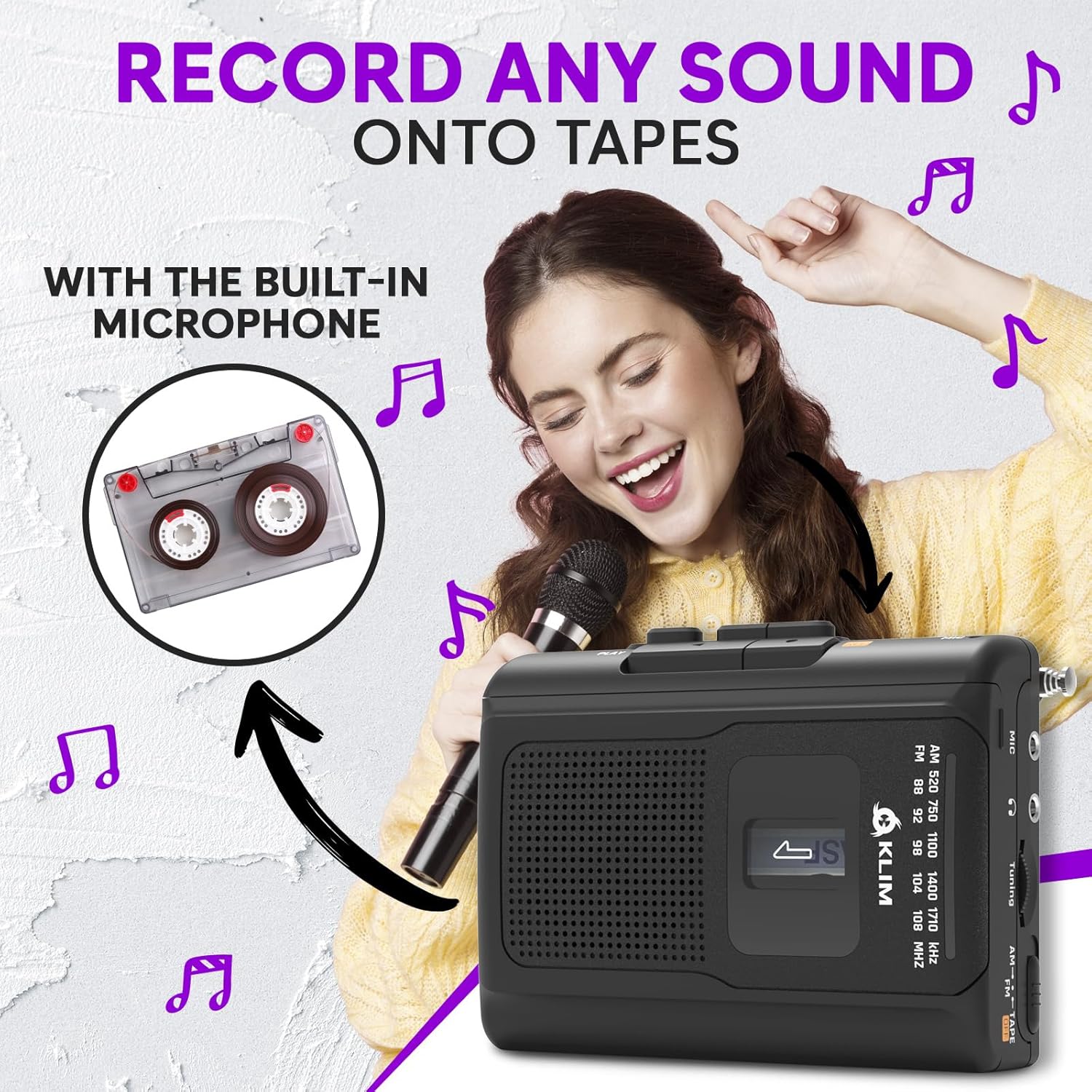
Woman smiling and holding a microphone, with an inset image of a cassette tape, illustrating the recording function of the KLIM K8

ภาพที่ 5.1: Recording audio onto a cassette tape using the integrated microphone.

5.3. การใช้งานวิทยุ AM/FM

  1. Set the AM/FM/TAPE selector to "AM" or "FM".
  2. ยืดเสาอากาศแบบยืดหดได้เพื่อการรับสัญญาณวิทยุ FM ที่ดีที่สุด สำหรับการรับสัญญาณวิทยุ AM ให้หมุนตัวเครื่องเพื่อหาสัญญาณที่ดีที่สุด
  3. หมุน ลูกบิดปรับแต่ง to scan for radio stations.
  4. ปรับแต่ง เล่มที่ ควบคุมไปตามระดับการฟังที่คุณต้องการ
KLIM K8 Cassette Player with an extended antenna, showing the AM/FM tuning dial, indicating radio functionality

ภาพที่ 5.2: Tuning into AM/FM radio stations with the KLIM K8.

5.4. การใช้หูฟัง

For private listening, connect the included KLIM Fusion earbuds or any standard 3.5mm headphones to the headphone jack on the side of the device. The built-in speaker will automatically mute when headphones are connected.

Person listening to music with headphones connected to the KLIM K8, highlighting the 3.5mm jack port

ภาพที่ 5.3: Enjoying audio privately with headphones.

6. การบำรุงรักษา

7 การแก้ไขปัญหา

ปัญหาสาเหตุที่เป็นไปได้สารละลาย
ไม่มีไฟเลี้ยง / อุปกรณ์ไม่เปิดใช้งาน
  • แบตเตอรี่หมดหรือใส่ไม่ถูกต้อง
  • USB power cable is not connected or faulty.
  • เปลี่ยนแบตเตอรี่หรือตรวจสอบขั้ว
  • Ensure USB cable is securely connected and power source is active.
Poor sound quality from cassette.
  • Tape heads are dirty.
  • Cassette tape is old or damaged.
  • เสียงเบาเกินไป
  • Clean tape heads and pinch rollers.
  • Try a different cassette tape.
  • เพิ่มปริมาณ
การรับสัญญาณวิทยุไม่ดี
  • เสาอากาศไม่ยื่นออกมา (FM)
  • สัญญาณรบกวนหรือสัญญาณอ่อน
  • ขยายเสาอากาศแบบยืดหดได้เต็มที่
  • Rotate the device for AM reception.
  • Try moving to a different location.
การบันทึกไม่ทำงาน
  • REC and PLAY buttons not pressed simultaneously.
  • Cassette tape is write-protected (tabs removed).
  • Ensure both buttons are pressed together.
  • Use a recordable tape or cover the write-protect tabs with adhesive tape.

8. ข้อมูลจำเพาะ

ยี่ห้อคลิม
แบบอย่างK8
ฟังก์ชั่นCassette Player, Cassette Recorder, AM/FM Radio
ไมโครโฟนในตัว
แจ็คหูฟัง3.5mm Universal
แหล่งพลังงาน2x AA Batteries (included) or USB Type-C (DC IN)
สีสีดำ
ขนาด (โดยประมาณ)4.7" x 3.4" x 1.5" (based on image PT06)
น้ำหนัก (โดยประมาณ)6.8 oz (based on image PT06)
KLIM K8 Cassette Player showing dimensions of 4.7 inches by 3.4 inches by 1.5 inches and a weight of 6.8 ounces

ภาพที่ 8.1: Approximate dimensions and weight of the KLIM K8.

9. การรับประกันและการสนับสนุน

The KLIM K8 Cassette Player comes with a รับประกัน 5 ปี. This warranty covers manufacturing defects and ensures the quality and durability of your device.

For technical support, warranty claims, or any questions regarding your KLIM K8, please contact KLIM Technologies France, the seller, through your purchase platform or visit the official KLIM webเว็บไซต์สำหรับข้อมูลการติดต่อ

โปรดเก็บหลักฐานการซื้อไว้เพื่อวัตถุประสงค์การรับประกัน

เอกสารที่เกี่ยวข้อง - K8

พรีview คู่มือการใช้งานเครื่องเล่นเทปคาสเซ็ต KLIM K7
คู่มือผู้ใช้นี้ให้คำแนะนำอย่างละเอียดเกี่ยวกับเครื่องเล่นเทปคาสเซ็ตแบบพกพา KLIM K7 ครอบคลุมถึงการติดตั้ง การใช้งาน คุณสมบัติต่างๆ เช่น การบันทึกลงการ์ด SD และการแปลงไฟล์ MP3 การบำรุงรักษา และการแก้ไขปัญหา
พรีview คู่มือผู้ใช้เครื่องเล่นซีดี KLIM Journey
คู่มือผู้ใช้เครื่องเล่นซีดีพกพา KLIM Journey ฉบับสมบูรณ์ ครอบคลุมการตั้งค่า การใช้งาน คุณสมบัติ และการแก้ไขปัญหา เรียนรู้วิธีการเล่นซีดีและการ์ด TF การเชื่อมต่ออุปกรณ์บลูทูธ การใช้เครื่องส่งสัญญาณ FM และอื่นๆ อีกมากมาย
พรีview คู่มือผู้ใช้ลำโพง KLIM: เครื่องเล่นซีดีพกพาคุณภาพสูงพร้อมแบตเตอรี่แบบชาร์จไฟได้
คู่มือผู้ใช้ฉบับสมบูรณ์สำหรับ KLIM Speaker เครื่องเล่นซีดีพกพาที่ให้เสียงคุณภาพสูง เรียนรู้เกี่ยวกับคุณสมบัติ การใช้งาน การชาร์จ ตัวเลือกการเล่น และการแก้ไขปัญหา ประกอบด้วยข้อมูลภายในบรรจุภัณฑ์ ข้อมูลจำเพาะทางเทคนิค และแนวทางปฏิบัติด้านความปลอดภัย
พรีview คู่มือผู้ใช้ KLIM Discman: คำแนะนำเครื่องเล่นซีดีพกพา
คู่มือผู้ใช้เครื่องเล่นซีดีพกพา KLIM Discman ฉบับสมบูรณ์ ครอบคลุมการตั้งค่า การใช้งาน คุณสมบัติ และการแก้ไขปัญหา มีคำแนะนำด้านความปลอดภัยและข้อมูลจำเพาะทางเทคนิค
พรีview คู่มือการใช้งานเครื่องเล่นซีดีพกพา KLIM Nomad
คู่มือการใช้งานฉบับสมบูรณ์สำหรับเครื่องเล่นซีดีพกพา KLIM Nomad ครอบคลุมคำแนะนำด้านความปลอดภัย คุณสมบัติของผลิตภัณฑ์ ข้อมูลจำเพาะ การใช้งาน การแก้ไขปัญหา และอื่นๆ รวมถึงการรองรับหลายภาษา
พรีview KLIM ค้นหาคู่มือผู้ใช้เครื่องเล่นซีดีพกพา
Comprehensive user manual for the KLIM Discover portable CD player, covering setup, playback options, features, FM transmitter, Bluetooth connectivity, and troubleshooting.