สินค้าเกินview
การ AMPAI WiFi Mini Smart Switch with 433MHz Remote is designed to integrate seamlessly into your home automation system, offering both wireless app control and traditional remote functionality. This compact device allows you to control lights, fans, or other appliances with ease, enhancing convenience and energy efficiency.

รูปที่ 1: AMPAI WiFi Mini Smart Switch (left) and its accompanying 433MHz remote control (right).
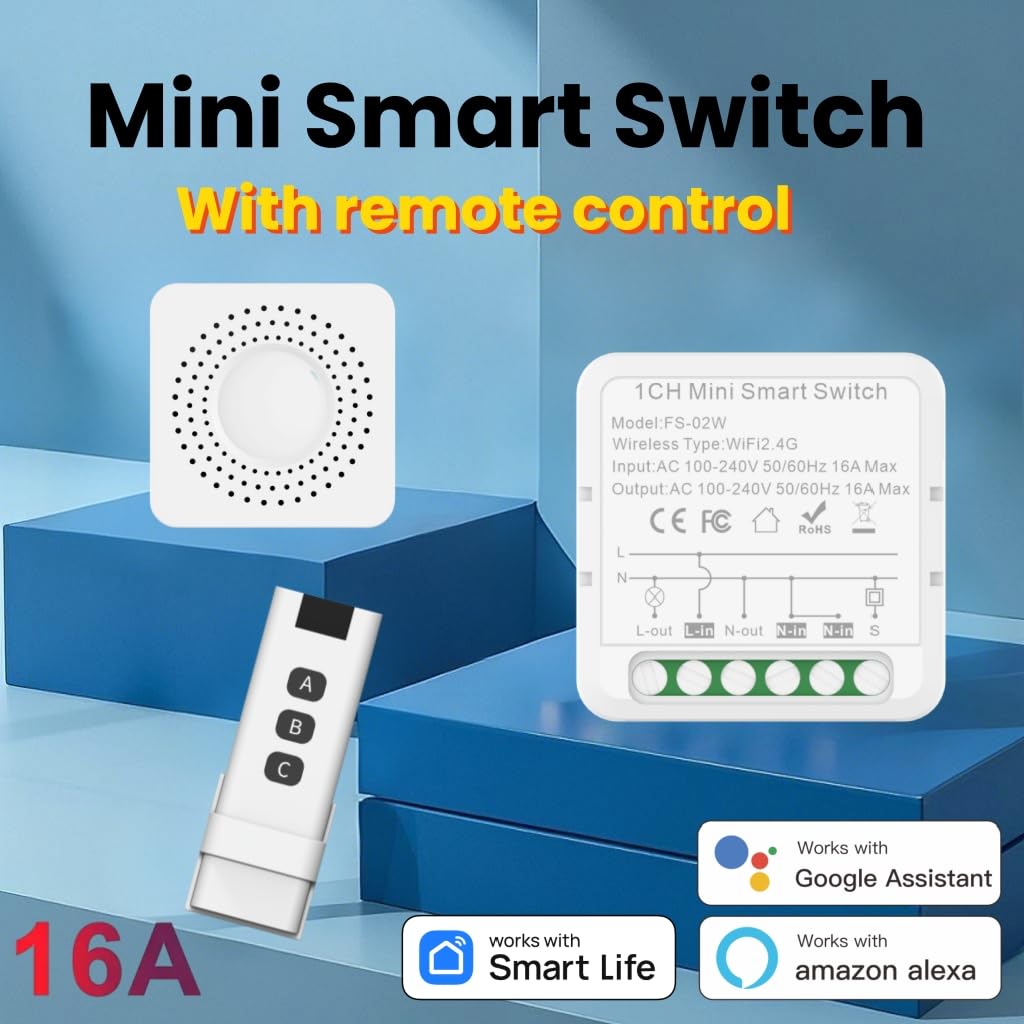
รูปที่ 2: เกินview of the Mini Smart Switch highlighting its compatibility with Smart Life App, Google Assistant, and Amazon Alexa, along with the included remote control.
ข้อมูลจำเพาะ
| คุณสมบัติ | รายละเอียด |
|---|---|
| หมายเลขรุ่น | MNS-RF |
| ขนาดสินค้า | 1.63 x 1.63 x 0.84 นิ้ว |
| น้ำหนัก | 3.2 ออนซ์ |
| โหมดการทำงาน | ไร้สาย |
| คะแนนปัจจุบัน | 16 Amps |
| ปฏิบัติการฉบับที่tage | AC 100V-240V 50/60Hz (120 Volts nominal) |
| ประเภทการติดต่อ | เปิดปกติ |
| ประเภทขั้วต่อ | Clamp |
| เทอร์มินัล | ไวไฟ |
| ประเภทวงจร | 1/2 Way |
| ประเภทตัวกระตุ้น | อิเล็กทรอนิกส์ |
| ความถี่ไวไฟ | 2.4กิกะเฮิรตซ์ |
| อุณหภูมิในการทำงาน | -10~45°เซลเซียส |
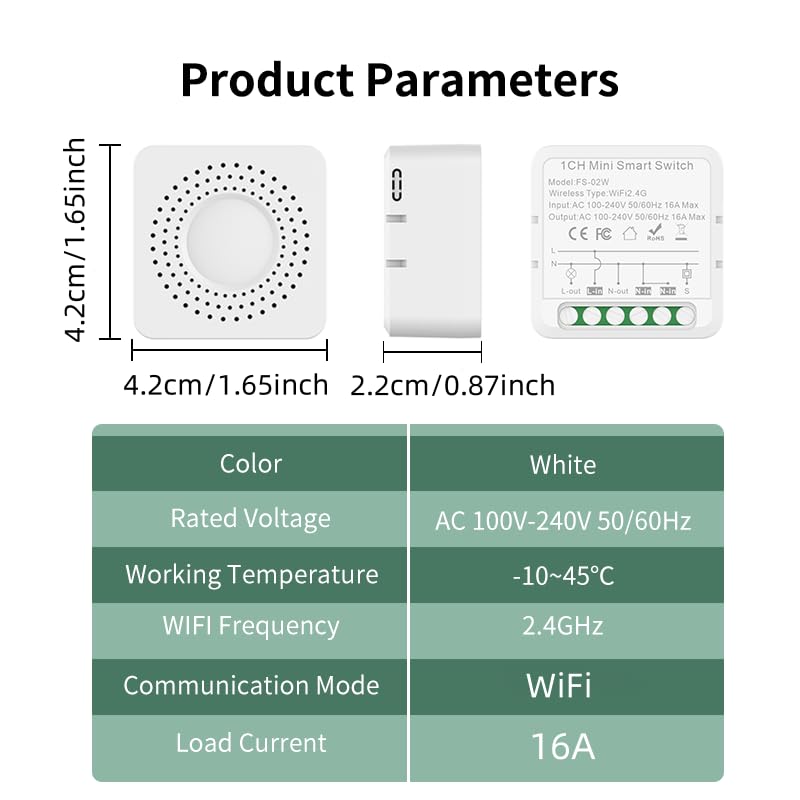
Figure 3: Detailed product parameters including dimensions, voltage และอุณหภูมิในการทำงาน
การติดตั้งและการตั้งค่า
มีอะไรอยู่ในกล่อง
- 1 เท่า AMPAI WiFi Mini Smart Switch
- 1 x 433MHz Remote Control
แนวทางการติดตั้ง
The Mini Smart Switch is designed for compact installation, fitting discreetly into standard wall switch boxes. It allows you to smart-enable your existing switches without needing to replace them.

Figure 4: The compact design of the Mini Smart Switch allows for easy installation within existing junction boxes, preserving your original decor.
การเชื่อมต่อสายไฟ
Ensure power is disconnected before attempting any wiring. The switch supports both connecting directly to a lamp or integrating with an existing wall switch.

Figure 5: Wiring diagrams for connecting the smart switch. Left: Connecting directly to a lamp. Right: Connecting with an existing rocker switch.
For detailed visual instructions on wiring and initial setup, please refer to the product video below.
App Setup (Tuya Smart Life App)
The Mini Smart Switch connects directly to your 2.4GHz Wi-Fi network, eliminating the need for an additional hub. Download the "Smart Life" app from your device's app store (iOS or Android).
- Ensure the smart switch is powered on.
- Open the Smart Life app and tap "Add Device".
- Long press the button on the smart switch until its indicator light blinks rapidly, indicating it's in pairing mode.
- ทำตามคำแนะนำในแอปเพื่อเชื่อมต่อสวิตช์เข้ากับเครือข่าย Wi-Fi ของคุณ
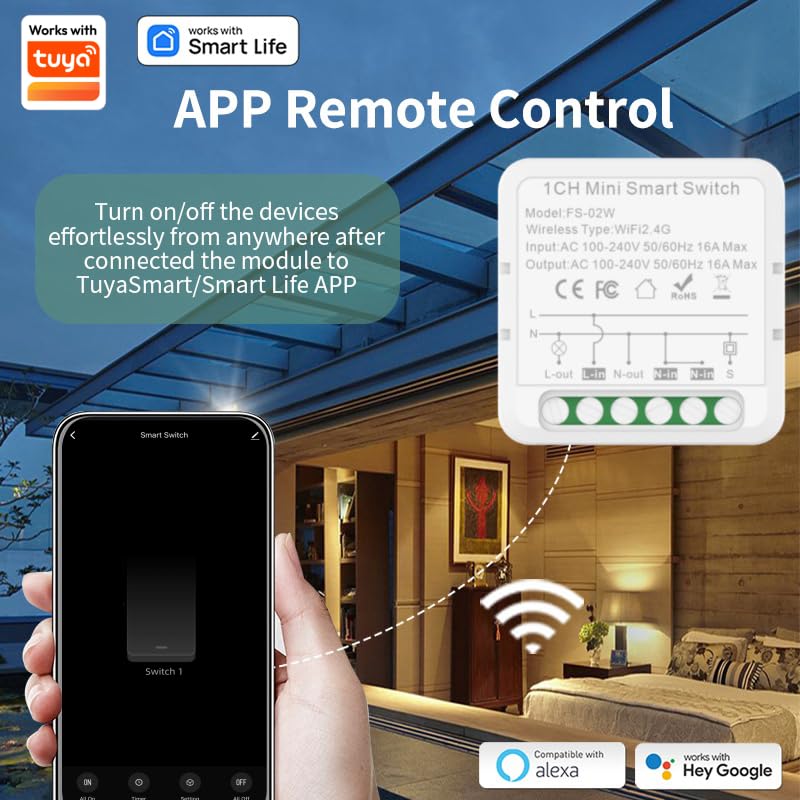
Figure 6: The Smart Life app interface, demonstrating how to turn devices on/off remotely after connecting the module.
คำแนะนำการใช้งาน
การควบคุมการทำงานด้วยรีโมทคอนโทรล
The included 433MHz remote control provides convenient wireless operation with a range of up to 100ft. It can control up to three mini smart switches.
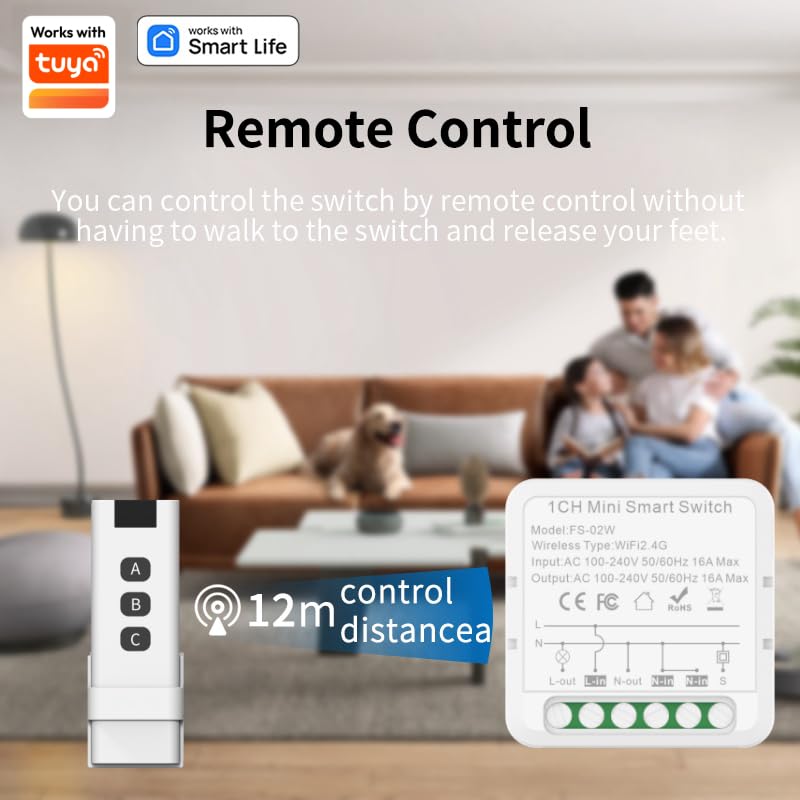
Figure 7: The 433MHz remote control allows you to control the switch from a distance of up to 12 meters (approximately 40 feet) without needing to be near the switch.
To configure the remote control with the smart switch, follow the instructions within the Smart Life app under "RF remote control setup".
การควบคุมด้วยเสียง (Alexa และ Google Home)
Once connected to the Smart Life app, you can link your Mini Smart Switch to Amazon Alexa or Google Home for seamless voice control.
- Enable the "Smart Life" skill in your Alexa or Google Home app.
- ค้นพบอุปกรณ์
- Use voice commands such as "Alexa, turn on the living room light" or "Hey Google, turn off the fan."
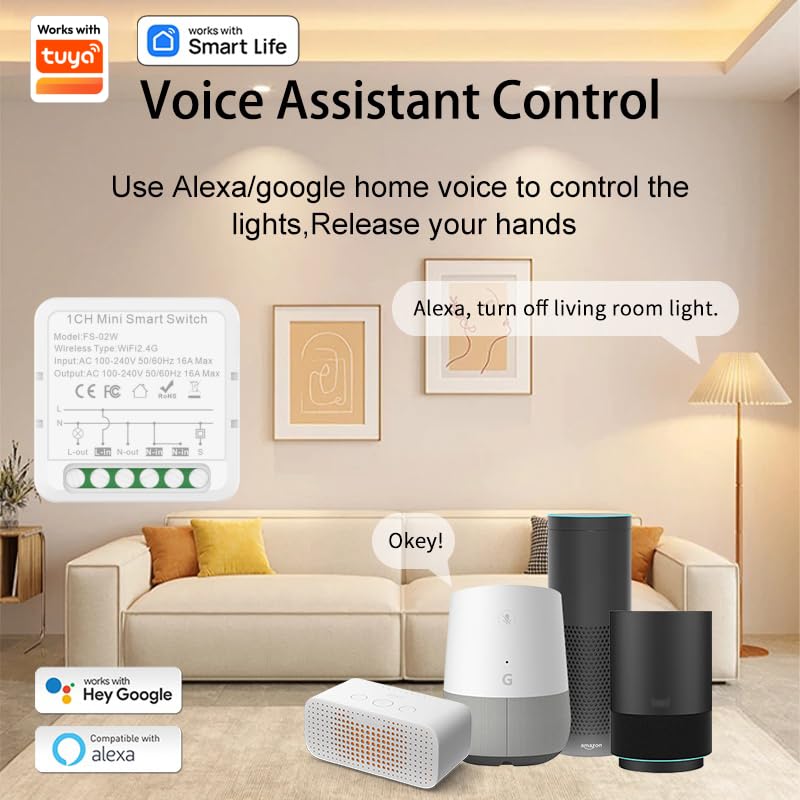
Figure 8: Control your smart switch using voice commands through Amazon Alexa or Google Home devices.
การกำหนดตารางงานและการทำงานอัตโนมัติ
The Smart Life app allows you to set schedules, timers, and create scenes for automated control of your devices.
- ตารางเวลา: Program devices to turn on or off at specific times (e.g., turn on lights at 6:00 PM).
- ตัวจับเวลา: Set countdown timers for devices to switch off after a set duration.
- ฉาก: Create custom scenes to control multiple devices with a single command or tap (e.g., "Good Morning" scene turns on bedroom lights and coffee maker).
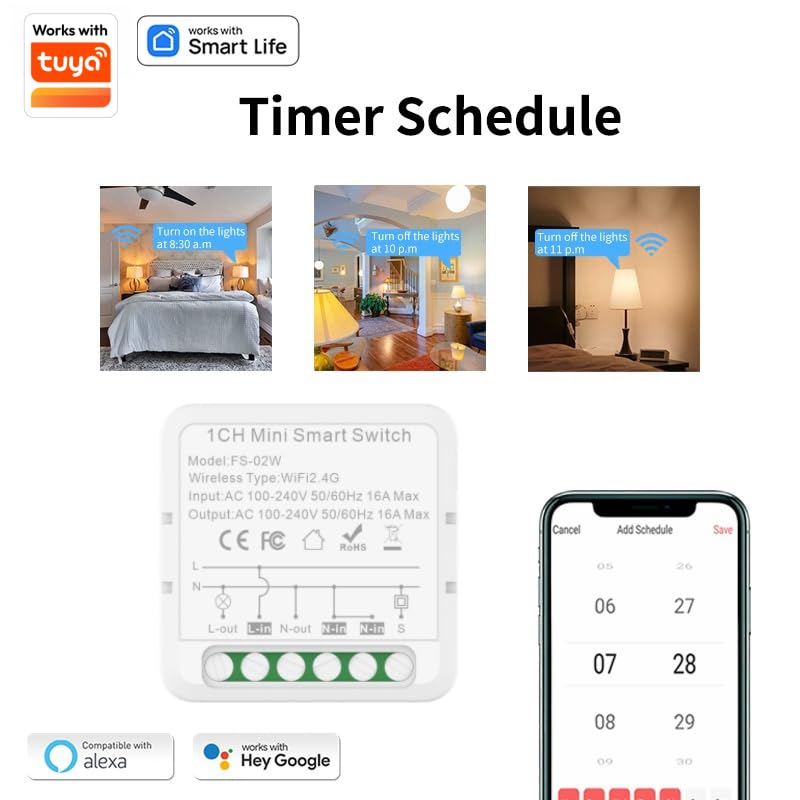
รูปที่ 9: อดีตamples of setting timer schedules within the Smart Life app to automate device operation.
การซ่อมบำรุง
การ AMPAI Mini Smart Switch is designed for durability and low maintenance. Its flame-retardant PC material and built-in overload protection (16A/1800W) ensure safe operation.
- การทำความสะอาด: Wipe the exterior of the switch with a soft, dry cloth. Do not use abrasive cleaners or liquids.
- อัพเดตเฟิร์มแวร์: ตรวจสอบแอป Smart Life เป็นระยะเพื่อดูการอัปเดตเฟิร์มแวร์ที่มีให้ใช้งาน เพื่อให้มั่นใจได้ถึงประสิทธิภาพและความปลอดภัยสูงสุด
- ฟังก์ชั่นหน่วยความจำ: The switch features a built-in memory function, ensuring your devices return to their previous state after a power outage, eliminating the need for manual adjustments.
การแก้ไขปัญหา
ปัญหาทั่วไปและแนวทางแก้ไข
- อุปกรณ์ไม่เชื่อมต่อกับ Wi-Fi:
- ตรวจสอบให้แน่ใจว่าเครือข่าย Wi-Fi ของคุณเป็น 2.4GHz สวิตช์นี้ไม่รองรับเครือข่าย 5GHz
- ตรวจสอบว่ารหัสผ่าน Wi-Fi ของคุณถูกต้อง
- Move the switch closer to your Wi-Fi router.
- Reset the switch by long-pressing its button until it blinks rapidly, then try pairing again.
- การควบคุมระยะไกลไม่ทำงาน:
- Ensure the remote's battery is not depleted.
- Re-pair the remote control with the smart switch via the Smart Life app's "RF remote control setup" section.
- Check for obstructions between the remote and the switch.
- ระบบควบคุมด้วยเสียงไม่ตอบสนอง:
- Confirm the Smart Life skill is enabled in your Alexa or Google Home app.
- Ensure the smart switch is properly linked and named in the voice assistant app.
- ตรวจสอบการเชื่อมต่ออินเตอร์เน็ตของคุณ
- Switch is unresponsive:
- Check the power supply to the switch.
- Perform a power cycle by turning off the power to the switch for a few seconds, then turning it back on.
Product Video Tutorial
Watch this official video for a comprehensive guide on wiring connections, product distribution, and remote control configuration.
Video 1: A detailed tutorial demonstrating the wiring connection method, product distribution (pairing with app), and remote control configuration for the AMPAI Mini Smart Switch.
การรับประกันและการสนับสนุน
For information regarding warranty coverage, technical support, or to access additional resources, please refer to the official AMPAI webหรือติดต่อฝ่ายบริการลูกค้าโดยตรง โดยปกติแล้ว ข้อมูลการติดต่อจะระบุไว้บนบรรจุภัณฑ์ของผลิตภัณฑ์หรือช่องทางออนไลน์อย่างเป็นทางการของผู้ผลิต
คุณสามารถเยี่ยมชม AMPร้าน AI บน Amazon สำหรับข้อมูลผลิตภัณฑ์และการสนับสนุนเพิ่มเติม


