
1. สินค้าหมดview
The Fastrack StreetStyle Quartz Digital Watch, Model 38097PP02W, combines analog and digital timekeeping with a robust design. This watch is designed for daily wear and features several useful functions.
คุณสมบัติหลัก
- Digital and Analog Time Display
- กันน้ำได้ลึก 30 เมตร
- Durable Acrylic Glass Material
- Alarm Chime Function
- EL Backlight for low-light visibility
- ฟังก์ชั่นจับเวลา
- Day and Date Display
เนื้อหาแพ็คเกจ
- Fastrack StreetStyle Quartz Digital Watch (Model 38097PP02W)
- คู่มือการใช้งาน
- บัตรรับประกัน
2. การตั้งค่า
การเปิดใช้งานครั้งแรก
Your watch comes with a pre-installed LR44 battery. If the digital display is not active, check for a plastic tab under the crown (the knob on the side). Remove this tab if present to activate the battery.
การตั้งเวลาและวันที่
- เวลาแบบอนาล็อก: Pull out the crown on the right side of the watch. Rotate the crown to adjust the hour and minute hands to the correct time. Push the crown back in to secure the setting.
- Digital Time and Date: Refer to the 'Operating Instructions' section for detailed steps on using the MODE button to navigate through settings and the START/RESET buttons to adjust values.
การปรับสายรัด
The PU strap is designed for comfort and durability. Adjust the buckle to ensure a snug yet comfortable fit on your wrist. Avoid overtightening, which can restrict circulation.
3. คู่มือการใช้งาน
This watch features multiple buttons for various functions. Familiarize yourself with their roles:
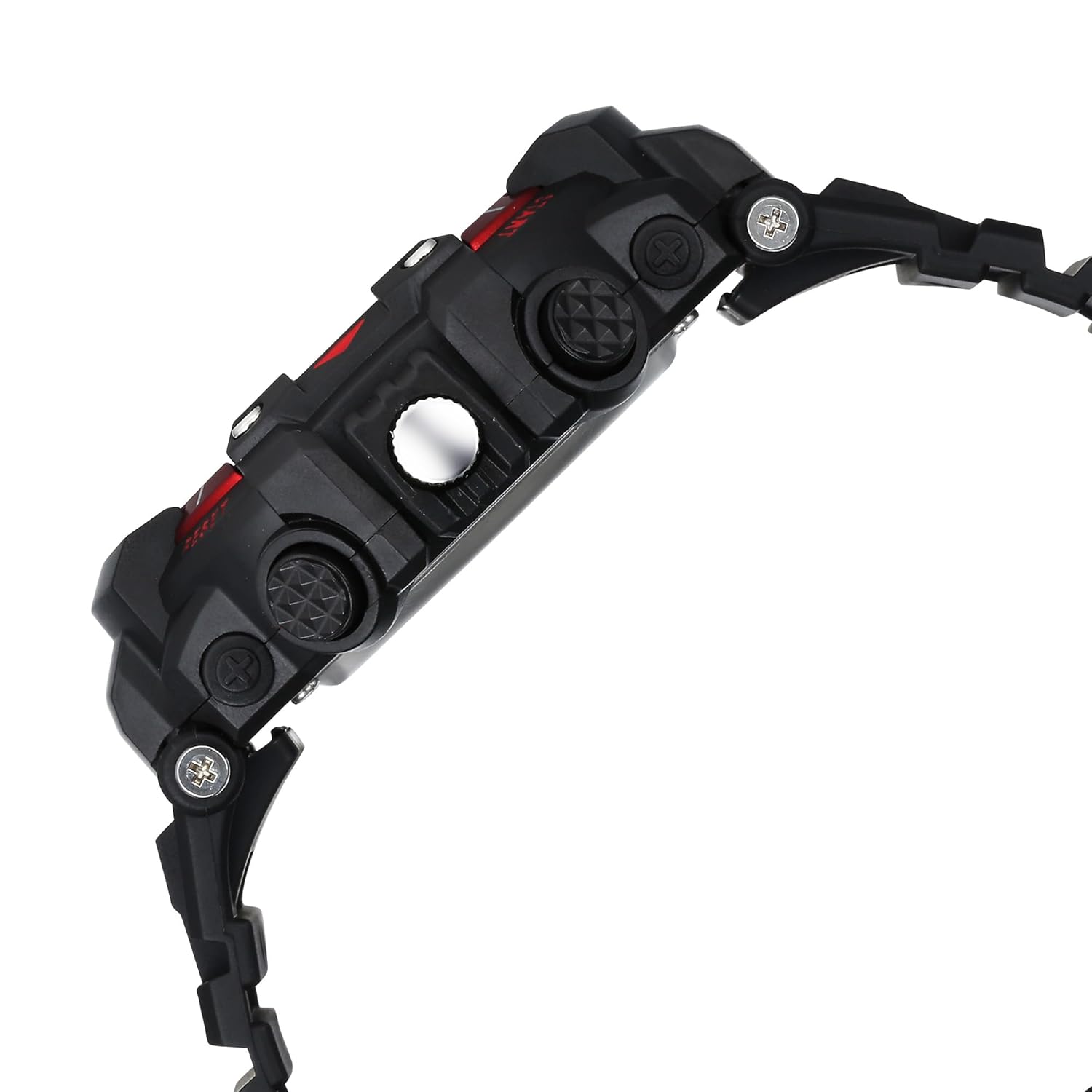
ด้านข้าง view of the watch, highlighting the various control buttons.
ปุ่มฟังก์ชั่น
- ปุ่มไฟ (ซ้ายบน): เปิดใช้งานไฟแบ็คไลท์ EL สำหรับจอแสดงผลดิจิทัล
- ปุ่มโหมด (ซ้ายล่าง): Cycles through different digital display modes (Time, Date, Alarm, Stopwatch).
- ปุ่ม START (มุมขวาบน): Used to start/stop the stopwatch, adjust values in setting modes.
- ปุ่มรีเซ็ต (ล่างขวา): Used to reset the stopwatch, confirm settings, or switch between 12/24-hour format.
โหมดการแสดงผลดิจิตอล
- โหมดเวลา: Displays current digital time (hours, minutes, seconds) and day of the week. Press MODE to cycle to other functions.
- โหมดวันที่: แสดงเดือนและวันปัจจุบัน
- โหมดปลุก: Allows setting and activating an alarm.
- โหมดนาฬิกาจับเวลา: สำหรับการจับเวลาเหตุการณ์
การตั้งเวลาและวันที่แบบดิจิตอล
- จากโหมดเวลา ให้กดปุ่ม โหมด กดปุ่มซ้ำๆ จนกว่าตัวเลขวินาทีจะเริ่มกะพริบ
- กดปุ่ม เริ่ม button to adjust the flashing value (seconds, hours, minutes, month, date, day).
- กดปุ่ม รีเซ็ต ปุ่มเพื่อไปยังรายการการตั้งค่าถัดไป
- เมื่อตั้งค่าเสร็จเรียบร้อยแล้ว ให้กดปุ่ม โหมด ปุ่มสำหรับออกจากโหมดการตั้งค่า
การใช้ฟังก์ชันปลุก
- กดปุ่ม โหมด button until 'AL' (Alarm) appears on the digital display.
- กดปุ่ม รีเซ็ต กดปุ่มเพื่อเลือกชั่วโมงหรือนาทีที่จะตั้งค่า
- ใช้ เริ่ม ปุ่มสำหรับปรับการกระพริบของชั่วโมงหรือนาที
- กด โหมด เพื่อออก เพื่อเปิด/ปิดสัญญาณเตือน ให้กด เริ่ม ขณะอยู่ในโหมดแจ้งเตือน ไอคอนแจ้งเตือนจะปรากฏขึ้นเมื่อเปิดใช้งาน
การใช้ฟังก์ชันนาฬิกาจับเวลา
- กดปุ่ม โหมด button until 'ST' (Stopwatch) appears.
- กดปุ่ม เริ่ม ปุ่มสำหรับเริ่มจับเวลา
- กด เริ่ม เพื่อหยุดการจับเวลาอีกครั้ง
- กดปุ่ม รีเซ็ต ปุ่มสำหรับรีเซ็ตนาฬิกาจับเวลาให้เป็นศูนย์
แสงไฟ EL
กดปุ่ม แสงสว่าง button (top left) to illuminate the digital display for a few seconds, aiding visibility in dark conditions.
4. การบำรุงรักษา
การทำความสะอาดนาฬิกาของคุณ
เช็ดตัวเรือนนาฬิกาและสายนาฬิกาเป็นประจำด้วยผ้าแห้งนุ่มๆ สำหรับคราบสกปรกที่ติดแน่น ให้ใช้ผ้าชุบน้ำหมาดๆ เช็ดทำความสะอาดamp cloth can be used, followed by immediate drying. Avoid using chemical cleaners, which can damage the watch materials.
Water Resistance (30 Meters)
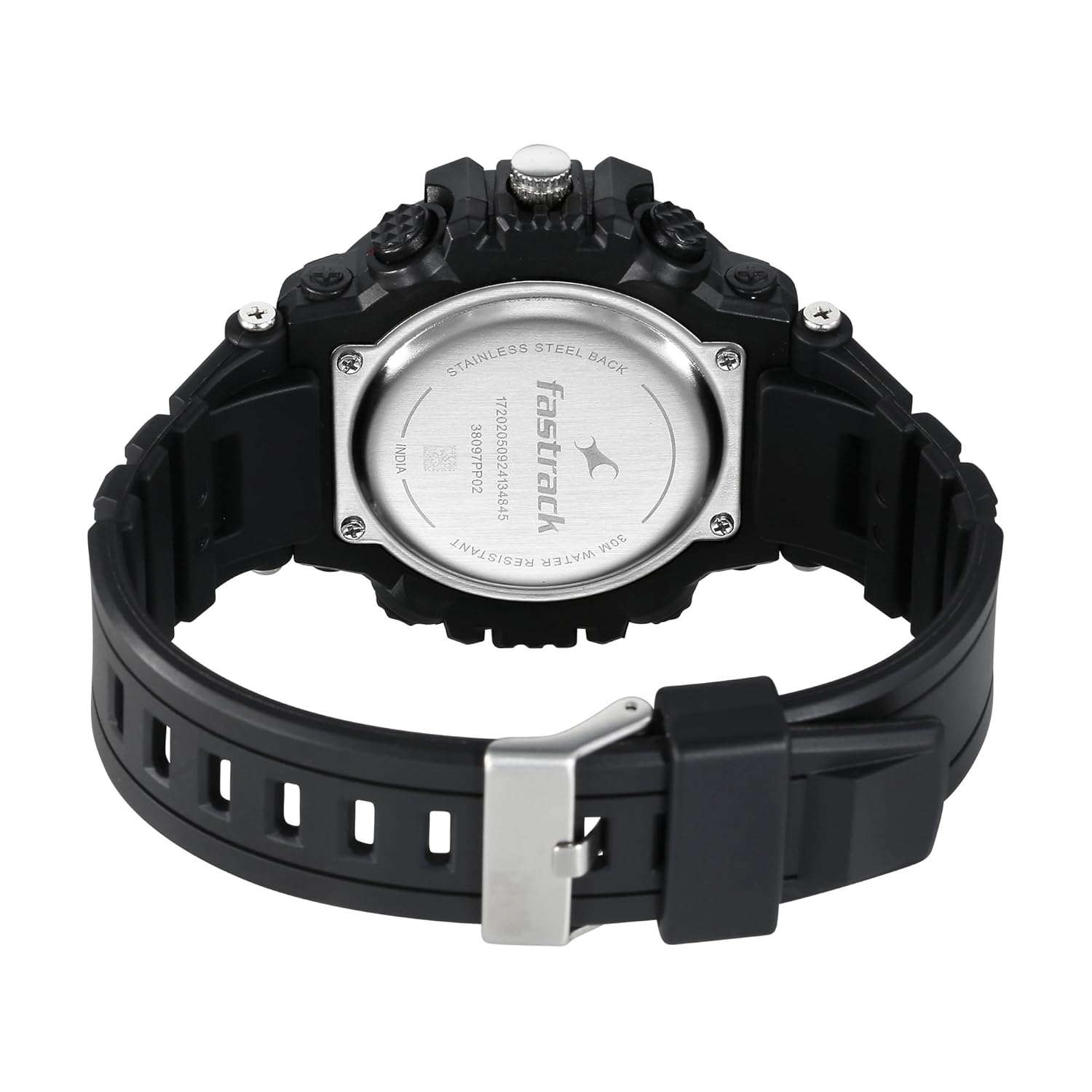
กลับ view of the watch, showing the stainless steel back and water resistance marking.
นาฬิกาเรือนนี้กันน้ำได้ลึกถึง 30 เมตร (3 ATM) ซึ่งหมายความว่าเหมาะสำหรับการใช้งานในชีวิตประจำวันและสามารถทนต่อการกระเด็นของน้ำหรือการจุ่มน้ำในระยะเวลาสั้นๆ ได้ ไม่ suitable for swimming, showering, or diving. Do not operate buttons while the watch is wet or submerged.
การเปลี่ยนแบตเตอรี่
The watch uses one LR44 battery. When the digital display dims or stops functioning, it's time to replace the battery. It is recommended to have battery replacement performed by a qualified watch technician to ensure proper sealing and maintain water resistance.
พื้นที่จัดเก็บ
When not in use for extended periods, store your watch in a cool, dry place away from direct sunlight and extreme temperatures. Avoid placing it near strong magnetic fields.
5 การแก้ไขปัญหา
| ปัญหา | สาเหตุที่เป็นไปได้ | สารละลาย |
|---|---|---|
| จอแสดงผลแบบดิจิตอลว่างเปล่าหรือมืดลง | แบตเตอรี่เหลือน้อยหรือหมด | Replace the LR44 battery. See 'Battery Replacement' section. |
| Analog hands are not moving. | Analog battery issue or mechanical fault. | Check if the crown is pushed in. If not, battery replacement or professional service may be required. |
| ปุ่มต่างๆ ไม่ตอบสนอง | Watch is wet, or internal issue. | Ensure watch is dry. If issue persists, seek professional service. |
| เวลาไม่ถูกต้อง | Incorrect setting or battery issue. | Re-set the time and date. If problem continues, consider battery replacement. |
6. ข้อมูลจำเพาะ
| คุณสมบัติ | รายละเอียด |
|---|---|
| ยี่ห้อ | ฟาสต์แร็ค |
| หมายเลขรุ่น | 38097PP02W |
| ประเภทจอภาพ | ดิจิตอลและอนาล็อก |
| ความต้านทานต่อน้ำ | 30 เมตร (3 ATM) |
| วัสดุตัวเรือน | Not specified (typically resin/plastic for this style) |
| วัสดุสายรัด | PU (ยูรีเทน) |
| วัสดุกระจก | อะครีลิค |
| ประเภทแบตเตอรี่ | 1 x LR44 (รวมอยู่ด้วย) |
| น้ำหนักสินค้า | 200 กรัม |
| ขนาดสินค้า | 13 x 9 x 6 ซม. |
| ผู้ผลิต | บริษัท ไททัน จำกัด |
7. การรับประกันและการสนับสนุน
ข้อมูลการรับประกัน
This Fastrack watch is covered by a manufacturer's warranty against defects in materials and workmanship. Please refer to the warranty card included in your package for specific terms, conditions, and duration of coverage. Keep your purchase receipt as proof of purchase.
การสนับสนุนลูกค้า
For any questions, service requests, or technical assistance, please contact Fastrack customer support. Contact details can typically be found on the warranty card or the official Fastrack website. You may also reach out to the manufacturer, Titan Company Limited, for support.
ติดต่อผู้ผลิต:
บริษัท ไททัน จำกัด
3, Sipcot Industrial Complex, Hosur - 635126
อีเมล: corpcomm@titan.co.in
โทรศัพท์: +91-(0)4344-664199


