1. บทนำ
This manual provides detailed instructions for the installation, operation, and maintenance of your Qubo Car Dashcam Pro 2.7K Dual Channel. Please read this manual thoroughly before using the device to ensure proper functionality and safety. Keep this manual for future reference.

Image 1.1: Qubo Car Dashcam Pro 2.7K Dual Channel system.
2. อะไรอยู่ในกล่อง
แกะกล่องอย่างระมัดระวังและตรวจสอบให้แน่ใจว่าสิ่งของทั้งหมดอยู่ในกล่อง:
- 1x 2.7K Front Camera
- 1x กล้องด้านหลัง
- อะแดปเตอร์ 1x
- 1x Power Cable for Front Camera (Length: 3.5m, Port: Type-C)
- 1x Power Cable for Rear Camera (Length: 7m)
- 1x Mount with double-sided adhesive tape
- 1x QR card (Digital User Manual + Warranty information)
- เครื่องมืองัด 1x
Video 2.1: Unboxing and initial setup guide for the Qubo Dashcam Pro 2.7K.
3. สินค้าหมดview
The Qubo Car Dashcam Pro 2.7K is a dual-channel recording system designed to capture high-quality video footagตลอดการเดินทางของคุณ คุณสมบัติหลักได้แก่:
- การบันทึกแบบสองช่องสัญญาณ: 2.7K QHD+ (2560x1440) front camera and Full HD rear camera.
- ทุ่งกว้างของ View: 140° for the front camera and 120° for the rear camera.
- NightPulse Vision: Enhanced clarity for low-light and nighttime recording.
- พลังงานจากซูเปอร์คาปาซิเตอร์: Designed for durability and reliable operation in extreme temperatures (-20°C to 85°C).
- เซ็นเซอร์ G ในตัว: Automatically detects collisions and locks footage เพื่อป้องกันการเขียนทับ
- Integrated GPS & Wi-Fi: For tracking routes, speed, and easy footage access via the Qubo Pro App.
- จอแสดงผล LCD ขนาด 2 นิ้ว: เพื่อการถ่ายทอดสด view and playback directly on the device.
- ไมโครโฟน: Built-in for audio recording (can be disabled via app).
- พื้นที่เก็บข้อมูลที่ขยายได้: Supports up to 1TB Micro SD card (not included).

Image 3.1: Key features of the Qubo Dashcam Pro 2.7K.
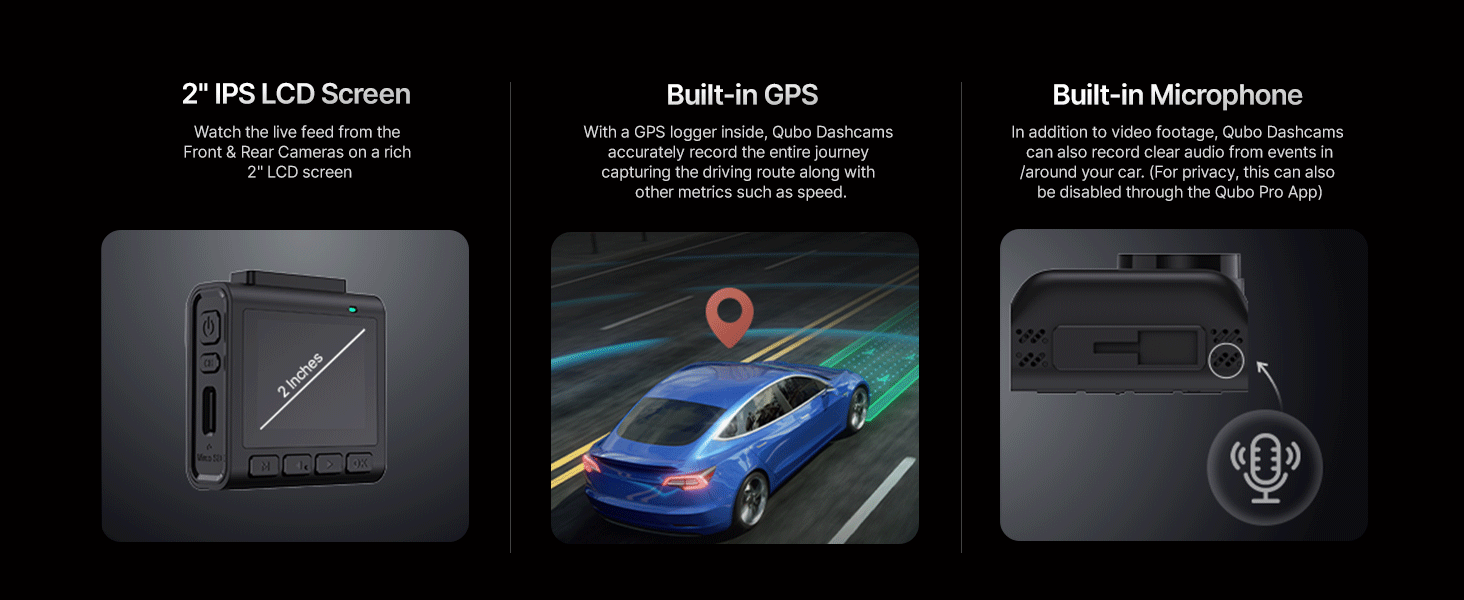
ภาพที่ 3.2: รายละเอียด view of the 2-inch LCD, GPS, and microphone.
วิดีโอ 3.1: จบview of the Qubo Dashcam Pro 2.7K features and capabilities.
4. การตั้งค่าและการติดตั้ง
4.1 การเตรียมการติดตั้ง
- Clean the windshield thoroughly where the dashcam will be mounted.
- Apply the electrostatic film to the cleaned area on the windshield. This helps in easy removal and repositioning.
- Insert a compatible Micro SD card (Class 10 or higher, up to 1TB) into the front camera's Micro SD slot.
4.2 การติดตั้งกล้องหน้า
- Attach the mount to the front camera.
- Peel off the protective film from the double-sided adhesive tape on the mount.
- Firmly press the mount onto the electrostatic film on your windshield, ensuring the camera has a clear view ของถนน
- Adjust the camera angle as needed. The mount is adjustable and detachable for convenience.

Image 4.1: Adjustable and detachable mount for optimal positioning.
4.3 การติดตั้งกล้องด้านหลัง
- Choose a suitable location on your rear windshield for the rear camera, ensuring a clear view.
- Clean the area and apply the electrostatic film.
- Attach the rear camera to its mount and secure it to the electrostatic film using the double-sided adhesive.
- Connect the rear camera to the front camera using the provided rear camera power cable. Route the cable neatly along the car's interior trim using the pry tool.
4.4 การเชื่อมต่อสายไฟ
- Connect the front camera's power cable (Type-C) to the dashcam.
- Plug the other end of the power cable into the provided car adapter.
- Insert the car adapter into your vehicle's 12V power outlet (cigarette lighter socket).
- The dashcam will power on automatically when the vehicle starts.
5. คู่มือการใช้งาน
5.1 การทำงานพื้นฐาน
- เปิด/ปิดเครื่อง: The dashcam powers on automatically with the car ignition and powers off shortly after the ignition is turned off.
- การบันทึก: Continuous recording begins automatically when the dashcam powers on.
- จอแสดงผล LCD: The 2-inch LCD shows a live view from the front and rear cameras. You can navigate menus and settings using the buttons below the screen.
5.2 โหมดการบันทึก

Image 5.1: Various recording modes of the Qubo Dashcam.
- การบันทึกต่อเนื่อง: Records continuously in short segments. When the SD card is full, the oldest unprotected footagตัวอักษร e ถูกเขียนทับแล้ว
- การบันทึกเหตุการณ์ฉุกเฉิน (G-Sensor): The built-in G-Sensor detects sudden impacts or collisions. When triggered, it automatically locks the current video segment, preventing it from being overwritten.
- การบันทึกแบบวนซ้ำ: ช่วยให้การบันทึกดำเนินต่อไปอย่างต่อเนื่องโดยการเขียนทับข้อมูลที่เก่าที่สุด files when the memory card is full, except for locked emergency files.
- Clip & Snap: Allows you to manually capture video clips or still images.

Image 5.2: G-Sensor collision detection feature.
5.3 Qubo Pro App & Wi-Fi Connectivity
The Qubo Pro App (available on Android and iOS) allows you to connect to your dashcam via Wi-Fi for advanced control and access:
- View อยู่ footagจากกล้องทั้งสองตัว
- Download recorded videos and images to your smartphone.
- Access trip video logs and organized video galleries.
- Adjust dashcam settings, including microphone on/off.
- Review GPS data (routes, speed).
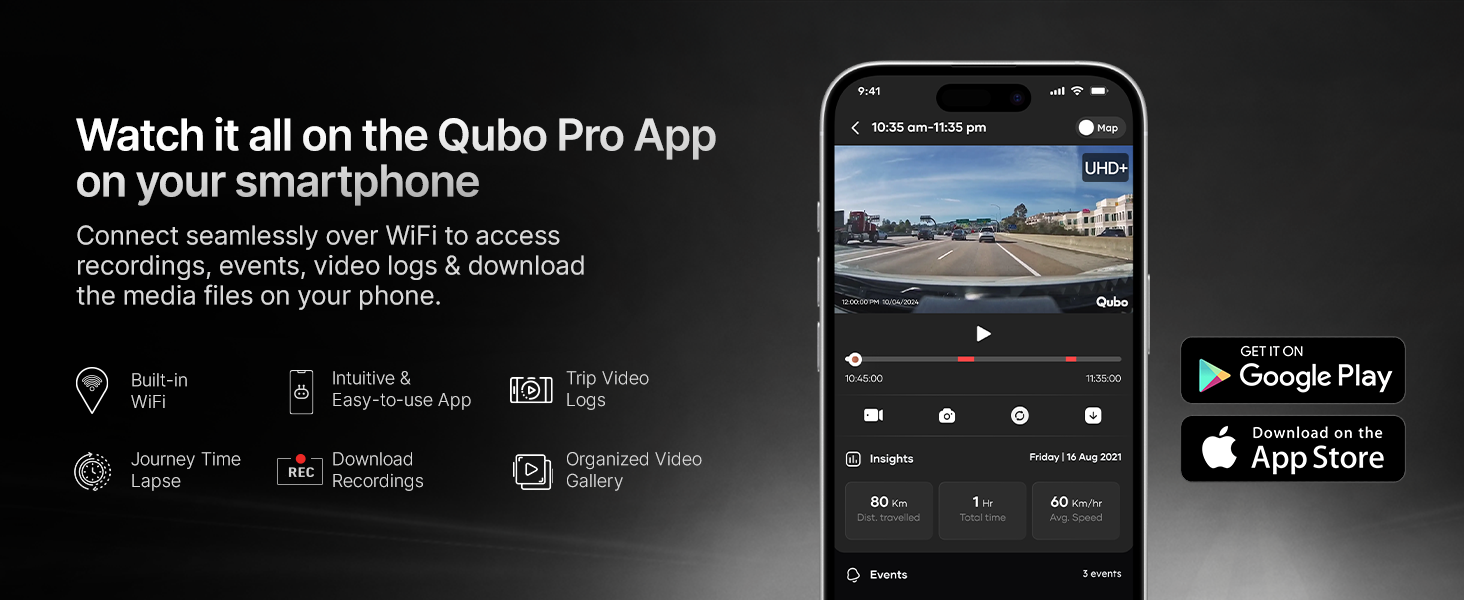
Image 5.3: Qubo Pro App interface for seamless connectivity.
6. การบำรุงรักษา
6.1 การจัดการการ์ด SD
For optimal performance and to prevent data loss, it is recommended to:
- Use a high-speed (Class 10 or U3 recommended) Micro SD card from a reputable brand.
- Format the SD card regularly (e.g., once a month) using the dashcam's settings menu. This helps maintain card health and prevents fragmentation.
- Replace the SD card if you notice any recording errors or performance degradation.

Image 6.1: Compatible SD card types and storage capacity.
6.2 การทำความสะอาด
- Wipe the camera lenses periodically with a soft, lint-free cloth to ensure clear recording.
- Clean the dashcam body with a dry or slightly damp ผ้า. หลีกเลี่ยงการใช้สารเคมีที่รุนแรง
7 การแก้ไขปัญหา
If you encounter issues with your Qubo Dashcam, refer to the following common solutions:
- กล้องติดรถยนต์ไม่เปิดใช้งาน: Check the power cable connection to the dashcam and the car adapter. Ensure the car's 12V outlet is functioning.
- ข้อผิดพลาดในการบันทึก: Format the Micro SD card. If the issue persists, try a different compatible SD card.
- คุณภาพวิดีโอไม่ดี: Ensure the lenses are clean and free from obstructions. Check that the electrostatic film is applied smoothly.
- ปัญหาการเชื่อมต่อแอป: Ensure Wi-Fi is enabled on your smartphone and you are connected to the dashcam's Wi-Fi network. Restart both the dashcam and the app.
- Dashcam restarting frequently: This could indicate an issue with the SD card. Try removing and reinserting the memory card, or replace it with a new, compatible one.
For further assistance, refer to the digital user manual via the QR card or contact Qubo customer support.
8. ข้อมูลจำเพาะ
| คุณสมบัติ | คำอธิบาย |
|---|---|
| ยี่ห้อ | คูโบ |
| ชื่อรุ่น | Dash Cam Pro 2.7K |
| ความละเอียดของกล้องหน้า | 2.7K QHD+ (2560x1440) |
| ความละเอียดกล้องหลัง | ฟูลเอชดี |
| มุมมองภาพ (FOV) ของกล้องหน้า | 140 องศา |
| มุมมองภาพ (FOV) ของกล้องหลัง | 120 องศา |
| คุณสมบัติพิเศษ | App Control, Built-In Display, Built-In GPS, G-Sensor, Night Vision |
| เทคโนโลยีการเชื่อมต่อ | ไวไฟ |
| การสนับสนุนการจัดเก็บข้อมูล | Up to 1TB Micro SD Card |
| แหล่งพลังงาน | supercapacitor |
| อุณหภูมิในการทำงาน | -20°C ถึง 85°C |
| ประเภทการติดตั้ง | Windshield Mount or Dashboard Mount |
| ขนาดสินค้า | 2.3 x 5.9 x 6.3 ซม. |
| น้ำหนักสินค้า | 300 กรัม |
| ผู้ผลิต | Hero Electronix Pvt. Ltd. |
| ประเทศต้นกำเนิด | อินเดีย |
9. การรับประกันและการสนับสนุน
Your Qubo Car Dashcam Pro 2.7K is backed by the Hero Group. For warranty information, please refer to the QR card included in your package or visit the official Qubo website. Qubo offers dedicated on-call and field support across India with trained technicians for installation and service.
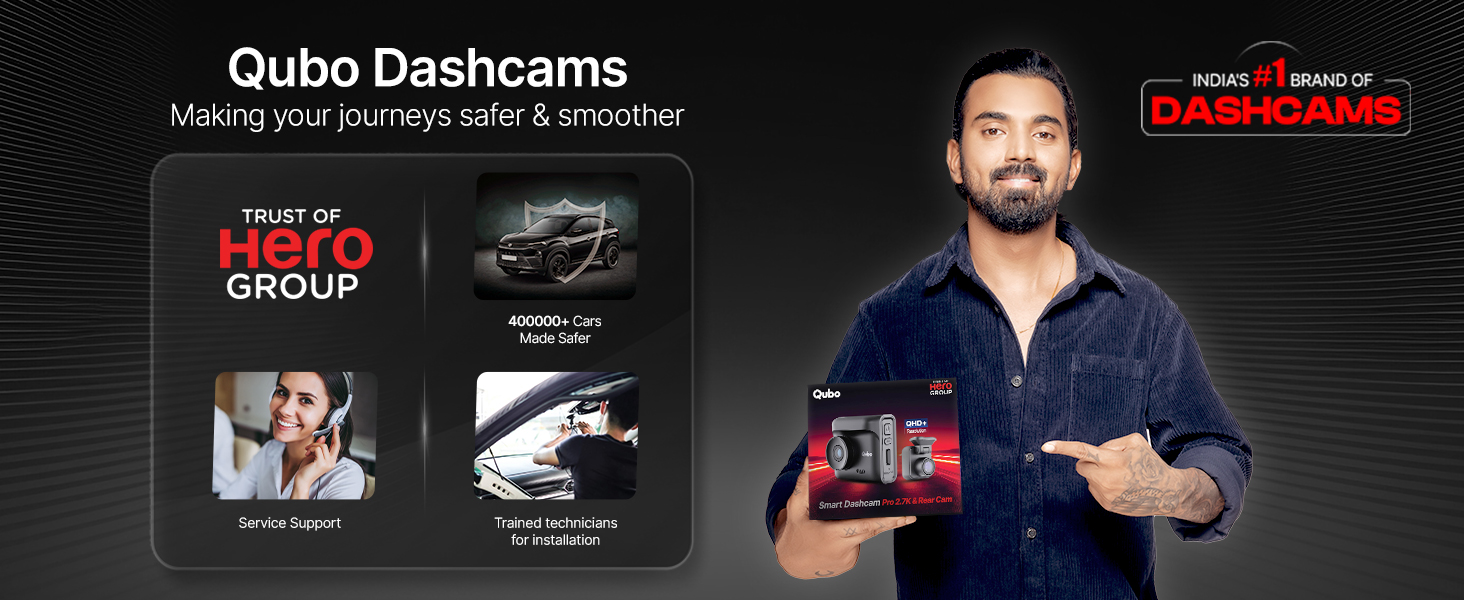
Image 9.1: Qubo's commitment to service and support.
For any queries or support, please contact Qubo customer service through the details provided on the QR card or their official channels.


