1. บทนำ
Thank you for choosing the Baseus 45W USB C Charger and Qi2 MagSafe Power Bank bundle. This product combines a high-speed wall charger with a versatile magnetic wireless power bank, designed to provide efficient and convenient charging for your compatible devices, including the latest iPhone series and other USB-C enabled devices. Please read this manual carefully before use to ensure proper operation and maximize the lifespan of your devices.

Image: The Baseus 45W USB C Charger (light blue) and the Baseus Qi2 MagSafe Power Bank (dark grey) are shown together. The charger is compact with a single USB-C port, and the power bank features a circular magnetic charging area and a foldable kickstand.
2. สินค้าหมดview
2.1 Baseus 45W USB C Charger
- การออกแบบกะทัดรัดเพื่อความสะดวกในการพกพา
- Single USB-C output port.
- Foldable prongs for easy storage.
- GaN Pro technology for enhanced efficiency and heat management.
2.2 Baseus Qi2 MagSafe Power Bank 5000mAh
- Qi2 certified 15W wireless charging.
- Magnetic attachment for MagSafe compatible devices.
- Built-in foldable and rotatable ring stand.
- USB-C port for wired charging (input/output).
- ไฟ LED แสดงสถานะแบตเตอรี่
3. การตั้งค่า
3.1 Initial Power Bank Charge
- Connect the Baseus 45W USB C Charger to a wall outlet.
- Use a USB-C to USB-C cable (not included) to connect the charger to the USB-C port on the Baseus Qi2 MagSafe Power Bank.
- The LED indicators on the power bank will illuminate to show charging progress. Charge the power bank fully before first use.
3.2 Charger Preparation
Unfold the prongs of the 45W USB C Charger and plug it into a standard wall outlet. Ensure the outlet is easily accessible.
4. คู่มือการใช้งาน
4.1 Using the Baseus 45W USB C Charger
This charger provides up to 45W of power delivery for fast charging compatible devices.
- เสียบที่ชาร์จเข้ากับเต้ารับที่ผนัง
- Connect your device (e.g., iPhone, Android phone, laptop) to the charger's USB-C port using a compatible USB-C to USB-C or USB-C to Lightning cable. For optimal fast charging, use a 5A charging cable.
- อุปกรณ์ของคุณจะเริ่มชาร์จโดยอัตโนมัติ

Image: The compact Baseus 45W USB C Charger is shown plugged into a wall outlet, with a USB-C cable extending from it to charge an iPhone 16. The image highlights its fast charging capability for the iPhone 16 series.

Image: A visual representation of the Baseus 45W USB C Charger's universal compatibility, showing various devices like iPhones, Samsung phones, Android devices, tablets, and laptops, all compatible with a USB-C cable.
4.2 Using the Baseus Qi2 MagSafe Power Bank
4.2.1 Wireless Charging (MagSafe)
For iPhone 12/13/14/15/16 series and other Qi2 compatible devices.
- ตรวจสอบให้แน่ใจว่าได้ชาร์จ Power Bank แล้ว
- Align your MagSafe-compatible iPhone (or device with a MagSafe case) with the magnetic charging area on the power bank. The magnets will snap it into place.
- Charging will begin automatically. The LED indicators will show the power bank's remaining charge.
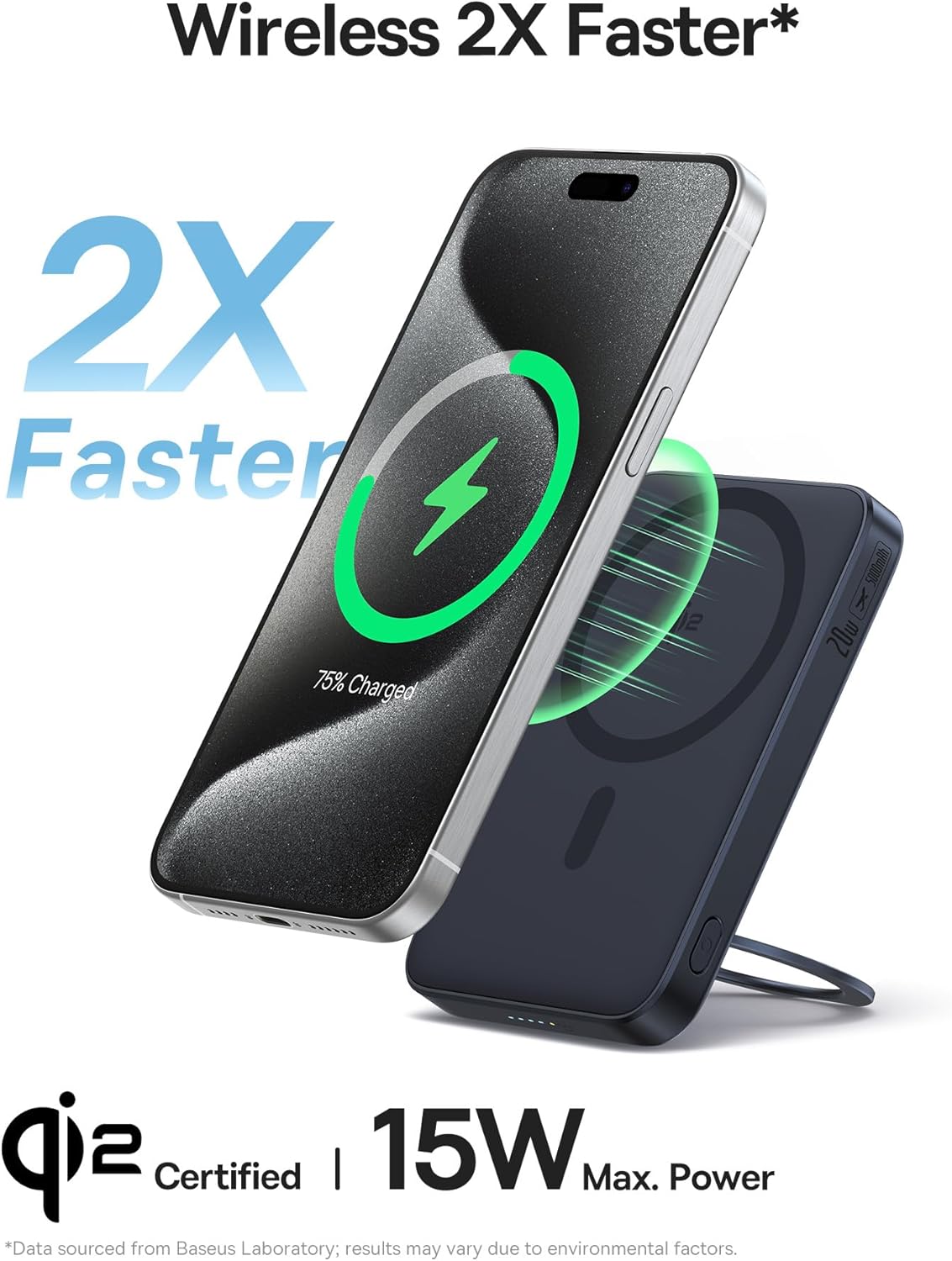
Image: The Baseus Qi2 MagSafe Power Bank is shown magnetically attached to the back of an iPhone, indicating wireless charging in progress. The image emphasizes its 2X faster wireless charging capability.
4.2.2 การชาร์จแบบมีสาย
The USB-C port on the power bank can also be used for wired charging of devices.
- ตรวจสอบให้แน่ใจว่าได้ชาร์จ Power Bank แล้ว
- Connect your device to the power bank's USB-C port using a compatible USB-C to USB-C or USB-C to Lightning cable.
- การชาร์จจะเริ่มโดยอัตโนมัติ

Image: The Baseus Qi2 MagSafe Power Bank is shown connected via a USB-C cable to an iPhone, demonstrating its wired charging capability. The image highlights its universal compatibility with USB-C devices.
4.2.3 Using the Foldable Ring Stand
The power bank features a built-in ring stand for convenient viewing or holding.
- Gently pull out the metal ring from the back of the power bank.
- Rotate the ring 360 degrees to find your desired viewมุมอิง
- Adjust the tilt angle between 40 and 120 degrees for optimal comfort.
- The stand can be used for hands-free viewing or as a secure grip when holding your phone.

Image: The Baseus Qi2 MagSafe Power Bank is depicted with its integrated ring stand extended and rotated, illustrating its 360-degree rotation and adjustable tilt angles (40-120 degrees) for versatile use.
5. การบำรุงรักษา
- Keep the devices dry. Moisture and liquids can damage components.
- อย่าให้สัมผัสกับอุณหภูมิที่สูงเกินไป (ร้อนหรือเย็น)
- Clean the surfaces with a soft, dry cloth. Avoid harsh chemicals or abrasive materials.
- เก็บไว้ในที่แห้งและเย็นเมื่อไม่ได้ใช้งาน
- หลีกเลี่ยงการทำอุปกรณ์ตกหรือได้รับแรงกระแทกรุนแรง
6 การแก้ไขปัญหา
6.1 Charger Not Charging Device
- ตรวจสอบให้แน่ใจว่าเครื่องชาร์จเสียบเข้ากับเต้ารับไฟฟ้าที่ผนังอย่างแน่นหนา
- Check the USB-C cable for damage and ensure it is properly connected to both the charger and your device.
- ลองใช้สายเคเบิลหรืออุปกรณ์อื่นเพื่อแยกแ1ยะปัญหา
6.2 Power Bank Not Charging Device (Wireless)
- ตรวจสอบให้แน่ใจว่าพาวเวอร์แบงค์มีประจุเพียงพอ (ตรวจสอบไฟ LED)
- Verify your device is MagSafe compatible or has a MagSafe-compatible case.
- Ensure proper alignment of your device with the power bank's magnetic charging area.
- Remove any thick cases or metallic objects between the power bank and your device.
6.3 Power Bank Not Charging Device (Wired)
- ตรวจสอบให้แน่ใจว่าพาวเวอร์แบงค์มีประจุไฟเพียงพอ
- Check the USB-C cable for damage and ensure it is properly connected to both the power bank and your device.
- Try a different cable or device.
6.4 ความร้อนสูงเกินไป
- It is normal for charging devices to become slightly warm. If either device becomes excessively hot, disconnect it immediately.
- Ensure proper ventilation around the devices during charging.
- หลีกเลี่ยงการชาร์จในแสงแดดโดยตรงหรือในพื้นที่ปิด
7. ข้อมูลจำเพาะ
7.1 Baseus 45W USB C Charger
| แบบอย่าง | PicoGo C1 (Part of B0DMNXKKVL bundle) |
| ป้อนข้อมูล | ไฟฟ้ากระแสสลับ 100-240 โวลต์, 50/60 เฮิรตซ์ |
| เอาท์พุต | USB-C: 5V/3A, 9V/3A, 12V/3A, 15V/3A, 20V/2.25A (สูงสุด 45W) |
| เทคโนโลยี | GaN Pro |
| ขนาด | Approx. 1.5 x 1.3 x 1.5 inches (excluding prongs) |

Image: The Baseus 45W USB C Charger is shown next to a larger, standard charger, illustrating its compact size and highlighting that it is 54.2% smaller.

ภาพ: ภาพเอ็กซเรย์เหมือน view of the Baseus 45W USB C Charger's internal components, prominently featuring the 'GaN Pro' chip, indicating its advanced Gallium Nitride technology for high efficiency.
7.2 Baseus Qi2 MagSafe Power Bank 5000mAh
| แบบอย่าง | PicoGo (Part of B0DMNXKKVL bundle) |
| ความจุ | 5000mAh |
| เอาท์พุตแบบไร้สาย | Qi2 15W Max (MagSafe compatible) |
| อินพุต USB-C | 5V/3A, 9V/2A (สูงสุด 18W) |
| เอาท์พุต USB-C | 5V/2.4A, 9V/2.22A, 12V/1.67A (สูงสุด 20W) |
| ขนาด | ประมาณ 4.07 x 2.63 x 0.54 นิ้ว |
| น้ำหนัก | ประมาณ 6 ออนซ์ |

Image: The Baseus Qi2 MagSafe Power Bank is shown held in a hand, emphasizing its ultra-slim and ultra-portable design. Dimensions are overlaid on the image, showing its compact size.
8. การรับประกันและการสนับสนุน
Baseus products come with a standard manufacturer's warranty. For specific warranty terms and conditions, please refer to the warranty card included with your purchase or visit the official Baseus website. If you encounter any issues or have questions regarding your product, please contact Baseus customer support through their official channels or the retailer from whom you purchased the product.
หากต้องการความช่วยเหลือเพิ่มเติม โปรดไปที่: ร้านค้าอย่างเป็นทางการของ Baseus บน Amazon


