การแนะนำ
Thank you for choosing the Haomuren K1 Mini Portable Bluetooth Karaoke Machine. This manual provides essential information for the safe and efficient operation of your new device. Please read it thoroughly before use and retain it for future reference.
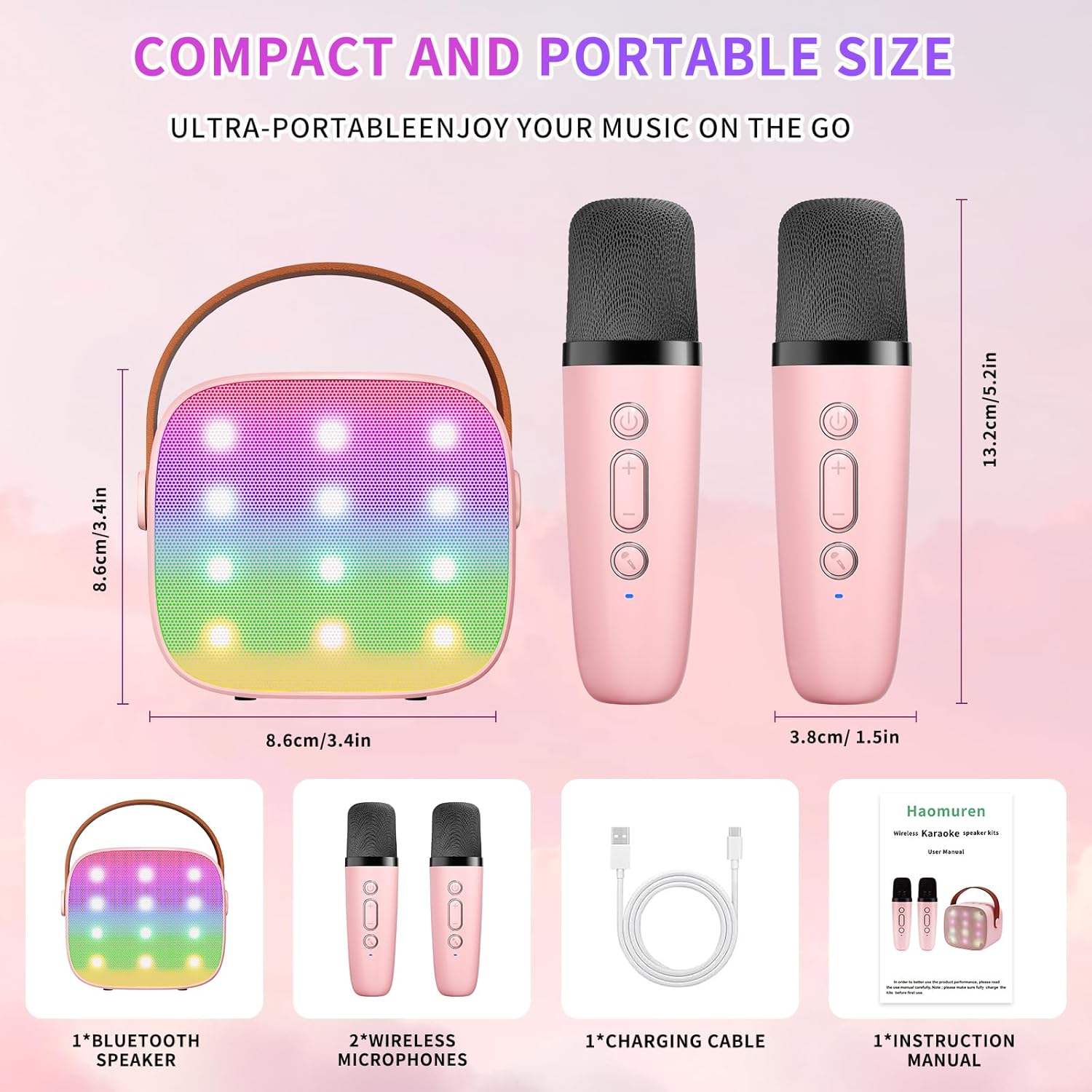
มีอะไรอยู่ในกล่อง
- Karaoke Machine (Speaker) x 1
- ไมโครโฟนไร้สาย x 2
- สายชาร์จ Type-C x 1
- คู่มือการใช้งาน x 1
การตั้งค่า
1. การชาร์จอุปกรณ์
Before initial use, fully charge the karaoke machine and both microphones. Use the provided Type-C charging cable.
- ผู้บรรยาย: Connect the Type-C cable to the speaker's charging port. The speaker has an 1800mAh battery and typically charges in 1-2 hours.
- ไมโครโฟน: Connect the Type-C cable to the charging port at the bottom of each microphone. Each microphone has a 600mAh battery.

2. เปิด/ปิดเครื่อง
- ผู้บรรยาย: Press and hold the power button on the top panel of the speaker until the LED lights illuminate.
- ไมโครโฟน: Press and hold the power button on each microphone until the blue indicator light turns on.
3. การจับคู่บลูทู ธ
The speaker and microphones are designed for instant pairing. Once both are powered on, they should automatically connect. To connect the speaker to an external device (smartphone, tablet, PC):
- Ensure the karaoke machine speaker is powered on and in Bluetooth mode (indicated by a voice prompt).
- บนอุปกรณ์ภายนอกของคุณ ให้เปิดใช้งานบลูทูธและค้นหาอุปกรณ์ที่ใช้งานได้
- Select "K1" (or similar model name) from the list to pair. A confirmation sound will indicate successful pairing.

คำแนะนำการใช้งาน
1. การควบคุมลำโพง
The speaker features intuitive buttons on its top panel:
- ลดเสียงลง (-): ลดระดับเสียงลำโพง
- พาวเวอร์/เล่น/หยุดชั่วคราว: Short press to play/pause music. Long press to power on/off the speaker.
- เพิ่มระดับเสียง (+): เพิ่มระดับเสียงลำโพง
- โหมด (ม): Switches between different input modes (Bluetooth, TF Card).
- การควบคุมไฟ LED: Short press to cycle through 6 different LED lighting modes.
- Original Vocal/Accompaniment: Press this button to remove or restore original vocals from a song, allowing you to sing along to the instrumental track.

2. ปุ่มควบคุมไมโครโฟน
Each wireless microphone has the following controls:
- ปุ่มเปิด/ปิด: กดค้างไว้เพื่อเปิด/ปิดไมโครโฟน
- เพิ่มระดับเสียง (+): Increases microphone volume.
- ลดเสียงลง (-): Decreases microphone volume.
- ปุ่มเปลี่ยนเสียง: Short press to cycle through 5 different voice effects.

3. Voice Changing Modes
The microphones offer 5 unique voice effects to enhance your karaoke experience:
- เสียงต้นฉบับ
- เสียงผู้หญิง
- เสียงผู้ชาย
- เสียงเด็ก
- เสียงสัตว์ประหลาด
4. ไฟ LED
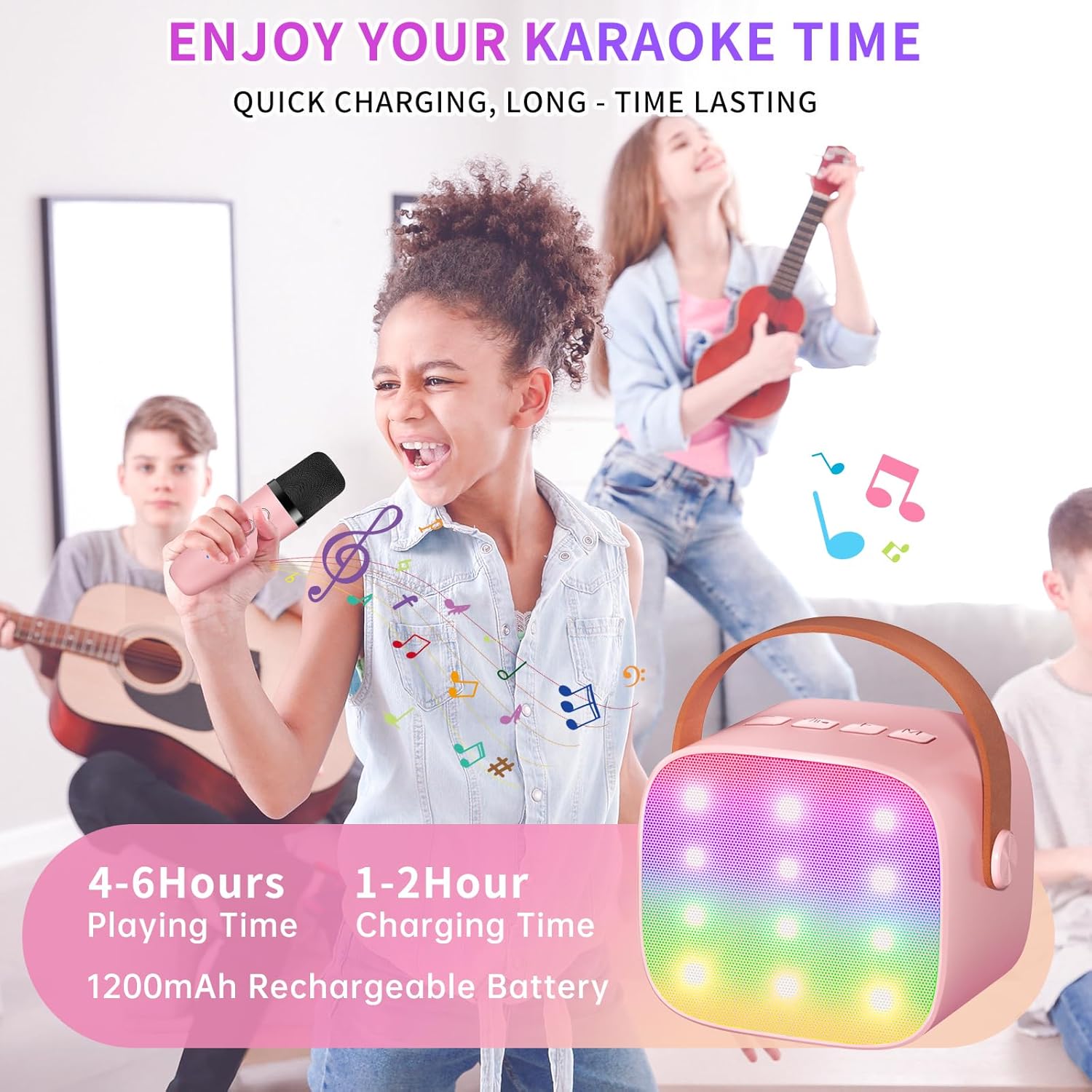
The speaker features built-in LED lights with 6 dynamic modes that synchronize with the music, creating an immersive atmosphere. Use the dedicated LED Light Control button on the speaker to cycle through these modes.

5. Music Playback Options
The Haomuren K1 supports various music playback methods:
- บลูทูธ: Connect wirelessly to your smartphone, tablet, or PC.
- บัตร TF: Insert a TF (MicroSD) card into the designated slot on the back of the speaker to play stored music files.
- เอาท์พุตหูฟัง: Use the 3.5mm headphone jack for private listening.
การซ่อมบำรุง
- การทำความสะอาด: Use a soft, dry cloth to clean the exterior of the speaker and microphones. Do not use liquid cleaners or abrasive materials.
- พื้นที่จัดเก็บ: เก็บอุปกรณ์ไว้ในที่แห้งและเย็น หลีกเลี่ยงแสงแดดโดยตรงและอุณหภูมิที่สูงหรือต่ำเกินไป
- การดูแลแบตเตอรี่ เพื่อยืดอายุการใช้งานแบตเตอรี่ ควรหลีกเลี่ยงการปล่อยให้แบตเตอรี่หมดจนเกลี้ยงบ่อยๆ ชาร์จอุปกรณ์เป็นประจำ แม้ว่าจะไม่ได้ใช้งานเป็นเวลานานก็ตาม
การแก้ไขปัญหา
- ไม่มีเสียงออกจากลำโพง:
- ตรวจสอบให้แน่ใจว่าลำโพงเปิดอยู่และชาร์จไฟอยู่
- Check the speaker's volume level.
- Verify that the speaker is correctly paired via Bluetooth to your device.
- If using a TF card, ensure it is inserted correctly and contains compatible audio files.
- ไมโครโฟนไม่ทำงาน:
- ตรวจสอบให้แน่ใจว่าไมโครโฟนเปิดใช้งานอยู่และชาร์จแบตเตอรี่เรียบร้อยแล้ว
- ตรวจสอบระดับเสียงของไมโครโฟน
- Confirm the microphone is automatically paired with the speaker.
- การตัดการเชื่อมต่อบลูทูธ:
- Ensure the speaker and your device are within the effective Bluetooth range (typically 10 meters).
- Turn off and restart both the speaker and your device, then attempt to re-pair.
- ตรวจสอบสัญญาณรบกวนจากอุปกรณ์ไร้สายอื่น ๆ
- เสียงผิดเพี้ยน:
- Lower the volume on both the speaker and your connected device.
- Ensure the microphones are not too close to the speaker to avoid feedback.
- ตรวจสอบแหล่งเสียงเพื่อดูปัญหาด้านคุณภาพ
ข้อมูลจำเพาะ
| คุณสมบัติ | ข้อมูลจำเพาะ |
|---|---|
| ยี่ห้อ | ฮาโอมูเรน |
| หมายเลขรุ่น | K1 |
| ประเภทการติดตั้ง | โต๊ะวางของ |
| แหล่งพลังงาน | ใช้พลังงานจากแบตเตอรี่ |
| ประเภทขั้วต่อ | 3.5mm headphone, Type-C Charging |
| วัสดุ | อะคริโลไนไตรล์ บิวทาไดอีน สไตรีน (ABS) |
| น้ำหนักสินค้า | 14.9 ออนซ์ |
| จำนวนช่องสัญญาณ | 2 |
| อินพุตเสียง | ไมโครโฟนไร้สาย |
| การตอบสนองความถี่ | ความถี่ 10 กิโลเฮิรตซ์ |
| ขนาดสินค้า | 3.7 x 4.1 x 4.3 นิ้ว |
| แบตเตอรี่ | ต้องใช้แบตเตอรี่ AAA 1 ก้อน (รวมอยู่ด้วย) |
| เทคโนโลยีการเชื่อมต่อ | บลูทูธ, USB, ไร้สาย |
การรับประกันและการสนับสนุน
Haomuren is committed to providing high-quality audio products. Your K1 Mini Portable Bluetooth Karaoke Machine comes with the following:
- เปลี่ยนฟรี: In case of product defects.
- รับประกัน 365 วัน: Covering manufacturing defects and malfunctions.
- การสนับสนุนด้านเทคนิค: Dedicated support is available for any operational questions or issues.
For further assistance, please contact Haomuren customer service through your purchase platform or visit the official Haomuren webเว็บไซต์.


