1. บทนำ
ขอบคุณสำหรับการซื้อasing the Jazmm Model 213 Portable Multi-Band Radio. This device is designed to provide versatile audio entertainment and essential weather information. It features AM, FM, Shortwave (SW), and NOAA Weather Band (WB) reception, Bluetooth 5.4 connectivity, TF card playback, a powerful 5W speaker, and a built-in rechargeable battery with flashlight functionality. This manual provides detailed instructions for the proper use and maintenance of your radio.
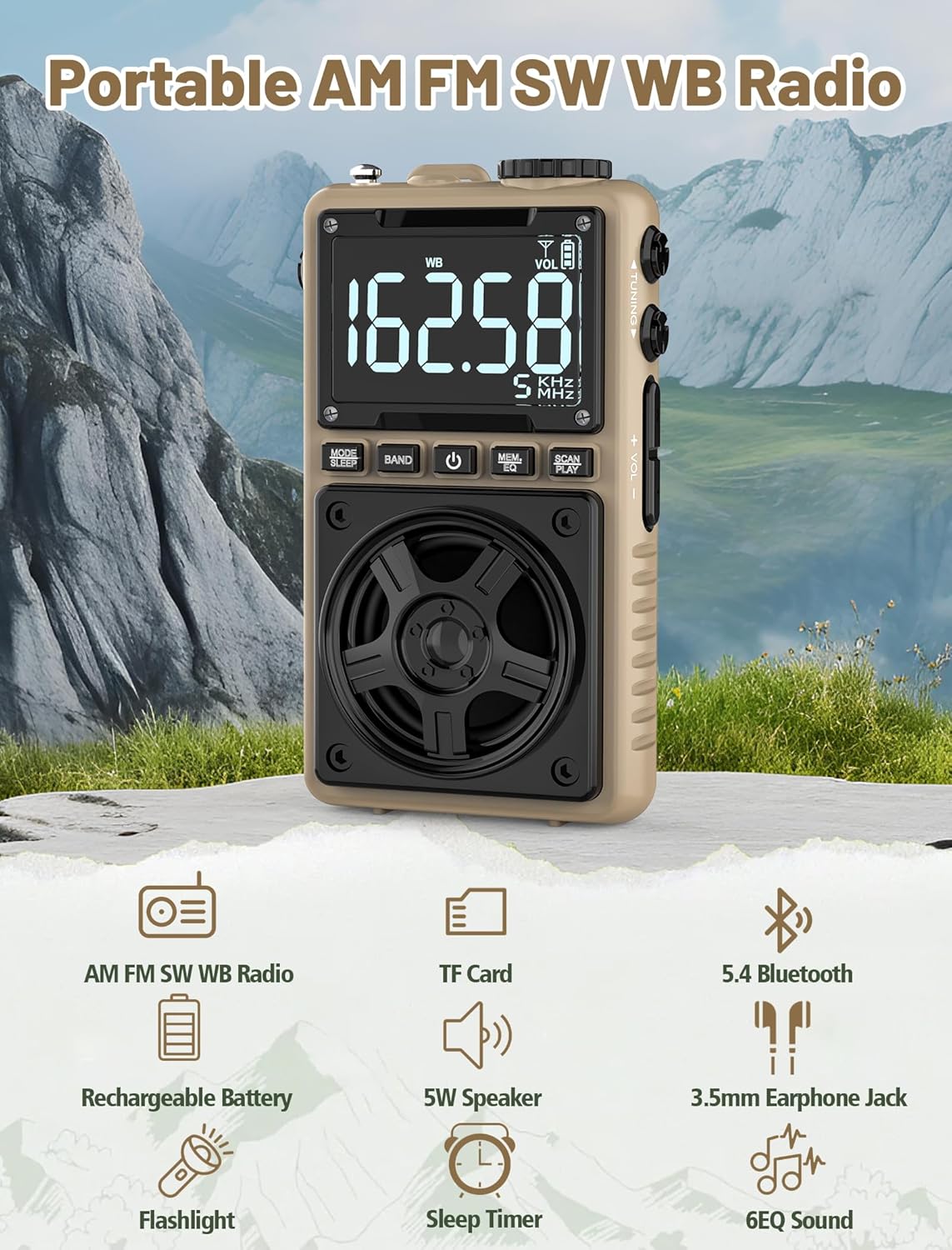
Image 1.1: The Jazmm Model 213 Portable Multi-Band Radio highlighting its key features including AM/FM/SW/WB radio, TF card support, Bluetooth 5.4, 5W speaker, rechargeable battery, flashlight, sleep timer, and 6 EQ sound effects.
2. ข้อมูลด้านความปลอดภัย
โปรดอ่านและทำความเข้าใจคำแนะนำด้านความปลอดภัยทั้งหมดก่อนใช้ผลิตภัณฑ์นี้ เก็บคำแนะนำเหล่านี้ไว้เพื่อใช้อ้างอิงในอนาคต
- อย่าให้เครื่องสัมผัสกับอุณหภูมิที่สูงหรือต่ำเกินไป แสงแดดโดยตรง หรือความชื้นสูง
- หลีกเลี่ยงการทำอุปกรณ์หล่นหรือกระแทกอย่างรุนแรง
- ห้ามถอดประกอบ ซ่อมแซม หรือดัดแปลงอุปกรณ์ด้วยตนเอง แนะนำให้ช่างผู้ชำนาญการเป็นผู้ดำเนินการซ่อมบำรุงทั้งหมด
- เก็บอุปกรณ์ให้ห่างจากน้ำและของเหลวอื่นๆ
- ใช้เฉพาะสายชาร์จที่ให้มาหรือสาย Type-C ที่ผ่านการรับรองสำหรับการชาร์จเท่านั้น
- ทิ้งแบตเตอรี่ตามระเบียบข้อบังคับของท้องถิ่น ห้ามเผาทำลาย
- การฟังเสียงดังเป็นเวลานานอาจทำให้เกิดความเสียหายต่อการได้ยิน ปรับระดับเสียงให้อยู่ในระดับปานกลาง
3. เนื้อหาบรรจุภัณฑ์
ตรวจสอบว่ามีรายการทั้งหมดอยู่ในแพ็คเกจ:
- Jazmm Model 213 AM FM SW WB Radio
- คู่มือเจ้าของ (เอกสารนี้)
- สายไฟ USB Type-C
4. สินค้าหมดview
ทำความคุ้นเคยกับส่วนประกอบและปุ่มควบคุมของวิทยุให้ดี

ภาพที่ 4.1: ด้านหน้าและด้านข้าง view of the Jazmm Model 213 radio. The front features a large digital display, speaker, and control buttons (MODE/SLEEP, BAND, Power, MEM/EQ, SCAN/PLAY). The side shows the LOCK/LIGHT switch, TF card slot, DC 5V Type-C charging port, and a 1250mAh battery indicator.
การควบคุมและพอร์ต:
- จอแสดงผลดิจิตอล: Shows frequency, band, volume, battery level, and other indicators.
- ผู้บรรยาย: กำลังขับ 5 วัตต์ ให้เสียงที่คมชัด
- MODE/SLEEP Button: Switches between modes (Radio, Bluetooth, TF Card) and activates sleep timer.
- ปุ่ม BAND: Selects radio bands (FM, AM, SW, WB).
- ปุ่มเปิด/ปิด: เปิด/ปิดวิทยุ
- MEM/EQ Button: Accesses memory functions and cycles through EQ sound effects.
- SCAN/PLAY Button: Initiates auto-scan for radio stations or plays/pauses in Bluetooth/TF card mode.
- ปุ่มปรับ: ปรับความถี่
- ปุ่มปรับระดับเสียง +/-: ปรับระดับเสียง
- LOCK/LIGHT Switch: Locks buttons or activates the flashlight.
- ช่องเสียบการ์ด TF: สำหรับการเล่นไฟล์จาก Micro SD card (สูงสุด 128GB)
- DC 5V Type-C Charging Port: สำหรับชาร์จแบตเตอรี่ภายใน
- แจ็คหูฟัง 3.5 มม.: สำหรับการฟังส่วนตัว
- เสาอากาศยืดไสลด์: เพื่อการรับสัญญาณวิทยุที่ดีขึ้น
- คลิปหนีบด้านหลังและสายรัดข้อมือ: For portability and secure carrying.
5. การตั้งค่า
5.1 การชาร์จเริ่มต้น
Before first use, fully charge the radio's internal 1250mAh lithium polymer battery. Connect the provided USB Type-C power cord to the DC 5V charging port on the side of the radio and plug the other end into a compatible USB power adapter (not included) or a computer USB port. The charging indicator on the display will show charging status. A full charge typically takes approximately 1.5 hours and provides 10-12 hours of usage.

Image 5.1: The Jazmm Model 213 radio connected to a power adapter via its Type-C charging port, illustrating the charging process for its 1250mAh rechargeable battery.
5.2 การปรับเสาอากาศ
For optimal radio reception, extend the telescopic antenna fully when listening to FM, SW, or WB bands. For AM reception, the internal antenna is generally sufficient, but adjusting the radio's orientation may improve signal strength.
6. คู่มือการใช้งาน
6.1 เปิด/ปิดเครื่อง
กดปุ่มค้างไว้ ปุ่มเปิดปิด ( ) for approximately 2 seconds to turn the radio on or off.
การเลือกโหมด 6.2
กดปุ่ม MODE/SLEEP Button to cycle through available modes: Radio (FM/AM/SW/WB), Bluetooth, and TF Card (if a card is inserted).
6.3 Radio Band Selection and Tuning
ในโหมดวิทยุ ให้กดปุ่ม ปุ่มวงดนตรี to switch between FM, AM, Shortwave (SW), and NOAA Weather Band (WB).
- เอฟเอ็ม: 87-108 เมกะเฮิรตซ์
- AM: 520-1710 กิโลเฮิรตซ์
- สว.: 4.75-21.85 เมกะเฮิรตซ์
- สวัสดี: 162.400-162.550 เมกะเฮิรตซ์

Image 6.1: The radio displaying different frequencies across FM, AM, SW, and WB bands, illustrating its multi-band reception capability with an extended antenna.
การปรับด้วยตนเอง:
หมุน ลูกบิดปรับแต่ง on the side of the radio to manually adjust the frequency.
การสแกนอัตโนมัติ:
กดปุ่ม SCAN/PLAY Button to automatically scan for and save available stations. The radio can store up to 100 preset stations.
6.4 สถานีที่ตั้งไว้ล่วงหน้า
After an automatic scan, use the ลูกบิดปรับแต่ง หรือว่า MEM/EQ Button to navigate through saved preset stations. Refer to the display for preset numbers (e.g., P01, P02).

Image 6.2: The radio positioned on a nightstand, illustrating the sleep timer function and the display of preset station numbers (P01, P05, P19, etc.).
6.5 การควบคุมระดับเสียง
ใช้ ปุ่มปรับระดับเสียง +/- on the side of the radio to increase or decrease the audio output.
6.6 โหมดบลูทู ธ
เปลี่ยนไปใช้โหมดบลูทูธโดยใช้ MODE/SLEEP Button. The radio will enter pairing mode, indicated by a blinking Bluetooth icon on the display. On your smartphone, tablet, or laptop, search for Bluetooth devices and select "Jazmm 213" to connect. The radio acts as a Bluetooth speaker. Note: This radio does not support connection to Bluetooth earphones.
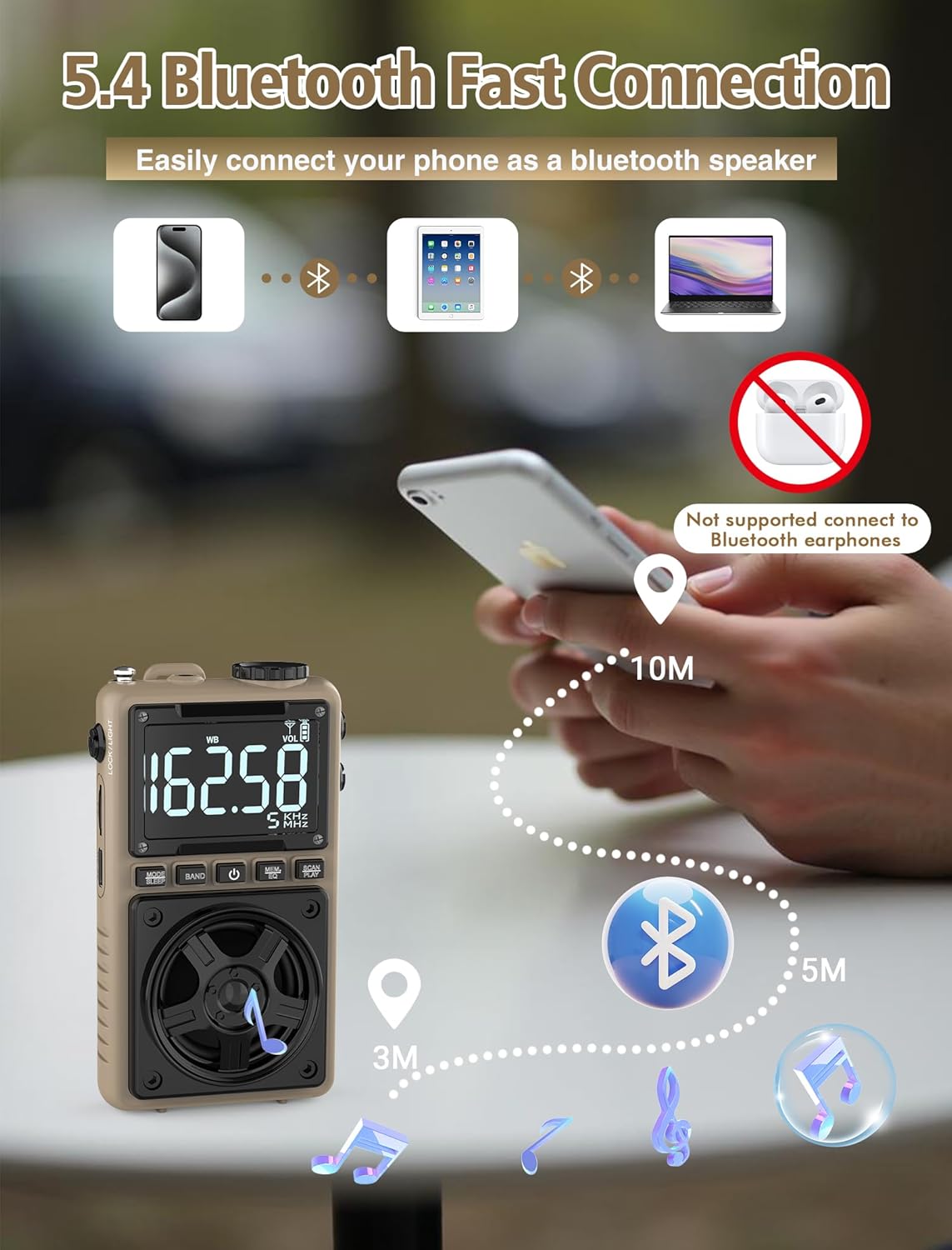
Image 6.3: A visual representation of the Jazmm Model 213 radio establishing a Bluetooth connection with various devices like smartphones, tablets, and laptops, functioning as a Bluetooth speaker.
6.7 TF Card Playback (MP3 Player)
Insert a Micro SD card (up to 128GB) with MP3 audio fileเข้าไปใน สล็อตบัตร TF. Switch to TF Card mode using the MODE/SLEEP Button. The radio will automatically begin playing music from the card. Use the SCAN/PLAY Button เพื่อเล่น/หยุดชั่วคราว และ ลูกบิดปรับแต่ง เพื่อข้ามเพลง

Image 6.4: A user enjoying music through headphones connected to the Jazmm Model 213 radio, with an inset showing the TF card slot for Micro SD card insertion.
6.8 การใช้หูฟัง
เสียบหูฟังขนาดมาตรฐาน 3.5 มม. เข้ากับ... แจ็คหูฟังขนาด 3.5 มม. for private listening. The radio's speaker will automatically mute when headphones are connected.
6.9 การแจ้งเตือนสภาพอากาศของ NOAA
In WB (Weather Band) mode, the radio is capable of receiving real-time weather alerts and updates from the National Oceanic and Atmospheric Administration. This feature helps you prepare for potential weather hazards. Ensure the antenna is extended for best reception.

Image 6.5: The radio displaying a NOAA weather alert, with a flashlight beam illuminating the foreground and a stormy sky in the background, emphasizing its emergency preparedness features.
6.10 ฟังก์ชันไฟฉาย
เลื่อน LOCK/LIGHT Switch to activate the built-in LED flashlight. This can be useful in low-light conditions or emergencies.
6.11 ตัวตั้งเวลาปิดเครื่อง
กดปุ่มค้างไว้ MODE/SLEEP Button to activate the sleep timer. Repeated presses will cycle through available durations (e.g., 10, 60, 90, 120 minutes). The radio will automatically turn off after the selected time.
6.12 กุญแจล็อค
เลื่อน LOCK/LIGHT Switch to the 'LOCK' position to prevent accidental button presses. This is useful when carrying the radio in a pocket or bag.
6.13 เอฟเฟ็กต์เสียง EQ
กดปุ่ม MEM/EQ Button (short press) to cycle through 6 preset EQ sound effects: Normal, Rock, Pop, Jazz, Class, and Village. Select the effect that best suits your audio preference.

Image 6.6: The radio's 5W speaker is highlighted, surrounded by icons representing the six available EQ stereo sound effects: Normal, Rock, Pop, Jazz, Class, and Village.
7. ข้อมูลจำเพาะ
| คุณสมบัติ | รายละเอียด |
|---|---|
| หมายเลขรุ่น | 213 |
| ขนาดสินค้า | 2.3 x 4 x 1.3 นิ้ว (5.84 x 10.16 x 3.3 ซม.) |
| น้ำหนักสินค้า | 4.6 ออนซ์ (130 กรัม) |
| รองรับคลื่นวิทยุ | FM (87-108MHz), AM (520-1710KHz), SW (4.75-21.85MHz), WB (162.400-162.550MHz) |
| เทคโนโลยีการเชื่อมต่อ | บลูทูธ 5.4 |
| เอาท์พุตของลำโพง | 5W |
| แบตเตอรี่ | 1250mAh Lithium Polymer (Rechargeable, included) |
| พอร์ตชาร์จ | พอร์ต USB Type-C (DC 5V) |
| เวลาในการชาร์จ | ประมาณ 1.5 ชั่วโมง |
| ระยะเวลาการใช้งาน | ประมาณ 10-12 ชั่วโมง (ขึ้นอยู่กับการใช้งาน) |
| การรองรับการ์ดหน่วยความจำ | Micro SD (TF Card) up to 128GB |
| คุณสมบัติพิเศษ | NOAA Weather Alert, Built-In Flashlight, SOS Alarm, Sleep Timer, 100 Preset Stations, Digital Backlight Screen, Back Clip, Wrist Strap |
8 การแก้ไขปัญหา
| ปัญหา | สาเหตุที่เป็นไปได้ / วิธีแก้ไข |
|---|---|
| วิทยุไม่เปิด |
|
| การรับสัญญาณวิทยุไม่ดี |
|
| บลูทูธไม่เชื่อมต่อ |
|
| การ์ด TF เล่นไม่ได้ |
|
| ไม่มีเสียงออกจากลำโพง/หูฟัง |
|
9. การบำรุงรักษา
- การทำความสะอาด: ใช้ผ้าแห้งนุ่มเช็ดทำความสะอาดภายนอกวิทยุ ห้ามใช้สารทำความสะอาดที่มีฤทธิ์กัดกร่อนหรือตัวทำละลาย
- พื้นที่จัดเก็บ: เมื่อไม่ได้ใช้งานเป็นเวลานาน ควรเก็บวิทยุไว้ในที่แห้งและเย็น
- การดูแลแบตเตอรี่ To prolong battery life, avoid fully discharging the battery frequently. Recharge the radio periodically even if not in use.
- เสาอากาศ: Handle the telescopic antenna gently to prevent bending or breaking. Retract it when not in use.
10. การรับประกันและการสนับสนุน
Jazmm products are designed for reliability and performance. For warranty information, please refer to the documentation provided at the time of purchase or contact your retailer. If you encounter any issues or require technical assistance, please contact Jazmm customer support through the retailer's platform or the official Jazmm webเว็บไซต์.
โปรดเตรียมหมายเลขรุ่นผลิตภัณฑ์ (213) และรายละเอียดการซื้อให้พร้อมเมื่อติดต่อฝ่ายสนับสนุน


