การแนะนำ
Thank you for choosing the ORDRO FL-10 Mini Camera Flash. This compact and lightweight speedlite is designed to provide additional lighting for your photography, compatible with cameras featuring a single contact hot shoe, including models from Fuji, Sony, Nikon, and Canon. This manual will guide you through the setup, operation, and maintenance of your new camera flash.
สินค้าเกินview
คุณสมบัติหลัก
- การดำเนินการที่เรียบง่าย: Designed for ease of use, requiring no complex settings.
- ขนาดกะทัดรัดและน้ำหนักเบา: Dimensions of 1.8 x 1.6 x 1.2 inches and weighing only 35g, making it highly portable.
- แสงไฟปรับได้: Offers 1/4 brightness, 1/2 brightness, and full brightness settings.
- ปลั๊กแอนด์เพลย์: Connects upon insertion to a single contact hot shoe for immediate use.
- ฐานยึดฮอตชูแบบอเนกประสงค์: Compatible with small cameras or film/digital cameras that have a single contact hot shoe.
- การชาร์จ Type-C: Features a universally compatible Type-C interface for convenient charging.
มีอะไรอยู่ในกล่อง
- 1 x ORDRO FL-10 Camera Flash
ส่วนประกอบของผลิตภัณฑ์
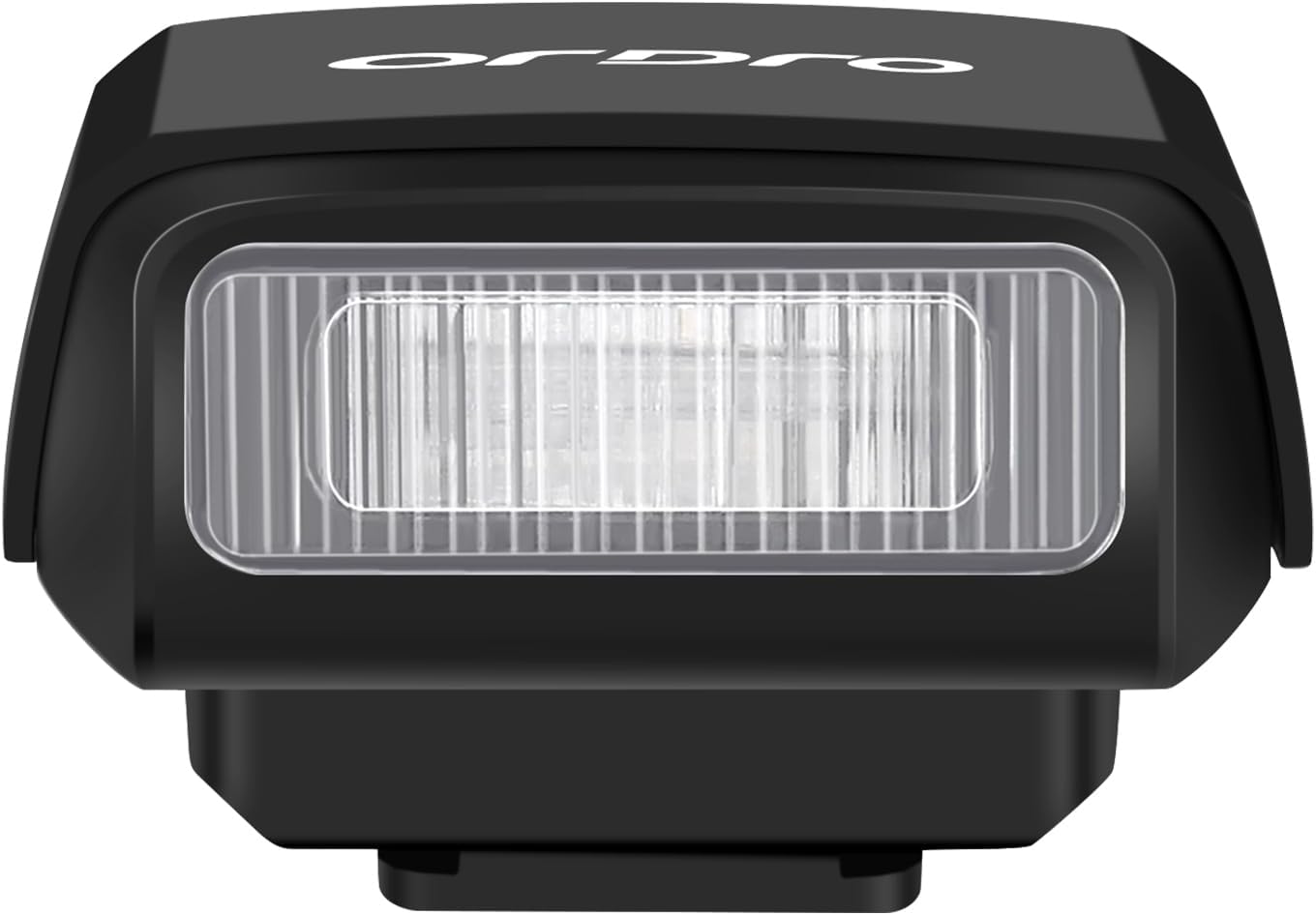


การตั้งค่า
Charging the Flash
The ORDRO FL-10 Mini Camera Flash is equipped with a built-in Lithium Ion battery. To charge the device:
- Locate the Type-C charging port on the side of the flash unit (refer to Figure 3).
- Connect a standard USB Type-C cable to the port and plug the other end into a compatible USB power source (e.g., wall adapter, power bank, computer USB port).
- The charging indicator light will flash during charging and remain solid when fully charged. Charging from 0% to 100% typically takes about 60 minutes.

Mounting on Camera
The FL-10 flash uses a universal hot shoe mount. Ensure your camera has a single contact hot shoe for compatibility.
- Identify the hot shoe on your camera (usually on top).
- Remove any existing hot shoe cover.
- Slide the base of the FL-10 flash into the camera's hot shoe interface until it is securely seated.

หมายเหตุความเข้ากันได้ที่สำคัญ: The ORDRO FL-10 Mini Camera Flash is only compatible with cameras that have a single contact hot shoe. Please verify your camera's hot shoe type before use. For example, it is not compatible with Sony ZV-1F.
คำแนะนำการใช้งาน
เปิด/ปิดเครื่อง
- To power on the flash, press and hold the left power button (marked with a power symbol) for 3 seconds.
- To power off the flash, press and hold the left power button for 3 seconds again.
Adjusting Flash Brightness
The FL-10 offers three adjustable brightness levels:
- 1/4 Brightness: Indicated by one green light.
- 1/2 Brightness: Indicated by two green lights.
- ความสว่างเต็มที่: Indicated by all three green lights.
To cycle through the brightness levels, short press the left power button while the flash is on.

ทดสอบแฟลช
To manually test the flash, press the right button (marked with a lightning bolt symbol). This will trigger a flash at the currently selected brightness level.
วิดีโอสาธิต
1 วิดีโอ: This video demonstrates the ORDRO FL-10 Camera Flash, showing its compact size, how to power it on/off, adjust flash power, and mount it onto a camera. It also includes a comparison of photos taken with and without flash at different power settings.
การซ่อมบำรุง
- รักษาความสะอาดของชุดแฟลชให้ปราศจากฝุ่นและความชื้น ใช้ผ้าแห้งเนื้อนุ่มในการทำความสะอาด
- หลีกเลี่ยงการทำอุปกรณ์ตกหรือได้รับแรงกระแทกรุนแรง
- Store the flash in a cool, dry place when not in use.
- อย่าพยายามถอดประกอบหรือซ่อมแซมเครื่องด้วยตัวเอง เพราะจะทำให้การรับประกันเป็นโมฆะ
การแก้ไขปัญหา
แฟลชไม่ทำงาน
- ตรวจสอบพลังงาน: Ensure the flash is powered on and fully charged. The indicator lights should be green.
- การเชื่อมต่อแบบ Hot Shoe: Verify that the flash is securely mounted on the camera's hot shoe. A loose connection can prevent firing.
- ความเข้ากันได้ของกล้อง: Confirm your camera has a single contact hot shoe. The FL-10 is not compatible with multi-contact hot shoes (e.g., some Sony models like ZV-1F).
- การตั้งค่ากล้อง: Ensure your camera's flash settings are enabled and configured correctly to trigger an external flash.
Flash Not Bright Enough
- ปรับความสว่าง: Cycle through the brightness levels (1/4, 1/2, Full) by short pressing the power button to increase output.
- ระยะห่างจากหัวข้อ: The effective range of the flash depends on its power setting. Ensure your subject is within the flash's optimal range.
ข้อมูลจำเพาะ
| หมายเลขรุ่น | FL-10 |
| ขนาดสินค้า | 1.8 x 1.6 x 1.2 นิ้ว |
| น้ำหนักสินค้า | 1.23 ออนซ์ (ประมาณ 35 กรัม) |
| ประเภทแบตเตอรี่ | แบตเตอรี่ลิเธียมไอออน 1 ก้อน (รวมอยู่ด้วย) |
| อายุการใช้งานแบตเตอรี่ | Up to 2.5 Hours (continuous use, varies with power setting) |
| พอร์ตชาร์จ | ยูเอสบี ไทป์ ซี |
| ประเภทแฟลชกล้อง | Hotshoe (Single Contact) |
| ความเร็วในการซิงค์แฟลช | 1/250 (typical) |
| การติดตั้งที่เข้ากันได้ | Fuji, Sony, Nikon, Canon (with single contact hot shoe) |
การรับประกันและการสนับสนุน
ORDRO products are designed and manufactured to the highest quality standards. For warranty information and customer support, please refer to the documentation included with your purchase or visit the official ORDRO webไซต์ โปรดเก็บใบเสร็จรับเงินไว้เป็นหลักฐานการซื้อสำหรับการเรียกร้องการรับประกัน


