
WIITHINK WTB-795S-Black
คู่มือผู้ใช้เครื่องเล่นเทปคาสเซ็ตต์แบบบูมบ็อกซ์ WIITHINK
Model: WTB-795S-Black (White Variant)
1. สินค้าหมดview
The WIITHINK Cassette Tape Player Recorder Boombox is a versatile audio device combining vintage appeal with modern functionality. It allows you to enjoy classic cassette tapes, listen to AM/FM/SW radio, stream music via Bluetooth, and play/record audio to USB drives and SD cards. Its portable design and dual power options make it suitable for various environments.
คุณสมบัติหลัก:
- เครื่องเล่นและบันทึกเทปคาสเซ็ต: Play your favorite cassette tapes and record audio from the built-in microphone, external sources, or radio directly to cassette.
- การเชื่อมต่อบลูทูธ: สตรีมเสียงแบบไร้สายจากสมาร์ทโฟน แท็บเล็ต หรืออุปกรณ์อื่นๆ ที่รองรับบลูทูธ
- USB/SD Player & Recorder: Play MP3, WAV, AAC, WMA files from USB flash drives and SD cards. Easily convert cassette audio to MP3 format on USB/SD.
- วิทยุ AM/FM/SW: Enjoy a wide range of radio stations with excellent reception thanks to the long antenna and DSP upgrade chip.
- Premium 10W Sound: Equipped with dual 5W speakers for clear, powerful, and full sound quality.
- AC/DC Dual Power Supply: Operates on AC power (adapter included) or battery power (batteries not included) for true portability.
- แจ็คหูฟัง 3.5 มม.: สำหรับการฟังส่วนตัว
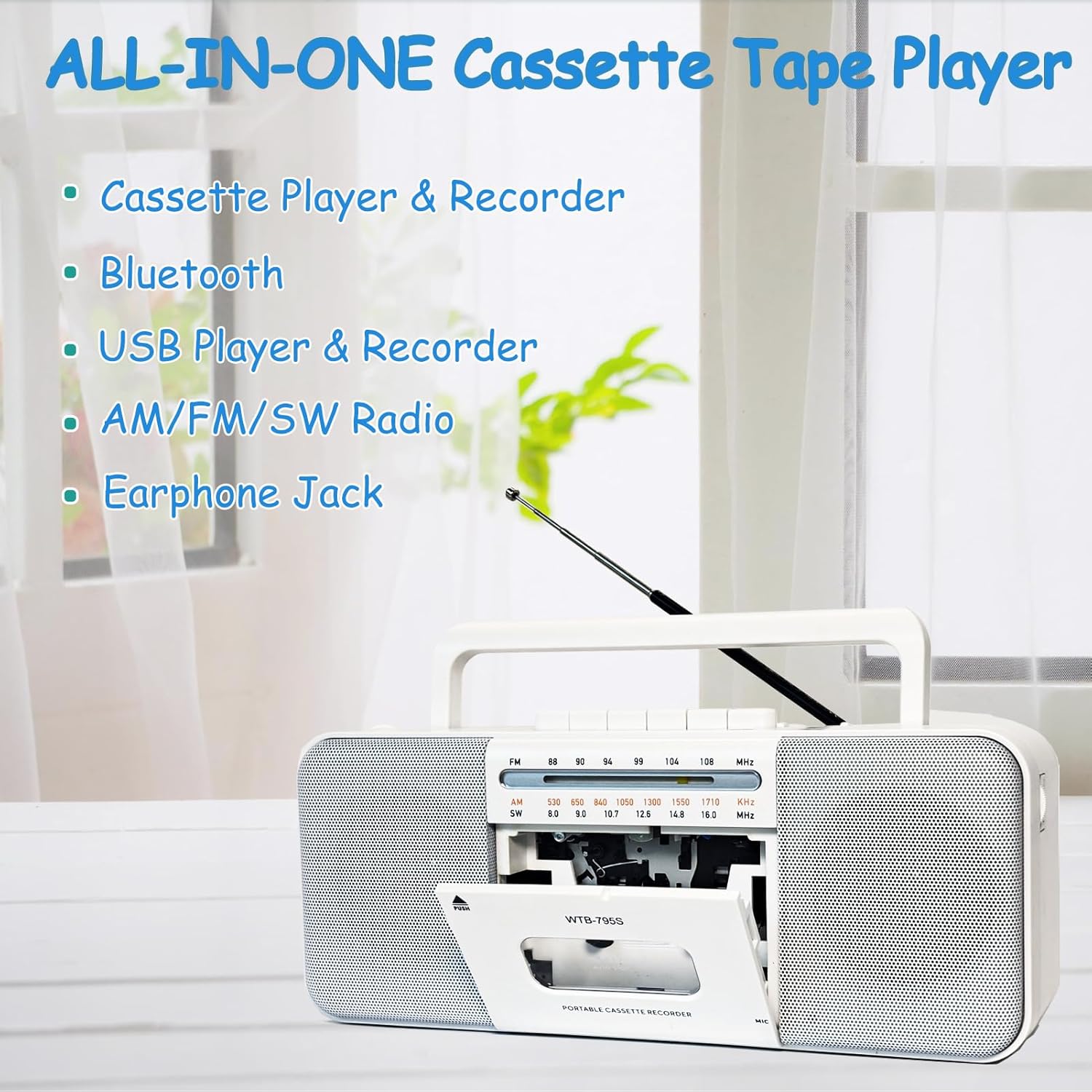
Image: The WIITHINK boombox highlighting its all-in-one capabilities including cassette, Bluetooth, USB, radio, and earphone jack.
2. คู่มือการติดตั้ง
2.1 การเปิดเครื่อง
Your WIITHINK boombox can be powered by either AC electricity or batteries.
- ไฟฟ้ากระแสสลับ: Connect the included AC power cable to the AC input jack on the back of the unit and plug the other end into a standard wall outlet.
- พลังงานแบตเตอรี่: For portable use, open the battery compartment on the back. Insert 4 x D-cell batteries (not included) or 2 x 18650 button-top rechargeable lithium-ion batteries (not included). Ensure correct polarity (+/-). Flat-top 18650 batteries are not compatible.

ภาพ: ด้านหลัง view of the boombox illustrating its dimensions and the battery compartments for D-cell and 18650 batteries, along with the AC power input.

Image: A detailed diagram showing the battery types (D-cell and 18650 button-top) and the AC power connection for the boombox.
3. คู่มือการใช้งาน
3.1 การเล่นและการบันทึกเทปคาสเซ็ต
- To Play a Cassette: Press the 'PUSH' button to open the cassette door. Insert a cassette tape with the open edge facing upwards. Close the door. Select 'TAPE' mode using the function switch. Press the 'PLAY' button to begin playback. Use 'STOP', 'FF' (Fast Forward), and 'REW' (Rewind) buttons as needed.
- To Record to Cassette:
- จากไมโครโฟนในตัว: Insert a blank cassette. Select 'TAPE' mode. Press the 'RECORD' button (red button) along with 'PLAY' simultaneously. The unit will start recording from its internal microphone.
- จากวิทยุ: Tune to your desired radio station. Insert a blank cassette. Press 'RECORD' and 'PLAY' simultaneously. The radio broadcast will be recorded onto the cassette.
- From External Source (e.g., AUX-in): Connect an external audio device to the AUX-in port (if available, refer to specifications). Select 'AUX' mode. Insert a blank cassette. Press 'RECORD' and 'PLAY' simultaneously. Play audio from your external device.
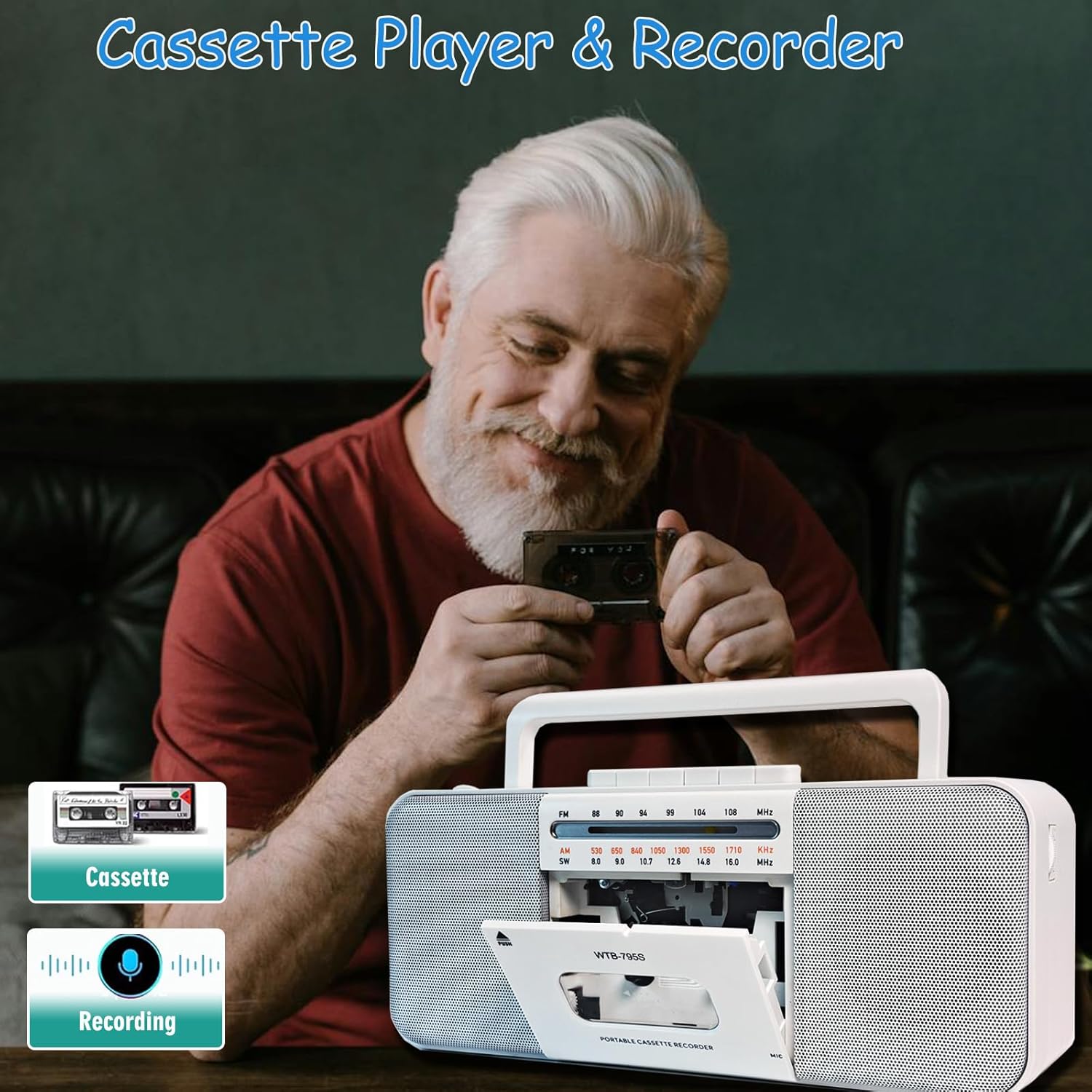
Image: A person holding a cassette tape, with the WIITHINK boombox in the foreground showing its open cassette compartment, ready for tape insertion.
3.2 AM/FM/SW Radio
- ยืดเสาอากาศแบบยืดหดได้ออกเพื่อให้รับสัญญาณได้ดีที่สุด
- Set the function switch to 'RADIO'.
- Select the desired band: AM, FM, or SW (Shortwave) using the band selector switch.
- Rotate the 'TUNING' knob to find your desired radio station.

Image: An elderly man smiling while the WIITHINK boombox with its extended antenna is visible on a table, indicating its radio functionality.
3.3 การเชื่อมต่อบลูทูธ
- Set the function switch to 'BT' (Bluetooth) mode. The unit will enter pairing mode, indicated by an audible prompt or flashing indicator.
- บนอุปกรณ์ที่รองรับ Bluetooth ของคุณ (สมาร์ทโฟน แท็บเล็ต ฯลฯ) ให้เปิดใช้งาน Bluetooth และค้นหาอุปกรณ์ที่มีอยู่
- Select 'WIITHINK' or a similar name from the list of devices.
- Once paired, you will hear a confirmation sound. You can now play audio from your device through the boombox.

Image: The WIITHINK boombox on a table, with a hand holding a smartphone displaying a music player interface, illustrating Bluetooth music streaming.
3.4 USB/SD Playback and Recording
- To Play from USB/SD: Insert a USB flash drive into the USB port or an SD card into the SD card slot. Set the function switch to 'USB/SD' mode. The unit will automatically detect and begin playing compatible audio files (MP3, WAV, AAC, WMA).
- To Record to USB/SD (MP3 Conversion):
- เสียบแฟลชไดรฟ์ USB หรือการ์ด SD
- Select the source you wish to record from (Cassette, Radio, or Microphone).
- Press and hold the 'RECORD' button on the MP3 player section. The unit will start recording the audio source directly to the USB/SD card in MP3 format.
- Recordings are typically saved in a directory named 'AB_REC' with filenames like AUX00xx.MP3 (for external/cassette/radio) or MIC00xx.MP3 (for microphone).

Image: The WIITHINK boombox on a wooden surface, with a USB flash drive inserted into its port, demonstrating its USB playback and recording capability.

Image: A diagram illustrating various recording options: Tape to USB, USB to Tape, and Radio to Tape, highlighting the versatility of the boombox's recording functions.
3.5 การใช้หูฟัง
To enjoy private listening, plug your 3.5mm headphones into the headphone jack located on the unit. The internal speakers will automatically mute when headphones are connected.

Image: A young woman wearing headphones, smiling and looking upwards, with the WIITHINK boombox visible on a table, demonstrating the use of the earphone jack for personal listening.
4. การบำรุงรักษา
- การทำความสะอาด: ใช้ผ้านุ่มและแห้งเช็ดทำความสะอาดภายนอกตัวเครื่อง ห้ามใช้น้ำยาทำความสะอาดที่มีฤทธิ์กัดกร่อนหรือตัวทำละลาย
- การทำความสะอาดหัวอ่านเทปคาสเซ็ต: Regularly clean the cassette tape heads, pinch roller, and capstan with a cotton swab lightly dampเคลือบด้วยไอโซโพรพิลแอลกอฮอล์เพื่อให้ได้คุณภาพเสียงที่ดีที่สุดและป้องกันเทปเสียหาย
- พื้นที่จัดเก็บ: เมื่อไม่ได้ใช้งานเป็นเวลานาน ควรถอดแบตเตอรี่ออกและเก็บเครื่องไว้ในที่แห้งและเย็น หลีกเลี่ยงแสงแดดโดยตรงและอุณหภูมิที่สูงหรือต่ำเกินไป
5 การแก้ไขปัญหา
| ปัญหา | สาเหตุที่เป็นไปได้ | สารละลาย |
|---|---|---|
| ไม่มีไฟฟ้า | AC cable not connected properly; Batteries drained or inserted incorrectly. | ตรวจสอบการเชื่อมต่อสายไฟ AC; เปลี่ยนแบตเตอรี่หรือตรวจสอบให้แน่ใจว่าขั้วถูกต้อง |
| การรับสัญญาณวิทยุไม่ดี | เสาอากาศไม่ได้ยืดออก; บริเวณที่มีสัญญาณอ่อน | ยืดเสาอากาศแบบยืดหดได้ออกจนสุด ปรับตำแหน่งเครื่องเพื่อให้ได้สัญญาณที่ดีขึ้น |
| การเล่นเทปคาสเซ็ตมีเสียงผิดเพี้ยนหรือเสียงเบา | Tape heads are dirty; Worn out tape. | Clean tape heads, pinch roller, and capstan; Try a different tape. |
| บลูทูธไม่จับคู่ | Unit not in pairing mode; Device too far; Already paired with another device. | ตรวจสอบให้แน่ใจว่าอุปกรณ์อยู่ในโหมด BT ขยับอุปกรณ์เข้ามาใกล้ขึ้น ตัดการเชื่อมต่อจากอุปกรณ์อื่น |
| USB/SD เล่นไม่ได้ | ไม่ถูกต้อง file format; USB/SD card not inserted correctly or corrupted. | ทำให้มั่นใจ files are compatible (MP3, WAV, AAC, WMA); Reinsert USB/SD; Try a different card/drive. |
| Recording quality is poor | Source volume too low; Dirty tape heads (for cassette recording); Microphone too far from source. | Increase source volume; Clean tape heads; Position microphone closer to sound source. |
6. ข้อมูลจำเพาะทางเทคนิค
| คุณสมบัติ | ข้อมูลจำเพาะ |
|---|---|
| ยี่ห้อ | WITHINK |
| หมายเลขรุ่น | WTB-795S-Black |
| สี | สีขาว |
| เทคโนโลยีการเชื่อมต่อ | บลูทูธ, ยูเอสบี |
| อุปกรณ์ที่รองรับ | เครื่องเล่น MP3, สมาร์ทโฟน |
| รูปแบบเสียงที่รองรับ | Cassette, MP3, WAV, AAC, WMA |
| ประเภทลำโพง | สเตอริโอ |
| วัดtage | 10 watts (2 x 5W) |
| การกำหนดค่าช่องเสียงรอบทิศทางของลำโพง | 2.0 |
| แหล่งพลังงาน | สายไฟ / แบตเตอรี่ |
| ขนาดสินค้า (กว้าง x ยาว x สูง) | 27.94 x 12.7 x 5.08 ซม. (10.99 x 5 x 2 นิ้ว) |
| น้ำหนักสินค้า | 1.51 กก. (3.33 ปอนด์) |
| แบตเตอรี่ที่จำเป็น | No (for AC operation); Yes (for battery operation - 4x D-cell or 2x 18650 button-top) |
7. การรับประกันและการสนับสนุน
This product comes with a standard manufacturer's warranty. For specific warranty details, duration, and terms, please refer to the documentation included with your purchase or visit the official WIITHINK webเว็บไซต์.
If you encounter any issues or require technical assistance, please contact WIITHINK customer support through their official channels. You can typically find contact information on the product packaging, the WIITHINK brand store on Amazon, or their official webเว็บไซต์.
WIITHINK Store Link: https://www.amazon.ca/stores/WIITHINKCDPlayer/page/58D472AC-5AC0-4762-9B43-106A71731F34
Ask a question about this manual
Ask about setup, troubleshooting, compatibility, parts, safety, or missing instructions. Manuals+ will review the question and use this page’s manual context to help answer it.