การแนะนำ
This manual provides comprehensive instructions for the setup, operation, and maintenance of your ORICO B5PLUS Portable SSD 2TB. Please read this manual carefully before using the device to ensure optimal performance and longevity.
สินค้าเกินview
The ORICO B5PLUS Portable SSD is a compact and high-speed external storage solution designed for various devices, including smartphones, PCs, and tablets. It offers quick data transfer and easy storage expansion.
คุณสมบัติหลัก:
- พื้นที่เก็บข้อมูลที่ขยายได้: Easily expand your device's storage capacity.
- การถ่ายโอนข้อมูลความเร็วสูง: Achieves speeds up to 460MB/s for efficient file การโอนย้าย
- การออกแบบที่พกพาสะดวกเป็นพิเศษ: Compact and lightweight, measuring 2.44 x 2.72 x 0.5 inches and weighing only 0.09 lb.
- 2-in-1 USB-C & USB-A Cable: Ensures broad compatibility with both USB-C and USB-A devices.
- ตัวบ่งชี้สถานะ: An LED indicator shows device activity.
อะไรอยู่ในกล่อง:
- ORICO B5PLUS Portable SSD
- 2-in-1 USB-C to USB-A/USB-C Cable
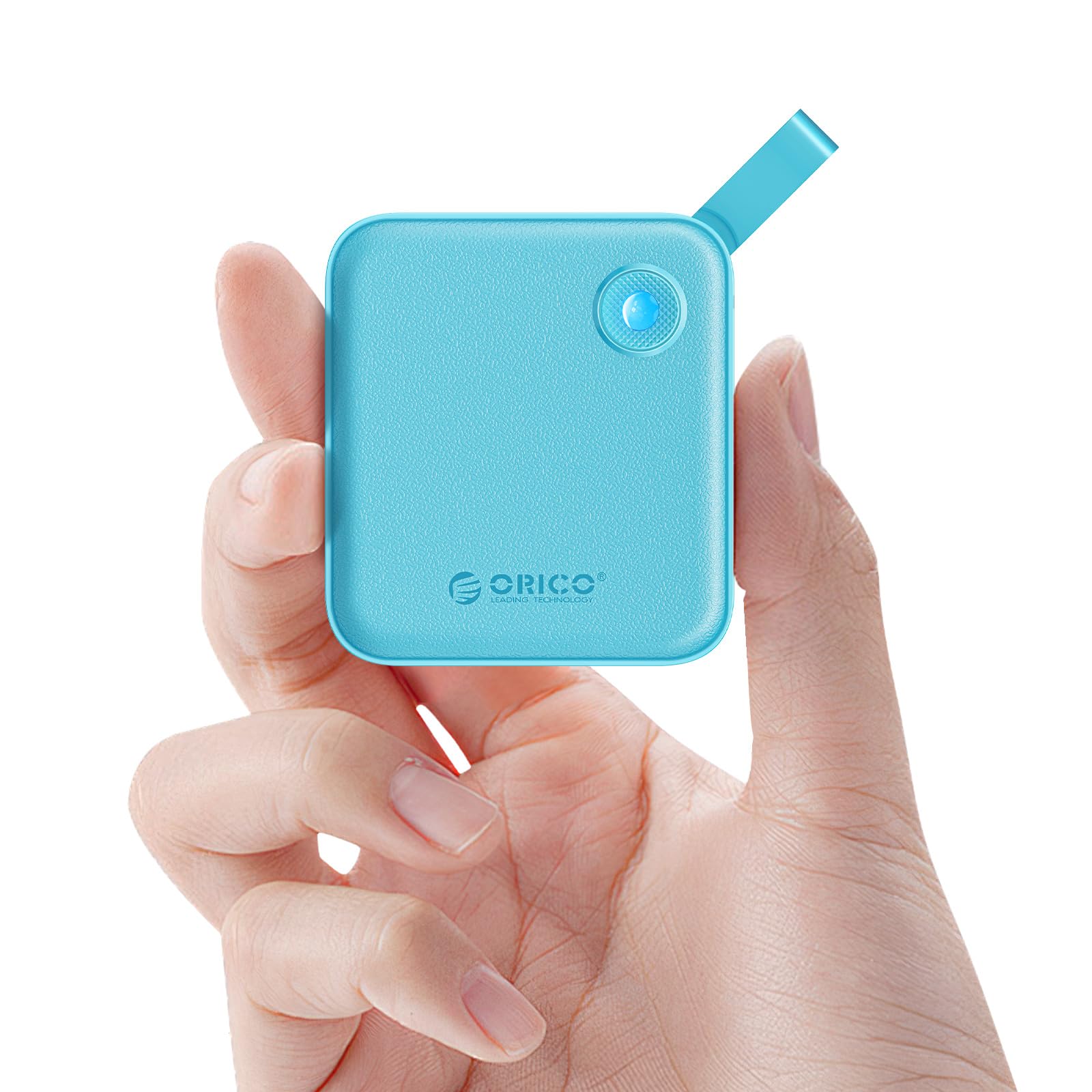
Figure 1: The ORICO B5PLUS Portable SSD in green, showcasing การออกแบบที่กะทัดรัด
คำแนะนำการตั้งค่า
- เชื่อมต่อ SSD:
Identify the appropriate port on your device (USB-C or USB-A). The included 2-in-1 cable features both connectors. For USB-C, use the USB-C end directly. For USB-A, attach the USB-A adapter to the USB-C end of the cable.

Figure 2: The versatile 2-in-1 USB-C and USB-A cable for broad device compatibility.
- เสียบเข้ากับอุปกรณ์:
Insert the connected cable into the corresponding USB port on your computer, smartphone, or tablet. The SSD's status indicator light will illuminate, confirming a successful connection.

Figure 3: The ORICO B5PLUS SSD connected to various devices for storage expansion.
- การรับรู้เบื้องต้น:
Your operating system (Windows, macOS, Android, iOS) should automatically detect the SSD. If prompted, you may need to format the drive for first-time use, especially if moving between different operating systems. Follow your device's on-screen instructions for formatting.
คำแนะนำการใช้งาน
การถ่ายโอนข้อมูล:
- การคัดลอก Files: ลากและวาง files or folders from your device to the ORICO SSD, or vice versa.
- ความเร็ว: The SSD supports data transfer speeds up to 460MB/s. Actual speeds may vary based on your device's USB port, operating system, and file ประเภท

Figure 4: Illustration of the high-speed data transfer capabilities of the ORICO B5PLUS SSD.
ความเข้ากันได้:
The ORICO B5PLUS is compatible with a wide range of devices, including:
- Laptops (MacBook, Dell XPS, Lenovo Pro, etc.)
- Smartphones (iPhone 15 Series, Samsung S22/S23 Series, Huawei Mate/P Series, etc.)
- Tablets (iPad Pro/Air, etc.)
- Desktop Computers, Routers, TVs, and other devices with USB-A or USB-C ports.

Figure 5: The ORICO B5PLUS SSD demonstrating compatibility with a range of devices.
ไฟ LED แสดงสถานะ:
The small LED light on the SSD indicates its operational status:
- แสงที่เป็นของแข็ง: Device is connected and idle.
- ไฟกระพริบ: Data transfer is in progress. Do not disconnect the device during flashing to prevent data corruption.
การซ่อมบำรุง
- การกำจัดอย่างปลอดภัย: Always safely eject the SSD from your operating system before physically disconnecting it to prevent data loss or corruption.
- การทำความสะอาด: ใช้ผ้าแห้งเนื้อนุ่มเช็ดทำความสะอาดภายนอกของ SSD หลีกเลี่ยงการใช้น้ำยาทำความสะอาดหรือวัสดุที่มีฤทธิ์กัดกร่อน
- พื้นที่จัดเก็บ: เก็บ SSD ไว้ในที่แห้งและเย็น หลีกเลี่ยงแสงแดดโดยตรงและอุณหภูมิที่สูงหรือต่ำเกินไป
- การป้องกันทางกายภาพ: While durable, avoid dropping the SSD or subjecting it to strong impacts.
การแก้ไขปัญหา
- ตรวจไม่พบ SSD:
- ตรวจสอบให้แน่ใจว่าได้เสียบสายเคเบิลเข้ากับ SSD และอุปกรณ์ของคุณอย่างแน่นหนาแล้ว
- ลองใช้พอร์ต USB อื่นบนอุปกรณ์ของคุณ
- Test with another compatible cable if available.
- รีสตาร์ทเครื่องคอมพิวเตอร์หรืออุปกรณ์ของคุณ
- ตรวจสอบในโปรแกรมจัดการดิสก์ (Windows) หรือโปรแกรมยูทิลิตี้ดิสก์ (macOS) ของอุปกรณ์ของคุณ เพื่อดูว่าระบบรู้จักไดรฟ์แต่ยังไม่ได้ฟอร์แมตหรือไม่
- ความเร็วในการถ่ายโอนข้อมูลช้า:
- Ensure you are using a USB 3.0/3.1/3.2 compatible port on your device for optimal speeds. Older USB 2.0 ports will result in significantly slower transfers.
- ตรวจสอบให้แน่ใจว่าไดรเวอร์ของอุปกรณ์ของคุณเป็นเวอร์ชันล่าสุด
- หลีกเลี่ยงการโอนย้ายขนาดเล็กจำนวนมาก files simultaneously, as this can reduce overall speed compared to large files.
- ความเสียหาย/การสูญหายของข้อมูล:
- ถอด SSD ออกอย่างปลอดภัยทุกครั้งก่อนทำการถอดสาย
- Ensure the SSD is not exposed to extreme temperatures or physical shock.
- Regularly back up important data to multiple locations.
ข้อมูลจำเพาะ
| คุณสมบัติ | รายละเอียด |
|---|---|
| ยี่ห้อ | โอริโก้ |
| หมายเลขรุ่น | บี5พลัส-2TB |
| ความจุในการเก็บข้อมูลแบบดิจิตอล | 2TB |
| อินเทอร์เฟซฮาร์ดดิสก์ | ยูเอสบี 1.1 (Note: This refers to the internal interface, external connectivity is USB 3.x for high speed) |
| เทคโนโลยีการเชื่อมต่อ | USB (USB-C and USB-A compatible) |
| ความเร็วในการอ่าน (สูงสุด) | สูงถึง 460MB/วินาที |
| น้ำหนักสินค้า | 3.17 ออนซ์ (ประมาณ 90 กรัม) |
| ขนาดแพ็คเกจ | 5.91 x 4.25 x 0.98 นิ้ว |
| สี | สีเขียว |
| คุณสมบัติพิเศษ | Portable, Status Indicator |
| อุปกรณ์ที่รองรับ | Laptop, Smartphone, Tablet, PC |
วิดีโอผลิตภัณฑ์อย่างเป็นทางการ
วิดีโอ 1: การประชุมอย่างเป็นทางการview of the ORICO External Solid State Drive B5PLUS, highlighting its features and compact design. This video is provided by the manufacturer, ORICO Direct US Store.
การรับประกันและการสนับสนุน
สำหรับข้อมูลการรับประกัน การสนับสนุนทางเทคนิค หรือความช่วยเหลือเพิ่มเติม โปรดดูที่เว็บไซต์อย่างเป็นทางการของ ORICO webหรือติดต่อฝ่ายบริการลูกค้าโดยตรง โปรดเก็บใบเสร็จรับเงินไว้เป็นหลักฐานการซื้อสำหรับการเรียกร้องการรับประกันใดๆ
คุณยังสามารถเยี่ยมชม ร้าน ORICO บน Amazon สำหรับข้อมูลผลิตภัณฑ์และทรัพยากรสนับสนุนเพิ่มเติม


