1. บทนำ
เดอะ เฟนเดอร์ ชampionII 100 Watt Combo Amplifier is designed to provide versatile and high-quality guitar tones for musicians of all levels. This amplifier offers a wide range of clean and overdriven sounds, along with a selection of built-in effects, making it suitable for various musical genres and playing environments. The ChampionII 100 Kit includes the amplifier, an instrument cable, and a polishing cloth to help you get started and maintain your equipment.

รูปที่ 1 : ด้านหน้า view of the Fender ChampionII 100 Watt Combo Ampชีวิต.
2. คุณสมบัติหลัก
- โทนเสียงที่หลากหลาย: Delivers world-renowned Fender clean and overdrive tones, plus an assortment of British and modern distortion flavors.
- เอฟเฟกต์ในตัว: Features a built-in effects selection including reverb, delay/echo, chorus, tremolo, Vibratone, and more.
- การควบคุมแบบสัญชาตญาณ: Easy-to-use interface for dialing in desired sounds without complex menus or apps.
- ปุ่มแตะ: Allows easy setting of delay times and tremolo speeds to match song tempos, including a dotted eighth note function.
- การเชื่อมต่อ: Includes auxiliary input for external devices, headphone output for private practice, and a rear-panel USB port.
- รวมสวิตช์เท้า: Comes with a 2-button footswitch for convenient channel and effects control.
- Robust Power: 100 Watts of power with two 12" Fender Special Design speakers, suitable for live performances.
- เอฟเฟกต์ลูป: (เปรamp เอ้า พาวเวอร์ Amp In) for use with outboard effects.
2.1 Quick Overview วีดีโอ
วิดีโอ 2: สรุปสั้นๆview highlighting key features of the Fender ChampionII 100 Watt Combo Ampชีวิต.
3. คู่มือการติดตั้ง
- การแกะกล่อง: นำไฟล์ amplifier and included accessories (instrument cable, polishing cloth) from the packaging.
- การจัดวาง: วาง amplifier on a stable, flat surface. Ensure adequate ventilation around the unit. Avoid placing it near heat sources or in direct sunlight.
- การเชื่อมต่อไฟฟ้า: ต่อสายไฟเข้ากับ amplifier's input power socket on the rear panel and then to a suitable electrical outlet (100-240 VAC, 50-60 Hz).
- เปิดเครื่อง: Flip the POWER switch to the "ON" position. The power indicator light will illuminate.
- การเชื่อมต่อเครื่องมือ: เชื่อมต่อกีตาร์ของคุณกับ ป้อนข้อมูล jack on the front panel using the provided instrument cable.
- การเชื่อมต่อฟุตสวิตช์: If using the footswitch, connect it to the กต.ตร แจ็คที่แผงด้านหน้า
- อุปกรณ์เสริม: For connecting external audio devices (e.g., MP3 player), use the อ๊อกซ์ ป้อนข้อมูล.
- หูฟัง: สำหรับการใช้งานส่วนตัว ให้เชื่อมต่อหูฟังเข้ากับ... โทรศัพท์ เอาท์พุต
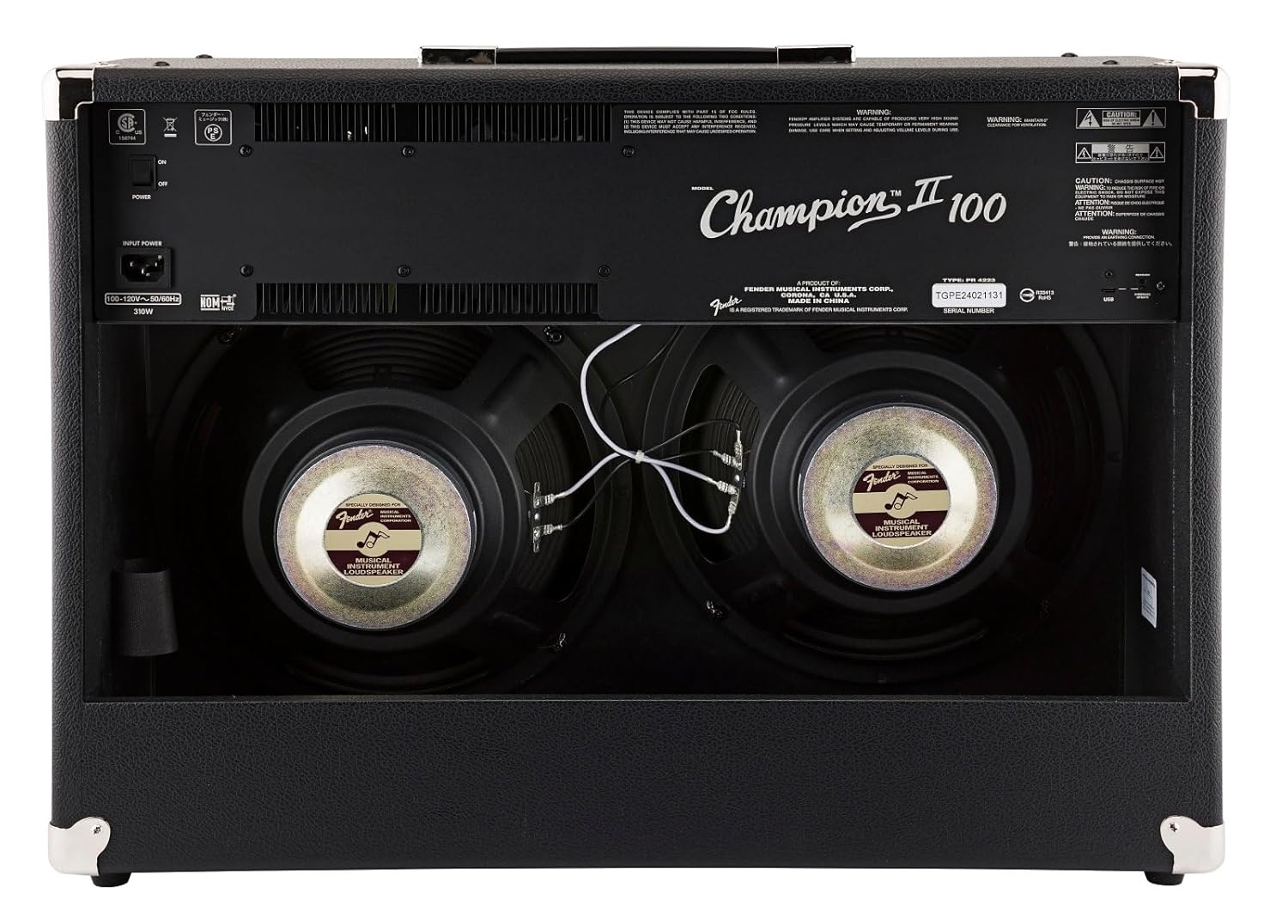
รูปที่ 2: ด้านหลัง view showing power input and speakers.
4. คู่มือการใช้งาน
4.1 แผงควบคุมด้านหน้า

รูปที่ 3: ภาพระยะใกล้ของ ampแผงควบคุมของเครื่องจ่ายไฟ
- อินพุต: 1/4" jack for connecting your instrument.
- เอฟทีเอสดับบลิว: 1/4" jack for connecting the optional 2-button footswitch.
- Channel 1 (Clean):
- เล่มที่ 1: Adjusts the overall output level of Channel 1.
- เสียงแหลม: ควบคุมการตอบสนองความถี่สูง
- เบส: ควบคุมการตอบสนองความถี่ต่ำ
- ระดับเอฟเฟ็กต์: Adjusts the intensity of the selected effect for Channel 1.
- เลือกเอฟเฟ็กต์: Rotary switch to choose from various effects (Reverb, Delay, Chorus, Tremolo, etc.).
- แตะ: Button to set delay times or tremolo speeds. Hold to activate dotted eighth note delay.
- Channel 2 (Voice/Gain):
- ได้รับ: ควบคุมปริมาณเสียงโอเวอร์ไดรฟ์/เสียงผิดเพี้ยน
- เล่มที่ 2: Adjusts the overall output level of Channel 2.
- เสียง: Rotary switch to select different amplifier voicings (e.g., Classic Fender, British, Modern High Gain).
- เสียงแหลม: ควบคุมการตอบสนองความถี่สูง
- กลาง: Controls the mid-range frequency response.
- เบส: ควบคุมการตอบสนองความถี่ต่ำ
- แก้ไข: Adjusts specific parameters of the selected amp เสียง.
- ระดับเอฟเฟ็กต์: Adjusts the intensity of the selected effect for Channel 2.
- เลือกเอฟเฟ็กต์: Rotary switch to choose from various effects.
- แตะ: Button to set delay times or tremolo speeds. Hold to activate dotted eighth note delay.
- ช่องเสริม: 1/8" stereo input for connecting external audio devices.
- โทรศัพท์: ช่องต่อหูฟังแบบสเตอริโอขนาด 1/8 นิ้ว
- ก่อนออก: พรีamp output for connecting to external power ampเครื่องขยายสัญญาณหรืออุปกรณ์บันทึกเสียง
- PWR IN: พลัง amp input for connecting external preamps or effects processors directly to the power section.
- PWR: ไฟแสดงสถานะพลังงาน
4.2 Using the Footswitch
The included 2-button footswitch allows for convenient switching between Channel 1 and Channel 2, and toggling effects on/off. Connect the footswitch to the กต.ตร แจ็คที่แผงด้านหน้า
4.3 วงจรเอฟเฟ็กต์ลูป
ชampionII 100 features an effects loop (PRE OUT / PWR IN) on the rear panel. This allows you to integrate external effects pedals or processors into the amplifier's signal path between the preamp และอำนาจ amp sections, providing greater tonal flexibility.
4.4 Detailed Product Demonstration Video
Video 1: A detailed demonstration of the Fender ChampionII amplifier series, showcasing its various tones, effects, and features by a Fender product development manager.
5. การบำรุงรักษา
- การทำความสะอาด: Use the provided microfiber polishing cloth to gently clean the ampทำความสะอาดภายนอกของเครื่องขยายเสียง ห้ามใช้สารทำความสะอาดที่มีฤทธิ์กัดกร่อนหรือตัวทำละลาย
- พื้นที่จัดเก็บ: จัดเก็บ amplifier in a dry, temperature-controlled environment away from extreme humidity or direct heat.
- การดูแลสายเคเบิล: Ensure the instrument cable is coiled neatly after use to prevent kinks and damage.
- การระบายอากาศ : มั่นใจเสมอว่า amplifier's vents are clear and unobstructed to prevent overheating.

Figure 4: Microfiber polishing cloth for cleaning.
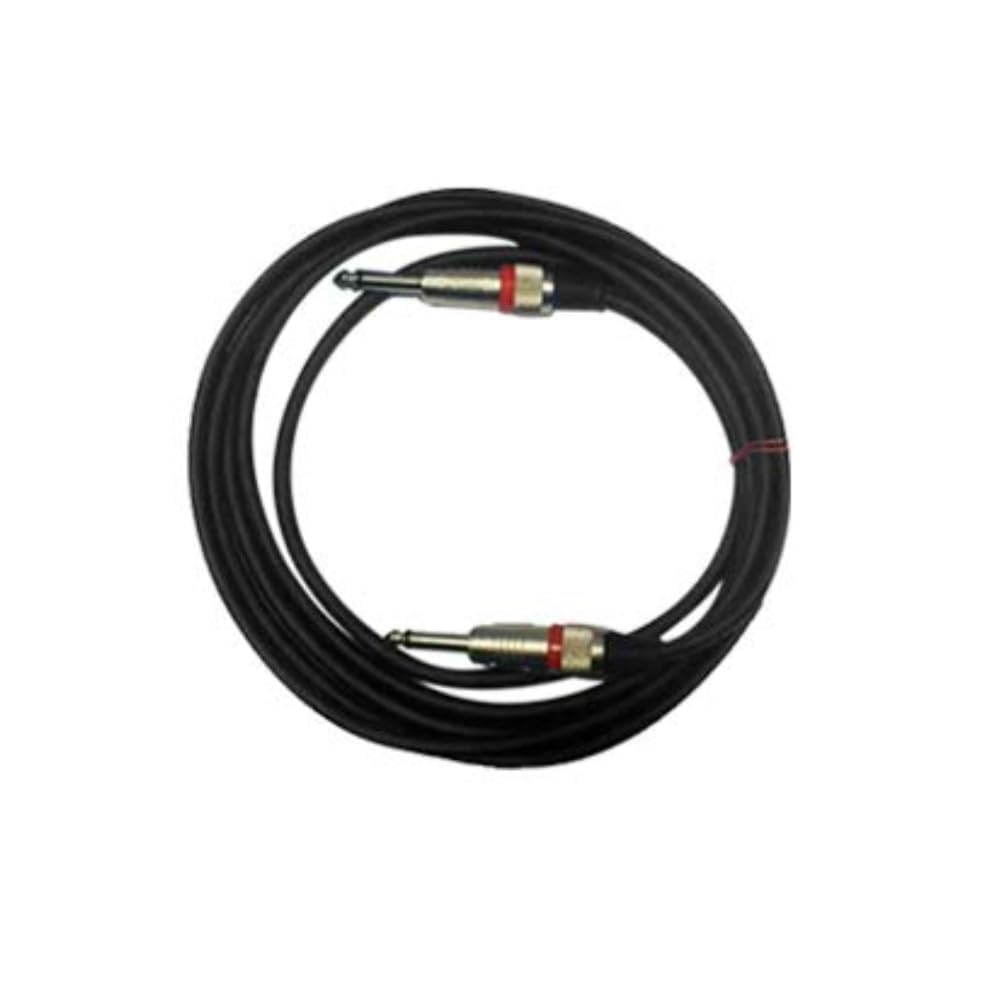
Figure 5: Included instrument cable.
6 การแก้ไขปัญหา
If you encounter issues with your Fender ChampionII 100 ampหากคุณพบปัญหาเกี่ยวกับเครื่องขยายเสียง โปรดดูขั้นตอนการแก้ไขปัญหาทั่วไปต่อไปนี้:
- ไม่มีไฟฟ้า:
- ตรวจสอบว่าสายไฟเชื่อมต่อกับทั้งสองด้านอย่างแน่นหนาหรือไม่ ampเครื่องขยายเสียงและปลั๊กไฟติดผนัง
- ตรวจสอบให้แน่ใจว่าสวิตช์ไฟอยู่ในตำแหน่ง "เปิด"
- ตรวจสอบว่าปลั๊กไฟใช้งานได้หรือไม่ โดยลองเสียบอุปกรณ์อื่นเข้าไป
- ไม่มีเสียง:
- ตรวจสอบให้แน่ใจว่าอุปกรณ์ของคุณเชื่อมต่อกับอุปกรณ์อย่างถูกต้องแล้ว ป้อนข้อมูล แจ็ค.
- Check that the instrument cable is not faulty.
- ตรวจสอบว่า amplifier's volume controls (VOLUME 1 or VOLUME 2) are turned up.
- If using headphones, ensure they are properly connected and the main speakers are not muted (if applicable).
- If using the effects loop, ensure all connected pedals are powered on and functioning correctly.
- เสียงผิดเพี้ยน:
- ลดความ ได้รับ control on Channel 2 if the distortion is unwanted.
- Check your guitar's volume and tone settings.
- Ensure no external pedals are causing unintended distortion.
- เอฟเฟกต์ไม่ทำงาน:
- ให้แน่ใจว่า FX เลือก knob is set to a desired effect and ระดับ FX ถูกเปิดขึ้น
- If using the footswitch, ensure it is correctly connected and functioning.
If the issue persists after trying these steps, please contact Fender customer support.
7. ข้อมูลจำเพาะ
| ยี่ห้อ | บังโคลน |
| แบบอย่าง | ChampionII 100 |
| Amplifier ประเภท | โซลิดสเตต |
| วัดtage | 100 วัตต์ |
| ลำโพง | Two - 12" Fender Special Design |
| ช่องทางการ | Two - Selectable |
| ข้อมูลอินพุต | One - 1/4" Instrument Input |
| เอฟเฟกต์ลูป | พรีamp เอ้า พาวเวอร์ Amp In |
| เล่มที่tage | 100-240 VAC, 50-60 Hz |
| แจ็คหูฟัง | 1/4" Stereo |
| อินพุตเสริม | 1/8" Stereo |
| วัสดุของตู้ | 7-Ply 3/4" Medium-Density Fibreboard |
| Amplifier Covering | Black Textured Vinyl |
| ผ้าตะแกรง | เงิน |
| รับมือ | Molded Plastic Strap with Nickel-Plated Caps |
| สี | สีดำ |
| ขนาด (สูง x กว้าง x ลึก) | 19 นิ้ว (48.3 ซม.) x 26 นิ้ว (66 ซม.) x 10.25 นิ้ว (26.04 ซม.) |
| น้ำหนัก | ปอนด์ 40 (18.2 กก. ) |
| อุปกรณ์เสริมที่รวมอยู่ด้วย | 2-Button Footswitch, Instrument Cable, Polishing Cloth |
8. การรับประกันและการสนับสนุน
Fender products are designed for reliability and performance. For detailed warranty information, please refer to the warranty card included with your product or visit the official Fender website. For technical support, service, or replacement parts, please contact Fender customer service through their official channels.
คุณสามารถค้นหาข้อมูลเพิ่มเติมและทรัพยากรสนับสนุนได้ที่ Fender official webเว็บไซต์.