1. สินค้าหมดview
The BESTHERM ILLO CONNECT 2000W is a Wi-Fi connected ceramic dry inertia electric radiator designed for efficient and homogeneous heating of indoor spaces. It features a ceramic heating core that provides lasting warmth even after the unit is switched off. This radiator offers smart control options via mobile applications and includes various energy-saving modes.
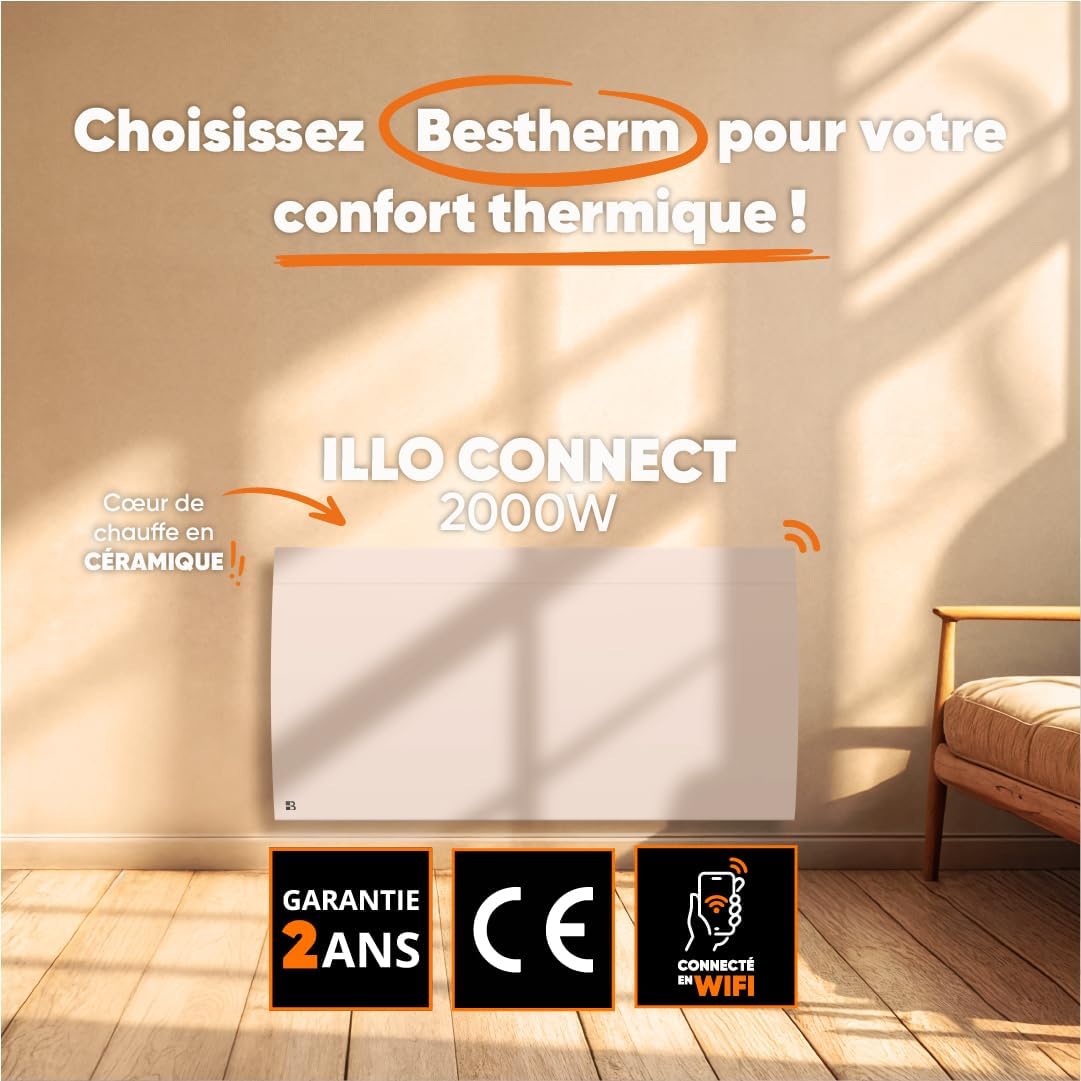
ภาพที่ 1.1: ด้านหน้า view of the BESTHERM ILLO CONNECT 2000W electric radiator.
2. ข้อมูลด้านความปลอดภัย
โปรดอ่านคำแนะนำด้านความปลอดภัยทั้งหมดอย่างละเอียดก่อนการติดตั้งและใช้งาน เก็บคู่มือนี้ไว้เพื่อใช้อ้างอิงในอนาคต
- ความปลอดภัยทางไฟฟ้า: Ensure the power supply matches the radiator's requirements. Do not operate with a damaged cord or plug. Avoid overloading electrical circuits.
- การจัดวาง: Install the radiator on a stable, flat surface or securely wall-mount it. Maintain adequate clearance from combustible materials (curtains, furniture). Do not cover the radiator.
- เด็กและบุคคลที่เปราะบาง: เด็กอายุ 8 ปีขึ้นไปและบุคคลที่มีความสามารถทางร่างกาย ประสาทสัมผัส หรือจิตใจที่บกพร่อง หรือขาดประสบการณ์และความรู้ สามารถใช้เครื่องใช้ไฟฟ้านี้ได้ หากบุคคลดังกล่าวได้รับการดูแลหรือคำแนะนำเกี่ยวกับการใช้เครื่องใช้ไฟฟ้าอย่างปลอดภัย และเข้าใจถึงอันตรายที่อาจเกิดขึ้น ไม่ควรให้เด็กเล่นเครื่องใช้ไฟฟ้านี้ ไม่ควรให้เด็กทำความสะอาดและบำรุงรักษาเครื่องเองโดยไม่ได้รับการดูแล
- การป้องกันความร้อนสูงเกินไป: The radiator is equipped with an overheat protection system. If it overheats, it will automatically shut off. Unplug the unit and allow it to cool before restarting.
- การทำความสะอาด: Always unplug the radiator before cleaning. Use a soft, damp ผ้า ห้ามใช้น้ำยาทำความสะอาดที่มีฤทธิ์กัดกร่อนหรือจุ่มตัวเครื่องลงในน้ำ
- สำหรับใช้ภายในอาคารเท่านั้น: This appliance is designed for indoor use only. Do not use outdoors or in wet environments.
3. เนื้อหาบรรจุภัณฑ์
ตรวจสอบว่ามีส่วนประกอบทั้งหมดอยู่ในแพ็คเกจ:
- BESTHERM ILLO CONNECT 2000W Electric Radiator
- Wall mounting kit (brackets, screws, anchors)
- คู่มือการใช้งาน
4. คุณสมบัติของผลิตภัณฑ์
- Ceramic Dry Inertia Heating Core: Provides homogeneous and long-lasting heat distribution.
- การเชื่อมต่อ Wi-Fi: Remote control via Tuya or Smart Life mobile applications.
- Smart Energy Savings: Customizable weekly programming, 6 Pilot Wire modes, and 4 operating modes.
- การออกแบบที่หรูหรา: Discreet finish with an integrated LCD screen.
- เพิ่มความปลอดภัย: Electronic thermostat, parental lock, and overheat protection.

Image 4.1: Detail of the ceramic heating core, highlighting its efficient design.
5. การติดตั้ง
The BESTHERM ILLO CONNECT 2000W radiator is designed for wall mounting. Ensure you have the appropriate tools and follow local electrical codes.
5.1. การเลือกสถานที่
- Select a wall location away from direct drafts, windows, and doors for optimal performance.
- Ensure there is sufficient clearance around the radiator (minimum 15 cm from the floor, 30 cm from the ceiling, and 20 cm from sides).
- The wall must be capable of supporting the radiator's weight (approximately 11.1 kg).
5.2. การติดตั้งหม้อน้ำ
- Mark the desired mounting points on the wall using the provided template or by measuring the bracket positions on the back of the radiator.
- Drill holes at the marked points and insert the wall anchors.
- ยึดขายึดเข้ากับผนังโดยใช้สกรู
- Carefully lift the radiator and hook it onto the installed wall brackets. Ensure it is securely seated.
- Connect the radiator to a suitable electrical outlet.

ภาพที่ 5.1: ด้านหลัง view of the radiator, showing mounting points for wall installation.
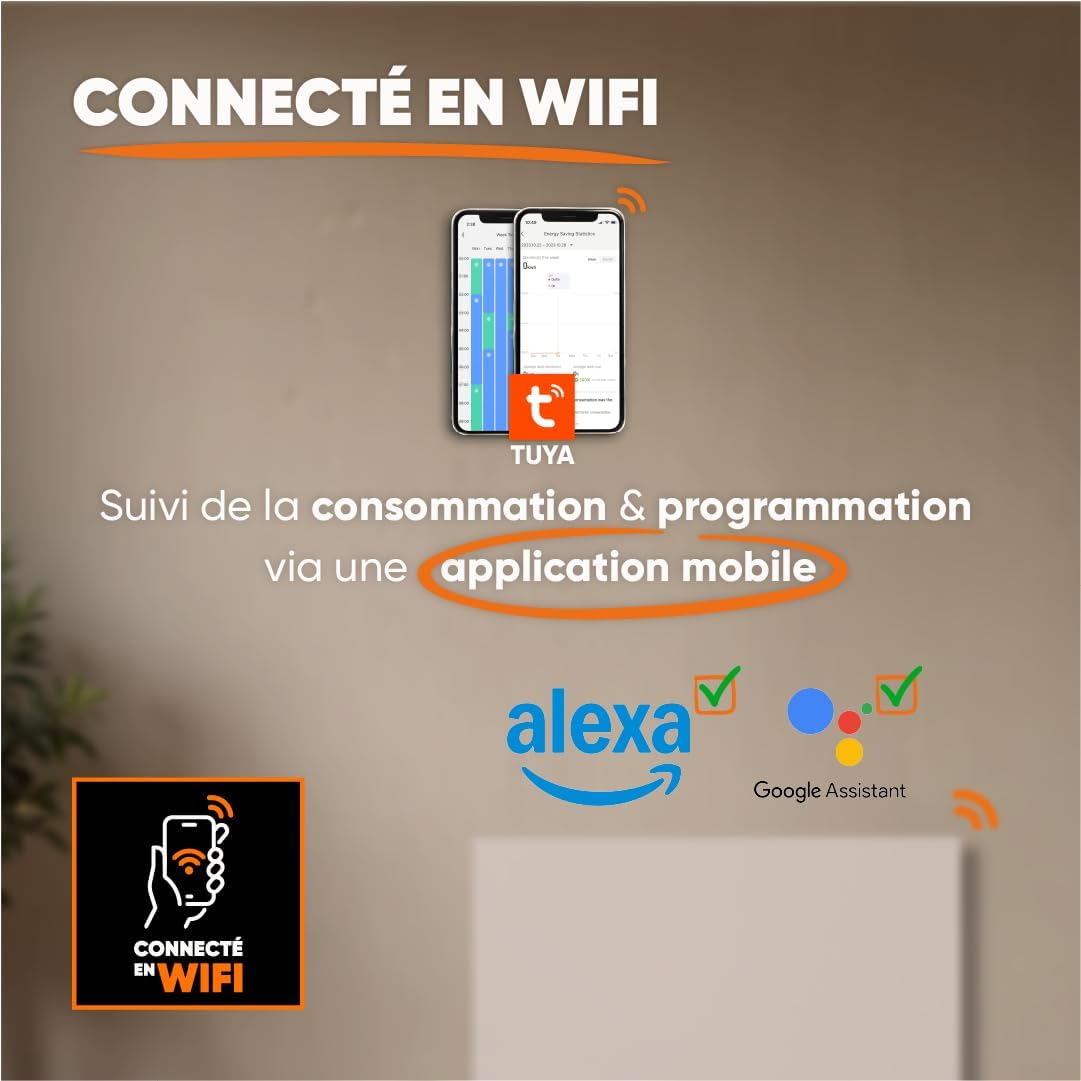
Image 5.2: Radiator dimensions (85 cm width, 45 cm height, 11 cm depth) and weight (11.1 kg).
For detailed visual instructions on installation and programming, scan the QR code below or visit the BESTHERM YouTube channel:

Image 5.3: Scan this QR code to access installation and programming videos.
Video resources: BESTHERM YouTube Channel
6. การตั้งค่า
6.1. การเปิดเครื่องครั้งแรก
After installation, plug the radiator into a grounded electrical outlet. The LCD screen will illuminate, indicating the unit is powered on. Follow the on-screen prompts for initial setup, such as setting the current time and date.
6.2 การเชื่อมต่อ Wi-Fi
The ILLO CONNECT 2000W radiator can be controlled remotely via a mobile application. This requires a 2.4 GHz Wi-Fi network.
- ดาวน์โหลด ตุยย่า สมาร์ท or ชีวิตที่ชาญฉลาด ดาวน์โหลดแอปพลิเคชันจากแอปสโตร์ของสมาร์ทโฟนของคุณ (มีให้ใช้งานสำหรับ iOS และ Android)
- Register or log in to your account within the application.
- Ensure your radiator is powered on and in pairing mode (refer to the radiator's display for specific instructions, usually indicated by a blinking Wi-Fi icon).
- In the app, tap '+' to add a new device. Select 'Heater' or 'Radiator' from the device list.
- Follow the in-app instructions to connect the radiator to your Wi-Fi network. This typically involves entering your Wi-Fi password.
- Once connected, you can control the radiator, monitor consumption, and set programming schedules from your smartphone. The radiator is also compatible with voice assistants like Amazon Alexa and Google Assistant.

Image 6.1: The radiator supports Wi-Fi connectivity via the Tuya Smart or Smart Life app, and is compatible with Alexa and Google Assistant for smart home integration.
7. คู่มือการใช้งาน
7.1. แผงควบคุมด้านบนview
The radiator features an integrated LCD screen and control buttons for direct operation. Refer to the specific icons and button functions detailed in the full product manual for precise control.
7.2. โหมดการทำงาน
The radiator offers 4 distinct operating modes to suit various heating needs:
- โหมดความสะดวกสบาย: Maintains a set comfortable temperature.
- โหมดอีโค: Reduces the temperature by a few degrees compared to Comfort Mode for energy savings.
- โหมดป้องกันฟรอสต์: รักษาอุณหภูมิต่ำสุด (เช่น 7°C) เพื่อป้องกันการแข็งตัว
- โหมดโปรแกรม: Follows a pre-set weekly heating schedule.
7.3. รายการประจำสัปดาห์
Customize your heating schedule for each day of the week to optimize energy consumption. This can be done directly on the radiator's control panel or more conveniently through the Tuya/Smart Life mobile application.
7.4. Pilot Wire Modes (6 Modes)
For installations with a pilot wire system, the radiator supports 6 different pilot wire commands, allowing integration into a centralized heating management system. Consult a qualified electrician for pilot wire connection and configuration.
7.5. ล็อคเด็ก
To prevent accidental changes to settings, activate the child lock feature. This will disable the physical control buttons on the radiator. The child lock can typically be activated and deactivated by pressing and holding a specific button combination on the control panel, or via the mobile app.
8. การบำรุงรักษา
8.1. การทำความสะอาด
Regular cleaning helps maintain the radiator's efficiency and appearance.
- Before cleaning, always unplug the radiator from the power outlet and allow it to cool completely.
- เช็ดพื้นผิวภายนอกด้วยผ้านุ่ม damp ผ้า ห้ามใช้น้ำยาทำความสะอาดที่มีฤทธิ์กัดกร่อน ตัวทำละลาย หรือสารเคมีรุนแรง เพราะอาจทำให้พื้นผิวเสียหายได้
- ตรวจสอบให้แน่ใจว่าไม่มีน้ำเข้าไปในส่วนประกอบภายใน
- Dust the air vents regularly to ensure proper airflow.
8.2. การจัดเก็บ
หากต้องเก็บรักษาหม้อน้ำไว้เป็นเวลานาน ควรตรวจสอบให้แน่ใจว่าสะอาดและแห้งสนิท เก็บไว้ในที่แห้งและเย็น โดยควรเก็บไว้ในบรรจุภัณฑ์เดิมเพื่อป้องกันฝุ่นและความเสียหาย
9 การแก้ไขปัญหา
หากคุณพบปัญหาเกี่ยวกับหม้อน้ำ โปรดดูปัญหาและวิธีแก้ไขที่พบบ่อยต่อไปนี้:
| ปัญหา | สาเหตุที่เป็นไปได้ | สารละลาย |
|---|---|---|
| เครื่องทำความร้อนไม่ทำงาน | No power, power cord loose, overheat protection activated. | Check power outlet, ensure cord is securely plugged in. Unplug and allow to cool for 30 minutes if overheat protection is suspected. |
| ไม่มีความร้อนออก | Temperature setting too low, operating mode incorrect, child lock active. | Increase target temperature. Select an appropriate operating mode (e.g., Comfort). Deactivate child lock. |
| การเชื่อมต่อ Wi-Fi ล้มเหลว | Incorrect Wi-Fi password, router too far, 5 GHz network used, radiator not in pairing mode. | Verify Wi-Fi password. Move radiator closer to router. Ensure router is broadcasting 2.4 GHz. Put radiator into pairing mode. |
| หม้อน้ำมีเสียงผิดปกติ | Normal expansion/contraction, loose mounting. | Minor clicking is normal during heating/cooling. Check mounting screws for tightness. If noise persists or is loud, contact support. |
If the problem persists after attempting these solutions, please contact BESTHERM customer support.
10. ข้อมูลจำเพาะ
| คุณสมบัติ | ข้อมูลจำเพาะ |
|---|---|
| ยี่ห้อ | เบสท์เทิร์ม |
| แบบอย่าง | ILLO CONNECT 2000W |
| กำลังขับ | 2000วัตต์ |
| วิธีการให้ความร้อน | Convection, Ceramic Dry Inertia |
| สี | สีขาว |
| คุณสมบัติพิเศษ | Child Lock, Wi-Fi Connectivity |
| การใช้งานในร่ม/กลางแจ้ง | ในร่ม |
| แหล่งพลังงาน | สายไฟฟ้า |
| ขนาดสินค้า (ลึก x กว้าง x สูง) | 11 ซม. x 85 ซม. x 45 ซม. |
| น้ำหนักผลิตภัณฑ์ | 11.1 กก. |
| ประเภทการติดตั้ง | ติดผนัง |
| ขนาดห้องที่แนะนำ | 15 ถึง 20 ตร.ม |
11. การรับประกันและการสนับสนุน
11.1. การรับประกัน
The BESTHERM ILLO CONNECT 2000W radiator comes with a รับประกัน 2 ปี from the date of purchase, covering manufacturing defects under normal use conditions. Please retain your proof of purchase for warranty claims.
11.2. การสนับสนุนลูกค้า
Our after-sales service is based in France, providing fast and efficient support to ensure your satisfaction.

Image 11.1: BESTHERM After-Sales Service contact information.
- คำถามที่พบบ่อยออนไลน์: เยี่ยมชมเว็บไซต์ของเรา webเว็บไซต์สำหรับคำถามที่พบบ่อย: www.bestherm.fr/pages/faq
- การสนับสนุนทางโทรศัพท์: 03 20 47 05 37
- การสนับสนุนทางอีเมล์: sav@hom-y.fr