การแนะนำ
Thank you for choosing the ErGear EGESD65W Electric Standing Desk. This manual provides detailed instructions for the assembly, operation, and maintenance of your new desk. Designed for both home and office use, this adjustable standing desk promotes a healthier and more productive work environment by allowing you to effortlessly switch between sitting and standing positions. Please read this manual thoroughly before assembly and use to ensure proper function and safety.
ข้อมูลด้านความปลอดภัย
- ตรวจสอบให้แน่ใจว่าชิ้นส่วนทั้งหมดครบถ้วนและไม่เสียหายก่อนประกอบ ห้ามใช้งานหากชิ้นส่วนใดขาดหายหรือชำรุด
- Keep children and pets away from the desk during operation to prevent injury from moving parts.
- Do not overload the desk. Refer to the 'Specifications' section for maximum weight capacity.
- Ensure the power cord is properly connected and routed to avoid tripping hazards or damage.
- Do not place liquids directly on the control panel or motor components.
- Only use the desk for its intended purpose as a workstation.
เนื้อหาแพ็คเกจ
โปรดตรวจสอบว่าแพ็คเกจของคุณมีส่วนประกอบทั้งหมดดังต่อไปนี้:
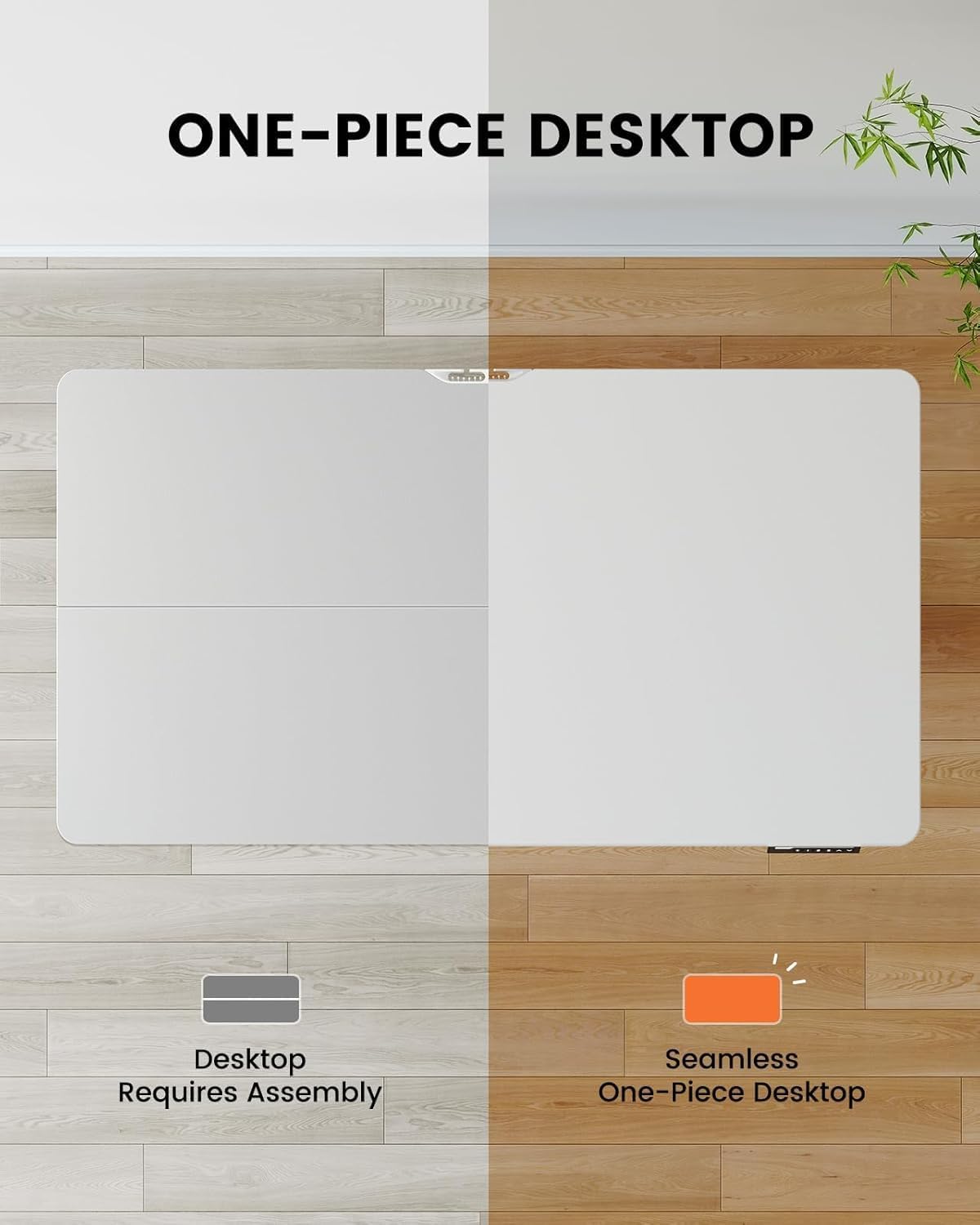
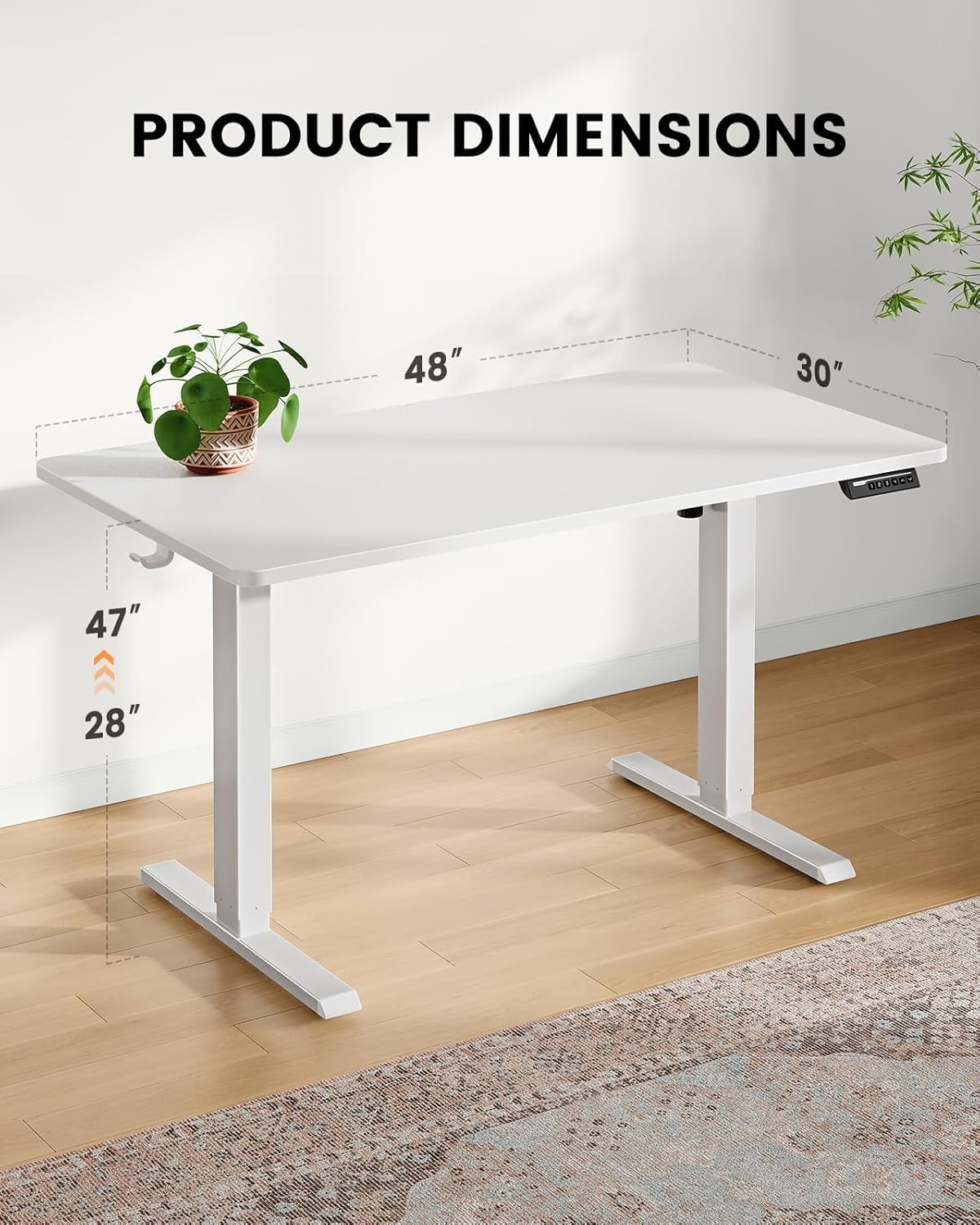
- One-Piece Desktop (48x30 inch)
- เสายกไฟฟ้า (ขา)
- แผงควบคุมพร้อมจอแสดงผลแบบดิจิตอล
- ถาดการจัดการสายเคเบิล
- อะแดปเตอร์แปลงไฟและสายเคเบิล
- Assembly Hardware Kit (screws, tools)
- คู่มือการใช้งาน
การติดตั้งและการประกอบ
The ErGear EGESD65W features a one-piece desktop for simplified and faster installation. Follow these steps carefully:
- แกะส่วนประกอบ: นำชิ้นส่วนทั้งหมดออกจากบรรจุภัณฑ์อย่างระมัดระวัง และวางเรียงบนพื้นผิวที่สะอาดและนุ่ม เพื่อป้องกันรอยขีดข่วน
- Attach Lifting Columns: Secure the electric lifting columns (legs) to the underside of the one-piece desktop using the provided screws. Ensure they are aligned correctly with the pre-drilled holes.
- ติดตั้งแผงควบคุม: Mount the control panel to the designated area on the front edge of the desktop.
- เชื่อมต่อสายเคเบิล: Connect the motor cables from the lifting columns to the control box, and then connect the control panel cable to the control box. Finally, connect the power adapter to the control box.
- Attach Cable Management Tray: Install the cable management tray to the underside of the desktop as shown in the diagram, providing a neat solution for your power and data cables.
- ตำแหน่งงาน: Carefully flip the desk upright and place it in your desired location. Ensure there is enough clearance for height adjustments.

คำแนะนำการใช้งาน
Your ErGear standing desk is equipped with an intuitive control panel for easy height adjustment and memory presets.
ฟังก์ชั่นแผงควบคุม:
- ลูกศรขึ้น/ลง (▲ / ▼): Press and hold to continuously adjust the desk height up or down. Release to stop at your desired height.
- ค่าที่ตั้งไว้ล่วงหน้าของหน่วยความจำ (1, 2, 3, 4): Press a numbered button to move the desk to a pre-saved height. To save a height, adjust the desk to the desired position, then press the 'M' button followed by the desired number (1-4). The display will show 'S-' then the number to confirm.
- แสดง: แสดงความสูงปัจจุบันของโต๊ะเป็นนิ้ว


การซ่อมบำรุง
Regular maintenance ensures the longevity and smooth operation of your ErGear standing desk.
- การทำความสะอาด: Wipe the desktop and legs with a soft, damp ผ้า หลีกเลี่ยงน้ำยาทำความสะอาดที่มีฤทธิ์กัดกร่อนหรือสารเคมีรุนแรงที่อาจทำลายพื้นผิวได้
- การจัดการสายเคเบิล: Periodically check the cable management tray and ensure all cables are neatly organized and not pinched or tangled.
- ความแน่นของสกรู: เมื่อเวลาผ่านไป สกรูอาจหลวมได้ ควรตรวจสอบและขันสกรูประกอบทั้งหมดให้แน่นเป็นระยะ เพื่อรักษาความมั่นคง
- การตรวจสอบมอเตอร์: Ensure the motor and lifting columns are free from obstructions. Do not attempt to lubricate or disassemble the motor components.
การแก้ไขปัญหา
If you encounter any issues with your ErGear standing desk, please refer to the following common problems and solutions:
| ปัญหา | สาเหตุที่เป็นไปได้ | สารละลาย |
|---|---|---|
| โต๊ะไม่ขยับ | Power cord disconnected; Motor cable loose; Overload. | Check power connection; Ensure all cables are securely plugged in; Reduce weight on desk. |
| โต๊ะขยับไม่สม่ำเสมอ | Uneven weight distribution; Loose screws. | Distribute weight evenly; Tighten all assembly screws. |
| จอแสดงผลแสดงรหัสข้อผิดพลาด | System malfunction; Overheating. | ถอดปลั๊กโต๊ะทำงานออกเป็นเวลา 10 นาที แล้วเสียบกลับเข้าไปใหม่ หากยังคงมีปัญหา โปรดติดต่อฝ่ายบริการลูกค้า |
| Desk makes unusual noise. | Obstruction in lifting mechanism; Loose components. | Check for obstructions under the desk; Tighten screws. |
If the problem persists after attempting these solutions, please contact ErGear customer support for further assistance.
ข้อมูลจำเพาะ
Key technical details for your ErGear EGESD65W Standing Desk:
- หมายเลขรุ่น: EGESD65W-US
- ขนาดของเดสก์ท็อป: ขนาด 48 x 30 นิ้ว
- ช่วงความสูงที่ปรับได้: Approximately 28 to 47 inches (71.1 cm to 119.4 cm)
- วัสดุเดสก์ท็อป: ไม้ไผ่
- วัสดุขา: สแตนเลส
- สี: สีขาว
- ส่วนประกอบที่รวมอยู่: ถาดการจัดการสายเคเบิล
- จำเป็นต้องประกอบ: ใช่
- การดำเนินการ: ไฟฟ้า
การรับประกันและการสนับสนุน
Your ErGear EGESD65W Electric Standing Desk comes with a Limited Warranty. For specific warranty terms and conditions, please refer to the warranty card included in your package or visit the official ErGear webเว็บไซต์.
For technical support, troubleshooting assistance, or to inquire about replacement parts, please contact ErGear customer service through the contact information provided on the official ErGear website or your purchase platform. Please have your model number (EGESD65W-US) and purchase date ready when contacting support.


