1. บทนำ
Thank you for choosing the itel Rhythm Pro True Wireless Earbuds. This manual provides essential information for setting up, operating, and maintaining your earbuds to ensure optimal performance and longevity. Please read this manual thoroughly before use.

Image 1.1: itel Rhythm Pro True Wireless Earbuds in their charging case.
2. เนื้อหาบรรจุภัณฑ์
ตรวจสอบให้แน่ใจว่ามีสินค้าทั้งหมดอยู่ในแพ็คเกจของคุณ:
- itel Rhythm Pro True Wireless Earbuds (Left and Right)
- เคสชาร์จไฟ
- C-type Charging Cable
- คู่มือการใช้งาน (เอกสารนี้)
- Additional Eartips (various sizes, typically pre-installed medium)
3. สินค้าหมดview
The itel Rhythm Pro earbuds feature a compact design with advanced audio technology. Each earbud is equipped with a 10mm dynamic driver for clear sound and a microphone for calls. The charging case provides extended battery life and protects the earbuds.
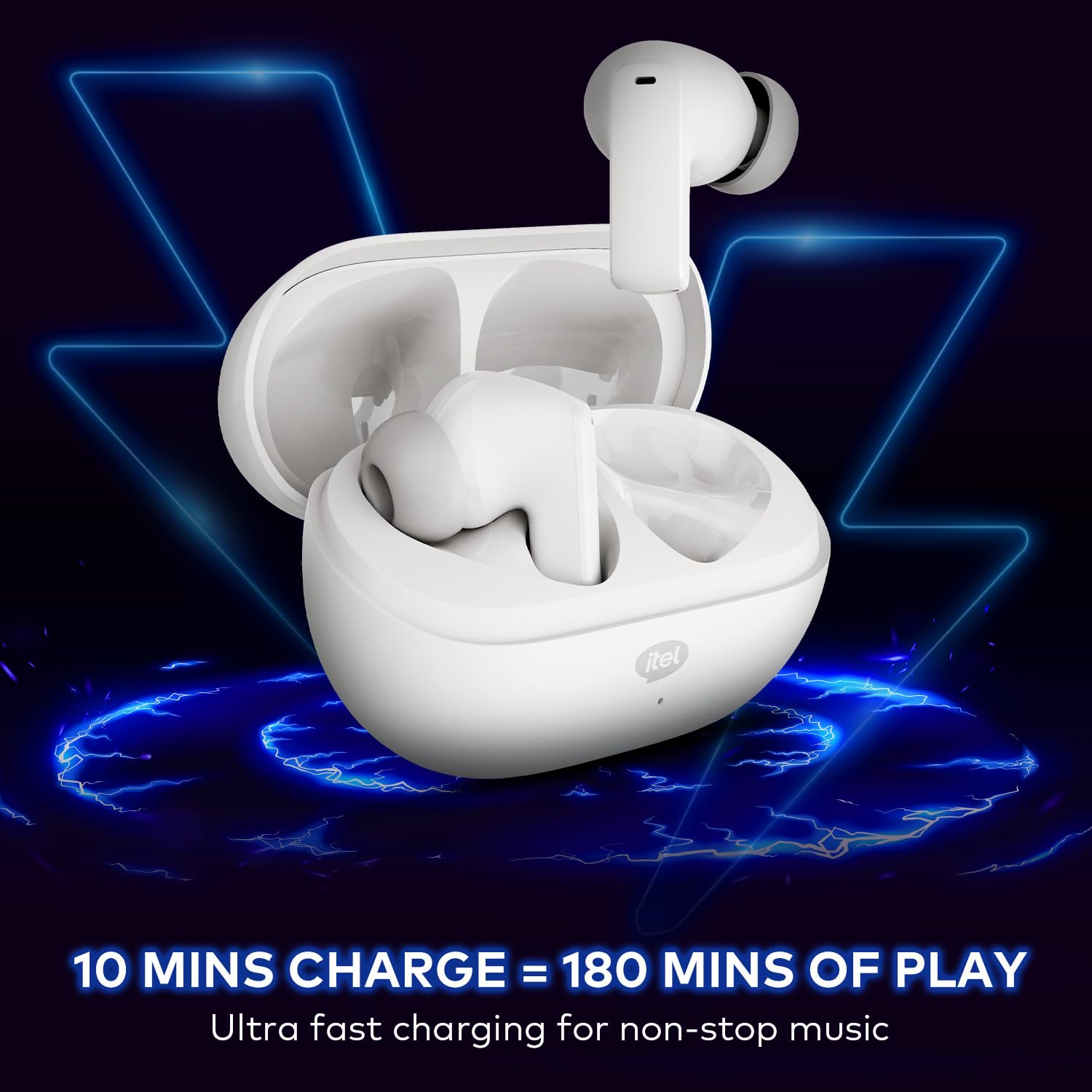
Image 3.1: itel Rhythm Pro True Wireless Earbuds removed from their charging case, showing individual earbud design.
ส่วนประกอบของเอียร์บัด:
- พื้นที่ควบคุมแบบสัมผัส: สำหรับจัดการการเล่นเพลง การโทร และผู้ช่วยเสียง
- ไมโครโฟน: For calls and AI Environmental Noise Cancellation (ENC).
- หน้าสัมผัสการชาร์จ: เชื่อมต่อกับเคสชาร์จ
- จุกหูฟัง: ให้ความกระชับและสวมใส่สบาย
ส่วนประกอบของเคสชาร์จ:
- ช่องชาร์จหูฟัง: ถือและชาร์จหูฟังเอียร์บัด
- พอร์ตชาร์จ (USB Type-C): สำหรับเชื่อมต่อสายชาร์จ
- ไฟแสดงสถานะ LED: แสดงสถานะการชาร์จและระดับแบตเตอรี่
4. การตั้งค่า
4.1 การชาร์จหูฟังและเคส
ก่อนใช้งานครั้งแรก ควรชาร์จหูฟังและกล่องชาร์จให้เต็ม
- ใส่หูฟังลงในกล่องชาร์จ ตรวจสอบให้แน่ใจว่าหูฟังอยู่ในช่องที่ถูกต้อง
- Connect the provided C-type charging cable to the charging port on the case and to a USB power source (e.g., wall adapter, computer USB port).
- The LED indicator on the charging case will show the charging status. Refer to the LED indicator guide for details (usually solid or blinking light indicates charging, solid light indicates full charge).
- A 10-minute charge provides approximately 180 minutes of playback. A full charge provides up to 100 hours of total playtime with the charging case.

Image 4.1: Earbuds placed in the charging case, indicating charging process.
4.2 การจับคู่กับอุปกรณ์บลูทูธ
The earbuds use Bluetooth V5.3 for stable and efficient connectivity.
- Open the charging case. The earbuds will automatically enter pairing mode (or power on if already charged). The LED indicator on the earbuds may flash to indicate pairing mode.
- บนอุปกรณ์ของคุณ (สมาร์ทโฟน แท็บเล็ต แล็ปท็อป) ให้เปิดใช้งาน Bluetooth
- ค้นหา available Bluetooth devices. Select "itel Rhythm Pro" from the list.
- Once connected, the earbuds will indicate successful pairing (e.g., a voice prompt or LED change).
- เมื่อถอดหูฟังออกจากเคส หูฟังจะเชื่อมต่อกับอุปกรณ์ที่จับคู่ไว้ล่าสุดโดยอัตโนมัติ หากเปิดใช้งาน Bluetooth บนอุปกรณ์

Image 4.2: Detail of an earbud highlighting Bluetooth V5.3 for connectivity.
5. คู่มือการใช้งาน
The itel Rhythm Pro earbuds feature intuitive touch controls. The exact functions may vary slightly based on your device and application.
5.1 การเล่นเพลง
- เล่น/หยุดชั่วคราว: แตะหนึ่งครั้งที่หูฟังเอียร์บัดข้างใดข้างหนึ่ง
- เพลงถัดไป: แตะสองครั้งที่หูฟังเอียร์บัดด้านขวา
- แทร็กก่อนหน้า: แตะสองครั้งที่หูฟังเอียร์บัดด้านซ้าย
- ปรับระดับเสียงขึ้น: แตะหูฟังเอียร์บัดด้านขวาสามครั้ง
- ลดเสียงลง: แตะหูฟังเอียร์บัดด้านซ้ายสามครั้ง
5.2 การจัดการการโทร
- รับ/วางสาย: แตะหนึ่งครั้งที่หูฟังเอียร์บัดข้างใดข้างหนึ่ง
- ปฏิเสธสาย: กดเอียร์บัดข้างใดข้างหนึ่งค้างไว้ 2 วินาที
5.3 ผู้ช่วยเสียง
- เปิดใช้งานผู้ช่วยเสียง (Google Assistant): กดปุ่มหูฟังข้างใดข้างหนึ่งค้างไว้ 2 วินาที (เมื่อไม่ได้อยู่ระหว่างการโทร)
5.4 เปิด/ปิดเครื่อง
- เปิดเครื่อง: เปิดเคสชาร์จหรือกดบริเวณสัมผัสบนหูฟังทั้งสองข้างค้างไว้ 3 วินาที
- หมดแรง: ใส่เอียร์บัดกลับเข้าไปในกล่องชาร์จแล้วปิดฝา หรือไม่ก็กดบริเวณสัมผัสบนเอียร์บัดทั้งสองข้างค้างไว้ 5 วินาที
6. การบำรุงรักษา
6.1 การทำความสะอาด
- ทำความสะอาดหูฟังและกล่องชาร์จเป็นประจำด้วยผ้าแห้งนุ่มที่ไม่เป็นขุย
- ถอดจุกหูฟังออกแล้วทำความสะอาดด้วยสบู่ชนิดอ่อนและน้ำ จากนั้นเช็ดให้แห้งสนิทก่อนใส่กลับเข้าไปอีกครั้ง
- ตรวจสอบให้แน่ใจว่าหน้าสัมผัสการชาร์จบนหูฟังทั้งสองข้างและเคสสะอาดและไม่มีเศษสิ่งสกปรกเพื่อให้ชาร์จได้อย่างถูกต้อง
6.2 พื้นที่จัดเก็บ
- เมื่อไม่ได้ใช้งาน ให้เก็บหูฟังไว้ในกล่องชาร์จเพื่อปกป้องหูฟังและชาร์จไฟให้หูฟังอยู่เสมอ
- เก็บไว้ในที่แห้งและเย็น ห่างจากอุณหภูมิที่สูงและแสงแดดโดยตรง
6.3 ความต้านทานน้ำ (IPX5)
The itel Rhythm Pro earbuds are IPX5 water-resistant, meaning they are protected against low-pressure water jets from any direction. This makes them suitable for workouts and light rain. They are not designed for submersion in water or exposure to heavy rain.
- ห้ามจุ่มหูฟังลงในน้ำโดยเจตนา
- Avoid using them in saunas or steam rooms.
- If the earbuds get wet, wipe them dry thoroughly before placing them back in the charging case to prevent damage to the charging contacts.

Image 6.1: The IPX5 water resistance rating ensures protection against splashes.
7 การแก้ไขปัญหา
หากคุณพบปัญหาเกี่ยวกับหูฟัง ลองทำตามวิธีต่อไปนี้:
- หูฟังไม่จับคู่:
- ตรวจสอบให้แน่ใจว่าได้ชาร์จหูฟังเอียร์บัดทั้งสองข้างแล้ว
- ปิดบลูทูธบนอุปกรณ์ของคุณและเปิดใหม่อีกครั้ง
- Forget "itel Rhythm Pro" from your device's Bluetooth list and try pairing again.
- ใส่หูฟังกลับเข้าไปในเคส ปิดฝา รอสองสามวินาที แล้วเปิดเพื่อเข้าสู่โหมดจับคู่อีกครั้ง
- มีหูฟังเพียงข้างเดียวที่ใช้งานได้:
- ตรวจสอบให้แน่ใจว่าได้ชาร์จหูฟังเอียร์บัดทั้งสองข้างแล้ว
- Try placing both earbuds back in the charging case, close the lid, then take them out again.
- Perform a factory reset (refer to specific instructions if available, otherwise try forgetting the device and re-pairing).
- ไม่มีเสียงหรือระดับเสียงต่ำ:
- ตรวจสอบระดับเสียงทั้งบนอุปกรณ์และหูฟังของคุณ
- ตรวจสอบให้แน่ใจว่าหูฟังเชื่อมต่อกับอุปกรณ์ของคุณอย่างถูกต้อง
- ทำความสะอาดเศษสิ่งสกปรกออกจากตาข่ายของลำโพงหูฟัง
- ปัญหาการชาร์จ:
- ตรวจสอบให้แน่ใจว่าสายชาร์จเชื่อมต่อกับเคสและแหล่งจ่ายไฟอย่างแน่นหนา
- ลองใช้สายชาร์จหรืออะแดปเตอร์ไฟอื่น
- ทำความสะอาดหน้าสัมผัสการชาร์จบนหูฟังและภายในเคส
8. ข้อมูลจำเพาะ
Below are the technical specifications for the itel Rhythm Pro True Wireless Earbuds:
| คุณสมบัติ | ข้อมูลจำเพาะ |
|---|---|
| ชื่อรุ่น | Rhythm Pro (BudsNeo 3) |
| เทคโนโลยีการเชื่อมต่อ | บลูทูธ V5.3 |
| ขนาดไดร์เวอร์เสียง | ไดรเวอร์ไดนามิกขนาด 10 มม. |
| การควบคุมเสียงรบกวน | ระบบตัดเสียงรบกวนจากสภาพแวดล้อมด้วย AI (ENC) |
| Playtime (Total with Case) | นานถึง 100 ชั่วโมง |
| ชาร์จเร็ว | 10 minutes charge = 180 minutes playback |
| ระดับความต้านทานต่อน้ำ | IPX5 |
| ประเภทการควบคุม | ระบบสัมผัส, ระบบสั่งงานด้วยเสียง (Google Assistant) |
| วัสดุ | โพลีคาร์บอเนต (พีซี) |
| น้ำหนักสินค้า | 46 กรัม |
| ขนาดสินค้า | 6.8 x 2.7 x 4.9 ซม. |
| ประเภทแบตเตอรี่ | Lithium Ion / Lithium Polymer |
| ช่วงบลูทูธ | 10 เมตร |
| เวลาแฝงของเสียง | 45 มิลลิวินาที |
| อิมพีแดนซ์ | 32 โอห์ม |
9. การรับประกันและการสนับสนุน
Your itel Rhythm Pro True Wireless Earbuds are covered by a standard manufacturer's warranty. Please refer to the warranty card included in your package for specific terms and conditions, including warranty period and coverage details.
For technical support, troubleshooting assistance, or warranty claims, please contact itel customer service through their official website or the contact information provided with your product documentation. Keep your purchase receipt as proof of purchase for warranty services.


