1. บทนำ
The Bose QuietComfort Wireless Noise Cancelling Earbuds deliver a high-quality audio experience with advanced noise cancellation capabilities. This manual provides essential information for the proper setup, operation, and maintenance of your earbuds to ensure optimal performance and longevity.
Key features include active noise cancellation, customizable tap controls, IPX4 water resistance, up to 8.5 hours of battery life per charge, and advanced Bluetooth 5.3 connectivity. The Bose QCE app allows for personalized sound adjustments and device management.
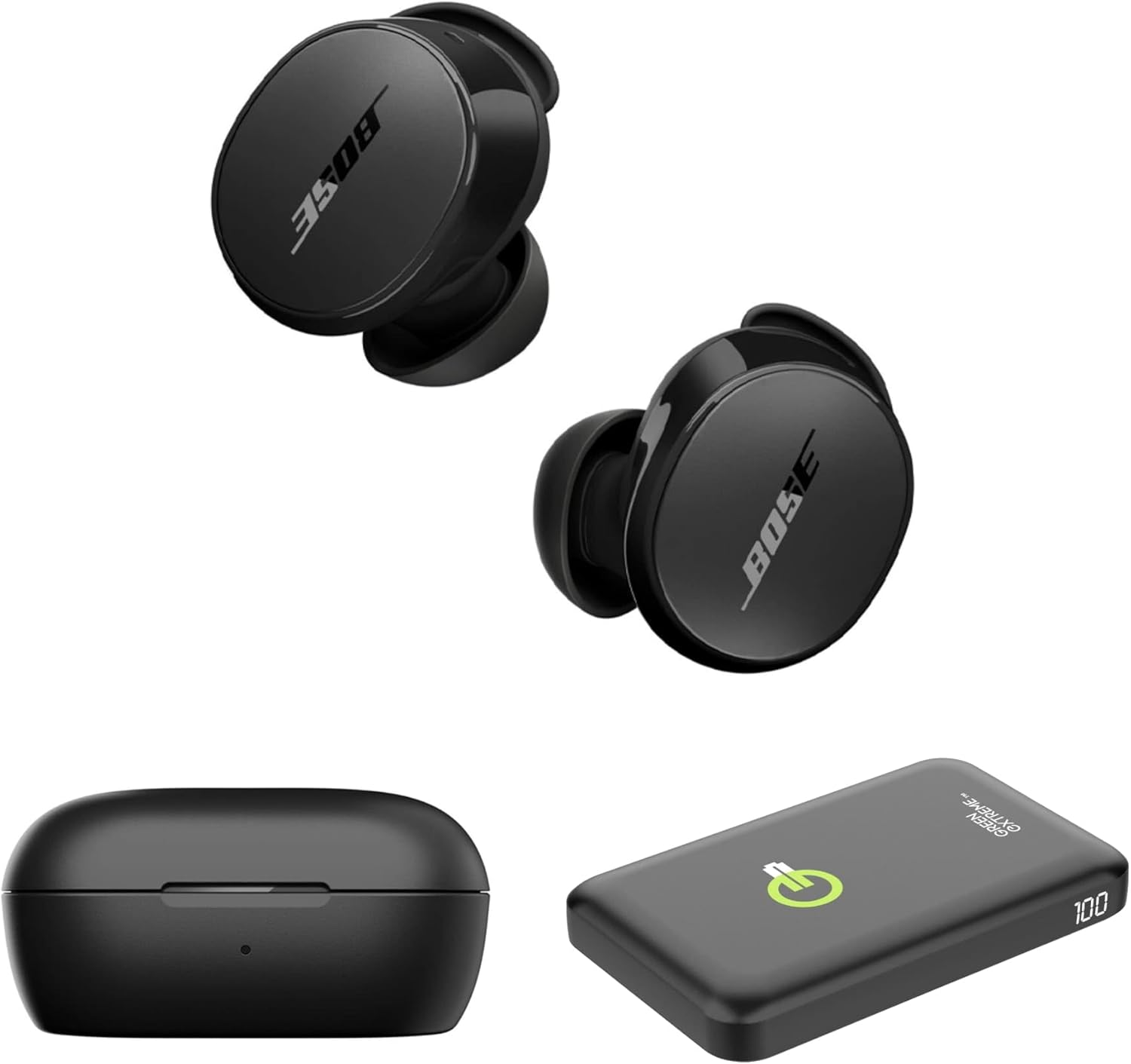
Image 1.1: Bose QuietComfort Earbuds, charging case, and Green Extreme portable charger.
2. การตั้งค่า
2.1 การแกะกล่องและส่วนประกอบ
ตรวจสอบว่าบรรจุภัณฑ์มีส่วนประกอบทั้งหมด:
- Bose QuietComfort Earbuds (Black)
- เคสชาร์จไฟ
- สาย USB-A ถึง USB-C
- Small, Medium, and Large Eartips & Stability Bands
- Green Extreme 10000mAh Qi Power Bank

Image 2.1: Bose QuietComfort Earbuds in open charging case with included eartips and stability bands.
2.2 การชาร์จหูฟังและเคส
- ใส่หูฟังลงในกล่องชาร์จ ตรวจสอบให้แน่ใจว่าใส่เข้าที่อย่างถูกต้อง
- Connect the USB-A to USB-C cable to the charging case and a power source.
- The charging case can also be charged wirelessly.
- A 20-minute charge provides approximately 2 hours of playback. Full charge provides up to 8.5 hours of playback. The case holds an additional 2.5 charges.

Image 2.2: Hand holding the Bose QuietComfort Earbuds charging case.
2.3 Selecting the Correct Fit
The earbuds come with three sizes of eartips and stability bands (S, M, L) to ensure a comfortable and secure fit. Experiment with different sizes to find the best seal for optimal sound quality and noise cancellation.
- Gently pull the eartip and stability band off the earbud.
- Select a new size and align it with the earbud.
- กดให้แน่นจนกว่าจะมีเสียงคลิกเข้าที่

Image 2.3: Close-up of Bose QuietComfort Earbuds, highlighting the design and fit components.
2.4 การจับคู่บลูทูธ
The earbuds utilize Bluetooth 5.3 for stable and efficient wireless connectivity.
- เปิดกล่องชาร์จ หูฟังจะเข้าสู่โหมดจับคู่
- บนอุปกรณ์ของคุณ (สมาร์ทโฟน แท็บเล็ต คอมพิวเตอร์) เปิดใช้งาน Bluetooth และค้นหาอุปกรณ์ที่มีอยู่
- Select "Bose QuietComfort Earbuds" from the list.
- The earbuds support multipoint connection, allowing seamless switching between multiple paired devices.
3. คู่มือการใช้งาน
3.1 Customizable Tap Controls
The earbuds feature customizable tap controls for managing audio playback and calls. These controls can be configured via the Bose QCE app.
- เล่น/หยุดชั่วคราว: แตะที่หูฟังข้างใดข้างหนึ่งเพียงครั้งเดียว
- ข้ามแทร็ก: แตะสองครั้งที่หูฟังด้านขวา
- การควบคุมระดับเสียง: Swipe up or down on the earbud surface (customizable).
- รับ/วางสาย: แตะที่หูฟังข้างใดข้างหนึ่งเพียงครั้งเดียว
3.2 ระบบตัดเสียงรบกวนแบบแอคทีฟ (ANC)
The earbuds feature active noise cancellation to reduce ambient sound. ANC settings can be adjusted through the Bose QCE app.
- โหมดเงียบ: Maximizes noise cancellation for immersive listening.
- โหมดการรับรู้: Allows some ambient sound to pass through, enhancing situational awareness.
- ปิด: ปิดการใช้งานระบบตัดเสียงรบกวน
3.3 Bose QCE App Integration
The Bose QCE app provides comprehensive control and customization options for your earbuds:
- อีควอไลเซอร์ปรับได้: Fine-tune bass, mid-range, and treble levels.
- การตั้งค่า ANC: Switch between Quiet, Aware, and Off modes.
- อายุการใช้งานแบตเตอรี่: Monitor the current battery level of each earbud and the charging case.
- ทางลัดที่กำหนดเอง: Personalize tap control functions.
- การจัดการอุปกรณ์: View and manage connected Bluetooth devices.
วิดีโอ 3.1: จบแล้วview of the Bose QuietComfort Wireless Noise Cancelling Earbuds, demonstrating key features and design.
4. การบำรุงรักษา
4.1 การทำความสะอาด
การทำความสะอาดเป็นประจำจะช่วยรักษาประสิทธิภาพและสุขอนามัยของหูฟังของคุณ
- Use a soft, dry cloth to wipe the earbuds and charging case.
- สำหรับจุกหูฟัง ให้ถอดออกจากหูฟังแล้วทำความสะอาดด้วยน้ำสบู่เจือจาง จากนั้นล้างออกและเช็ดให้แห้งสนิทก่อนใส่กลับเข้าไปใหม่
- หลีกเลี่ยงการใช้วัสดุที่มีฤทธิ์กัดกร่อนหรือสารเคมีรุนแรง
4.2 ความต้านทานต่อน้ำ
The earbuds have an IPX4 rating, meaning they are resistant to splashes, drips, and sweat. This rating does not indicate resistance to submersion in water. Avoid exposing the earbuds to excessive moisture or liquids.
5 การแก้ไขปัญหา
If you encounter issues with your Bose QuietComfort Earbuds, refer to the following common solutions:
- ไม่มีเสียง/คุณภาพเสียงไม่ดี: Ensure earbuds are properly seated in your ears with a good seal. Check the volume levels on both your device and the earbuds. Verify EQ settings in the Bose QCE app.
- ปัญหาการเชื่อมต่อ: Ensure Bluetooth is enabled on your device and the earbuds are in pairing mode. Try unpairing and re-pairing the earbuds. Ensure your device is within the 30-foot Bluetooth range.
- หูฟังเอียร์บัดไม่ชาร์จ: Ensure the earbuds are correctly placed in the charging case. Check that the charging case itself is charged or connected to a power source. Clean charging contacts if necessary.
- ระบบตัดเสียงรบกวนไม่ทำงาน: Verify ANC settings in the Bose QCE app. Ensure a proper fit of the eartips and stability bands to create an effective seal.
For further assistance, consult the Bose support webเว็บไซต์หรือติดต่อฝ่ายบริการลูกค้า
6. ข้อมูลจำเพาะ
| คุณสมบัติ | ข้อมูลจำเพาะ |
|---|---|
| ยี่ห้อ | โบส |
| หมายเลขรุ่น | 888507-ชุด |
| ยูพีซี | 192223262270 |
| เวอร์ชันบลูทูธ | 5.3 |
| ช่วงบลูทูธ | 30 ฟุต |
| อายุการใช้งานแบตเตอรี่ (หูฟัง) | นานถึง 8.5 ชั่วโมง |
| Charging Case Charges | 2.5 additional charges |
| ชาร์จเร็ว | 20 นาที เล่นได้ 2 ชั่วโมง |
| คุณสมบัติการควบคุมเสียงรบกวน | ระบบตัดเสียงรบกวนแบบแอคทีฟ |
| ระดับความต้านทานต่อน้ำ | IPX4 (ทนน้ำ) |
| วิธีการควบคุม | สัมผัส |
| ประเภทไดร์เวอร์เสียง | ไดร์เวอร์แบบไดนามิก |
| รูปทรงของหูฟัง | ปลายมน |
| วัสดุ | Plastic or Aluminum (Case) |
7. การรับประกันและการสนับสนุน
Your Bose QuietComfort Wireless Noise Cancelling Earbuds are covered by a manufacturer's warranty. Please refer to the warranty card included in your product packaging for specific terms and conditions.
For product support, frequently asked questions, and additional resources, visit the official Bose support webเว็บไซต์หรือติดต่อฝ่ายบริการลูกค้าของพวกเขา


