1. บทนำ
Thank you for choosing the LEESKY 1500W Pure Sine Wave Inverter. This device is designed to convert 12V DC power from your battery into stable 110V/120V AC power, suitable for a wide range of applications including off-grid solar systems, RVs, cars, and home backup power. With 1500W continuous output and a 3100W surge peak power for 2 seconds, it can efficiently power sensitive electronics and high-power inductive loads. Please read this manual thoroughly before operation to ensure safe and optimal performance.
2. ข้อมูลด้านความปลอดภัย
โปรดปฏิบัติตามข้อควรระวังด้านความปลอดภัยต่อไปนี้เสมอ เพื่อป้องกันการบาดเจ็บหรือความเสียหายต่ออินเวอร์เตอร์และอุปกรณ์ที่เชื่อมต่อ:
- ตรวจสอบให้แน่ใจว่ามีการระบายอากาศที่เหมาะสมรอบอินเวอร์เตอร์ อย่าปิดกั้นช่องระบายความร้อน
- ควรเก็บอินเวอร์เตอร์ให้ห่างจากน้ำ ความชื้น และวัสดุที่ติดไฟได้ง่าย
- ควรต่ออินเวอร์เตอร์เข้ากับแหล่งจ่ายไฟ DC 12V เท่านั้น การต่อกับแหล่งจ่ายไฟที่มีแรงดันไฟฟ้าต่างกันถือเป็นอันตรายtage อาจทำให้เกิดความเสียหาย
- Always connect the ground cable before connecting battery cables.
- Observe correct polarity when connecting battery cables (Red to positive, Black to negative). Reverse polarity protection is built-in, but incorrect connection should be avoided.
- ห้ามเปิดอินเวอร์เตอร์ casinก. ไม่มีชิ้นส่วนใดที่ผู้ใช้สามารถซ่อมบำรุงเองได้ภายใน
- Disconnect the inverter from the power source before performing any maintenance or cleaning.
- The inverter features 8 advanced safety protections: short circuit, input over/under-voltage, overload, over-temperature, reverse polarity, high input voltage, and low output voltagการป้องกันอี
3. สินค้าหมดview
The LEESKY 1500W Pure Sine Wave Inverter is designed for ease of use and durability. It features a robust aluminum alloy housing for excellent heat dissipation.
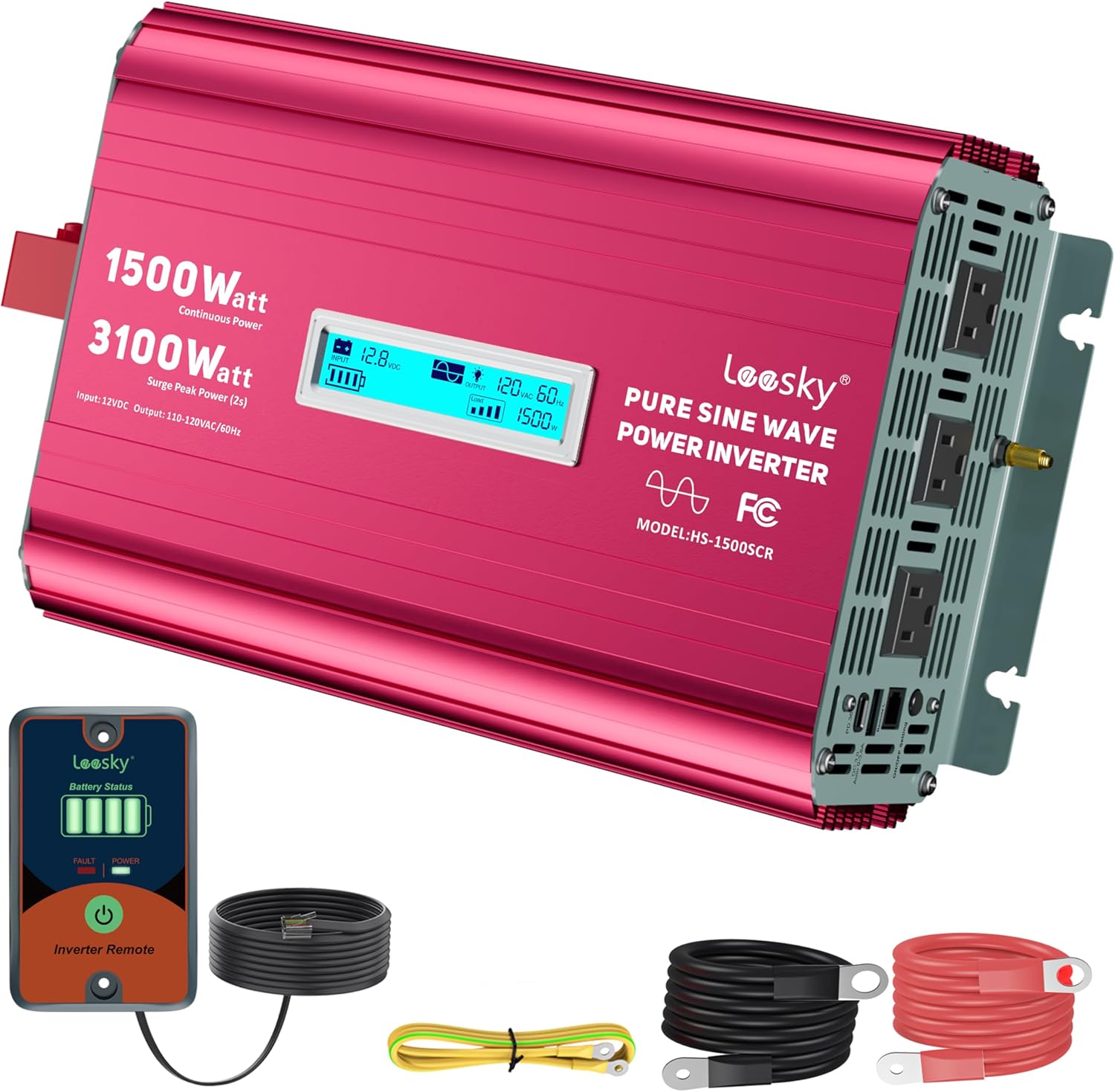
Image: The LEESKY 1500W Pure Sine Wave Inverter, showcasing its main unit, remote control, and included battery cables.
3.1 คุณสมบัติหลัก
- 1500W Continuous Power / 3100W Surge Peak Power: Capable of handling high-power inductive loads for up to 2 seconds.
- ปรับระดับเสียงอินพุตได้tage: Optimized for compatibility with various battery types, including lithium batteries, to extend battery lifespan.
- จอแสดงผล LCD: Provides real-time information on battery status, input/output voltage, load watts, and protection codes.
- รีโมทคอนโทรล: A 15ft remote for convenient power control and battery monitoring from a distance.
- Multi-Functional Output: Equipped with 3 AC outlets, 1 PD36W USB-C port, and 1 3.6A USB-A port.
- โครงสร้างทนทาน: Aluminum alloy housing with ETL-listed transformers, UL458-certified fuses, and FCC-approved anti-interference technology.

Image: The inverter's capability to handle high-power devices with its 3100W surge peak power, illustrated with a power drill and a portable cooler.

Image: A visual representation of the 8 advanced safety protections integrated into the inverter, including reverse polarity, high temperature, overload, short circuit, low input voltage, ปริมาณอินพุตสูงtage, isolated input/output, and output low voltagการป้องกันอี
4. คำแนะนำในการตั้งค่า
4.1 Connecting the Inverter to a Battery
- โปรดตรวจสอบให้แน่ใจว่าได้ปิดเครื่องแปลงกระแสไฟฟ้าแล้ว
- Connect the included ground cable to the inverter's ground terminal and then to a suitable ground point (e.g., vehicle chassis or earth ground).
- Connect the RED battery cable to the positive (+) terminal of the inverter and then to the positive (+) terminal of your 12V battery.
- Connect the BLACK battery cable to the negative (-) terminal of the inverter and then to the negative (-) terminal of your 12V battery.
- Ensure all connections are tight and secure to prevent arcing and ensure efficient power transfer.
4.2 Connecting the Remote Control
The 15ft remote controller provides convenient operation. Plug the remote control cable into the designated port on the inverter. The remote allows you to turn the inverter on/off and monitor battery status from a distance.
4.3 ระดับเสียงอินพุตที่ปรับได้tage สำหรับแบตเตอรี่ลิเธียม
This inverter features an upgraded adjustable input voltage setting, specifically designed for compatibility with lithium batteries. Refer to the detailed instructions in the full product manual for custom voltage settings to optimize performance and extend battery lifespan. This feature helps reduce battery draw and prevents premature shutdown.

Image: The inverter's compatibility with various battery types (GEL, SLA, LI, AGM, LiFePo4, USER, FLD) and its adjustable low voltage shutdown feature, shown with a table of default shutdown values for different battery chemistries.
5. คู่มือการใช้งาน
5.1 การเปิด/ปิดเครื่อง
Once connected, press the power button on the inverter or the remote control to turn the unit ON. The LCD display will illuminate, indicating operational status. Press the button again to turn OFF.
5.2 การใช้จอแสดงผล LCD
The LCD screen provides real-time data:
- สถานะแบตเตอรี่: ตัวแสดงระดับการชาร์จแบตเตอรี่
- อินพุต Voltage: แสดงค่าแรงดันไฟฟ้ากระแสตรง (DC vol)tage จากแบตเตอรี่ของคุณ
- ปริมาณการส่งออกtage: แสดงปริมาณไฟฟ้ากระแสสลับขาออกtagอี (110V/120V).
- กำลังไฟฟ้าที่ใช้: บ่งชี้การใช้พลังงานปัจจุบันของอุปกรณ์ที่เชื่อมต่อ
- รหัสป้องกัน: Displays specific codes if a protection feature is activated (e.g., overload, low voltagจ).
The screen features an automatic rest function, dimming after one minute of inactivity to save energy and prolong screen life.

ภาพ: ภาพระยะใกล้ view of the inverter's LCD display, showing real-time operational status including input voltage, ปริมาณการส่งออกtage, frequency, and current load in watts.
5.3 การเชื่อมต่อเครื่องใช้ไฟฟ้า
The inverter provides multiple output options:
- เต้ารับไฟฟ้ากระแสสลับ 3 ช่อง: For standard 110V/120V AC devices.
- 1 PD36W USB-C Port: สำหรับอุปกรณ์ที่รองรับการชาร์จเร็ว
- 1 3.6A USB-A Port: สำหรับชาร์จอุปกรณ์ต่างๆ ที่ใช้พลังงานจาก USB
Connect your devices to the appropriate outlets. Ensure the total continuous power draw of all connected devices does not exceed 1500W. For devices with high startup current (e.g., motors, compressors), ensure their surge power requirement is within the inverter's 3100W peak capacity.

Image: The inverter demonstrating its ability to power up to 5 devices simultaneously, including an air conditioner and a refrigerator, highlighting its 3 AC outlets and 2 USB outlets, often used in RV or off-grid solar setups.
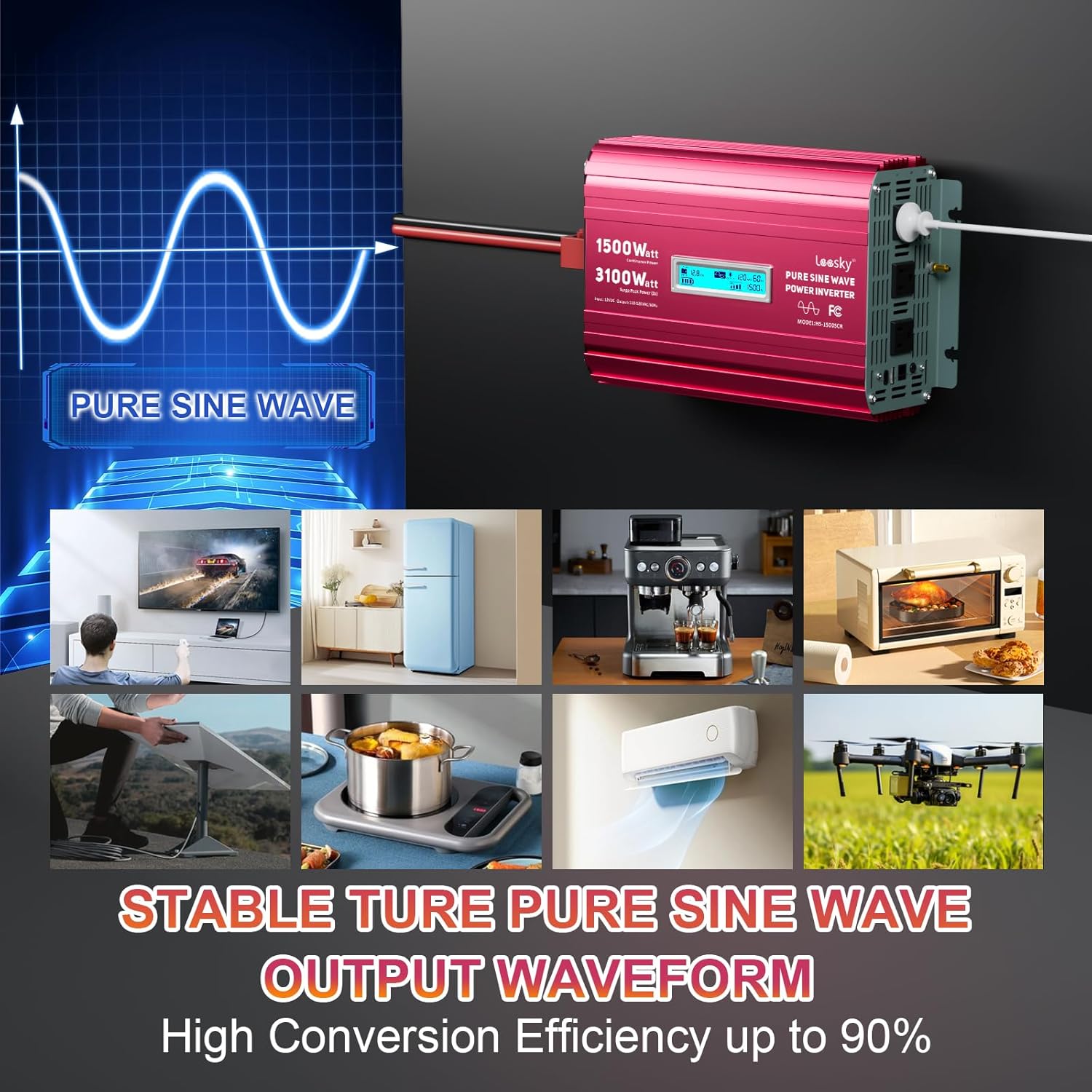
Image: Illustration of the stable pure sine wave output waveform produced by the inverter, along with examples of sensitive electronics and appliances it can power, such as TVs, refrigerators, coffee makers, microwaves, and drones.
6. การบำรุงรักษา
To ensure the longevity and optimal performance of your LEESKY inverter, follow these maintenance guidelines:
- การทำความสะอาด: ควรเช็ดทำความสะอาดภายนอกของอินเวอร์เตอร์เป็นระยะด้วยผ้าแห้งเนื้อนุ่ม ห้ามใช้น้ำยาทำความสะอาดหรือสารละลายใดๆ
- การระบายอากาศ : Ensure the cooling vents are free from dust and debris. Use compressed air to clear any blockages if necessary.
- การเชื่อมต่อ: Regularly check all cable connections (battery and ground) to ensure they remain tight and free from corrosion.
- พื้นที่จัดเก็บ: หากต้องเก็บรักษาอินเวอร์เตอร์เป็นเวลานาน ควรตัดการเชื่อมต่อจากแบตเตอรี่และเก็บไว้ในที่แห้งและเย็น
7 การแก้ไขปัญหา
หากคุณพบปัญหาเกี่ยวกับอินเวอร์เตอร์ โปรดดูปัญหาและวิธีแก้ไขทั่วไปต่อไปนี้:
| ปัญหา | สาเหตุที่เป็นไปได้ | สารละลาย |
|---|---|---|
| ไม่มีไฟออก / อินเวอร์เตอร์ไม่ทำงาน | ขั้วต่อแบตเตอรี่หลวม; แรงดันแบตเตอรี่ต่ำtage; Blown fuse; Inverter in protection mode. | Check and tighten all battery connections; Recharge or replace battery; Check internal fuses (contact support if unsure); Turn inverter off, disconnect load, and restart. |
| Overload protection activated (LCD shows overload code) | Connected load exceeds inverter's continuous or surge rating. | ลดปริมาณน้ำรวมtage of connected devices; Disconnect high-power devices and restart. |
| ปริมาณต่ำtagสัญญาณเตือน/ปิดเครื่อง | ปริมาณแบตเตอรี่tagอีต่ำเกินไป | ชาร์จแบตเตอรี่ทันที |
| เปิดใช้งานการป้องกันอุณหภูมิเกินแล้ว | Poor ventilation; Excessive load; High ambient temperature. | Ensure adequate ventilation; Reduce load; Allow inverter to cool down. |
| No USB or Type-C output | Inverter not powered on; Device not compatible or cable faulty. | Ensure inverter is ON; Try a different USB cable or device. |
8. ข้อมูลจำเพาะ
| คุณสมบัติ | รายละเอียด |
|---|---|
| ชื่อรุ่น | HS-1500SCR |
| วัดtage | 1500 watts (Continuous) |
| กำลังไฟสูงสุดกระชาก | 3100 วัตต์ (เป็นเวลา 2 วินาที) |
| อินพุต Voltage | กระแสตรง 12 โวลต์ |
| ปริมาณการส่งออกtage | กระแสไฟสลับ 110V/120V |
| รูปคลื่นเอาท์พุต | เพียวไซน์เวฟ |
| ขนาดสินค้า | 13.2 x 8 x 4 นิ้ว |
| น้ำหนักสินค้า | 9.9 ปอนด์ |
| เอาท์พุต USB-C | PD36W |
| เอาต์พุต USB-A | 3.6เอ |
| Remote Control Cable Length | 15 ฟุต |
| แหล่งพลังงาน | ใช้พลังงานแสงอาทิตย์และแบตเตอรี่ |
9. อะไรอยู่ในกล่อง
Your LEESKY 1500W Pure Sine Wave Inverter package includes:
- อินเวอร์เตอร์คลื่นไซน์บริสุทธิ์ LEESKY 1500 วัตต์ จำนวน 1 เครื่อง
- 1 x 15FT Battery Monitor Remote Controller
- 2 x Battery Cables (Red and Black)
- สายดิน 1 เส้น
- 1 x คู่มือผู้ใช้ (เอกสารนี้)

Image: A visual representation of all items included in the product package, such as the inverter unit, remote control with its cable, battery cables, and shockproof pads, along with their approximate dimensions.
10. การรับประกันและการสนับสนุน
The LEESKY 1500W Pure Sine Wave Inverter comes with an 18-month warranty. The product is backed by AIG product liability insurance and 24/7 customer support.
For technical assistance, warranty claims, or any questions, please contact LEESKY customer support through the retailer's platform or the contact information provided in your purchase documentation.


