1. บทนำ
The myCharge Power + Plug Max 20K is a compact portable power bank designed to provide extended battery life for your electronic devices. It features a built-in USB-C cable and a folding wall plug for convenient recharging. This device is capable of charging two devices simultaneously, offering up to 120 hours of additional battery life.
คุณสมบัติหลัก:
- แบตเตอรี่ภายใน 20,000mAh: Provides substantial power for multiple charges.
- สาย USB-C ในตัว: Integrated cable for direct device charging.
- ปลั๊กติดผนังแบบพับได้: Allows for direct wall charging of the power bank without extra adapters.
- พอร์ต USB-C เพิ่มเติม: Enables simultaneous charging of a second device.
- การออกแบบที่กะทัดรัดและน้ำหนักเบา: พกพาสะดวก เหมาะสำหรับการเดินทาง
- เป็นมิตรกับสิ่งแวดล้อม: Built-in features reduce the need for extra adapters and cables, minimizing e-waste.
2. สินค้าหมดview
Familiarize yourself with the components of your myCharge Power + Plug portable charger.

รูปที่ 2.1: ด้านหน้า view of the myCharge Power + Plug portable charger, showing the sleek black design and the integrated USB-C charging cable.

รูปที่ 2.2: The portable charger demonstrating its built-in foldable wall plug, shown both extended and plugged into a wall outlet for convenient recharging.

รูปที่ 2.3: The power bank actively charging an iPhone via its built-in cable, illustrating its compatibility with various Apple and Android devices including smartphones, tablets, earbuds, headphones, and speakers.
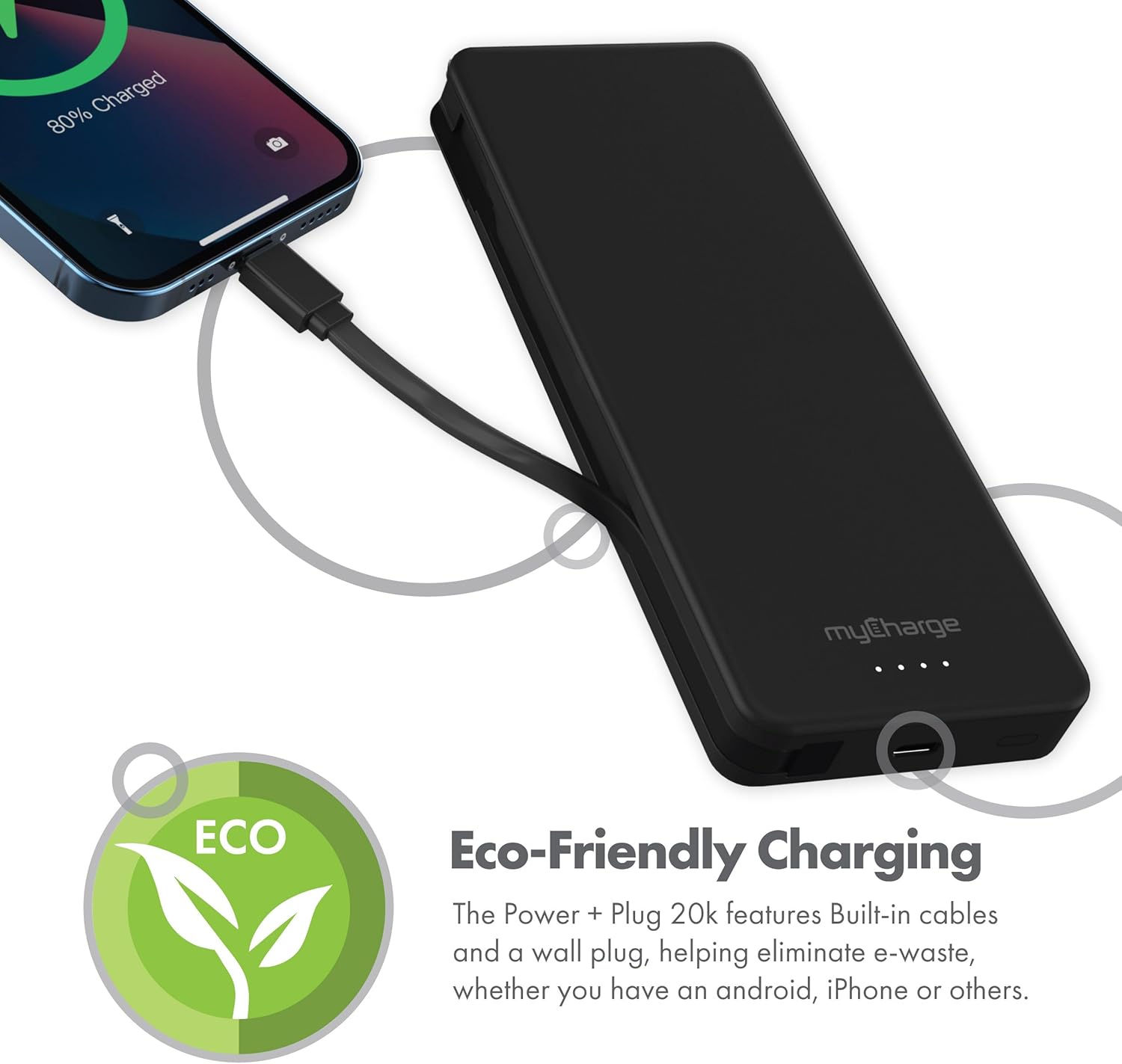
รูปที่ 2.4: The device charging an iPhone, highlighting its eco-friendly design with built-in cables and wall plug to reduce electronic waste.
3. การตั้งค่า
3.1 การชาร์จ Power Bank ครั้งแรก
- Locate the foldable wall plug on the back of the power bank.
- Flip down the prongs of the wall plug.
- Plug the power bank directly into a standard wall outlet.
- The LED indicator lights on the front of the power bank will illuminate to show the charging status. All four lights will be solid when fully charged.
3.2 ทำความเข้าใจเกี่ยวกับไฟ LED
The myCharge Power + Plug features four LED lights on its front surface to indicate the remaining battery life and charging status:
- ไฟส่องสว่างสี่ดวง: 75-100% charged.
- ไฟส่องสว่างสามดวง: 50-75% charged.
- ไฟส่องสว่างสองดวง: 25-50% charged.
- แสงสว่างที่สม่ำเสมอ: 0-25% charged.
- ไฟกระพริบ: Indicates the power bank is actively charging.
4. คู่มือการใช้งาน
4.1 Charging a Single Device
- For devices with a USB-C port, extend the built-in USB-C cable from the side of the power bank.
- Connect the USB-C cable directly to your device's charging port.
- พาวเวอร์แบงค์จะเริ่มชาร์จอุปกรณ์ของคุณโดยอัตโนมัติ
4.2 Charging Two Devices Simultaneously
- Connect your first device using the built-in USB-C cable as described above.
- For your second device, use your own USB-C to USB-C or USB-C to Lightning cable.
- Plug one end of your cable into the additional USB-C port on the power bank.
- Connect the other end of your cable to your second device.
- Both devices will charge simultaneously.
4.3 วิดีโอผลิตภัณฑ์อย่างเป็นทางการ
Watch this official video from myCharge for a visual guide on using the Power + Plug 20K:
4.1 วิดีโอ: An official product video from myCharge demonstrating the features and usage of the myCharge Power + Plug 20K portable charger, including its built-in cables and wall plug.
5. การบำรุงรักษา
- การทำความสะอาด: ใช้ผ้านุ่มและแห้งเช็ดทำความสะอาดภายนอกพาวเวอร์แบงค์ หลีกเลี่ยงการใช้สารเคมีรุนแรงหรือวัสดุที่มีฤทธิ์กัดกร่อน
- พื้นที่จัดเก็บ: เก็บพาวเวอร์แบงค์ไว้ในที่แห้งและเย็น หลีกเลี่ยงแสงแดดโดยตรงและอุณหภูมิที่สูงหรือต่ำเกินไป
- การดูแลแบตเตอรี่ To prolong battery life, fully charge the power bank at least once every three months, even if not in regular use.
- หลีกเลี่ยงความเสียหาย: Do not drop, puncture, or disassemble the device. Keep it away from water and high humidity.
6 การแก้ไขปัญหา
| ปัญหา | สาเหตุที่เป็นไปได้ | สารละลาย |
|---|---|---|
| พาวเวอร์แบงค์ชาร์จไม่เข้า | Wall plug not fully extended or not properly seated in outlet. Outlet is not active. | Ensure the wall plug is fully extended and securely plugged into a working wall outlet. Try a different outlet. |
| อุปกรณ์ไม่ได้ชาร์จจากพาวเวอร์แบงค์ | Power bank battery is depleted. Cable is not properly connected. Device is not compatible. | Recharge the power bank. Ensure cables are securely connected to both the power bank and the device. Verify device compatibility with USB-C charging. |
| ชาร์จช้า | Using a non-optimal cable or adapter. Device drawing high power. | Ensure you are using the built-in USB-C cable or a high-quality USB-C cable. Close unnecessary applications on your device. |
| ไฟ LED แสดงสถานะไม่ทำงาน | พาวเวอร์แบงค์หมดเกลี้ยงแล้ว | Plug the power bank into a wall outlet and allow it to charge for a few minutes. The lights should eventually illuminate. |
7. ข้อมูลจำเพาะ
| หมายเลขรุ่น | AP20K |
| ความจุของแบตเตอรี่ | 20,000 มิลลิแอมป์ |
| ประเภทแบตเตอรี่ | ลิเธียมโพลีเมอร์ (รวม 2 ชิ้น) |
| ขนาดสินค้า | 5.9 x 2.84 x 1 นิ้ว |
| น้ำหนักสินค้า | 1.06 ปอนด์ |
| ประเภทขั้วต่อ | Built-in USB-C cable & additional USB-C port |
| สี | 20000 mAh - Black |
| ผู้ผลิต | มายชาร์จ |
| ประเทศต้นกำเนิด | จีน |
8. การรับประกันและการสนับสนุน
The myCharge Power + Plug portable charger is covered by a รับประกัน 1 ปี ตั้งแต่วันที่ซื้อ การรับประกันนี้ครอบคลุมถึงข้อบกพร่องในวัสดุและฝีมือการผลิตภายใต้การใช้งานปกติ
For warranty claims, technical support, or any inquiries regarding your product, please visit the official myCharge webหรือติดต่อฝ่ายบริการลูกค้า โปรดเก็บหลักฐานการซื้อไว้เพื่อใช้ยืนยันการรับประกัน
Note: Warranty terms may vary. Please refer to the official myCharge website or product packaging for the most current and detailed warranty information.


