1. บทนำ
Welcome to the user manual for your new SUAAT S6 11-inch Android Tablet. This tablet is designed to provide a versatile and powerful computing experience, whether for work, study, or entertainment. Featuring the latest Android 14 system, an octa-core processor, ample memory, and a vibrant HD touchscreen, it is built for efficiency and enjoyment.

Image: The SUAAT S6 11-inch Android Tablet, showcasing its sleek design and key features like 8000mAh battery, Android 14, 24GB RAM, 256GB storage, 5G Wi-Fi, and Widevine L1 support.
2. อะไรอยู่ในกล่อง
เมื่อเปิดแพ็คเกจของคุณ โปรดตรวจสอบให้แน่ใจว่ามีสิ่งของทั้งหมดต่อไปนี้อยู่:
- SUAAT S6 11-inch Android Tablet
- เคสป้องกัน
- ฟิล์มกันรอยหน้าจอ (ติดมาให้แล้ว หรือแยกจำหน่าย)
- เครื่องชาร์จ
- สายชาร์จ
3. การตั้งค่าเริ่มต้น
3.1 การชาร์จแท็บเล็ต
Before first use, it is recommended to fully charge your tablet. Connect the provided charging cable to the tablet's Type-C port and the charger to a power outlet. The battery indicator on the screen will show charging progress.
3.2 เปิด/ปิดเครื่อง
- การเปิดเครื่อง: Press and hold the Power button located on the side of the tablet until the SUAAT logo appears.
- วิธีปิดเครื่อง: กดปุ่มเปิด/ปิดค้างไว้จนกระทั่งเมนูตัวเลือกพลังงานปรากฏขึ้น เลือก "ปิดเครื่อง" และยืนยัน
- ในการรีสตาร์ท: จากเมนูตัวเลือกพลังงาน เลือก "รีสตาร์ท" และยืนยัน
3.3 การกำหนดค่าเริ่มต้น
เมื่อเปิดเครื่องครั้งแรก แท็บเล็ตจะแนะนำคุณผ่านกระบวนการตั้งค่าเริ่มต้น โปรดทำตามคำแนะนำบนหน้าจอเพื่อ:
- เลือกภาษาของคุณ
- เชื่อมต่อกับเครือข่าย Wi-Fi
- ลงชื่อเข้าใช้ด้วยบัญชี Google ของคุณหรือสร้างบัญชีใหม่
- ตั้งค่าการล็อกหน้าจอ (รหัส PIN, รูปแบบ, รหัสผ่าน หรือปลดล็อกด้วยใบหน้า)
- Review และยอมรับข้อกำหนดและเงื่อนไข
4. การใช้งานแท็บเล็ตของคุณ
4.1 Android 14 System and Performance
Your SUAAT S6 tablet runs on the latest Android 14 operating system, offering enhanced privacy features, improved performance, and a user-friendly interface. The high-quality T606 octa-core processor ensures smooth multitasking and efficient operation for all your applications.

Image: Visual representation of the Android 14 system, highlighting features like convenient multitasking with Taskbar, enhanced Privacy & Security for managing permissions, and Parental Control options.
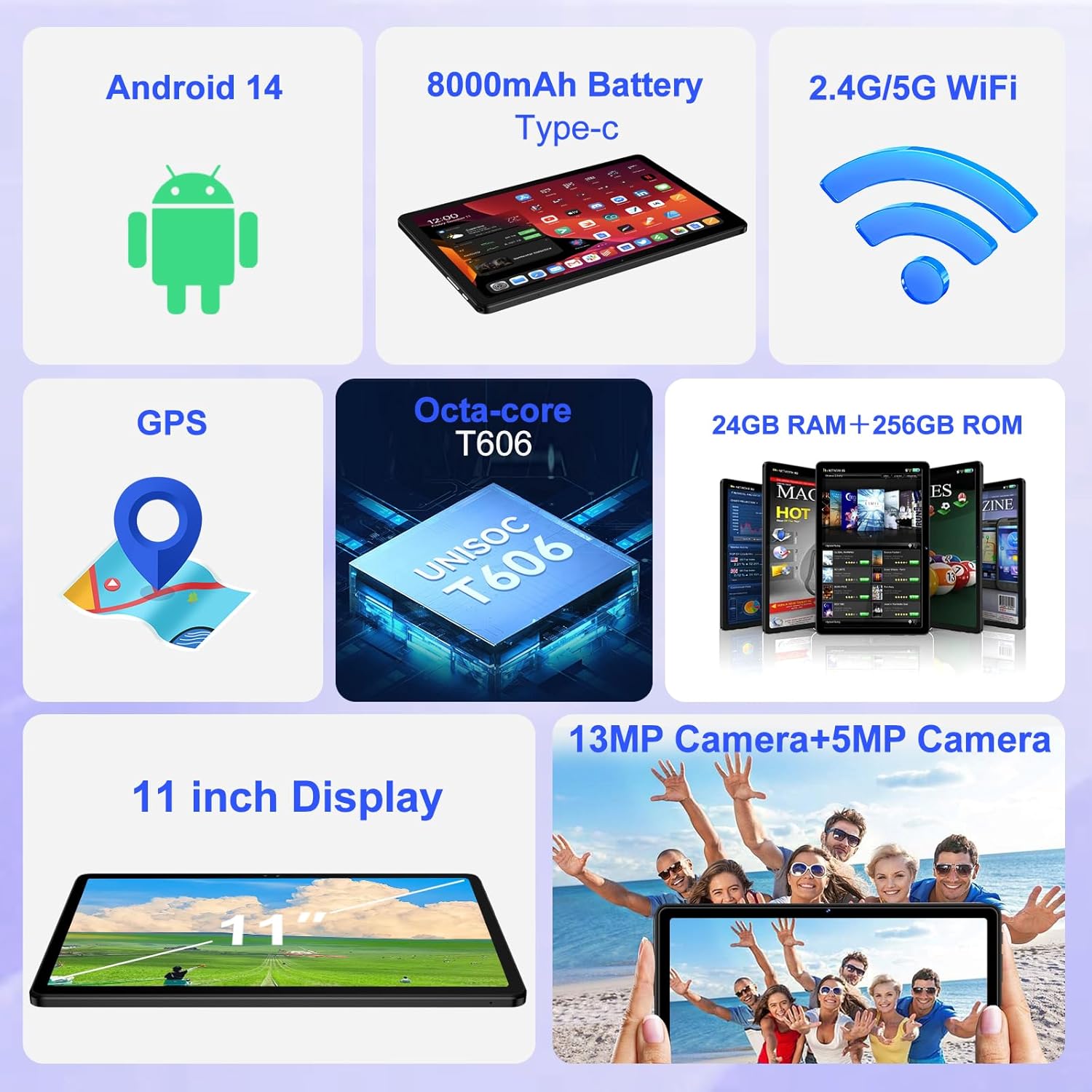
ภาพ: โอเวอร์view of the tablet's core features, including Android 14, 8000mAh battery, 2.4G/5G WiFi, GPS, Octa-core T606 processor, 24GB RAM + 256GB ROM, 13MP + 5MP cameras, and an 11-inch display.
4.2 การแสดงผล
The tablet features a large 11-inch IPS HD touchscreen with a resolution of 1280x800 pixels, providing clear and vibrant visuals. The screen is made with tempered glass for increased durability. It also supports Widevine L1, allowing you to stream high-definition content from popular services.

Image: The 11-inch HD display, illustrating its 1280x800 FHD resolution, 16:10 aspect ratio, and In-cell multi-touch technology.

Image: Comparison showing the difference between Widevine L1 (1080P) and L3, demonstrating the superior high-definition streaming quality supported by SUAAT tablets.
4.3 หน่วยความจำและที่เก็บข้อมูล
The tablet comes with 24GB of RAM (8GB physical + 16GB virtual) and 256GB of internal storage. Storage can be expanded up to 1TB using a Micro SD card (not included), providing ample space for apps, photos, videos, and documents.
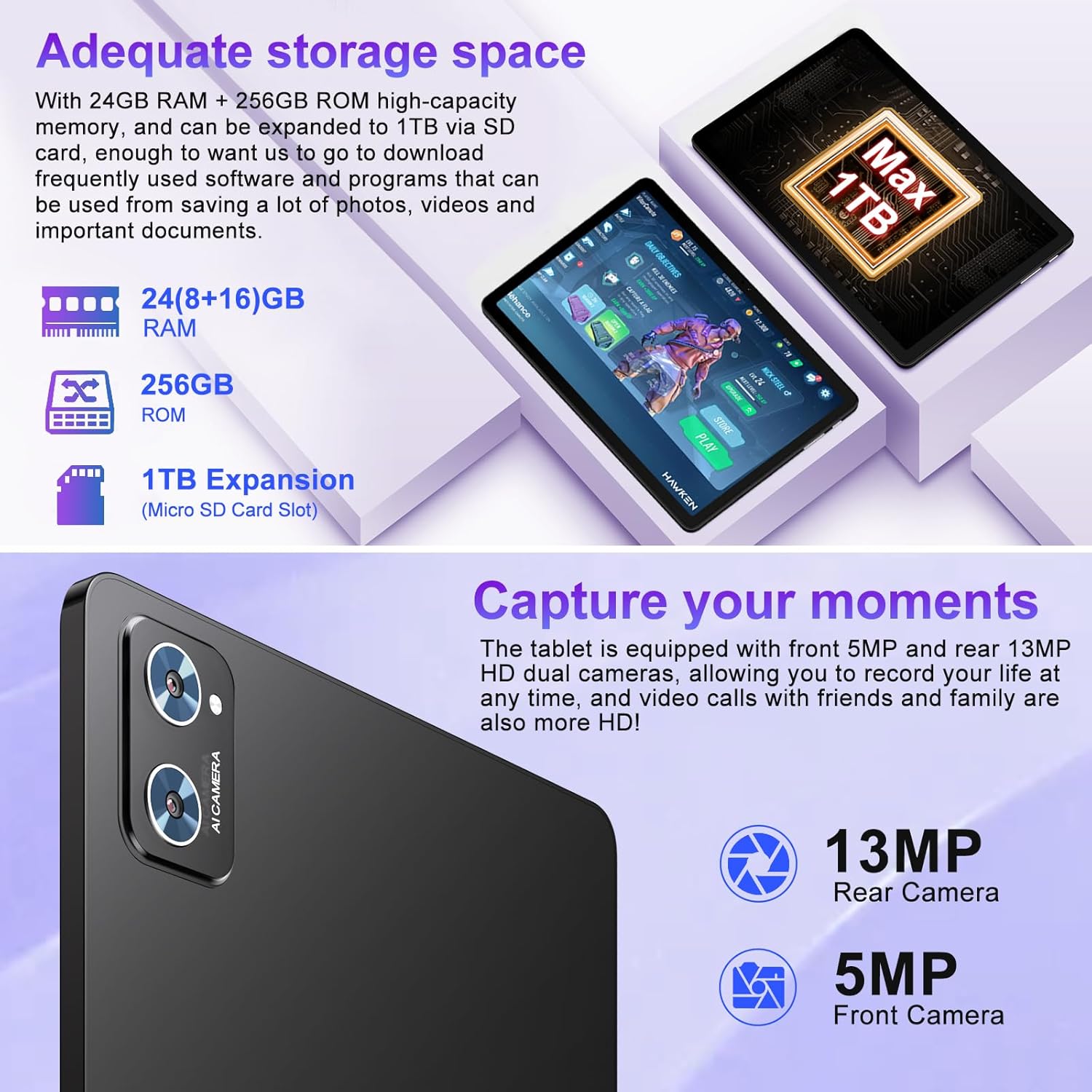
Image: Illustration of the tablet's storage capabilities, showing 24GB RAM, 256GB ROM, and 1TB Micro SD card expansion.
กล้อง 4.4 ตัว
Capture your moments with the tablet's dual cameras: a 5MP front camera for clear video calls and selfies, and a 13MP rear camera for high-resolution photos and videos.
ภาพ: ระยะใกล้ view of the tablet's rear camera module, indicating the 13MP rear camera and 5MP front camera capabilities for capturing moments and high-definition video calls.
4.5 Battery Life and Connectivity
Equipped with an 8000mAh battery, the tablet offers extended usage times, with an average of 8 hours of battery life. It supports both 5G and 2.4G Wi-Fi for fast and stable internet connections, and Bluetooth 5.0 for seamless pairing with accessories and easy file transfers. GPS functionality is also integrated for navigation.

Image: Visual representation of the tablet's 8000mAh high-capacity battery, indicating approximate usage times: 8 hours for music, 6 hours for web browsing, and 5 hours for gaming.
5. การบำรุงรักษาและการดูแล
- การทำความสะอาด: ใช้ผ้านุ่มที่ไม่เป็นขุยทำความสะอาดหน้าจอและตัวเครื่อง หลีกเลี่ยงน้ำยาทำความสะอาดหรือตัวทำละลายที่มีฤทธิ์กัดกร่อน
- พื้นที่จัดเก็บ: เก็บยาเม็ดไว้ในที่แห้งและเย็น หลีกเลี่ยงแสงแดดโดยตรงและอุณหภูมิที่สูงหรือต่ำเกินไป
- การดูแลแบตเตอรี่ To prolong battery life, avoid fully discharging the tablet frequently. Charge it regularly, but do not leave it plugged in for extended periods after it's fully charged.
- การอัปเดตซอฟต์แวร์: ตรวจสอบและติดตั้งการอัปเดตระบบเป็นประจำเพื่อให้มั่นใจถึงประสิทธิภาพและความปลอดภัยที่เหมาะสมที่สุด
- การป้องกัน: Always use the provided protective case and screen protector to guard against drops and scratches.
6 การแก้ไขปัญหา
| ปัญหา | สาเหตุที่เป็นไปได้ | สารละลาย |
|---|---|---|
| แท็บเล็ตไม่เปิด | แบตเตอรี่อ่อน ระบบขัดข้อง | ชาร์จแท็บเล็ตอย่างน้อย 30 นาที กดปุ่มเปิด/ปิดค้างไว้ 10-15 วินาทีเพื่อบังคับให้รีสตาร์ท |
| ปัญหาการเชื่อมต่อ Wi-Fi | รหัสผ่านไม่ถูกต้อง ปัญหาเราเตอร์ แท็บเล็ตปิดใช้งาน Wi-Fi | Ensure correct password. Restart your Wi-Fi router. Toggle Wi-Fi off/on in tablet settings. |
| ประสิทธิภาพการทำงานช้า | มีแอปพลิเคชันเปิดใช้งานมากเกินไป พื้นที่เก็บข้อมูลเหลือน้อย ซอฟต์แวร์ล้าสมัย | Close unused apps. Clear cache. Free up storage. Check for system updates. |
| แบตเตอรี่หมดเร็วมาก | High screen brightness; background apps; poor signal. | Reduce screen brightness. Close background apps. Disable unused features like GPS/Bluetooth. |
7. ข้อมูลจำเพาะทางเทคนิค
| คุณสมบัติ | รายละเอียด |
|---|---|
| ยี่ห้อ | ซัวต |
| ชื่อรุ่น | S6 |
| ระบบปฏิบัติการ | แอนดรอยด์ 14 |
| โปรเซสเซอร์ | Octa-core T606 (2 GHz) |
| แรม | 24GB (8GB หน่วยความจำจริง + 16GB หน่วยความจำเสมือน) |
| การจัดเก็บข้อมูลภายใน | 256GB |
| พื้นที่เก็บข้อมูลแบบขยายได้ | รองรับความจุสูงสุด 1TB ผ่านการ์ด Micro SD |
| ขนาดหน้าจอ | 11 นิ้ว |
| ความละเอียดหน้าจอ | 1280 x 800 พิกเซล (IPS HD) |
| กล้องหน้า | 5MP |
| กล้องหลัง | 13MP |
| ความจุของแบตเตอรี่ | 8000mAh |
| อายุการใช้งานแบตเตอรี่โดยเฉลี่ย | 8 ชั่วโมง |
| การเชื่อมต่อแบบไร้สาย | 802.11ac (5G/2.4G WiFi), Bluetooth 5.0 |
| การนำทาง | จีพีเอส |
| น้ำหนักสินค้า | 1.15 ปอนด์ |
| ขนาดสินค้า | 10.16 x 6.61 x 0.32 นิ้ว |
| สี | สีดำ |
8. การรับประกันและการสนับสนุน
Your SUAAT S6 tablet comes with a รับประกัน 2 ปี, as mentioned by customer reviews. For any technical assistance, troubleshooting beyond this manual, or warranty claims, please contact SUAAT customer support. Refer to the contact information provided with your product packaging or visit the official SUAAT webเว็บไซต์สำหรับรายละเอียดการสนับสนุน
SUAAT is committed to providing professional technical support and 24-hour after-sales service to ensure customer satisfaction.


