การแนะนำ
This manual provides comprehensive instructions for the setup, operation, maintenance, and troubleshooting of your Divoom Ditoo and Tiivoo-2 Pixel Art Bluetooth Speakers. Please read this manual carefully before using your device to ensure optimal performance and longevity.
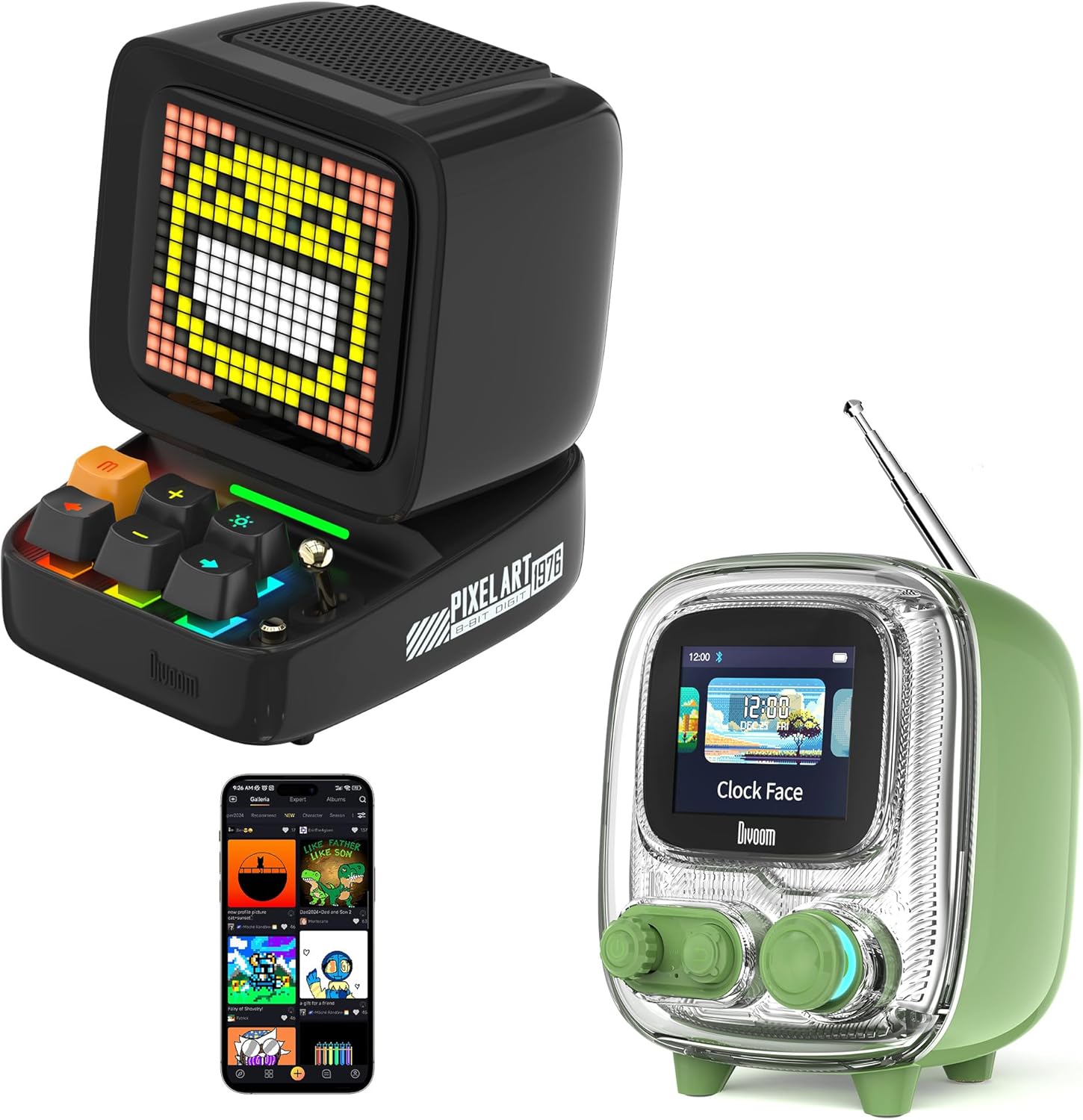
Image: The Divoom Ditoo (left) and Tiivoo-2 (right) Pixel Art Bluetooth Speakers, showcasing their distinct retro designs and pixel displays.
1. การตั้งค่า
1.1 การแกะกล่องและเนื้อหาภายในบรรจุภัณฑ์
Carefully unpack your Divoom speaker and verify that all components are present.
- Divoom Ditoo or Tiivoo-2 Speaker
- สายไฟ
- อะแดปเตอร์แปลงไฟ
- คู่มือการใช้งาน (เอกสารนี้)
1.2 การเปิดเครื่องและการชาร์จ
Before first use, it is recommended to fully charge your speaker. Connect the provided power cord and adapter to the speaker's charging port and a power outlet. The charging indicator will show the charging status.
1.3 การจับคู่บลูทูธ
- Ensure your Divoom speaker is powered on.
- เปิดใช้งานบลูทูธบนอุปกรณ์พกพาของคุณ (สมาร์ทโฟน แท็บเล็ต ฯลฯ)
- ค้นหา อุปกรณ์บลูทูธที่พร้อมใช้งาน
- Select "Divoom Ditoo" or "Divoom Tiivoo-2" from the list to pair.
- A confirmation sound or message on the speaker's display will indicate successful pairing.
1.4 Divoom App Installation
To unlock the full potential of your Divoom speaker, download the official Divoom app. The app allows for pixel art creation, access to the pixel art community, advanced settings, and more.
- สำหรับอุปกรณ์ iOS: ค้นหา "Divoom" in the Apple App Store.
- สำหรับอุปกรณ์ Android: ค้นหา "Divoom" in the Google Play Store.

Image: The Divoom Ditoo speaker displaying pixel art, alongside a smartphone screen showing the Divoom app interface for pixel art creation.
2. คู่มือการใช้งาน
2.1 Basic Controls (Ditoo)
The Ditoo speaker features a retro keyboard and joystick for intuitive control.

ภาพ: ภาพระยะใกล้ view of the Divoom Ditoo speaker, highlighting its mechanical keyboard-style buttons and joystick for interaction.
- ปุ่มเปิด/ปิด: Press and hold to power on/off. Short press to switch display modes.
- จอยสติ๊ก: Navigate menus, adjust volume, or change tracks depending on the mode.
- Keyboard Buttons: Specific functions vary by mode (e.g., play/pause, next/previous track, confirm selection). Refer to the in-app guide for detailed button mappings.
2.2 Basic Controls (Tiivoo-2)
The Tiivoo-2 speaker features rotary knobs and buttons for control, resembling a vintage television.

ภาพ: ภาพระยะใกล้ view of the Divoom Tiivoo-2 speaker, showing its two rotary knobs and central display, designed to resemble a retro TV.
- ปุ่มหมุน: Typically control volume, menu navigation, or FM radio tuning.
- ปุ่ม: Power, play/pause, mode selection, etc.
2.3 Pixel Art Creation and Community
Utilize the Divoom app to design your own pixel art. You can draw images, create animations, and share them with a global community of over 1000 designers. Explore the gallery for inspiration and download existing pixel art to display on your speaker.

Image: The Divoom Tiivoo-2 speaker displaying pixel art, with a smartphone screen showing the Divoom app's pixel art creation interface, surrounded by various pixel art designs.
2.4 การเล่นเพลง
Once paired via Bluetooth, your Divoom speaker functions as a high-quality audio output device. Play music from your connected device, and control playback (play/pause, skip tracks, volume) using the speaker's physical controls or the Divoom app.

Image: A Divoom Ditoo speaker displaying an equalizer, with text overlays indicating "Super Bass," "360° Surround Sound," and "10H Playback Time," emphasizing its audio capabilities.
2.5 FM Radio (Tiivoo-2 Specific)
The Tiivoo-2 model includes an FM radio tuner. Extend the antenna for better reception. Use the rotary knobs to scan for and select FM stations. The current station frequency will be displayed on the screen.
2.6 Smart Alarm and Clock Functions
Your Divoom speaker can function as a smart alarm clock. Set alarms, customize alarm tones, and utilize built-in white noise features through the Divoom app to aid sleep or focus. The speaker can display time and weather conditions.
2.7 Social Media Notifications
Configure the Divoom app to receive visual notifications from your social media accounts directly on the speaker's display.
2.8 Pixel Games
The Divoom app offers a selection of pixel games that can be played directly on your speaker's display, providing entertainment and interaction.
2.9 Photo Album Casting
The Divoom app allows you to cast images from your photo album to the speaker's display, turning it into a digital photo frame for preserving moments.
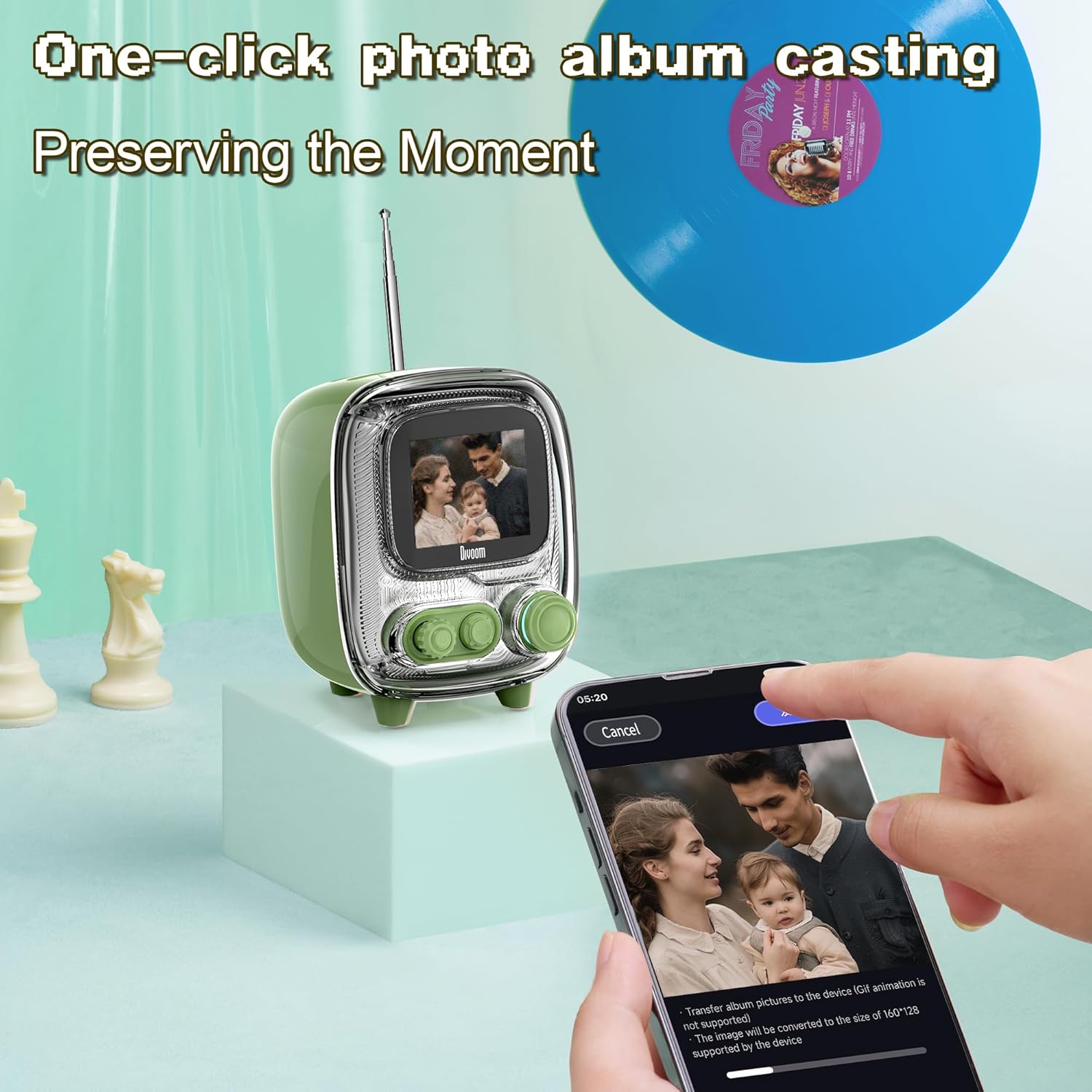
Image: The Divoom Tiivoo-2 speaker displaying a family photo, with a smartphone screen showing the Divoom app's interface for casting images from a photo album.

ภาพ: ภาพตัดปะแสดงasing four key features of the Divoom speakers: White Noise for sleeping aid, Alarm Clock with countdown timer, Pixel Games with 15 relaxation games, and DIY Pixel Art creation.
3. การบำรุงรักษา
To ensure the longevity and optimal performance of your Divoom speaker, follow these maintenance guidelines:
- การทำความสะอาด: Use a soft, dry, lint-free cloth to clean the speaker's exterior. Avoid abrasive cleaners, solvents, or spray cleaners directly on the device.
- พื้นที่จัดเก็บ: เมื่อไม่ได้ใช้งานเป็นเวลานาน ควรเก็บลำโพงไว้ในที่แห้งและเย็น หลีกเลี่ยงแสงแดดโดยตรงและอุณหภูมิที่สูงหรือต่ำเกินไป
- การสัมผัสน้ำ: ลำโพงนี้ไม่กันน้ำ โปรดหลีกเลี่ยงการวางไว้ในที่ที่มีน้ำหรือความชื้นสูง
- การชาร์จ: Use only the provided power cord and adapter.
4 การแก้ไขปัญหา
If you encounter issues with your Divoom speaker, refer to the following common solutions:
- ลำโพงไม่เปิด: Ensure the speaker is charged. Connect it to the power adapter and allow it to charge for at least 30 minutes before attempting to power on again.
- ไม่สามารถจับคู่ผ่านบลูทูธ:
- Ensure Bluetooth is enabled on your mobile device and the speaker.
- Make sure the speaker is in pairing mode (usually indicated by a blinking Bluetooth icon on the display).
- ขยับอุปกรณ์ของคุณให้เข้ามาใกล้ลำโพงมากขึ้น
- ลองยกเลิกการจับคู่แล้วจับคู่อุปกรณ์ใหม่อีกครั้ง
- โปรดรีสตาร์ททั้งลำโพงและอุปกรณ์มือถือของคุณ
- ไม่มีเสียงหรือระดับเสียงต่ำ:
- ตรวจสอบระดับเสียงทั้งบนลำโพงและอุปกรณ์ที่เชื่อมต่อของคุณ
- ตรวจสอบให้แน่ใจว่าลำโพงได้รับการจับคู่และเชื่อมต่ออย่างถูกต้อง
- ลองเล่นเสียงจากแอปพลิเคชันหรือแหล่งอื่น
- App not connecting to speaker:
- Ensure Bluetooth is active and the speaker is paired with your phone.
- Verify that the Divoom app has necessary permissions (e.g., location, Bluetooth).
- Restart the app and the speaker.
- FM Radio reception poor (Tiivoo-2):
- ยืดเสาอากาศให้เต็มที่
- ลองขยับตำแหน่งลำโพงเพื่อปรับปรุงการรับสัญญาณ
- Scan for stations again.
If problems persist, contact Divoom customer support for further assistance.
5. ข้อมูลจำเพาะ
| คุณสมบัติ | รายละเอียด |
|---|---|
| ยี่ห้อ | ดิวรูม |
| หมายเลขรุ่น | Ditoo, Tiivoo-2 (Internal: 813ac9f0-874d-4e1b-872a-503bb163ca4f) |
| เทคโนโลยีการเชื่อมต่อ | บลูทูธ |
| คุณสมบัติพิเศษ | Bluetooth, Pixel Art Display, Smart Alarm, Notifications, Games |
| เทคโนโลยีการแสดงผล | จอแอลซีดี |
| แหล่งพลังงาน | สายไฟ |
| Tuner Technology (Tiivoo-2) | FM |
| ส่วนประกอบที่รวมอยู่ | Power Cord, Power Adapter |
| การใช้ที่แนะนำ | Music, News, Pixel Art Display, Alarm Clock |
6. การรับประกันและการสนับสนุน
For warranty information and customer support, please refer to the official Divoom webหรือติดต่อฝ่ายบริการลูกค้า เก็บใบเสร็จรับเงินไว้เป็นหลักฐานการซื้อ
You can visit the Divoom store for more information: Divoom Official Store


