1. สินค้าหมดview
The GeekTale Fingerprint Deadbolt (Model RD02) is a smart lock designed for keyless entry, offering multiple unlock methods including fingerprint, Bluetooth app, and traditional backup keys. It features quick fingerprint recognition and app-based user management.
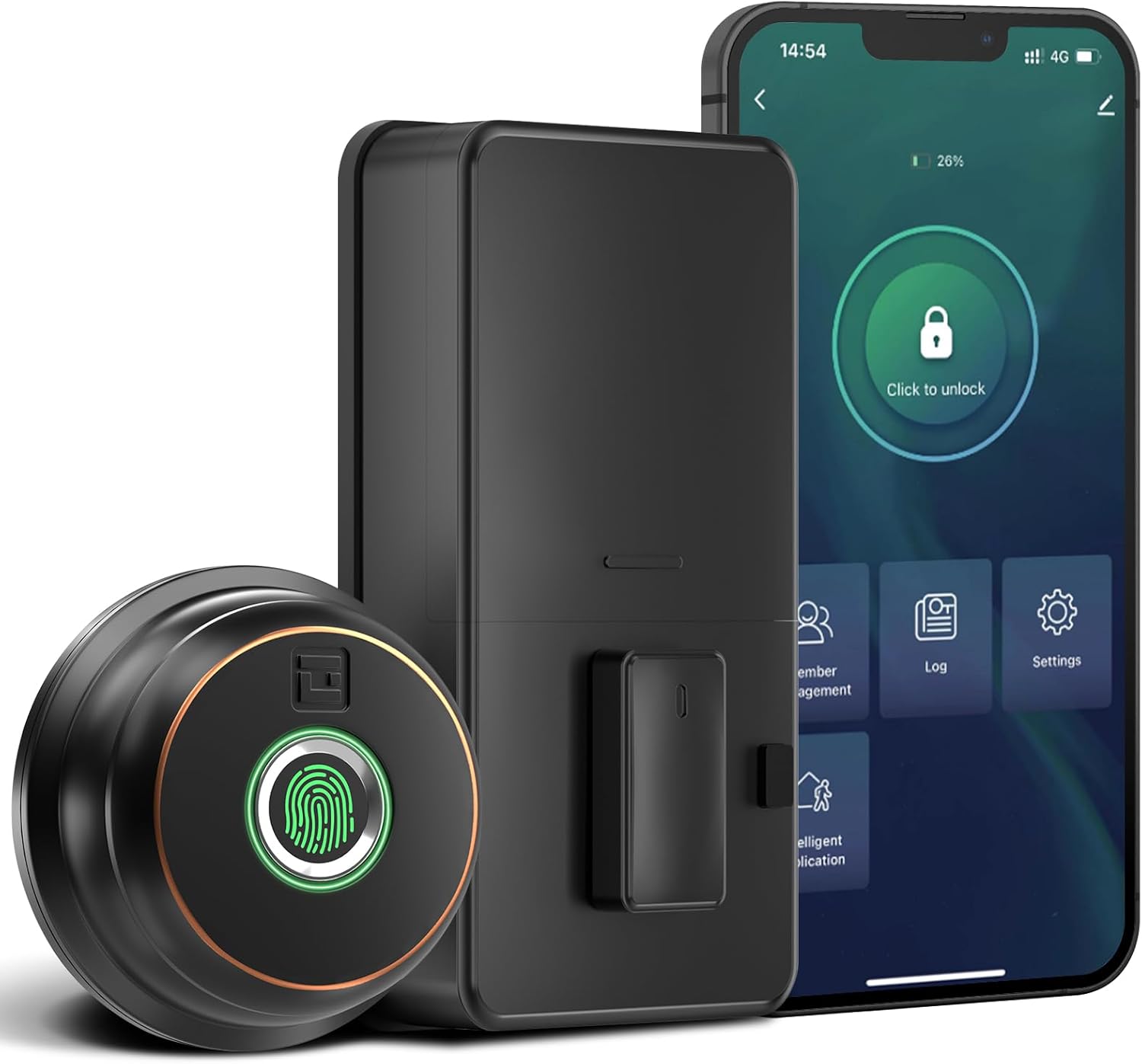
ภาพ: เหนือview of the GeekTale Fingerprint Deadbolt, showing the exterior unit with fingerprint sensor, the interior unit, and a smartphone displaying the control app.
คุณสมบัติหลัก:
- 3-in-1 Unlock Ways: Fingerprint, Bluetooth App, and Backup Keys.
- การจดจำลายนิ้วมือที่รวดเร็ว: 360° Fingerprint ID for 0.3-second unlock.
- การควบคุมแอพอัจฉริยะ: Manage up to 50 users, set auto-lock times (5-60s), view unlock records, and monitor battery level.
- รีโมทคอนโทรล (พร้อมเกตเวย์): Requires separate purchase of a gateway for remote unlock and notifications.
- โครงสร้างทนทาน: Outdoor lock made of aluminum alloy.
2. เนื้อหาบรรจุภัณฑ์
ตรวจสอบว่าส่วนประกอบทั้งหมดมีอยู่ก่อนเริ่มการติดตั้ง
- Exterior Fingerprint Unit
- Interior Deadbolt Unit
- แผ่นยึด
- สลัก Deadbolt
- จานตี
- สกรู (ขนาดต่างๆ)
- กุญแจสำรอง
- เทมเพลตการติดตั้ง
3. คู่มือการติดตั้ง
This section provides step-by-step instructions for installing your GeekTale Fingerprint Deadbolt. A screwdriver is the primary tool required. The lock is designed to fit most standard US doors.
3.1 การตรวจสอบความเข้ากันได้ของประตู
ตรวจสอบให้แน่ใจว่าประตูของคุณตรงตามข้อกำหนดต่อไปนี้:
- เจาะตลับกุญแจ: 2-3/4" (70 มม.) หรือ 2-3/8" (60 มม.)
- เส้นผ่านศูนย์กลางรูประตู: 2-1/8 นิ้ว (54 มม.)
- ความหนาของประตู: 1-3/8" ถึง 2-1/8" (35 มม. ถึง 54 มม.)

Image: Diagram illustrating door measurements for backset, door hole diameter, and door thickness, crucial for proper installation.
3.2 ขั้นตอนการติดตั้ง
- เตรียมประตู: If replacing an existing deadbolt, remove it. Use the provided template to mark and drill holes if installing on a new door.
- ติดตั้งสลัก: สอดสลักเดดโบลต์เข้าไปในขอบประตู ตรวจสอบให้แน่ใจว่าลูกศร "UP" บนสลักหันขึ้นด้านบน ยึดด้วยสกรู
- Install Exterior Unit: Route the cable from the exterior unit through the door hole. Align the spindle with the latch mechanism.
- ติดตั้งแผ่นยึดภายใน: Secure the mounting plate to the door using screws, ensuring the cable passes through the plate.
- เชื่อมต่อสายเคเบิล: เชื่อมต่อสายเคเบิลจากตัวเครื่องภายนอกเข้ากับตัวเครื่องภายใน
- ติดตั้งชุดภายใน: Attach the interior unit to the mounting plate. Ensure the thumb turn operates smoothly.
- ใส่แบตเตอรี่: เปิดฝาครอบแบตเตอรี่ภายในและใส่แบตเตอรี่ AA จำนวน 4 ก้อน (ไม่รวม)
- การดำเนินการทดสอบ: ทดสอบกลอนประตูด้วยตนเองโดยใช้ตัวหมุนล็อค

ภาพ: ระเบิด view of the deadbolt components, illustrating how the exterior and interior units connect through the door.
3.3 Spindle Orientation for Right/Left Opened Doors
The spindle on the exterior knob should be in the horizontal position for both right-opened and left-opened doors. When installing the interior lock, ensure the knob is oriented correctly:
- For right-opened doors, the interior knob should be in a vertical state.
- For left-opened doors, the interior knob should be in a horizontal state.

Image: Visual guide for correctly orienting the spindle and interior knob based on door opening direction.
4. คู่มือการใช้งาน
Learn how to use your smart deadbolt effectively.
4.1 การตั้งค่าเริ่มต้นและการจับคู่แอป
- ดาวน์โหลดแอป: ค้นหา "GeekTale" in your smartphone's app store and download the official application.
- สร้างบัญชี: ลงทะเบียนบัญชีใหม่หรือเข้าสู่ระบบหากคุณมีบัญชีอยู่แล้ว
- เพิ่มอุปกรณ์: Follow the in-app instructions to add your new deadbolt. Ensure Bluetooth is enabled on your phone and you are within range of the lock.
- Administrator Fingerprint: The first fingerprint registered will typically be the administrator.
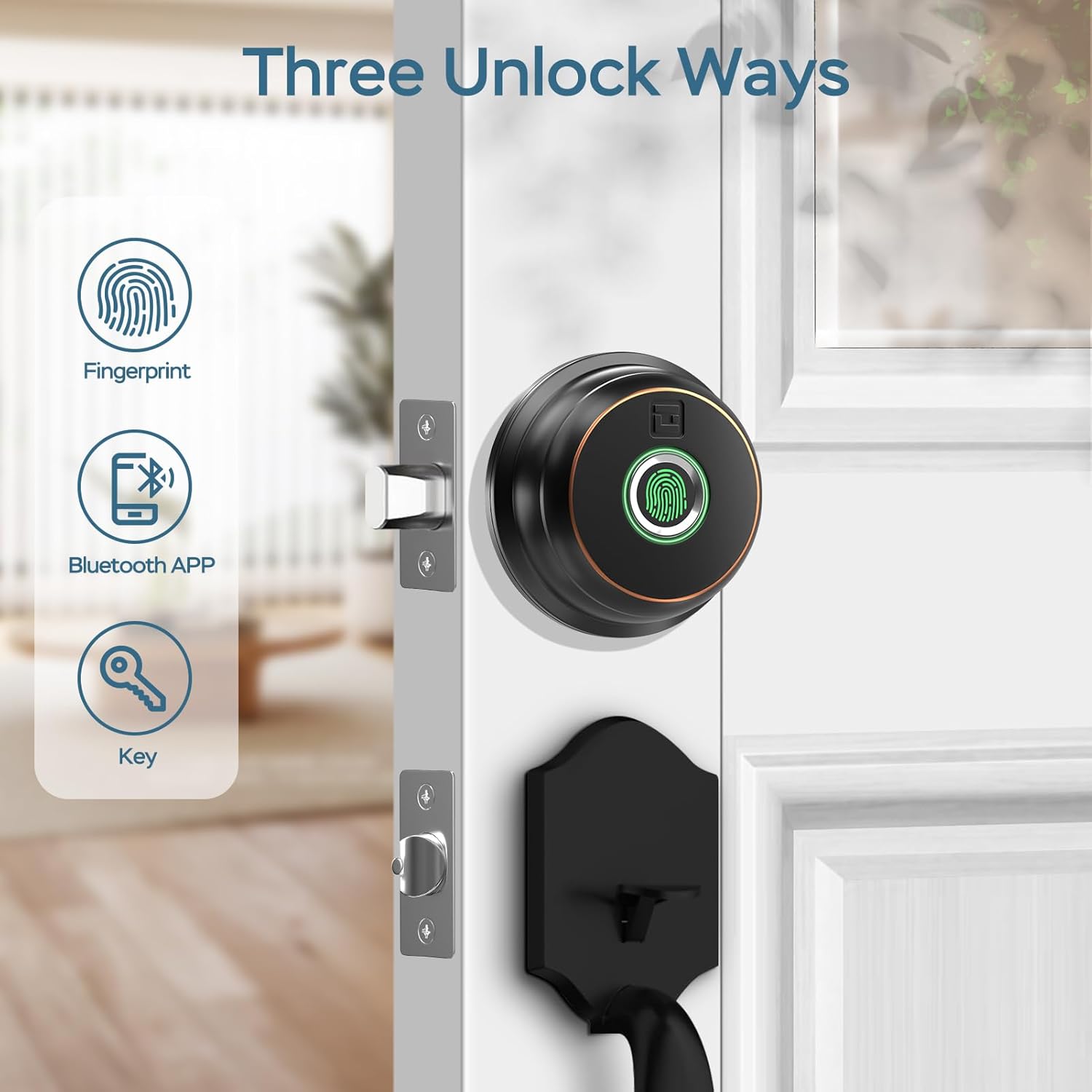
Image: Illustration of the three primary unlock methods: fingerprint, Bluetooth app, and physical key.
4.2 การปลดล็อกและการล็อก
- ปลดล็อคลายนิ้วมือ: วางนิ้วที่ลงทะเบียนไว้บนเซ็นเซอร์ลายนิ้วมือ ระบบจะปลดล็อกภายในเวลาประมาณ 0.3 วินาที
- ปลดล็อคแอป: Open the GeekTale app, ensure Bluetooth connection, and tap the unlock icon.
- ปลดล็อคกุญแจ: Use the provided backup keys in the emergency keyhole.
- ล็อคอัตโนมัติ: Configure auto-lock duration (5-60 seconds) via the app. The lock will automatically engage after the set time.
- การล็อคด้วยปุ่มเดียว: Touch the fingerprint sensor with any finger to instantly lock the deadbolt.

Image: A woman carrying groceries, demonstrating the convenience of the auto-lock feature after entering her home.
4.3 คุณสมบัติของแอป
- การจัดการผู้ใช้: Add or delete up to 50 users (fingerprints).
- บันทึกการเข้าถึง: Review a history of unlock events, including method and user.
- การตั้งค่าการล็อกอัตโนมัติ: Adjust the automatic locking delay.
- โหมดปิดเสียง: Silence lock sounds for quiet operation.
- Share E-Key: อนุญาตให้ผู้อื่นเข้าถึงแอปได้ชั่วคราวหรือถาวร
- สถานะแบตเตอรี่: ตรวจสอบระดับแบตเตอรี่ปัจจุบันของล็อค

Image: Screenshot of the GeekTale app interface, highlighting options for member management, access logs, and settings.
4.4 Remote Access (Gateway Required)
For remote control and notifications, a GeekTale Gateway (sold separately) is required. This allows you to:
- Unlock/lock the door from anywhere.
- Receive instant notifications when the lock is opened.
- Integrate with voice assistants like Alexa and Google Assistant.

Image: Depiction of the smart deadbolt, a gateway device, and a smartphone, illustrating remote unlock capabilities.
5. การบำรุงรักษา
Proper maintenance ensures the longevity and optimal performance of your deadbolt.
- การเปลี่ยนแบตเตอรี่: The lock requires 4 AA batteries. Replace them when the low battery alert is issued by the app or the lock itself.
- ไฟฉุกเฉิน: In case of complete battery depletion, the lock features a USB-C port for emergency power using a power bank.
- การทำความสะอาด: Wipe the exterior unit and fingerprint sensor with a soft, dry cloth. Avoid abrasive cleaners or solvents.
- การบำรุงรักษารูกุญแจ: Periodically check the keyhole for obstructions. Do not lubricate with oil-based products; use graphite powder if lubrication is needed.

Image: Illustration of the deadbolt's battery compartment and the USB-C port for emergency power, along with icons for low battery alert and emergency charge.
6 การแก้ไขปัญหา
ปัญหาทั่วไปและวิธีแก้ไข
| ปัญหา | สาเหตุที่เป็นไปได้ | สารละลาย |
|---|---|---|
| ล็อคไม่ตอบสนอง | แบตเตอรี่หมด | Replace batteries. Use emergency USB-C power if needed. |
| ไม่พบลายนิ้วมือ | ลายนิ้วมือไม่ได้รับการลงทะเบียน เซ็นเซอร์สกปรก หรือวางตำแหน่งไม่ถูกต้อง | Ensure finger is clean and dry. Re-register fingerprint if necessary. Place finger flat on sensor. |
| แอปไม่สามารถเชื่อมต่อกับล็อกได้ | Bluetooth off, out of range, or app issue. | Ensure Bluetooth is on. Move closer to the lock. Restart the app or your phone. |
| ระบบล็อคอัตโนมัติไม่ทำงาน | Auto-lock feature disabled or incorrect setting. | Check auto-lock settings in the app and ensure it is enabled with a desired delay. |
| ตัวล็อกหลวมหลังจากติดตั้งแล้ว | ขันสกรูไม่แน่นพอ | Re-tighten all mounting screws. Ensure the mounting plate is flush against the door. |
7. ข้อมูลจำเพาะ
| คุณสมบัติ | รายละเอียด |
|---|---|
| ชื่อรุ่น | RD02 |
| ยี่ห้อ | กี๊กเทล |
| วิธีการปลดล็อก Method | Fingerprint, Bluetooth App, Backup Key |
| ความจุของลายนิ้วมือ | สูงถึง 50 |
| ความเร็วในการรับรู้ | 0.3 วินาที |
| การเชื่อมต่อ | บลูทูธ |
| วัสดุ | อลูมิเนียม (ภายนอก) |
| แหล่งพลังงาน | แบตเตอรี่ AA 4 ก้อน (ไม่รวม) |
| ไฟฟ้าฉุกเฉิน | พอร์ต USB-C |
| ความหนาของประตู | 1-3/8" ถึง 2-1/8" (35 มม. ถึง 54 มม.) |
| เจาะตลับกุญแจ | Adjustable 2-3/8" (60mm) or 2-3/4" (70mm) |
| ขนาด (กว้าง x ยาว x สูง) | 2.76 x 1.18 x 3.93 inches (Exterior unit) |
| น้ำหนัก | 1.63 ปอนด์ (0.74 กก.) |
8. การรับประกันและการสนับสนุน
GeekTale provides localized after-sales customer service. For any product-related issues or inquiries, please contact customer support through the designated after-sales channels. Refer to your purchase documentation for specific warranty terms and contact information.
ติดต่อฝ่ายสนับสนุน: Please refer to the contact information provided with your product packaging or visit the official GeekTale webเว็บไซต์สำหรับตัวเลือกการสนับสนุน


