1. บทนำ
The SGPRO Dual Wireless Microphone System SG-82HH is designed for professional audio applications, offering reliable performance for singing, events, and public speaking. This system features metal handheld microphones and a receiver with adjustable UHF channels (520-590 MHz) and antenna diversity technology to ensure interference-free sound. Key features include automated frequency scanning, one-touch mute, precise digital volume control, and a durable metal build.

Figure 1: The SGPRO Dual Wireless Microphone System SG-82HH, showcasing the receiver unit and two handheld microphones.
2. การตั้งค่า
2.1 การแกะกล่องและการตรวจสอบส่วนประกอบ
แกะส่วนประกอบทั้งหมดออกอย่างระมัดระวัง และตรวจสอบให้แน่ใจว่ามีสิ่งของต่อไปนี้อยู่:
- 1 x SGPRO SG-82 Receiver
- 2 x SGPRO Handheld Microphones
- 2 x BNC Antennas
- อะแดปเตอร์ไฟฟ้า 1 ตัว
- สายสัญญาณเสียงขนาด 1 มม. 6.35 เส้น
- คู่มือการใช้งาน
2.2 การเชื่อมต่อเครื่องรับ
- Connect the two BNC antennas to the ANT A and ANT B ports on the rear of the receiver. Ensure they are securely tightened.
- Connect the power adapter to the DC INPUT 12V port on the receiver and plug it into a power outlet.
- เชื่อมต่อตัวรับสัญญาณเข้ากับมิกเซอร์เสียงของคุณ amplifier, or active speakers using the provided 6.35mm audio cable (MIX OUT) or XLR cables (BALANCE OUT CH.A/CH.B, not included).
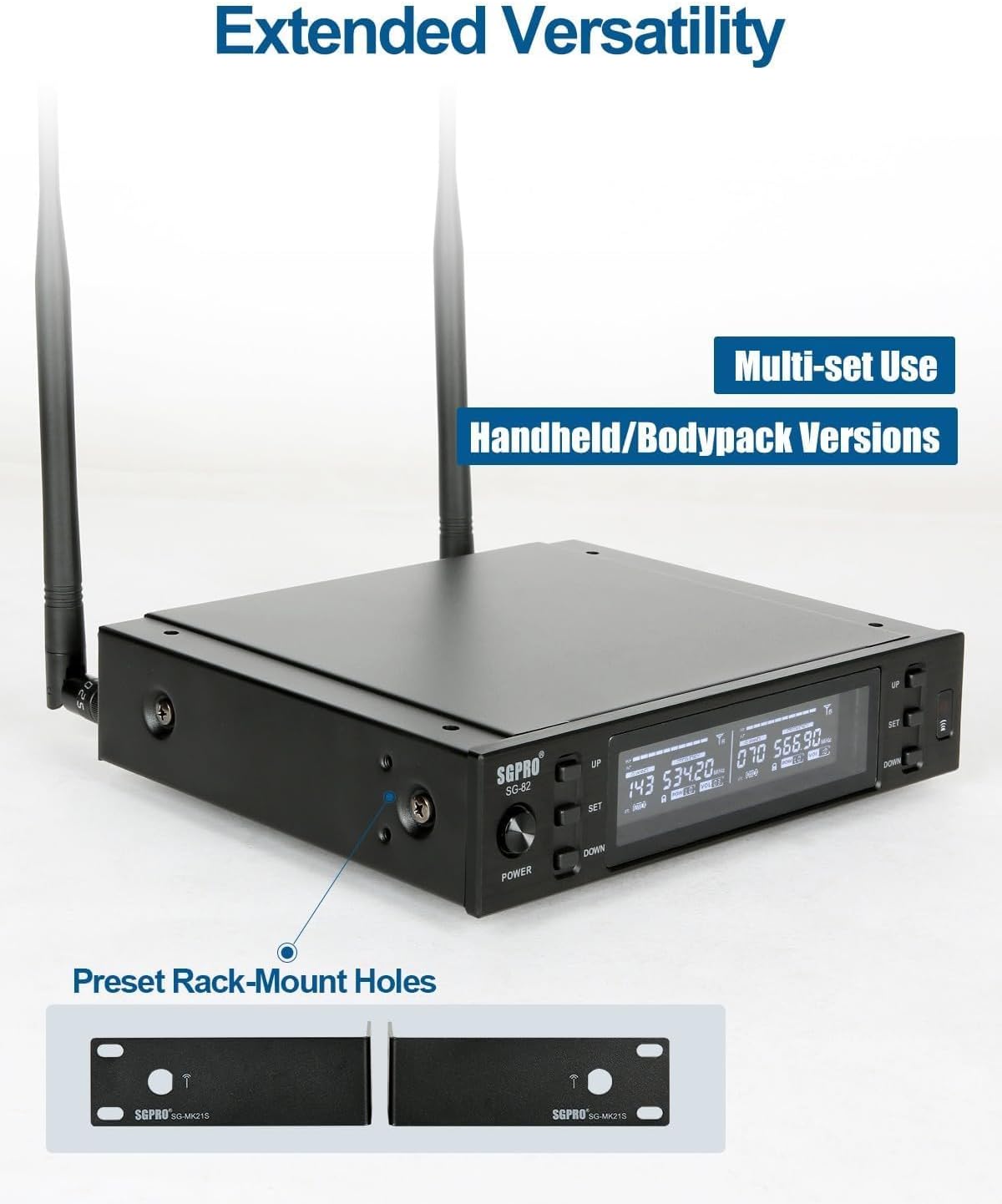
Figure 2: Rear panel of the SGPRO SG-82 receiver, illustrating the BNC antenna connections and audio output ports.
2.3 Installing Batteries in Microphones
Each handheld microphone requires two AA batteries (not included). Unscrew the bottom part of the microphone, insert the batteries according to the polarity markings, and then re-attach the bottom part.
2.4 Pairing Microphones with the Receiver (IR Sync)
The SGPRO system features an infrared (IR) synchronization function for easy pairing:
- Power on the receiver by pressing the 'POWER' button.
- Select the desired channel on the receiver using the 'UP' or 'DOWN' buttons for Channel A or Channel B.
- Press the 'SET' button on the receiver for the selected channel. The IR indicator on the receiver's display will start blinking.
- Unscrew the bottom cover of the handheld microphone to expose the IR sensor.
- Align the microphone's IR sensor with the receiver's IR window (usually located near the 'SET' button) within a few centimeters.
- The microphone and receiver will synchronize automatically. Once paired, the IR indicator on the receiver will stop blinking, and the microphone's display will show the matched frequency.
- Repeat the process for the second microphone on its respective channel.
Video 1: This official SGPRO video demonstrates the setup process, including battery installation and IR synchronization for the wireless microphones.
3. คู่มือการใช้งาน
3.1 เปิด/ปิดเครื่อง
- ในการเปิดเครื่องรับสัญญาณ ให้กดปุ่ม 'POWER' ที่แผงด้านหน้า
- To power on each microphone, slide the power switch located on the microphone body.
- To power off, reverse these steps.
3.2 ฟังก์ชั่นปิดเสียง
Each handheld microphone is equipped with a one-touch mute button. Press this button to instantly mute the microphone's output without powering it off. Press again to unmute.

Figure 3: The handheld microphone displaying the mute function, indicated by a speaker icon with a cross.
3.3 Frequency Adjustment and Scanning
The receiver allows for automatic frequency scanning to find clear channels and manual adjustment:
- การสแกนอัตโนมัติ: Press and hold the 'SET' button on the receiver for a few seconds. The receiver will scan for available frequencies. Once a clear frequency is found, perform IR sync as described in Section 2.4.
- การปรับด้วยตนเอง: Use the 'UP' and 'DOWN' buttons on the receiver to manually select a frequency. After selecting, perform IR sync to pair the microphone.

Figure 4: The receiver's display showing the automatic frequency locking feature, ensuring stable signal acquisition.
3.4 การควบคุมระดับเสียง
Each channel on the receiver has independent volume controls. Use the dedicated 'VOL+' and 'VOL-' buttons on the receiver to adjust the output volume for each microphone.
3.5 การตั้งค่าหน่วยความจำ
The system retains your last used frequency and volume settings even after being powered off, ensuring quick setup for recurring use.

Figure 5: The receiver's display confirming that memory settings are saved and will be recalled upon next power-on.
4. การบำรุงรักษา
- การทำความสะอาด: ใช้ผ้าแห้งนุ่มเช็ดทำความสะอาดตัวรับสัญญาณและไมโครโฟน หลีกเลี่ยงการใช้น้ำยาทำความสะอาดหรือสารละลาย
- การดูแลแบตเตอรี่ ถอดแบตเตอรี่ออกจากไมโครโฟนหากไม่ได้ใช้งานเป็นเวลานาน เพื่อป้องกันการรั่วไหล
- พื้นที่จัดเก็บ: เก็บระบบไว้ในที่แห้งและเย็น หลีกเลี่ยงแสงแดดโดยตรงและอุณหภูมิที่สูงหรือต่ำเกินไป
- เสาอากาศ: Handle antennas with care to avoid bending or breaking.
5 การแก้ไขปัญหา
5.1 ไม่มีเสียงหรือเสียงเบา
- ตรวจสอบพลังงาน: Ensure both the receiver and microphones are powered on and have fresh batteries.
- ตรวจสอบการจับคู่: Confirm that the microphones are correctly paired with the receiver using the IR sync function (Section 2.4). The receiver display should show a matched frequency for each active microphone.
- ปรับระดับเสียง: Increase the volume on both the receiver (using the 'VOL+' buttons) and your connected audio device (mixer, ampตัวเร่งปฏิกิริยา)
- Microphone Proximity: For optimal sound capture, speak directly into the microphone with close proximity. The microphone's super-cardioid pickup pattern is designed for focused sound input.
- สายสัญญาณเสียง: Ensure all audio cables connecting the receiver to your sound system are securely plugged in and functional.
5.2 Interference or Dropouts
- ความถี่ในการเปลี่ยนแปลง: Use the automatic frequency scanning feature on the receiver to find a clear channel with less interference.
- ตำแหน่งการวางเสาอากาศ: Ensure the receiver's antennas are fully extended and positioned for optimal reception, away from large metal objects or other wireless devices.
- ระยะทาง: Maintain an optimal operating distance between the microphones and the receiver. While the system offers a good range, excessive distance or obstacles can affect signal quality.
6. ข้อมูลจำเพาะ
| คุณสมบัติ | รายละเอียด |
|---|---|
| ยี่ห้อ | เอสจีโปร |
| ชื่อรุ่น | SG-82HH |
| เทคโนโลยีการเชื่อมต่อ | ยูเอชเอฟ |
| ประเภทขั้วต่อ | แจ็ค 6.35 มม. XLR |
| คุณสมบัติพิเศษ | 600 Preset Frequencies, Frequency Scan, Full-metal Cased Receiver, Mute Function, Noise Reduction |
| อุปกรณ์ที่รองรับ | Active Speakers, Ampเครื่องขยายเสียง, อินเทอร์เฟซเสียง, มิกเซอร์เสียง |
| สี | เงิน |
| ส่วนประกอบที่รวมอยู่ | Corded Electric Receiver, Transmitters (Battery Not Included) |
| รูปแบบขั้ว | ทิศทางเดียว |
| ปัจจัยรูปแบบไมโครโฟน | แบบถือด้วยมือ |
| แหล่งพลังงาน | ใช้พลังงานจากแบตเตอรี่ |
| จำนวนช่องสัญญาณ | 2 |
| ช่วงความถี่ | 520-590 เมกะเฮิรตซ์ |
| วัสดุของตู้หุ้ม | โลหะ |
| น้ำหนักสินค้า | 2.22 กิโลกรัม |
7. การรับประกันและการสนับสนุน
The SGPRO Dual Wireless Microphone System SG-82HH comes with a การรับประกันจากผู้ผลิต 1 ปี. For technical support, service, or warranty claims, please refer to the contact information provided in your product packaging or visit the official SGPRO webเว็บไซต์.


