การแนะนำ
This manual provides essential information for the safe and efficient use of your DOOGEE FIRE6 Power Rugged Smartphone. Please read this guide thoroughly before operating your device to ensure optimal performance and longevity. Keep this manual for future reference.
เนื้อหาแพ็คเกจ
ตรวจสอบว่ามีรายการทั้งหมดอยู่ในบรรจุภัณฑ์ผลิตภัณฑ์ของคุณ:
- 1 x Fire 6 Power Rugged Phone
- สาย USB Type-C 1 เส้น
- 1 x เครื่องชาร์จ
- 1 x Thickened Screen Protector
- 1 x กล่องบรรจุภัณฑ์
- 1 x คู่มือ
- 1 x Service Card

Image: Contents of the DOOGEE FIRE6 Power retail package, including the phone, charger, USB cable, screen protector, manual, and service card.
อุปกรณ์โอเวอร์view
The DOOGEE FIRE6 Power is a rugged smartphone designed for durability and extended use. It features a robust build, a large battery, and an integrated flashlight.

ภาพ: ด้านหน้าและด้านหลัง view of the DOOGEE FIRE6 Power smartphone, highlighting its rugged design and camera module.
คุณสมบัติหลัก:
- แบตเตอรี่ขนาดใหญ่: 15500mAh capacity with 33W fast charging and 18W reverse fast charging.
- ไฟฉายแบบบูรณาการ: 120LM brightness with multiple modes.
- กล้องความละเอียดสูง: 50MP main camera and 8MP front camera.
- การออกแบบที่แข็งแกร่ง: IP68, IP69K, and MIL-STD-810H certified for dust, water, and drop resistance.
- โปรเซสเซอร์อันทรงพลัง: Octa-core processor with 8GB Basic RAM + 12GB Extended RAM and 256GB ROM (expandable up to 2TB).
- แสดง: 6.56-inch IPS Ultra HD display with 90Hz refresh rate.
- ระบบปฏิบัติการ: Android 14.

ภาพ: เหนือview of the DOOGEE FIRE6 Power's main features, including battery, flashlight, camera, and display specifications.
การตั้งค่า
1. การติดตั้งซิมการ์ดและการ์ด SD
The DOOGEE FIRE6 Power supports dual SIM cards and expandable storage via an SD card. Locate the SIM card tray on the side of the device.
- Insert the SIM ejector tool into the small hole on the SIM card tray to open it.
- ดึงถาดออกอย่างระมัดระวัง
- วางการ์ด Nano-SIM และ/หรือการ์ด microSD ของคุณลงในช่องที่กำหนดบนถาด โดยตรวจสอบให้แน่ใจว่าวางแนวอย่างถูกต้อง
- ค่อยๆ ดันถาดกลับเข้าไปในโทรศัพท์จนกระทั่งล็อคเข้าที่

Image: Illustration of the triple card slot for SIM cards and expandable storage on the DOOGEE FIRE6 Power.
2. การเปิดเครื่องครั้งแรกและการตั้งค่า
- Press and hold the Power button (usually on the right side) until the DOOGEE logo appears.
- ทำตามคำแนะนำบนหน้าจอเพื่อเลือกภาษา เชื่อมต่อกับ Wi-Fi และตั้งค่าบัญชี Google ของคุณ
- Configure security settings such as fingerprint recognition or face unlock.
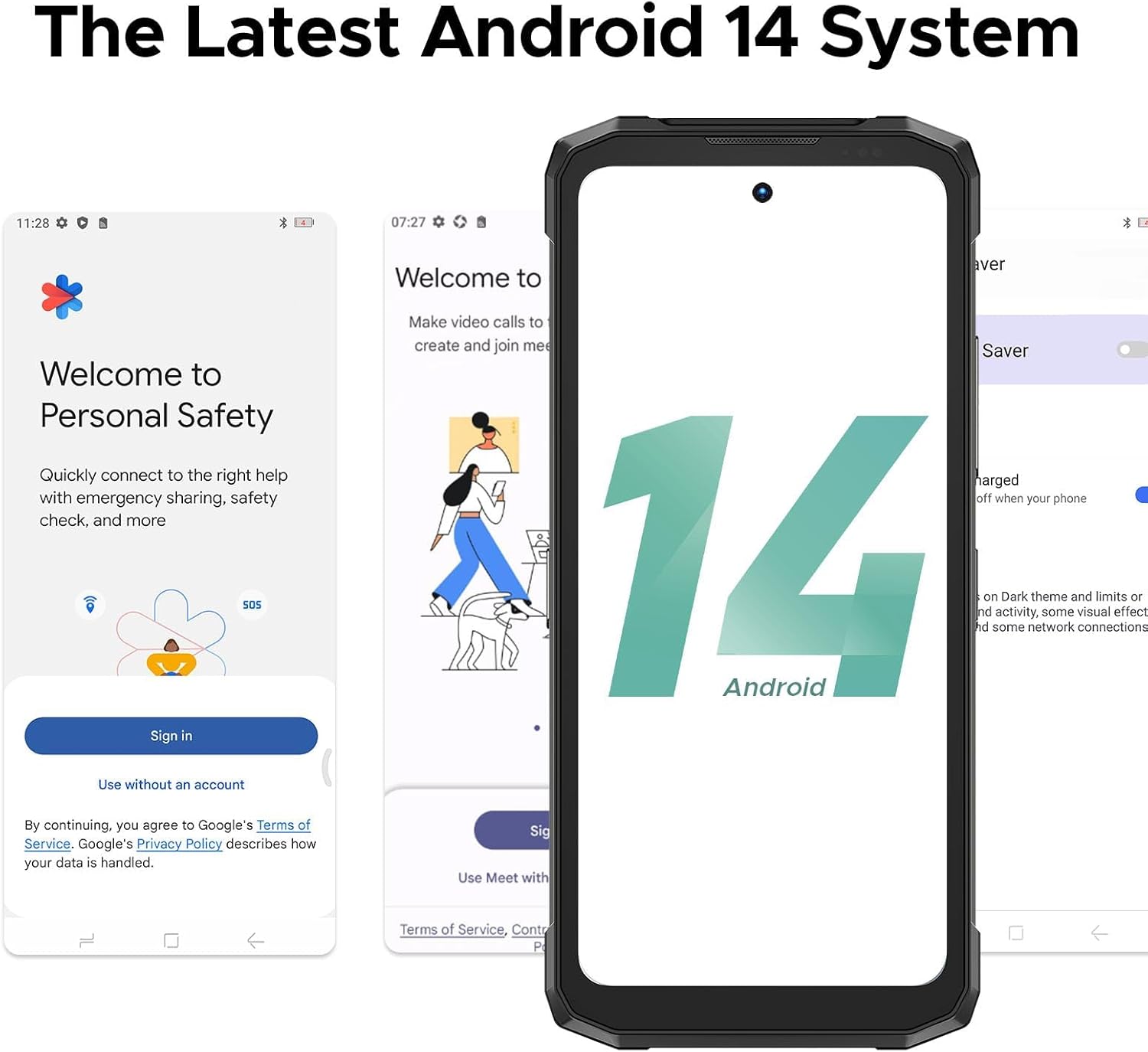
Image: Screenshots demonstrating the initial setup process and the Android 14 interface on the DOOGEE FIRE6 Power.
การทำงานพื้นฐาน
การแสดงผลและการนำทาง
- หน้าจอสัมผัส: Navigate the interface by tapping, swiping, pinching, and spreading fingers on the 6.56-inch IPS display.
- หน้าจอหลัก: เข้าถึงแอป วิดเจ็ต และการแจ้งเตือน
- แถบสถานะ: Displays time, battery level, signal strength, and notification icons.

Image: The 6.56-inch IPS Ultra HD display of the DOOGEE FIRE6 Power, showcasing its resolution and refresh rate.
การโทรและการส่งข้อความ
- โทรออก: เปิดแอปโทรศัพท์ ป้อนหมายเลข และแตะไอคอนโทร
- การส่งข้อความ: เปิดแอปข้อความ เริ่มการสนทนาใหม่ ป้อนชื่อผู้รับและข้อความ จากนั้นกดส่ง
การใช้กล้อง
The DOOGEE FIRE6 Power features a 50MP main camera and an 8MP front camera.
- เปิดแอปกล้อง
- เลือกโหมดที่คุณต้องการ (เช่น ภาพถ่าย วิดีโอ ภาพบุคคล)
- แตะปุ่มชัตเตอร์เพื่อถ่ายภาพหรือเริ่ม/หยุดการบันทึก

ภาพ: รายละเอียด view of the DOOGEE FIRE6 Power's camera module, indicating the 50MP main camera, 2MP macro camera, and 8MP front camera.

ภาพ: อดีตamples of photography features available on the DOOGEE FIRE6 Power, such as Beauty Mode, HDR Mode, Panorama, Pro Mode, and Bokeh.
คุณสมบัติขั้นสูง
แบตเตอรี่และการชาร์จ
The device is equipped with a 15500mAh battery, supporting 33W fast charging and 18W reverse fast charging.
- การชาร์จ: Connect the provided Type-C USB cable and charger to the device and a power outlet.
- การชาร์จแบบย้อนกลับ: Use the appropriate cable to connect other devices (smartphones, smartwatches, wireless earphones, USB fans, speakers) to your FIRE6 Power for charging.

Image: Visual representation of the 15500mAh battery capacity and 33W fast charging capability of the DOOGEE FIRE6 Power.

Image: The DOOGEE FIRE6 Power demonstrating 18W 3-in-1 OTG fast charging, capable of charging other devices.
Video: Demonstration of the DOOGEE FIRE6 Power's reverse charging capability, showing it charging multiple other smartphones simultaneously.
ไฟฉายแบบบูรณาการ
The device includes a powerful 120LM flashlight with a beam distance of 10 meters and multiple modes (Extremely Bright, Strong Light, Low Light, Burst Flash, SOS).

Image: The integrated flashlight of the DOOGEE FIRE6 Power, detailing its brightness, color temperature, beam distance, and various operating modes.

Image: The DOOGEE FIRE6 Power's flashlight being used in various outdoor and indoor scenarios, demonstrating its utility.
การเชื่อมต่อและการนำทาง
- ไวไฟ : เชื่อมต่อกับเครือข่ายไร้สายเพื่อการเข้าถึงอินเทอร์เน็ต
- จีพีเอส: Supports GPS, Glonass, Galileo, and Beidou for accurate positioning.
- NFC: สำหรับการชำระเงินแบบไร้สัมผัสและการโอนข้อมูล
Image: Features like accurate navigation system (GPS, Glonass, Galileo, Beidou), face and side fingerprint recognition, and NFC connectivity on the DOOGEE FIRE6 Power.
ประสิทธิภาพและความทนทาน
- โปรเซสเซอร์: Octa-core processor for smooth performance.
- การระบายความร้อน: Polymer cooling technology helps manage device temperature.
- ความทนทาน: IP68, IP69K, and MIL-STD-810H ratings ensure dust, water, and drop resistance.

Image: Diagram illustrating the powerful octa-core processor and memory configurations (8GB Basic RAM, 12GB Extended RAM, 256GB ROM, 2TB Expandable Storage) of the DOOGEE FIRE6 Power.

Image: Visual representation of the DOOGEE FIRE6 Power's dust-proof, waterproof, and drop-proof capabilities, certified by IP68, IP69K, and MIL-STD-810H standards.
การซ่อมบำรุง
- การทำความสะอาด: ใช้แบบนุ่มๆamp cloth to clean the device. Avoid harsh chemicals.
- การอัปเดตซอฟต์แวร์: ตรวจสอบและติดตั้งการอัปเดตระบบเป็นประจำเพื่อให้มั่นใจถึงประสิทธิภาพและความปลอดภัยที่เหมาะสมที่สุด
- การดูแลแบตเตอรี่ Avoid extreme temperatures. Do not fully discharge the battery frequently.
- การจัดการพื้นที่เก็บข้อมูล: ล้างสิ่งที่ไม่จำเป็นออกเป็นระยะๆ fileและแอปต่างๆ เพื่อรักษาความเร็วของอุปกรณ์
การแก้ไขปัญหา
| ปัญหา | วิธีแก้ปัญหาที่เป็นไปได้ |
|---|---|
| อุปกรณ์ไม่เปิดเครื่อง | ตรวจสอบให้แน่ใจว่าแบตเตอรี่ชาร์จเต็มแล้ว เสียบสายชาร์จไว้อย่างน้อย 30 นาทีก่อนลองเปิดเครื่องอีกครั้ง |
| ไม่สามารถเชื่อมต่อ Wi-Fi ได้ | ตรวจสอบว่าเปิดใช้งาน Wi-Fi แล้วหรือไม่ รีสตาร์ทเราเตอร์และโทรศัพท์ของคุณ ตรวจสอบรหัสผ่าน Wi-Fi อีกครั้ง |
| แอปขัดข้องหรือค้าง | Clear the cache of the problematic app. Update the app to the latest version. If the issue persists, uninstall and reinstall the app. |
| คุณภาพการโทรไม่ดี | Check network signal strength. Move to an area with better reception. Ensure nothing is obstructing the microphone or speaker. |
| แบตเตอรี่หมดเร็วมาก | ลดความสว่างหน้าจอ ปิดแอปที่ไม่ใช้งานซึ่งทำงานอยู่เบื้องหลัง ปิดใช้งานคุณสมบัติที่ไม่จำเป็น เช่น GPS หรือ Bluetooth เมื่อไม่ได้ใช้งาน |
ข้อมูลจำเพาะ
| คุณสมบัติ | รายละเอียด |
|---|---|
| ชื่อรุ่น | FIRE6 Power |
| ระบบปฏิบัติการ | แอนดรอยด์ 14 |
| รุ่นซีพียู | มีเดียเทก เฮลิโอ พี60T |
| ความเร็วซีพียู | 1.6 กิกะเฮิรตซ์ |
| ขนาดหน่วยความจำ RAM ที่ติดตั้ง | 20 GB (8GB Basic + 12GB Extended) |
| ความจุของหน่วยความจำ | 256 GB (เพิ่มได้สูงสุด 2TB) |
| ขนาดหน้าจอ | 6.56 นิ้ว |
| ปณิธาน | 720 x 1612 |
| อัตราการรีเฟรช | 90 เฮิรตซ์ |
| ความจุของแบตเตอรี่ | 15500 มิลลิแอมป์ |
| ระดับพลังงานแบตเตอรี่ | 15500 (mAh) |
| เวลาสนทนาทางโทรศัพท์ | 1410 ชั่วโมง |
| เทคโนโลยีการเชื่อมต่อ | Wi-Fi, GPS (GPS, Glonass, Galileo, Beidou), NFC |
| คุณสมบัติพิเศษ | Large Battery with Fast Charging, Integrated Flashlight, High-Resolution Camera, Rugged (IP68, IP69K, MIL-STD-810H) |
| กล้องหลัก | 50MP |
| กล้องหน้า | 8MP |
| แจ็คเสียง | ประเภทซี |
| ขนาดสินค้า | 6.85 x 3.19 x 0.81 นิ้ว |
| น้ำหนักสินค้า | 9.2 ออนซ์ (262 กรัม) |
การรับประกันและการสนับสนุน
DOOGEE provides support for its products. Based on available information:
- การรับประกัน: The product typically includes a 2-Year Limited Warranty.
- สนับสนุน: Online support is generally available. Refer to the service card included in your package or visit the official DOOGEE website for detailed support information and contact options.

Image: Information regarding DOOGEE's after-sales support, including warranty and online assistance.


