การแนะนำ
This manual provides comprehensive instructions for the Marvo K604 RGB Gaming Keyboard. It covers essential information for setup, operation, maintenance, and troubleshooting to ensure optimal performance and longevity of your device. Please read this manual thoroughly before using the keyboard.

Image: The Marvo K604 RGB Gaming Keyboard integrated into a typical gaming desk setup, showcasing เค้าโครงเต็มรูปแบบและแสงไฟ RGB
คำแนะนำการตั้งค่า
- แกะคีย์บอร์ดออก: Carefully remove the Marvo K604 keyboard from its packaging. Ensure all components, including the USB cable, are present.
- เชื่อมต่อกับคอมพิวเตอร์: Locate an available USB-A port on your computer. Insert the USB connector of the keyboard cable into the USB port.
- การติดตั้งไดร์เวอร์: Marvo K604 เป็นอุปกรณ์แบบเสียบแล้วใช้งานได้ทันที ระบบปฏิบัติการของคุณ (Windows, macOS, Linux) จะตรวจจับและติดตั้งไดรเวอร์ที่จำเป็นโดยอัตโนมัติ โดยปกติแล้วไม่จำเป็นต้องติดตั้งซอฟต์แวร์เพิ่มเติม
- การจัดวาง: Place the keyboard on a stable, flat surface. Adjust the keyboard feet on the underside if you prefer an angled typing position.
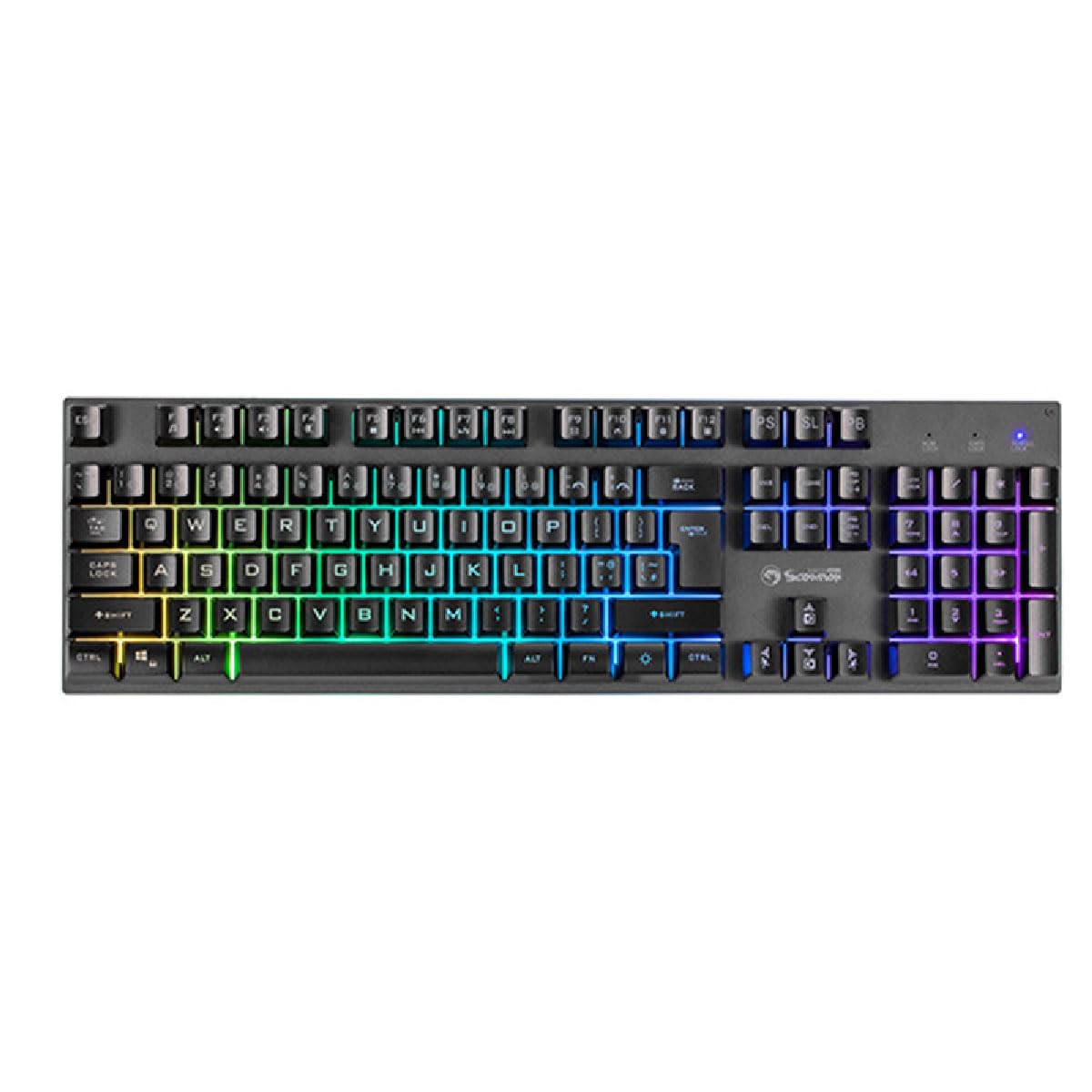
ภาพ: ภาพระยะใกล้ view of the Marvo K604 keyboard keys, highlighting the ergonomic design and the visible RGB backlighting beneath the keycaps.
คำแนะนำการใช้งาน
ฟังก์ชันพื้นฐานของแป้นพิมพ์
The Marvo K604 is a standard 104-key layout keyboard. All keys function as labeled. For specific operating system shortcuts, refer to your computer's documentation.
การควบคุมไฟแบ็คไลท์ RGB
คีย์บอร์ดนี้มีไฟแบ็คไลท์ RGB ที่ปรับแต่งได้ ใช้การกดปุ่มต่อไปนี้เพื่อปรับเอฟเฟกต์แสง:
- Fn + Scroll Lock (SL): Cycles through various RGB lighting modes.
- Fn + Print Screen (PS): Adjusts the brightness of the backlighting.
- Fn + Pause Break (PB): Changes the speed of dynamic lighting effects.
- กดปุ่ม Fn + ปุ่มลูกศร (ขึ้น/ลง): Adjusts brightness (alternative).
- กดปุ่ม Fn + ปุ่มลูกศร (ซ้าย/ขวา): Adjusts effect direction or color cycle speed.

ภาพ: มุมมองจากบนลงล่างที่ชัดเจน view of the Marvo K604 keyboard, displaying its full 104-key layout and the vibrant, multi-color RGB backlighting across all keys.
การซ่อมบำรุง
Proper maintenance ensures the longevity and performance of your Marvo K604 keyboard.
- การทำความสะอาด:
- ถอดแป้นพิมพ์ออกจากคอมพิวเตอร์ของคุณก่อนทำความสะอาด
- ใช้ผ้าแห้งนุ่มเช็ดพื้นผิวของแป้นพิมพ์
- สำหรับฝุ่นละอองและเศษต่างๆ ระหว่างคีย์ ให้ใช้ลมอัด
- สำหรับคราบฝังแน่น ง.เบาๆampชุบผ้าชุบน้ำหรือน้ำยาทำความสะอาดอ่อนๆ ที่ไม่กัดกร่อน หลีกเลี่ยงความชื้นที่มากเกินไป
- พื้นที่จัดเก็บ: ควรเก็บแป้นพิมพ์ไว้ในที่สะอาดและแห้ง หลีกเลี่ยงอุณหภูมิที่สูงหรือต่ำเกินไป และแสงแดดโดยตรง
- หลีกเลี่ยงการหกเลอะ: Do not expose the keyboard to liquids. In case of a spill, immediately disconnect the keyboard and allow it to dry completely before reconnecting.
การแก้ไขปัญหา
หากคุณพบปัญหาเกี่ยวกับคีย์บอร์ด Marvo K604 โปรดลองวิธีแก้ปัญหาต่อไปนี้:
- แป้นพิมพ์ไม่ตอบสนอง:
- ตรวจสอบให้แน่ใจว่าสาย USB เชื่อมต่อกับคีย์บอร์ดและคอมพิวเตอร์อย่างแน่นหนา
- ลองเชื่อมต่อคีย์บอร์ดกับพอร์ต USB อื่นบนคอมพิวเตอร์ของคุณ
- รีสตาร์ทเครื่องคอมพิวเตอร์ของคุณ
- ลองทดสอบแป้นพิมพ์กับคอมพิวเตอร์เครื่องอื่นเพื่อตรวจสอบว่าปัญหาเกิดจากแป้นพิมพ์หรือการตั้งค่าของคอมพิวเตอร์
- ไฟ RGB ไม่ทำงาน:
- ตรวจสอบให้แน่ใจว่าแป้นพิมพ์เชื่อมต่ออย่างถูกต้องและเปิดใช้งานอยู่
- Try cycling through the RGB modes using Fn + Scroll Lock (SL).
- ปรับความสว่างโดยใช้ Fn + Print Screen (PS) or Fn + Arrow Keys (Up/Down).
- กุญแจไม่ลงทะเบียน:
- ตรวจสอบว่ามีสิ่งกีดขวางทางกายภาพใด ๆ ที่อยู่ใต้ปุ่มคีย์แคปหรือไม่
- ทำความสะอาดแป้นพิมพ์ตามที่อธิบายไว้ในส่วนการบำรุงรักษา
- If only specific keys are affected, and cleaning does not resolve the issue, contact customer support.
ข้อมูลจำเพาะ
| ยี่ห้อ | มาร์โว |
| แบบอย่าง | เค604 |
| พิมพ์ | 104-key Gaming Keyboard |
| การเชื่อมต่อ | ยูเอสบี-เอ |
| ความยาวสายเคเบิล | 150 ซม. |
| สี | สีดำ |
| แป้นพิมพ์แบ็คไลท์ | อาร์จีบี |
| อุปกรณ์ที่รองรับ | PC |
| น้ำหนักสินค้า | 1.61 ปอนด์ |
| ขนาดแพ็คเกจ | 17.99 x 6.18 x 1.81 นิ้ว |
| คุณสมบัติพิเศษ | Ergonomic, Lightweight, Portable |
| ส่วนประกอบที่รวมอยู่ | สาย USB |
ข้อมูลการรับประกัน
Marvo products are manufactured to the highest quality standards. This product is covered by a limited warranty against manufacturing defects from the date of purchase. Please retain your proof of purchase for warranty claims. The warranty does not cover damage caused by misuse, accident, modification, or unauthorized repair.
For detailed warranty terms and conditions, please refer to the official Marvo webไซต์หรือติดต่อฝ่ายสนับสนุนลูกค้า
การสนับสนุนลูกค้า
If you require further assistance or have questions not covered in this manual, please contact Marvo customer support:
- Webเว็บไซต์: www.marvo-tech.com (หมายเหตุ: นี่เป็นเพียงตัวอย่างชั่วคราว URL, please refer to your product packaging or official Marvo sources for the correct support webเว็บไซต์.)
- อีเมล: support@marvo-tech.com (Note: This is a placeholder email, please refer to your product packaging or official Marvo sources for the correct support email.)
When contacting support, please have your product model (K604) and proof of purchase readily available.


