1. บทนำ
XTOOL D6 เป็นเครื่องสแกน OBD2 แบบพกพาและทรงพลัง พร้อมฟังก์ชั่นบำรุงรักษารถยนต์ ออกแบบมาสำหรับมืออาชีพ ผู้ที่ชื่นชอบการซ่อมรถด้วยตนเอง และช่างซ่อมรถยนต์ทั่วไป มีฟังก์ชั่นการวินิจฉัยที่ครอบคลุมทุกระบบของรถยนต์ พร้อมฟังก์ชั่นรีเซ็ตที่จำเป็น 15 ฟังก์ชั่น เพื่อให้มั่นใจว่ารถของคุณอยู่ในสภาพที่ดีที่สุด คู่มือนี้ให้คำแนะนำโดยละเอียดสำหรับการใช้งานอย่างมีประสิทธิภาพ
2. อะไรอยู่ในกล่อง
- เครื่องมือสแกน XTOOL D6
- สาย OBD2
- สายเคเบิล Type C สำหรับชาร์จ
- คู่มือแนะนำ
- ข้อมูลสนับสนุนด้านเทคนิค
3. คุณสมบัติหลัก
- การตรวจสอบระบบทั้งหมดอย่างครอบคลุม: สามารถเข้าถึงระบบต่างๆ ของรถได้อย่างเต็มรูปแบบ รวมถึงเครื่องยนต์ ระบบเกียร์ ระบบเบรก ABS ถุงลมนิรภัย และอื่นๆ อีกมากมาย
- 15 ฟังก์ชันการรีเซ็ตที่จำเป็น: ประกอบด้วย การบำรุงรักษาไฟเตือนน้ำมันเครื่อง, การเรียนรู้คันเร่งใหม่, การรีเซ็ตเบรกมือ (EPB), การรีเซ็ต TPMS, การปรับเทียบ SAS, การเข้ารหัสหัวฉีด, การไล่ลม ABS, การจับคู่เกียร์, การปรับแต่งช่วงล่าง และการเรียนรู้เซ็นเซอร์ข้อเหวี่ยงใหม่
- รองรับโปรโตคอล CAN FD และ FCA AutoAuth: ใช้งานได้กับรถยนต์รุ่นใหม่ รวมถึงรถยนต์ FCA รุ่นปี 2018 และใหม่กว่า โดยไม่ต้องใช้สายเคเบิลเพิ่มเติม
- การตรวจสอบข้อมูลแบบเรียลไทม์: แสดงกราฟข้อมูลแบบไดนามิกได้สูงสุด 4 กราฟพร้อมกัน เพื่อการวิเคราะห์ที่แม่นยำ
- อินเทอร์เฟซที่เป็นมิตรกับผู้ใช้: หน้าจอสัมผัสความละเอียดสูงขนาด 5.45 นิ้ว (1440x720 พิกเซล) เพื่อการมองเห็นที่ชัดเจน
- อัปเดตฟรีตลอดอายุการใช้งาน: เข้าถึงฟีเจอร์ล่าสุดผ่านการอัปเดต Wi-Fi โดยไม่ต้องเสียค่าสมัครสมาชิก
- ปริมาณแบตเตอรี่tagอี แสดงผล: ตรวจสอบระบบไฟฟ้าของรถยนต์แบบเรียลไทม์
- สมาร์ทออโต้วีเอ็น: ระบบจะระบุหมายเลข VIN ของรถยนต์โดยอัตโนมัติเพื่อการวินิจฉัยที่รวดเร็วยิ่งขึ้น (อาจใช้ไม่ได้กับรถยนต์ทุกคัน)
- ไลบรารี DTC ในตัว: ช่วยให้ตีความรหัสข้อผิดพลาดได้ง่ายขึ้น
- การออกแบบที่ทนทาน: มาพร้อมด้ามจับซิลิโคนและสายเคเบิลเสริมความแข็งแรงเพื่อความทนทานใช้งานได้ยาวนาน
- ความเข้ากันได้กับยานพาหนะที่กว้าง: ใช้ได้กับรถยนต์ที่ติดตั้งระบบ OBDII ที่ผลิตหลังปี 1996 ครอบคลุมกว่า 90 ยี่ห้อ
4. ข้อมูลจำเพาะ
| คุณสมบัติ | รายละเอียด |
|---|---|
| ยี่ห้อ | เอ็กซ์ทูล |
| ระบบปฏิบัติการ | ลินุกซ์ |
| ความละเอียดการแสดงผล | ขนาด 1440x720 |
| น้ำหนักสินค้า | 1.76 ปอนด์ |
| พื้นที่จัดเก็บ | 32GB (ขยายได้) |
| ความจุของแบตเตอรี่ | 3150mAh |
| พอร์ตชาร์จ | ประเภทซี |
| การเชื่อมต่อ | Wi-Fi, สายเคเบิล OBD2 |
| โปรโตคอลที่รองรับ | โปรโตคอล OBDII ส่วนใหญ่ รวมถึง CAN FD |
5. คู่มือการติดตั้ง
5.1 การเปิดเครื่องครั้งแรกและการเชื่อมต่อ
1. ตรวจสอบให้แน่ใจว่า XTOOL D6 ได้รับการชาร์จไฟอย่างเพียงพอโดยใช้สาย Type C ที่ให้มาด้วย
2. หาตำแหน่งพอร์ต OBD2 ของรถยนต์ของคุณ ซึ่งโดยทั่วไปจะอยู่ใต้แผงหน้าปัดด้านคนขับ
3. เชื่อมต่อสาย OBD2 เข้ากับ XTOOL D6 จากนั้นเชื่อมต่อเข้ากับพอร์ต OBD2 ของรถยนต์ของคุณ
4. เปิดสวิตช์กุญแจรถ (อย่าสตาร์ทเครื่องยนต์เว้นแต่จะได้รับคำแนะนำจากฟังก์ชันเฉพาะ)
5. เครื่อง XTOOL D6 จะเปิดเครื่องโดยอัตโนมัติเมื่อเชื่อมต่อ หรือสามารถเปิดเครื่องด้วยตนเองได้
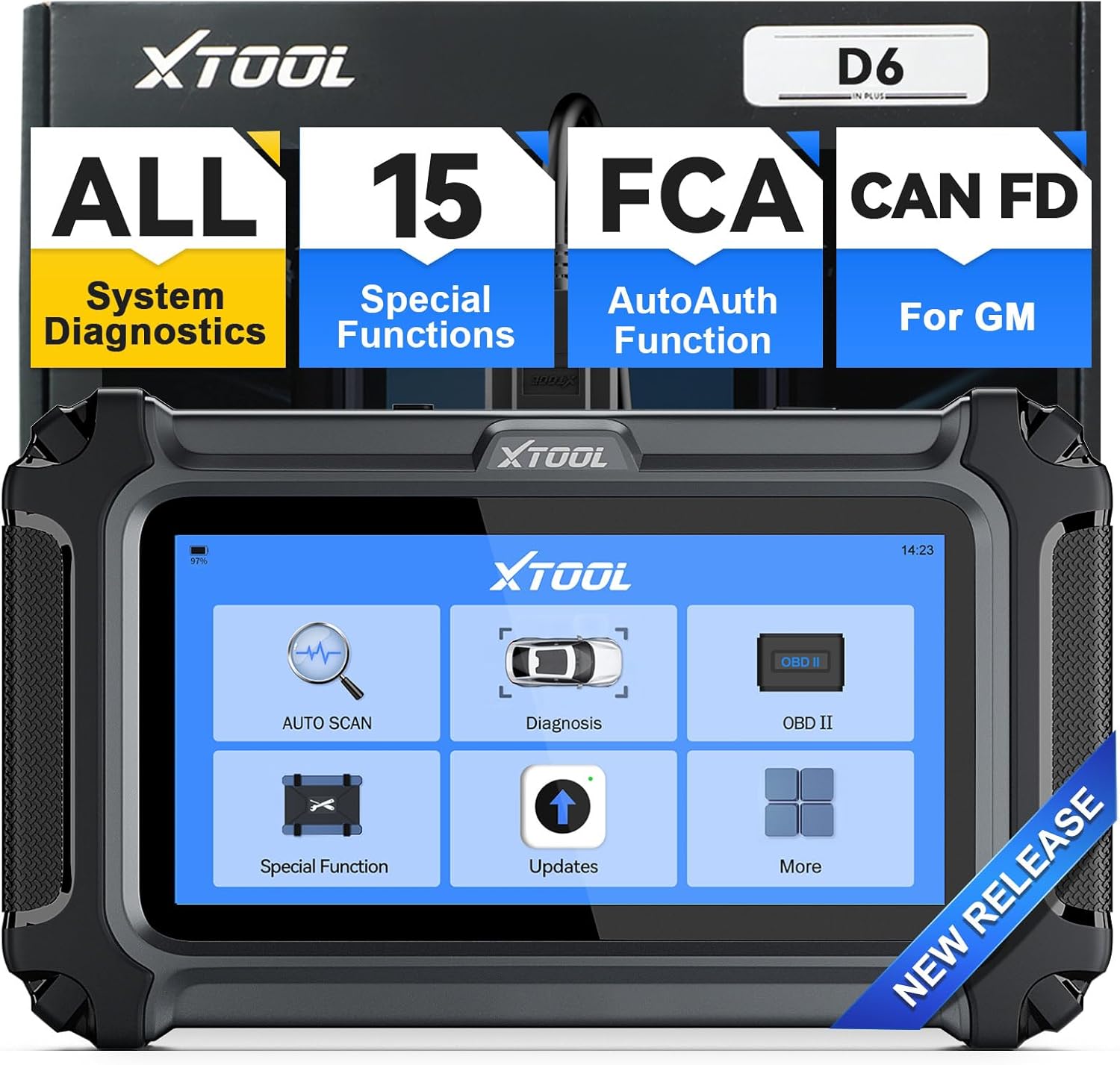 ภาพ: อุปกรณ์ XTOOL D6 แสดงหน้าจอเมนูหลัก พร้อมใช้งาน
5.2 การอัปเดตซอฟต์แวร์
XTOOL D6 ให้การอัปเดตฟรีตลอดอายุการใช้งานผ่าน Wi-Fi ขอแนะนำให้ทำการอัปเดตซอฟต์แวร์เป็นประจำเพื่อให้มั่นใจได้ว่าสามารถเข้าถึงคุณสมบัติล่าสุดและความเข้ากันได้กับรถยนต์รุ่นต่างๆ
- จากเมนูหลัก เลือก 'การอัปเดต'
- เชื่อมต่ออุปกรณ์กับเครือข่าย Wi-Fi ที่เสถียร
- ทำตามคำแนะนำบนหน้าจอเพื่อดาวน์โหลดและติดตั้งการอัปเดตที่มีอยู่
 ภาพ: XTOOL D6 แสดงอินเทอร์เฟซการอัปเดต โดยเน้นคุณสมบัติการอัปเดตออนไลน์ด้วยการคลิกเพียงครั้งเดียว
5.3 การตั้งค่าภาษา
อุปกรณ์นี้มีตัวเลือกภาษาอังกฤษในตัว หากต้องการภาษาอื่นๆ โปรดติดต่อฝ่ายบริการลูกค้าของ XTOOL
- ไปที่ 'การตั้งค่า' จากเมนูหลัก
- เลือก 'ภาษา' เพื่อเลือกภาษาที่คุณต้องการ
- หากภาษาที่คุณต้องการไม่มีให้บริการ โปรดส่งหมายเลขซีเรียล (S/N) พร้อมกับภาษาที่ต้องการไปยัง xtoolofficial@hotmail.com เพื่อขอเปลี่ยนภาษา
6. คู่มือการใช้งาน
6.1 การนำทางทั่วไป
XTOOL D6 มีหน้าจอสัมผัสที่ใช้งานง่าย ใช้หน้าจอสัมผัสเพื่อเลื่อนดูเมนูและเลือกฟังก์ชันต่างๆ เมนูหลักช่วยให้เข้าถึงคุณสมบัติการวินิจฉัยหลักได้อย่างรวดเร็ว
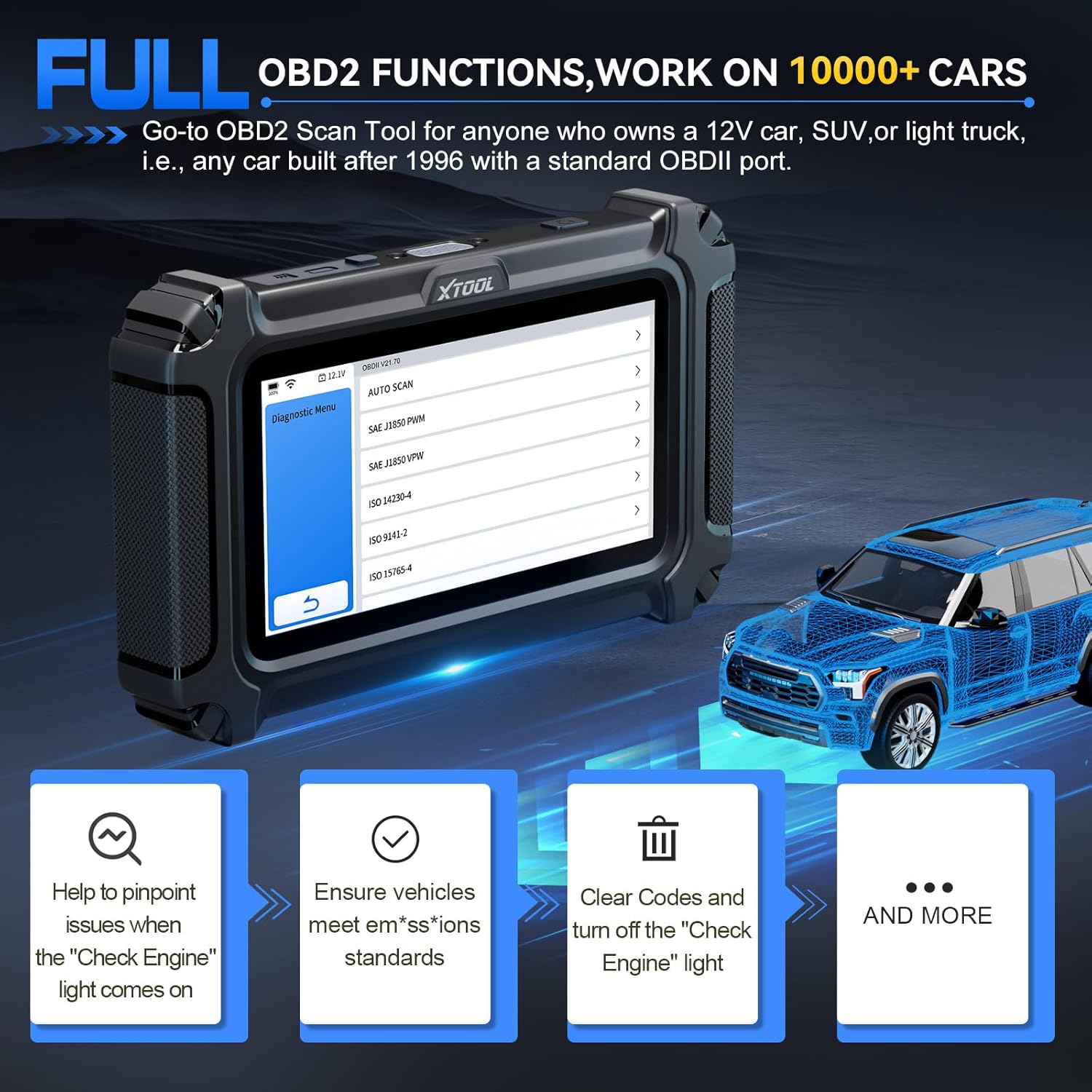 ภาพ: หน้าจออินเตอร์เฟสของ XTOOL D6 แสดงตัวเลือกการนำทางที่ชัดเจนสำหรับงานวินิจฉัยต่างๆ
6.2 การวินิจฉัยระบบทั้งหมด
ฟังก์ชันนี้ช่วยให้คุณเข้าถึงและวินิจฉัยระบบต่างๆ ที่มีอยู่ในรถของคุณได้ทั้งหมด รวมถึงเครื่องยนต์ ระบบเกียร์ ระบบเบรก ABS ถุงลมนิรภัย และอื่นๆ อีกมากมาย
- จากเมนูหลัก เลือก 'การวินิจฉัย' หรือ 'การสแกนอัตโนมัติ'
- เครื่องมือนี้จะระบุรถของคุณโดยอัตโนมัติ (หากรองรับ AutoVIN) หรือจะแจ้งให้คุณเลือกด้วยตนเอง
- เมื่อเชื่อมต่อแล้ว คุณสามารถอ่านและล้างรหัสข้อผิดพลาดในการวินิจฉัย (DTC) ได้ view ข้อมูลแบบเรียลไทม์ และสามารถเข้าถึงข้อมูลยานพาหนะได้
 ภาพ: เครื่องมือ XTOOL D6 กำลังทำการวินิจฉัยระบบทั้งหมด โดยแสดงให้เห็นถึงความสามารถในการอ่านรหัสข้อผิดพลาด view ข้อมูลแบบเรียลไทม์ และการเข้าถึงข้อมูล ECU
6.3 ฟังก์ชันพิเศษ (บริการรีเซ็ต 15 รายการ)
D6 มีฟังก์ชันรีเซ็ตที่จำเป็น 15 ฟังก์ชันสำหรับงานบำรุงรักษารถยนต์ต่างๆ เลือก 'ฟังก์ชันพิเศษ' จากเมนูหลักเพื่อเข้าถึงตัวเลือกเหล่านี้
- การรีเซ็ตไฟเตือนน้ำมันเครื่อง: รีเซ็ตไฟเตือนการบริการน้ำมันหลังการเปลี่ยนถ่ายน้ำมัน
- การรีเซ็ต EPB (เบรกจอดรถอิเล็กทรอนิกส์): รีเซ็ตระบบเบรกมือไฟฟ้า
- รีเซ็ต TPMS: รีเซ็ตเซ็นเซอร์ระบบตรวจสอบแรงดันลมยาง
- การสอบเทียบ SAS (เซ็นเซอร์วัดมุมพวงมาลัย): ปรับเทียบเซ็นเซอร์มุมพวงมาลัย
- การเข้ารหัสหัวฉีด: กำหนดหมายเลขหัวฉีดใหม่ให้กับ ECU
- เลือดออกบริเวณ ABS: ทำการไล่ลมระบบเบรก ABS เพื่อคืนความไวในการเบรก
- การเรียนรู้คันเร่งใหม่: ปรับตัวเรือนลิ้นปีกผีเสื้อให้เข้ากับตำแหน่งใหม่หลังจากทำความสะอาดหรือเปลี่ยนใหม่
- การจับคู่เกียร์: ปรับแต่งชุดควบคุมระบบส่งกำลัง
- การปรับช่วงล่าง: ปรับระบบช่วงล่างของรถยนต์
- การเรียนรู้เซ็นเซอร์ข้อเหวี่ยงใหม่: เรียนรู้ตำแหน่งเซ็นเซอร์เพลาข้อเหวี่ยงใหม่
- การปรับไฟหน้า: ปรับการตั้งค่าไฟหน้า
- การเริ่มต้นใช้งานหน้าต่าง: เริ่มต้นการทำงานของระบบกระจกไฟฟ้า
- และอื่นๆ อีกมากมาย ขึ้นอยู่กับความเข้ากันได้ของรถยนต์แต่ละรุ่น
 ภาพ: เครื่องมือ XTOOL D6 แสดงฟังก์ชันการบำรุงรักษาที่จำเป็น 15 ฟังก์ชัน เช่น การเรียนรู้คันเร่งใหม่ และการไล่ลมระบบเบรก ABS
6.4 การตรวจสอบข้อมูลสด
ตรวจสอบข้อมูลแบบเรียลไทม์จากเซ็นเซอร์ต่างๆ ช่วยในการวินิจฉัยปัญหาที่เกิดขึ้นเป็นระยะ และตรวจสอบการซ่อมแซม
- หลังจากเลือก 'การวินิจฉัย' และเชื่อมต่อกับรถแล้ว ให้เลือก 'ข้อมูลแบบเรียลไทม์'
- คุณสามารถเลือกสตรีมข้อมูลได้สูงสุด 4 สตรีมเพื่อแสดงผลพร้อมกันสำหรับการวิเคราะห์เปรียบเทียบ
 ภาพ: XTOOL D6 แสดงข้อมูลแบบเรียลไทม์หลายแหล่งในรูปแบบกราฟิก ช่วยให้สามารถตรวจสอบและวิเคราะห์ข้อมูลได้แบบเรียลไทม์
6.5 คำจำกัดความของ DTC
ไลบรารี DTC ในตัวให้คำจำกัดความของรหัสปัญหาการวินิจฉัย ช่วยให้คุณเข้าใจปัญหาของรถยนต์โดยไม่จำเป็นต้องใช้แหล่งข้อมูลภายนอก
- เมื่ออ่านรหัส DTC แล้ว ให้เลือกโค้ดเพื่อ view คำจำกัดความและสาเหตุที่เป็นไปได้
6.6 ปริมาณแบตเตอรี่tagอี ดิสเพลย์
D6 มีมาตรวัดระดับแบตเตอรี่แบบเรียลไทม์tagจอแสดงผลอิเล็กทรอนิกส์สำหรับตรวจสอบระบบไฟฟ้าของรถยนต์ ช่วยป้องกันการเสียของโมดูลโดยไม่คาดคิด
- แบตเตอรี่ความจุtagโดยทั่วไปแล้ว สัญลักษณ์ e จะแสดงอยู่บนแถบด้านบนของหน้าจออุปกรณ์
6.7 รายงานการวินิจฉัย
บันทึกและแชร์รายงานการวินิจฉัยเพื่อติดตามประสิทธิภาพและประวัติการบำรุงรักษาของรถยนต์ของคุณ
- หลังจากทำการสแกนวินิจฉัยเสร็จแล้ว ให้มองหาตัวเลือก "บันทึก" หรือ "แชร์" รายงาน
7. ขั้นตอนการทำงานเฉพาะ: การเรียนรู้ใหม่ของลิ้นปีกผีเสื้อ
ขั้นตอนนี้นับว่าสำคัญมากหลังจากทำความสะอาดหรือเปลี่ยนชุดลิ้นปีกผีเสื้อ เพื่อให้แน่ใจว่าเครื่องยนต์เดินเบาและตอบสนองได้อย่างเหมาะสม XTOOL D6 ช่วยให้กระบวนการนี้ง่ายขึ้น
7.1 ข้อกำหนดเบื้องต้น
- ตรวจสอบให้แน่ใจว่าได้เชื่อมต่อ XTOOL D6 เข้ากับพอร์ต OBD2 ของรถยนต์อย่างถูกต้องแล้ว
- เปิดสวิตช์กุญแจรถ (เครื่องยนต์ยังไม่ทำงาน)
- ความจุแบตเตอรี่รถยนต์tage ต้องมีอย่างน้อย 11.5V
- เครื่องยนต์ไม่ควรมีรหัสข้อผิดพลาดใดๆ ที่แสดงอยู่ ล้างรหัสข้อผิดพลาดที่มีอยู่ทั้งหมดก่อนดำเนินการต่อ
- ห้ามเหยียบคันเร่งในระหว่างขั้นตอนดังกล่าว
- ปิดอุปกรณ์ไฟฟ้าและเครื่องใช้ไฟฟ้าทุกชนิด (เช่น วิทยุ ไฟ เครื่องปรับอากาศ)
- เครื่องยนต์ควรอยู่ในอุณหภูมิการทำงานที่เหมาะสม (อุ่นเครื่องแล้ว)
7.2 ขั้นตอนการดำเนินการทีละขั้นตอน
- จากเมนูหลักของ XTOOL D6 ให้เลือก 'ฟังก์ชันพิเศษ'
- เลือก 'การจับคู่คันเร่ง' หรือ 'การเรียนรู้คันเร่งใหม่'
- เลือกผู้ผลิตรถยนต์ของคุณจากรายการ เครื่องมือจะพยายามจดจำรถยนต์ของคุณ
- ตรวจสอบข้อกำหนดเบื้องต้นที่แสดงบนหน้าจอ กด 'ตกลง' เพื่อดำเนินการต่อ
- อุปกรณ์จะเชื่อมต่อและเริ่มต้นโปรแกรมวินิจฉัย
- คุณอาจได้รับแจ้งให้เลือกช่องสัญญาณเฉพาะสำหรับการรีเซ็ตลิ้นปีกผีเสื้อ โปรดดูคู่มือการบริการของรถยนต์หรือแหล่งข้อมูลออนไลน์เพื่อค้นหาช่องสัญญาณที่ถูกต้อง (เช่น สำหรับ Skoda Fabia อาจเป็นช่องสัญญาณ Type 1, 060)
- เมื่อเลือกช่องสัญญาณที่ถูกต้องแล้ว กระบวนการเรียนรู้ใหม่ของลิ้นปีกผีเสื้อจะเริ่มต้นขึ้น คุณอาจได้ยินเสียงคลิกหรือเสียงหึ่งๆ จากลิ้นปีกผีเสื้อขณะทำการรีเซ็ต กระบวนการนี้โดยทั่วไปใช้เวลาน้อยกว่าหนึ่งนาที
- เมื่อกระบวนการเสร็จสิ้นแล้ว ให้ปิดเมนูทั้งหมดบน XTOOL D6
- สตาร์ทเครื่องยนต์ หากการรีเซ็ตสำเร็จ เครื่องยนต์ควรจะสตาร์ททันทีและเดินเครื่องได้ตามปกติ
- ถอด XTOOL D6 ออกจากพอร์ต OBD2
- แนะนำให้ทดลองขับรถระยะสั้นๆ เพื่อยืนยันว่าการตอบสนองของคันเร่งและสมรรถนะของเครื่องยนต์ดีขึ้นกว่าเดิม
วิดีโอ: การสาธิตโดยละเอียดเกี่ยวกับการเรียนรู้ใหม่ของลิ้นปีกผีเสื้อโดยใช้เครื่องมือวินิจฉัย XTOOL วิดีโอแสดงการเชื่อมต่ออุปกรณ์ การนำทางผ่านเมนูฟังก์ชันพิเศษ การเลือกตัวเลือกการจับคู่ลิ้นปีกผีเสื้อ การยืนยันข้อกำหนดเบื้องต้น และการสังเกตการเคลื่อนไหวทางกายภาพของลิ้นปีกผีเสื้อระหว่างกระบวนการรีเซ็ต
8. การบำรุงรักษา
- รักษาความสะอาด: เช็ดอุปกรณ์ด้วยผ้าแห้งนุ่มๆ หลีกเลี่ยงการใช้สารเคมีรุนแรงหรือน้ำยาทำความสะอาดที่มีฤทธิ์กัดกร่อน
- จัดเก็บอย่างถูกต้อง: ควรเก็บ XTOOL D6 ไว้ในบรรจุภัณฑ์เดิมหรือกล่องป้องกันเมื่อไม่ได้ใช้งาน เพื่อป้องกันความเสียหาย
- การอัปเดตซอฟต์แวร์: ควรทำการอัปเดตซอฟต์แวร์เป็นประจำตามที่อธิบายไว้ในหัวข้อ 5.2 เพื่อให้มั่นใจได้ถึงประสิทธิภาพและความเข้ากันได้ที่ดีที่สุด
- การดูแลแบตเตอรี่ ควรชาร์จอุปกรณ์เป็นประจำ แม้ว่าจะไม่ได้ใช้งานบ่อย เพื่อรักษาอายุการใช้งานของแบตเตอรี่
9 การแก้ไขปัญหา
- อุปกรณ์ไม่ได้เปิดเครื่อง: ตรวจสอบให้แน่ใจว่าอุปกรณ์ชาร์จแบตเตอรี่เต็มแล้ว หรือเชื่อมต่อกับพอร์ต OBD2 ของรถยนต์โดยเปิดสวิตช์กุญแจไว้ ตรวจสอบสาย OBD2 ว่ามีรอยชำรุดเสียหายหรือไม่
- ข้อผิดพลาดในการสื่อสาร: ตรวจสอบให้แน่ใจว่าสาย OBD2 เชื่อมต่อกับอุปกรณ์และพอร์ตของรถอย่างแน่นหนาแล้ว ตรวจสอบให้แน่ใจว่าได้เปิดสวิตช์กุญแจรถแล้ว หากเป็นไปได้ ให้ลองใช้รถคันอื่นเพื่อตัดปัญหาที่อาจเกิดจากรถคันใดคันหนึ่งโดยเฉพาะ
- ฟังก์ชันไม่ทำงาน: ตรวจสอบให้แน่ใจว่ารุ่นและปีของรถของคุณเข้ากันได้กับฟังก์ชันที่คุณต้องการใช้งาน และตรวจสอบว่ามีการอัปเดตซอฟต์แวร์ที่รอการดำเนินการอยู่หรือไม่
- ค่าที่อ่านได้ไม่ถูกต้อง/รหัส DTC: ตรวจสอบให้แน่ใจว่าหมายเลข VIN ของรถถูกต้อง ทำการสแกนระบบทั้งหมดเพื่อให้ได้ข้อมูลที่ครอบคลุมview.
- ความทนทานทางกายภาพ: XTOOL D6 ได้รับการออกแบบให้มีความทนทาน วิดีโอทดสอบการตกกระแทกแสดงให้เห็นถึงความสามารถในการทนต่อแรงกระแทกและยังคงใช้งานได้ต่อไป ซึ่งบ่งชี้ถึงความทนทานทางกายภาพที่ดี
วิดีโอ: การสาธิตความทนทานของ XTOOL D6 ผ่านการทดสอบการตกกระแทก อุปกรณ์ถูกแสดงให้เห็นว่าตกกระแทกหลายครั้งและยังคงใช้งานได้ ซึ่งเน้นให้เห็นถึงโครงสร้างที่แข็งแรงทนทาน
10. การรับประกันและการสนับสนุน
XTOOL ให้การรับประกันสินค้า 2 ปี พร้อมบริการสนับสนุนทางเทคนิคอย่างต่อเนื่อง
- การรับประกัน: XTOOL D6 มาพร้อมการรับประกัน 2 ปี นับจากวันที่ซื้อ โปรดเก็บหลักฐานการซื้อไว้เพื่อใช้ในการเคลมประกัน
- การสนับสนุนด้านเทคนิค: หากมีปัญหาทางเทคนิค ข้อสงสัย หรือต้องการความช่วยเหลือ สามารถติดต่อฝ่ายสนับสนุนด้านเทคนิคของ XTOOL ได้ที่ xtoolofficial@hotmail.com.
- แหล่งข้อมูลออนไลน์: เยี่ยมชมเว็บไซต์อย่างเป็นทางการของ XTOOL webเข้าชมเว็บไซต์นี้เพื่อดูข้อมูลเพิ่มเติม คำถามที่พบบ่อย และข้อมูลผลิตภัณฑ์


