การแนะนำ
Thank you for choosing the Smalody Wireless Neck Speaker Model 910. This portable Bluetooth speaker is designed to provide a comfortable and immersive audio experience. Its ergonomic neckband design allows for hands-free listening, making it suitable for various activities. Please read this manual carefully to ensure proper use and maintenance of your device.
สินค้าเกินview
The Smalody Model 910 features advanced Bluetooth 5.3 technology for stable wireless connectivity, integrated diaphragms for 3D sound, and a built-in microphone for hands-free calls. Its design prioritizes comfort for extended wear.
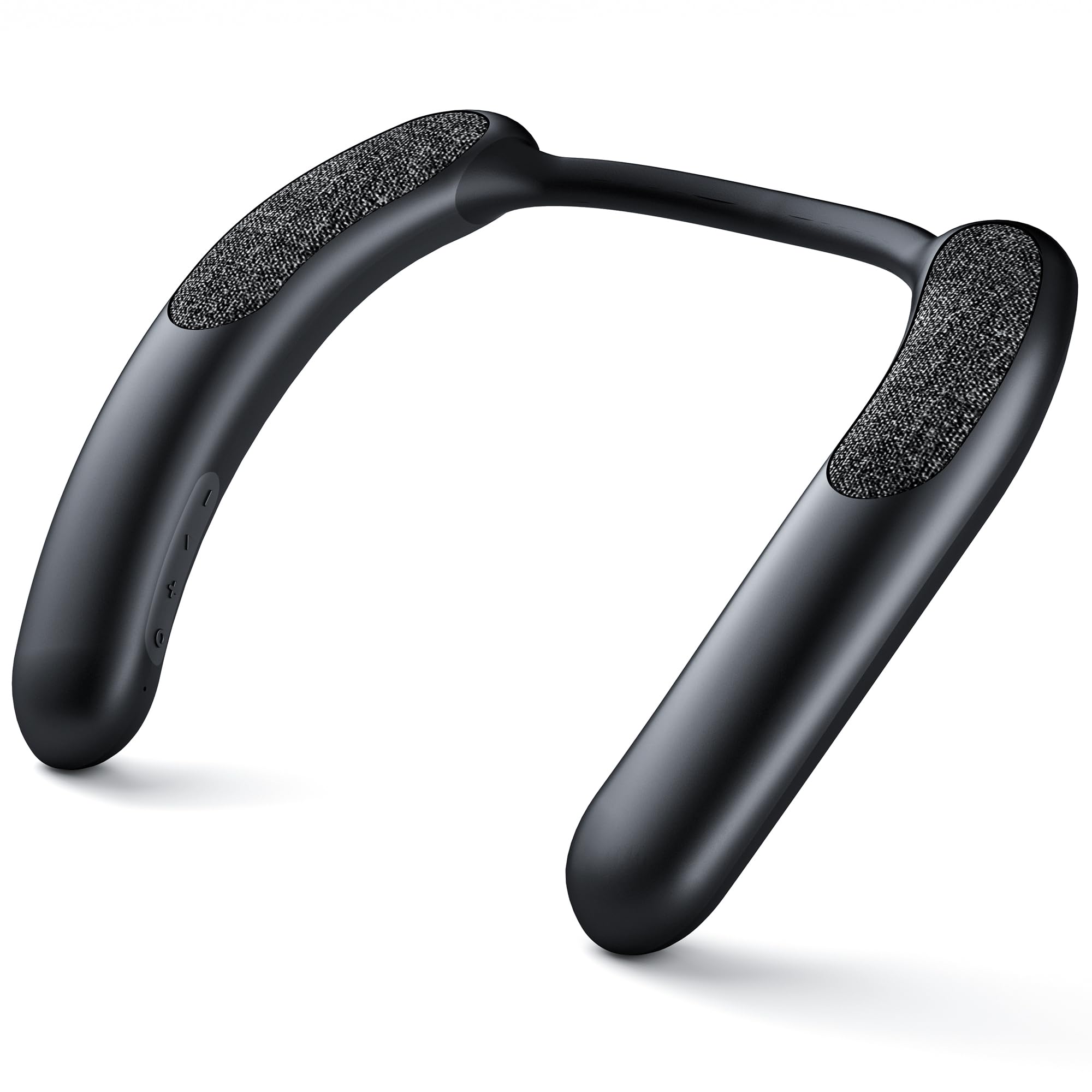
Image: The speaker's internal components, including diaphragms, are engineered to deliver superior 3D sound quality, enhancing the audio experience.

Image: The ergonomic design of the neck speaker conforms to the natural curve of the neck and shoulders, ensuring comfort during long listening sessions.
คำแนะนำการตั้งค่า
1. ชาร์จลำโพง
Before first use, fully charge the speaker. Connect the provided charging cable to the speaker's charging port and a compatible USB power source. The charging indicator light will show the charging status. A full charge provides approximately 9-10 hours of continuous use at 80% volume.

Image: An illustration demonstrating the 10-hour battery performance and the location of the charging port on the neck speaker.
2. การจับคู่บลูทู ธ
To connect your Smalody Neck Speaker to a device:
- ตรวจสอบให้แน่ใจว่าลำโพงปิดอยู่
- กดปุ่มเปิด/ปิดค้างไว้จนกว่าไฟแสดงสถานะจะกะพริบ แสดงโหมดจับคู่
- บนอุปกรณ์ของคุณ (สมาร์ทโฟน แท็บเล็ต แล็ปท็อป) เปิดใช้งาน Bluetooth และค้นหาอุปกรณ์ที่มีอยู่
- Select "Smalody 910" (or similar name) from the list of devices.
- เมื่อเชื่อมต่อแล้ว ไฟแสดงสถานะจะเปลี่ยนไป และคุณจะได้ยินเสียงยืนยัน
บันทึก: The speaker can only be paired with one device at a time. If you experience pairing issues, clear the previous connection history on your device and attempt to pair again.

ภาพ: รายละเอียด view of the speaker's internal circuitry, highlighting the integrated Bluetooth 5.3 technology for stable and efficient wireless connections.
คำแนะนำการใช้งาน
เปิด/ปิดเครื่อง
- การเปิดเครื่อง: กดปุ่มเปิด/ปิดค้างไว้ 3 วินาที
- วิธีปิดเครื่อง: กดปุ่มเปิด/ปิดค้างไว้ 3 วินาที
การเล่นเพลง
After successful Bluetooth pairing, you can play audio from your connected device. Use the tactile controls on the speaker to manage playback:
- เล่น/หยุดชั่วคราว: กดปุ่มเล่น/หยุดชั่วคราวหนึ่งครั้ง
- เพลงถัดไป: กดปุ่ม 'ถัดไป'
- แทร็กก่อนหน้า: กดปุ่ม 'ก่อนหน้า'
- ปรับระดับเสียงขึ้น: กดปุ่ม '+'
- ลดเสียงลง: กดปุ่ม '-'
การโทรแบบแฮนด์ฟรี
The speaker features a built-in microphone with noise reduction for clear hands-free calls. When a call comes in:
- รับสาย: กดปุ่มเล่น/หยุดชั่วคราวหนึ่งครั้ง
- วางสาย: กดปุ่มเล่น/หยุดชั่วคราวหนึ่งครั้งระหว่างการโทร
- ปฏิเสธสาย: กดปุ่ม Play/Pause ค้างไว้ 2 วินาที
สถานการณ์การใช้งาน
The Smalody Neck Speaker is designed for versatile use, allowing you to enjoy audio while remaining aware of your surroundings. It is suitable for:
- การวิ่งและการปั่นจักรยาน
- การขับรถ
- Working or studying
- Gym workouts
- การเล่นเกม
- Home activities where noise might be a concern for others.

Image: Various individuals are depicted using the Smalody Neck Speaker during different activities, illustrating its versatility for active lifestyles and daily tasks.
การซ่อมบำรุง
การทำความสะอาด
Wipe the speaker with a soft, dry cloth. Do not use abrasive cleaners or solvents. If necessary, a slightly damp cloth can be used, ensuring no moisture enters the ports.
ความต้านทานต่อน้ำ
The Smalody Neck Speaker is waterproof. However, it is not designed for submersion. Avoid exposing it to strong jets of water or prolonged immersion. Ensure all ports are securely closed if applicable before exposure to moisture.
พื้นที่จัดเก็บ
Store the speaker in a cool, dry place away from direct sunlight and extreme temperatures. Avoid placing heavy objects on the speaker.
การแก้ไขปัญหา
- ลำโพงไม่เปิดเครื่อง:
- ตรวจสอบให้แน่ใจว่าลำโพงชาร์จเต็มแล้ว เสียบปลั๊กเข้ากับแหล่งจ่ายไฟแล้วลองอีกครั้ง
- ไม่สามารถจับคู่กับอุปกรณ์ได้:
- Make sure the speaker is in pairing mode (indicator light flashing). Clear any previous Bluetooth connection history on your device and try pairing again. Ensure no other devices are currently connected to the speaker.
- ไม่มีเสียงหรือระดับเสียงต่ำ:
- Check the volume levels on both the speaker and your connected device. Ensure the speaker is properly paired and within range of your device. Try restarting both the speaker and your device.
- คุณภาพการโทรไม่ดี:
- Ensure the speaker is close to your mouth during calls. Check for any obstructions between the speaker and your device. Move away from sources of strong electromagnetic interference.
ข้อมูลจำเพาะ
| ยี่ห้อ | สมาโลดี้ |
| หมายเลขรุ่น | 910 |
| ขนาด (กว้าง x ยาว x สูง) | 23 x 23 x 5 ซม. |
| น้ำหนัก | 250 กรัม |
| เทคโนโลยีการเชื่อมต่อ | บลูทูธ 5.3 |
| กำลังขับของลำโพง | 6 วัตต์ |
| การตอบสนองความถี่ | 60 เฮิรตซ์ |
| แหล่งพลังงาน | ใช้พลังงานจากแบตเตอรี่ |
| อายุการใช้งานแบตเตอรี่ | ประมาณ 9-10 ชั่วโมง (ที่ระดับเสียง 80%) |
| วิธีการควบคุม | ปุ่มสัมผัส |
| กันน้ำ | ใช่ |
| อุปกรณ์ที่รองรับ | Laptop, Smartphone, Tablet, Personal Computer |
| รวมส่วนประกอบ | คู่มือเริ่มต้นอย่างรวดเร็ว |
| วัสดุ | พลาสติก |
| คุณสมบัติพิเศษ | Dolby Compatible, 3D Speaker Type |
ข้อมูลการรับประกัน
The Smalody Wireless Neck Speaker Model 910 comes with a limited warranty. For specific details regarding warranty coverage, duration, and terms, please refer to the documentation included with your product or visit the official Smalody webเว็บไซต์.
การสนับสนุนลูกค้า
If you encounter any issues or have questions not covered in this manual, please visit the official Smalody website for further assistance, FAQs, and contact information for customer support.


