1. บทนำ
Thank you for choosing the CHEREEKI Wireless Gamepad for PS-4. This manual provides detailed instructions on how to set up, operate, and maintain your new controller. Please read this manual carefully before use to ensure optimal performance and longevity of your device. This controller is designed to enhance your gaming experience with its advanced features and ergonomic design.
2. สินค้าหมดview
2.1 คุณสมบัติหลัก
- ความเข้ากันได้: Compatible with PS-4, PS-4 Slim, and PS-4 Pro consoles, providing a stable signal up to 8 meters without delay.
- การออกแบบตามหลักสรีรศาสตร์: Manually mounted with highly sensitive buttons and classic analog stick design for precise and comfortable gaming.
- 6-Axis Sensor & Dual Motors: Equipped with a built-in 6-axis sensor (gyroscope and accelerometer) and dual vibration motors for immersive gaming feedback.
- Touchpad & Light Bar: Features a multi-touch touchpad and an integrated light bar for new gaming possibilities.
- อายุการใช้งานแบตเตอรี่ยาวนาน: 600mAh battery provides up to 7 hours of playtime on a 2-3 hour charge.
- ฟังก์ชั่นการแบ่งปัน: Includes a dedicated SHARE button for easy sharing of video clips and screenshots.
- Stereo Headphone Socket: A 3.5mm audio jack allows connection of headphones for immersive audio.
2.2 เนื้อหาบรรจุภัณฑ์
- CHEREEKI Wireless Gamepad
- สายชาร์จ USB
- คู่มือการใช้งาน
2.3 เค้าโครงตัวควบคุม

รูปที่ 2.3.1: ด้านหน้าและด้านหลัง view of the CHEREEKI Wireless Gamepad, highlighting key components such as the R1/R2/L1/L2 buttons, Light Bar, Micro USB Port, SHARE button, OPTIONS button, Directional Buttons, Left Stick, Home Button, Right Stick, Extension Port, and Stereo Headset Jack.
ทำความคุ้นเคยกับปุ่มและพอร์ตต่างๆ บนคอนโทรลเลอร์ของคุณ:
- ปุ่มควบคุมทิศทาง (D-Pad): เพื่อการป้อนทิศทางที่แม่นยำ
- แท่งอนาล็อกซ้าย/ขวา: สำหรับการเคลื่อนไหวแบบ 360 องศาและการควบคุมกล้อง
- ปุ่มควบคุมการทำงาน (สามเหลี่ยม วงกลม กากบาท สี่เหลี่ยม): สำหรับการกระทำในเกม
- ปุ่มแชร์: เพื่อแบ่งปันช่วงเวลาการเล่นเกม
- ปุ่มตัวเลือก: To access in-game menus and options.
- PS Button (Home Button): To turn on/off the controller, access the PS-4 home screen.
- ทัชแพด: Multi-touch surface for interactive gameplay.
- ปุ่ม L1/R1: กระดุมไหล่
- ปุ่ม L2/R2: ทริกเกอร์แบบอนาล็อกสำหรับการป้อนข้อมูลที่แม่นยำ
- แถบแสง: Indicates player number, health, and other game information.
- พอร์ตไมโครยูเอสบี: สำหรับการชาร์จและการเชื่อมต่อแบบมีสาย
- Stereo Headset Jack: 3.5mm port for connecting headphones or headsets.
- พอร์ตขยาย: For connecting compatible accessories.
3. การตั้งค่า
3.1 Initial Connection & Pairing
For the first-time connection, the controller must be paired with your PS-4 console using a USB cable.
- Ensure your PS-4 console is powered on.
- Connect one end of the provided USB charging cable to the Micro USB port on the controller and the other end to a USB port on your PS-4 console.
- Press the PS button (Home button) on the controller. The light bar will flash and then glow solid, indicating successful pairing.
- Once paired, you can disconnect the USB cable to use the controller wirelessly.
3.2 Reconnecting Wirelessly
After initial pairing, the controller will automatically attempt to reconnect wirelessly to the last paired PS-4 console when you press the PS button.
3.3 การชาร์จคอนโทรลเลอร์

รูปที่ 3.3.1: Illustration of the CHEREEKI Wireless Gamepad's battery life, indicating a charging time of 2 hours for 7 hours of play time.
The controller is equipped with a 600mAh rechargeable Lithium-Ion battery.
- Connect the controller to your PS-4 console or a standard USB charger (5V/1A) using the provided USB cable.
- The light bar will slowly flash orange while charging.
- Once fully charged (approximately 2-3 hours), the light bar will turn off.
- A full charge provides up to 7 hours of continuous gameplay.
4. คู่มือการใช้งาน
4.1 การเปิด/ปิดเครื่อง
- การเปิดเครื่อง: Press the PS button. The controller will attempt to connect to the PS-4 console.
- วิธีปิดเครื่อง: If connected to the PS-4, hold the PS button for about 10 seconds until the light bar turns off. The controller will also power off automatically after a period of inactivity.
4.2 ความเข้ากันได้

รูปที่ 4.2.1: The CHEREEKI Wireless Gamepad demonstrating wide compatibility with PS4, PS4 Slim, and PS4 Pro consoles.
This controller is fully compatible with PlayStation 4, PlayStation 4 Slim, and PlayStation 4 Pro consoles. It provides a stable and responsive connection for all compatible PS-4 titles.
4.3 Motion Sensor (Gyro) Control
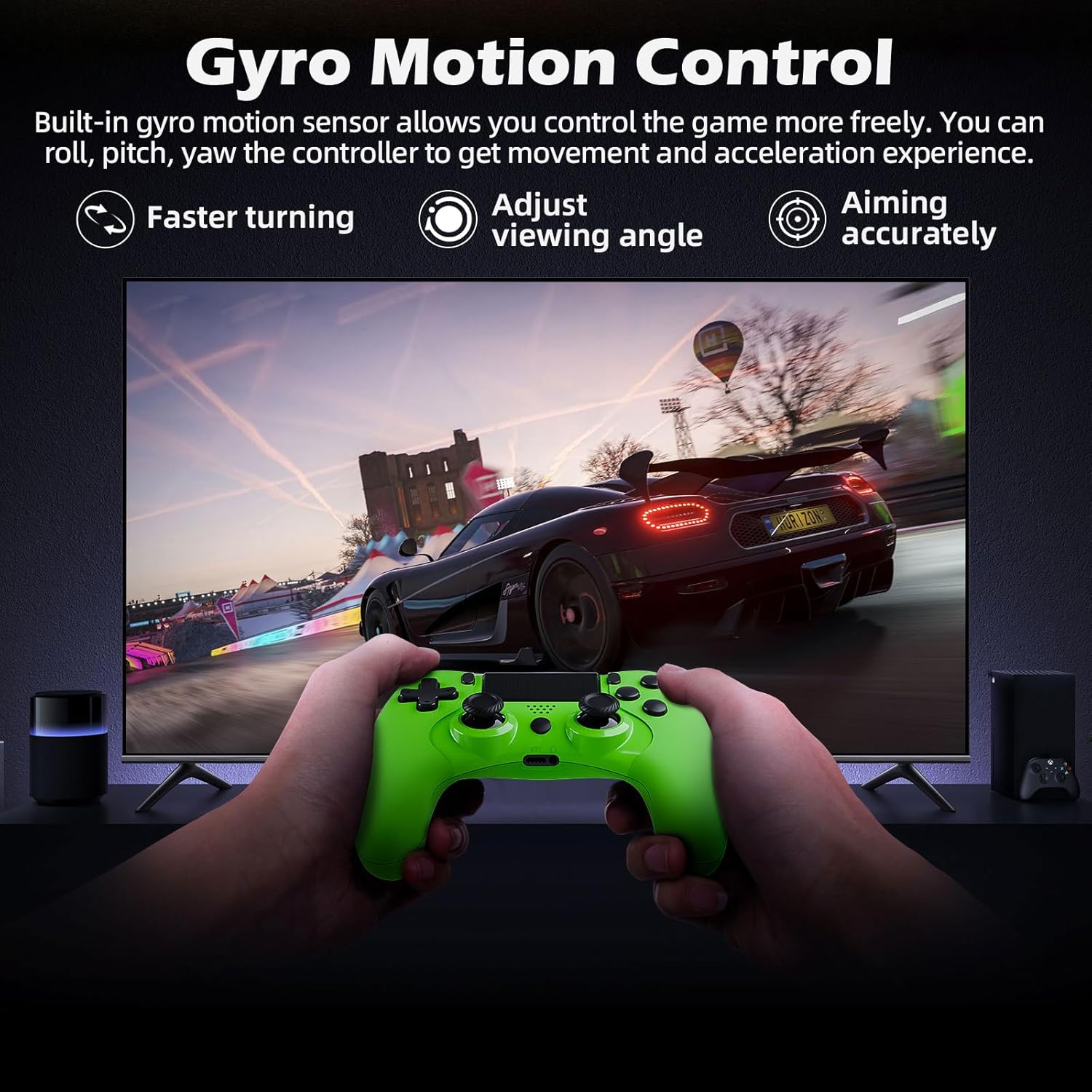
รูปที่ 4.3.1: A user playing a racing game with the CHEREEKI Wireless Gamepad, demonstrating the built-in gyro motion sensor for controlling movement and acceleration, allowing for faster turning, adjusting viewing angle, and accurate aiming.
The built-in 6-axis motion sensor allows for intuitive control in games that support motion sensing. You can roll, pitch, and yaw the controller to control in-game actions, providing a more immersive and dynamic gaming experience, especially for racing or aiming.
4.4 การสั่นสะเทือนของมอเตอร์คู่

รูปที่ 4.4.1: The CHEREEKI Wireless Gamepad illustrating its dual motor vibration feature, designed to provide an immersive tactile feedback experience during gameplay.
The integrated dual vibration motors provide realistic feedback for in-game events such as crashes, explosions, or impacts, making your gaming experience more immersive and engaging.
4.5 การใช้งานทัชแพด
The multi-touch touchpad on the front of the controller can be used for navigation, gestures, and specific in-game interactions, depending on the game's design.
4.6 การเชื่อมต่อเสียง
Plug any standard 3.5mm stereo headset or headphones into the audio jack at the bottom of the controller for in-game audio and voice chat (if supported by the headset).
4.7 Sharing Gameplay
Press the SHARE button to access the sharing menu. From here, you can easily upload screenshots, video clips, or start live broadcasts of your gameplay.
5. การบำรุงรักษา
5.1 การทำความสะอาด
- ใช้ผ้าแห้งนุ่มเช็ดทำความสะอาดพื้นผิวของตัวควบคุม
- สำหรับสิ่งสกปรกฝังแน่น ให้เช็ดออกเล็กน้อยampชุบผ้าด้วยน้ำหรือน้ำยาทำความสะอาดอ่อนๆ
- Do not use strong chemicals, abrasive cleaners, or allow water to enter the controller's ports.
5.2 พื้นที่จัดเก็บ
- เก็บตัวควบคุมไว้ในที่แห้งและเย็น ห่างจากแสงแดดโดยตรงและอุณหภูมิที่สูงหรือต่ำมาก
- หลีกเลี่ยงการทำคอนโทรลเลอร์ตกหรือได้รับแรงกระแทกรุนแรง
- หากเก็บรักษาเป็นเวลานาน ควรชาร์จแบตเตอรี่เป็นระยะ (เช่น ทุก 3-6 เดือน) เพื่อรักษาสภาพแบตเตอรี่ให้ใช้งานได้ดี
6 การแก้ไขปัญหา
6.1 ตัวควบคุมไม่เชื่อมต่อ/ไม่ตอบสนอง
- ตรวจสอบการเชื่อมต่อ USB: Ensure the USB cable is securely connected to both the controller and the PS-4 console.
- ซ่อมแซมตัวควบคุม: Connect the controller to the PS-4 with a USB cable and press the PS button to re-pair.
- รีเซ็ตคอนโทรลเลอร์: Locate the small reset button on the back of the controller (often near the L2 button, inside a tiny hole). Use a paperclip to press and hold the button for 3-5 seconds. Then, reconnect via USB and press the PS button.
- ชาร์จแบตเตอรี่: ตรวจสอบให้แน่ใจว่าตัวควบคุมมีแบตเตอรี่เหลือเพียงพอ
- การรบกวน: Move closer to the PS-4 console or ensure there are no strong wireless interference sources nearby.
6.2 Input Lag or Disconnection
- ระยะทาง: Ensure you are within the effective wireless range (up to 8m).
- ระดับแบตเตอรี่: Low battery can affect wireless performance. Charge the controller.
- การรบกวน: Other wireless devices (Wi-Fi routers, Bluetooth devices) can cause interference. Try to minimize these or move the console/controller.
- รีเซ็ตคอนโทรลเลอร์: Perform a hard reset as described above.
6.3 ปัญหาการชาร์จ
- ตรวจสอบสายเคเบิล: ลองใช้สาย USB เส้นอื่นเพื่อตรวจสอบว่าสายมีปัญหาหรือไม่
- ตรวจสอบพอร์ตการชาร์จ: Ensure the Micro USB port on the controller is clean and free of debris.
- แหล่งพลังงาน: Try charging from a different USB port on the PS-4 or a different USB wall adapter.
7. ข้อมูลจำเพาะ
| คุณสมบัติ | ข้อมูลจำเพาะ |
|---|---|
| หมายเลขรุ่น | STK-4006L |
| การเชื่อมต่อ | ไร้สาย (บลูทูธ), แบบมีสาย (USB) |
| ความเข้ากันได้ | PS-4, PS-4 Slim, PS-4 Pro |
| ประเภทแบตเตอรี่ | ลิเธียมไอออน |
| ความจุของแบตเตอรี่ | 600 มิลลิแอมป์ |
| เวลาในการชาร์จ | ประมาณ 2-3 ชั่วโมง |
| เวลาเล่น | นานถึง 7 ชั่วโมง |
| ช่วงสาย | สูงสุด 8 เมตร |
| ขนาด | 17.4 x 12.1 x 7.3 ซม. |
| น้ำหนัก | 210 กรัม |
| เซ็นเซอร์ | 6-axis motion sensing system (gyroscope, accelerometer) |
| การสั่นสะเทือน | มอเตอร์สั่นสะเทือนคู่ |
| พอร์ตเสียง | แจ็คหูฟังสเตอริโอ 3.5 มม. |
8. การรับประกันและการสนับสนุน
8.1 ข้อมูลการรับประกัน
This CHEREEKI product is covered by a standard manufacturer's warranty against defects in materials and workmanship. Please refer to your purchase documentation for specific warranty terms and duration. The warranty does not cover damage caused by misuse, accidents, unauthorized modifications, or normal wear and tear.
8.2 การสนับสนุนลูกค้า
For technical support, troubleshooting assistance, or warranty claims, please contact CHEREEKI customer service. You can typically find contact information on the product packaging, the retailer's website, or the official CHEREEKI brand store on Amazon.
When contacting support, please have your product model number (STK-4006L) and purchase details ready.


