การแนะนำ
Thank you for choosing the FLEXISPOT Electric Height Adjustable Standing Desk. This manual provides detailed instructions for assembly, operation, maintenance, and troubleshooting to ensure safe and efficient use of your new desk. Please read this manual thoroughly before beginning assembly or operation and retain it for future reference.
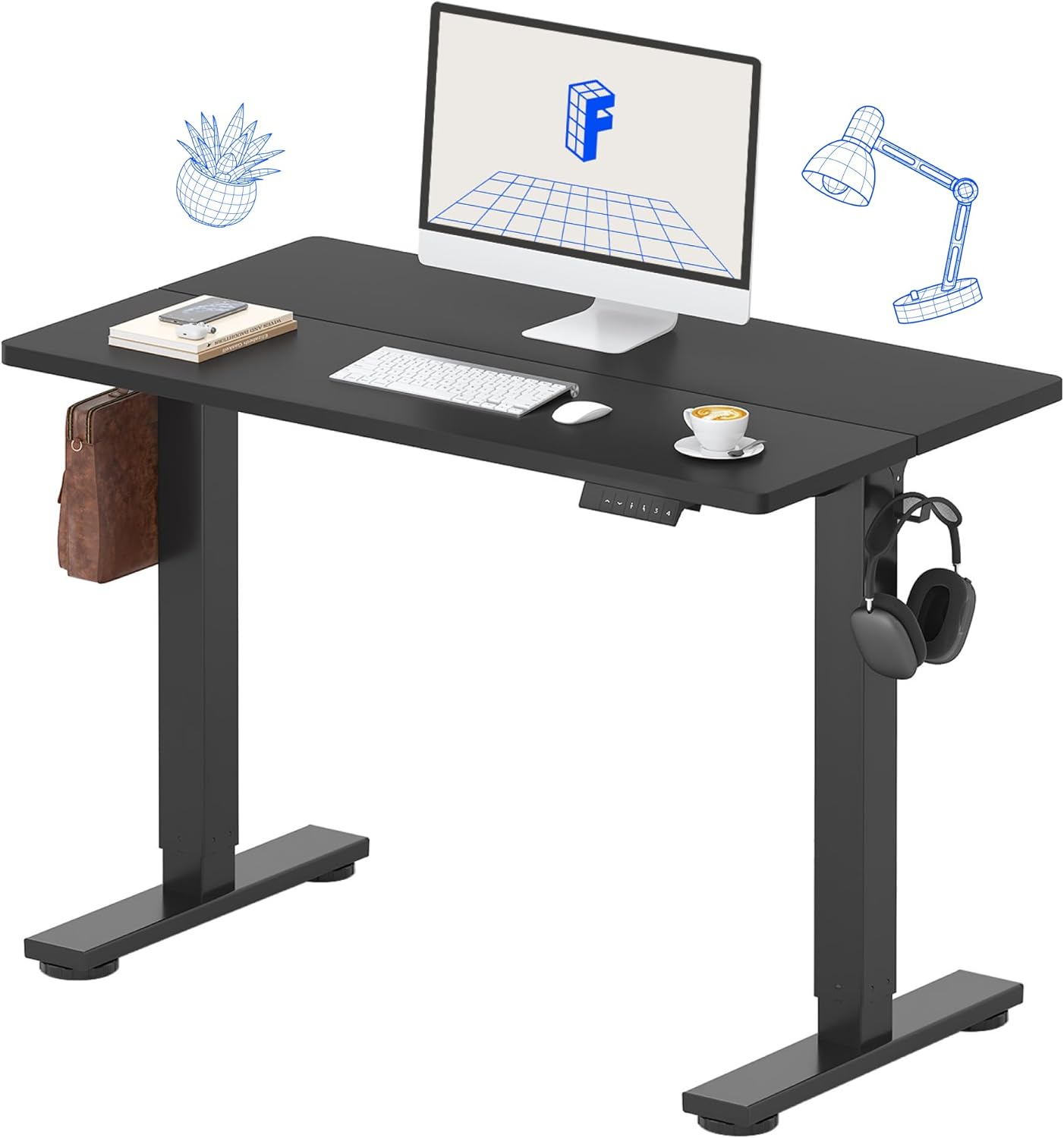
Image: The FLEXISPOT Electric Height Adjustable Standing Desk in a home office setting.
ข้อมูลด้านความปลอดภัย
เพื่อป้องกันการบาดเจ็บหรือความเสียหาย ควรปฏิบัติตามหลักเกณฑ์ความปลอดภัยต่อไปนี้เสมอ:
- ห้ามเกินน้ำหนักสูงสุดที่กำหนดไว้ 154 ปอนด์ (70 กก.) บนเดสก์ท็อป
- Ensure the desk is placed on a level surface and is stable before use.
- ขณะปรับความสูง ควรระวังอย่าให้มือหรือสิ่งของอยู่ใกล้ชิ้นส่วนที่กำลังเคลื่อนไหว
- Do not allow children to operate the desk without adult supervision.
- ตัดการเชื่อมต่อไฟฟ้าก่อนทำความสะอาดหรือดำเนินการบำรุงรักษาใดๆ
- Use only the provided power adapter and components.
- Avoid spilling liquids on the control panel or motor components.
เนื้อหาแพ็คเกจ
Verify that all components are present and undamaged upon opening the package. If any parts are missing or damaged, please contact customer support.
- Desktop (40" x 24" Splice Board)
- Desk Frame (Legs and Beams)
- มอเตอร์ไฟฟ้าและกล่องควบคุม
- แผงควบคุมพร้อมการตั้งค่าหน่วยความจำ
- อะแดปเตอร์แปลงไฟและสายเคเบิล
- อุปกรณ์ประกอบ (ประแจหกเหลี่ยม, ไขควง)
- Desk Organizer Hooks (2)
- คู่มือการใช้งาน (เอกสารนี้)

Image: The desk components are efficiently packed in a single box for shipping.
การติดตั้งและการประกอบ
Follow these steps carefully for proper assembly. An installation video is also provided for visual guidance.
วิดีโอแนะนำการประกอบ
Video: Official FLEXISPOT 40/48 inch Standing Desk Installation Guide. This video provides a step-by-step visual walkthrough of the assembly process, including attaching the motor, beams, legs, and desktop, and connecting the control panel.
การประกอบทีละขั้นตอนเสร็จสิ้นview
- Assemble the Crossbeam: Attach the side brackets to the main crossbeam using the provided screws. Ensure all connections are secure.
- Install the Motor and Drive Rod: Carefully insert the drive rod into the motor and then attach the motor assembly to the crossbeam. Ensure the drive rod is properly aligned.
- แนบขา: Securely fasten the desk legs to the assembled crossbeam and side brackets.
- แนบเดสก์ท็อป: Place the desktop upside down on a soft, clean surface. Carefully align the assembled frame with the pre-drilled holes on the desktop. Use the provided screws to attach the frame to the desktop.
- Install Control Panel and Hooks: Mount the control panel to the underside of the desktop in the designated area. Attach the side storage hooks to the desk frame as desired.
- การเชื่อมต่อสายไฟ: Connect the motor cable and control panel cable to the control box. Plug the power adapter into the control box and then into a power outlet.
- Flip the Desk: With assistance, carefully flip the assembled desk upright.

ภาพ: ระยะใกล้ view of the convenient side storage hooks for headphones or bags.
คำแนะนำการใช้งาน
Your FLEXISPOT standing desk features an intuitive control panel for easy height adjustments and memory presets.
ฟังก์ชั่นแผงควบคุม

ภาพ: เหนือview of the multi-function keypad with LED display, up/down keys, and memory function buttons.
- ลูกศรขึ้น/ลง: Press and hold to continuously adjust the desk height. Release to stop at your desired height. The desk adjusts from 28.9 inches (minimum) to 46.5 inches (maximum).
- ค่าที่ตั้งไว้ล่วงหน้าของหน่วยความจำ (1, 2, 3, 4):
- ปรับโต๊ะให้อยู่ในระดับความสูงที่คุณต้องการ
- Press the "M" button (or similar memory set button, if present, otherwise assume direct press).
- Press the desired number button (1, 2, 3, or 4) within 3 seconds to save the current height to that preset.
- หากต้องการเรียกดูความสูงที่บันทึกไว้ เพียงกดปุ่มหมายเลขที่เกี่ยวข้อง โต๊ะจะเลื่อนไปยังตำแหน่งที่บันทึกไว้โดยอัตโนมัติ

Image: Visual representation of the desk's wide height adjustment range from 29 inches to 46.5 inches.
การซ่อมบำรุง
Regular maintenance ensures the longevity and optimal performance of your FLEXISPOT standing desk.
- การทำความสะอาด: เช็ดพื้นเดสก์ท็อปและกรอบด้วยผ้าเนื้อนุ่มamp cloth. Avoid abrasive cleaners or harsh chemicals. The desktop is designed to be waterproof and scratch-resistant.
- ตรวจสอบการเชื่อมต่อ: Periodically inspect all screws and electrical connections to ensure they are secure. Tighten any loose screws.
- การกระจายน้ำหนัก: Distribute weight evenly across the desktop to prevent strain on the motor and frame.
- การจัดการสายเคเบิล: Utilize the included desk organizer hooks or other cable management solutions to keep cables tidy and prevent them from interfering with desk movement.

Image: The high-quality desktop is waterproof, scratch-resistant, and smooth for durability and easy cleaning.
การแก้ไขปัญหา
If you encounter any issues with your desk, refer to the common problems and solutions below. If the problem persists, contact FLEXISPOT customer support.
| ปัญหา | สาเหตุที่เป็นไปได้ | สารละลาย |
|---|---|---|
| โต๊ะไม่ขยับ | Power cable disconnected, motor cable loose, control box error. | Check all cable connections. Unplug and replug the power cable. Refer to the installation video for proper wiring. |
| โต๊ะขยับไม่สม่ำเสมอหรือมีเสียงผิดปกติ | Overload, loose screws, obstruction. | Reduce weight on the desk. Check and tighten all assembly screws. Ensure no objects are obstructing the desk's movement. The motor is designed to be whisper-quiet (<50dB). |
| การตั้งค่าหน่วยความจำล่วงหน้าใช้งานไม่ได้ | การเขียนโปรแกรมไม่ถูกต้อง | Re-program the memory presets following the operating instructions. |

Image: Comparison showing the desk's motor operates at less than 50dB, ensuring a quiet workspace.
ข้อมูลจำเพาะ
- ยี่ห้อ: เฟล็กซิสพอท
- แบบอย่าง: B0DDL2S5BL
- ขนาดของเดสก์ท็อป: 40 inches (Width) x 24 inches (Depth)
- ช่วงการปรับความสูง: 28.9 นิ้วถึง 46.5 นิ้ว
- ความจุน้ำหนัก: 154 ปอนด์ (70 กก.)
- วัสดุ: Engineered Wood (Desktop), Alloy Steel (Base)
- สี: Black Top + Black Frame
- Motor Noise Level: <50เดซิเบล
- จำเป็นต้องประกอบ: ใช่ (มีเครื่องมือให้ครบ)
- ยูพีซี: 840460403771

Image: Detailed dimensions of the desktop (40"x24") and the adjustable height range of the desk frame.
การรับประกันและการสนับสนุน
FLEXISPOT provides a limited warranty for this product. For specific warranty terms and conditions, please refer to the warranty card included with your purchase or visit the official FLEXISPOT webเว็บไซต์.
If you require assistance with assembly, operation, or troubleshooting, or if you have any questions regarding your product, please contact FLEXISPOT customer support through their official channels. Contact information can typically be found on the product packaging or the FLEXISPOT webเว็บไซต์.
หากต้องการข้อมูลเพิ่มเติม กรุณาเยี่ยมชมเว็บไซต์อย่างเป็นทางการ ร้านเฟล็กซิสพอท.


