1. บทนำ
This manual provides essential instructions for the safe operation and maintenance of your Holy Stone HS600D Drone. The HS600D is an advanced drone equipped with a 1/2.3" Sony CMOS sensor, capable of capturing 4K HDR video at 30 frames per second and crisp 8K/48MP photos. It features a 3-axis brushless gimbal with Electronic Image Stabilization (EIS) for smooth footage, and boasts Level-6 wind resistance. Designed for both beginners and experienced pilots, it includes multi-sensor safety features (TOF + GPS + optical flow positioning) for enhanced stability and reduced risk. The drone offers an impressive 6KM long-range transmission and up to 80 minutes of flight time with two included batteries.
2. อะไรอยู่ในกล่อง
The Holy Stone HS600D Advanced Flight Kit includes the following components:
- เครื่องบิน (โดรน) x1
- Relay Remote Controller x1
- คู่มือการใช้งาน x1
- Drone Battery x2
- สายชาร์จ Type-C x2
- ตัวป้องกันแกนหมุน x1
- ที่ยึดใบพัด x1
- Relay Device Connection Cables (Lightning, Micro-USB, Type-C interfaces) x3
- Spare Propellers x1 set (2A+2B)

Figure 1: All components included in the Holy Stone HS600D Advanced Flight Kit.
3. ส่วนประกอบมากกว่าview
3.1. HS600D Aircraft
The HS600D drone features a robust design with foldable arms for portability. It integrates a high-resolution camera with a 3-axis gimbal for stable imaging. The drone is equipped with powerful brushless motors for efficient flight and Level-6 wind resistance.

Figure 2: The Holy Stone HS600D Drone with its arms unfolded, ready for flight.
3.2. รีโมทคอนโทรล
The relay remote controller provides precise control over the drone. It features a built-in display for basic flight telemetry and a smartphone holder for live video feed and advanced controls via the Holy Stone app. The controller connects to your smartphone via wired relay cables for stable transmission.
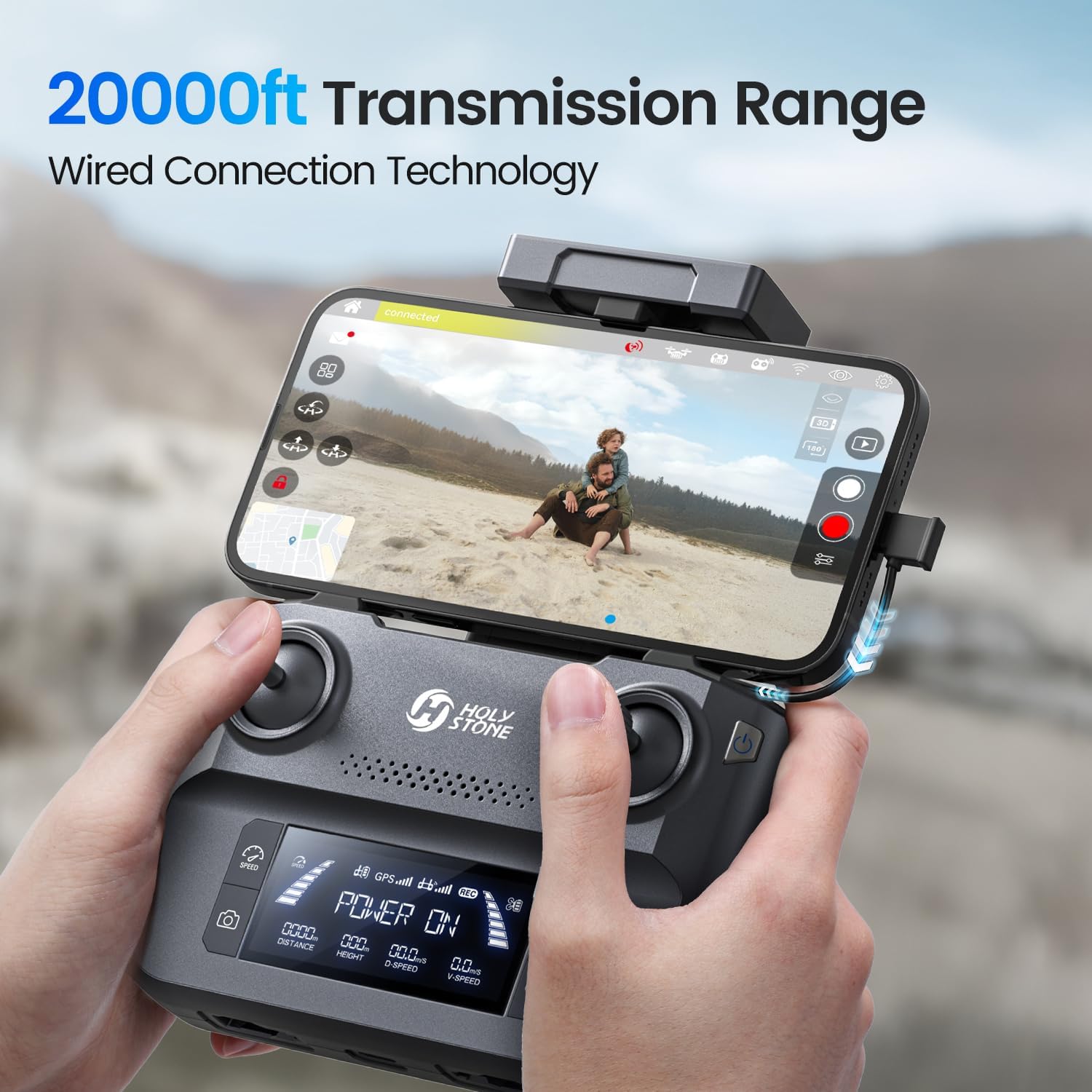
Figure 3: The Holy Stone HS600D Remote Controller with a smartphone displaying the live video feed.
4. การตั้งค่า
4.1. การชาร์จแบตเตอรี่และการติดตั้ง
- Charge both drone batteries using the provided Type-C charging cables. The batteries feature a power-up button on top with indicator lights to show charge level.
- ใส่แบตเตอรี่ที่ชาร์จเต็มแล้วลงในช่องใส่แบตเตอรี่ของโดรนจนกระทั่งได้ยินเสียงคลิกและล็อคเข้าที่
4.2. การติดตั้งใบพัด
Attach the spare propellers (2A+2B) to the corresponding motor arms if replacement is needed. Ensure correct propeller type (A or B) is matched to the motor for proper flight.
4.3. Controller and App Connection
- Power on the drone first, then power on the remote controller.
- Allow the drone and controller to connect automatically.
- Connect your smartphone to the remote controller using one of the provided wired relay cables (Lightning, Micro-USB, or Type-C).
- Launch the Holy Stone app on your smartphone to establish the video feed and access advanced flight controls.
4.4. FAA Registration
As the Holy Stone HS600D weighs over 249 grams, it requires registration with the FAA. Please visit the FAA website to register your drone and obtain your Remote ID serial number. This number should be affixed to your drone as required by regulations.
5. การควบคุมโดรน
5.1. การควบคุมการบินขั้นพื้นฐาน
The drone is designed for ease of use with one-button takeoff and smart-return functions. An intelligent beginner mode and automatic altitude limits are in place to ensure stress-free initial flights. Multi-sensor safety, including TOF, GPS, and optical flow positioning, enhances low-altitude stability, reducing the risk of loss of control or collisions.
5.2. โหมดการบินอัจฉริยะ
The HS600D features advanced GPS Smart Modes that automate cinematic flight paths:
- ติดตามฉัน: The drone automatically follows the subject, maintaining a set distance and altitude.
- การติดตามอัจฉริยะ: Similar to Follow Me, but with enhanced tracking capabilities for dynamic subjects.
- เวลาที่ล่วงเลย: บันทึกภาพถ่ายหลายภาพในช่วงเวลาต่างๆ เพื่อสร้างวิดีโอแบบไทม์แลปส์
- พาโนรามา: Automatically captures multiple images to stitch together a wide panoramic shot.
- การคืนกุญแจเพียงดอกเดียว: Initiates an automatic return to the takeoff point. This feature is activated in cases of low battery, loss of signal, or manual command.
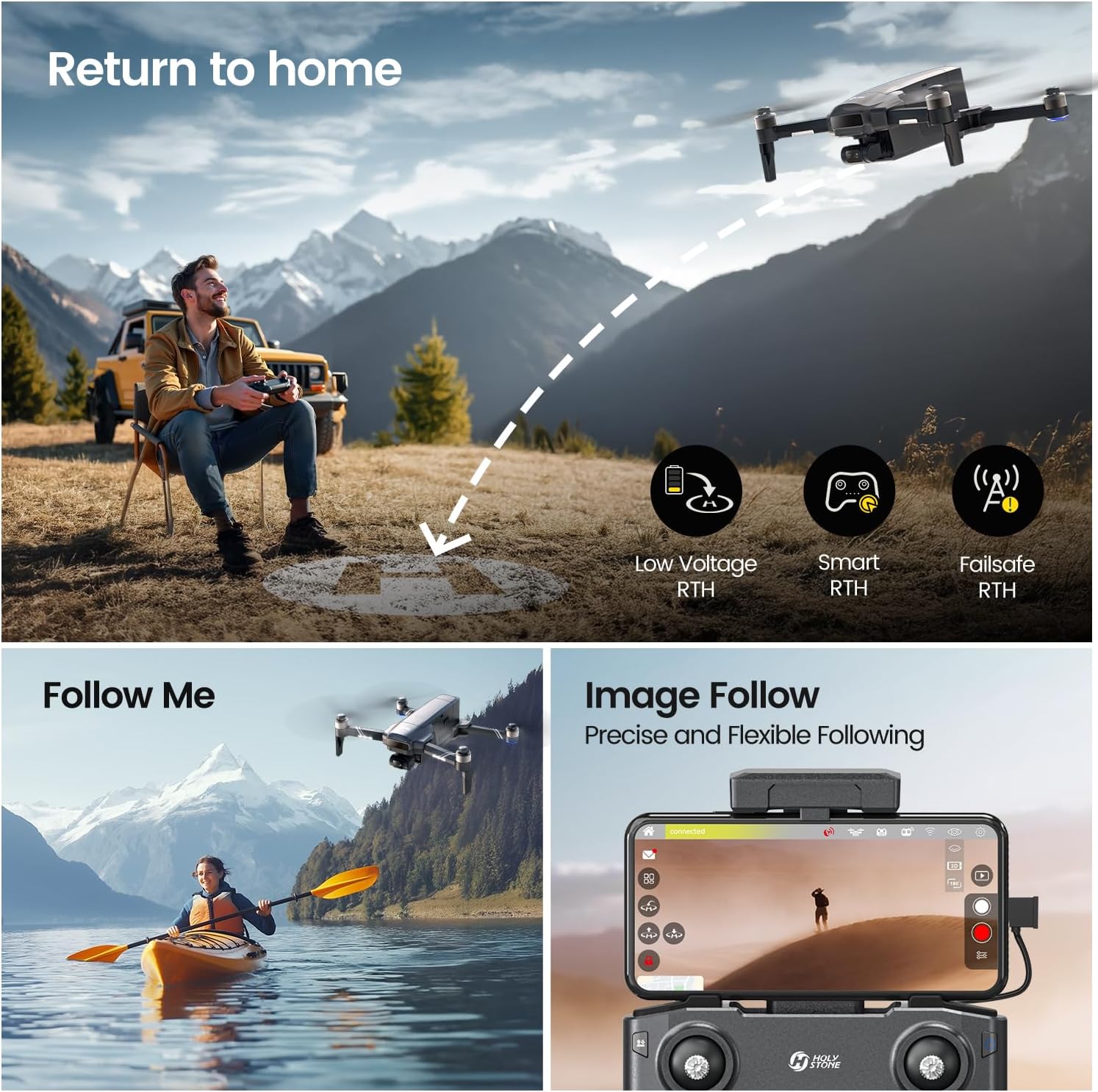
Figure 4: Visual representation of smart flight modes including Return to Home and Follow Me.
5.3. ประสิทธิภาพการบิน
The HS600D offers up to 80 minutes of flight time with two included batteries, providing extended operational periods. Its wired-relay digital image transmission technology ensures a stable, low-latency, and interference-resistant HD video feed over a 6KM (20,000ft) range. The drone's robust frame and powerful motors contribute to Level-6 wind resistance, maintaining stability even in challenging weather conditions.
Video 1: Official Holy Stone video showcasing the HS600D GPS Professional Drone's features and flight capabilities.
Video 2: Official Holy Stone video highlighting the HS600D GPS Drone's camera and flight features for adults.
6. คุณสมบัติของกล้อง
The HS600D is equipped with a 1/2.3" Sony CMOS sensor and a bright f/1.8 aperture, enabling it to capture high-quality visuals. It supports 4K HDR video recording at 30 frames per second and produces crisp 8K/48MP photos with rich detail and improved low-light performance. The 3-axis brushless gimbal combined with Electronic Image Stabilization (EIS) ensures smooth and stable footagแม้ในสภาวะที่มีลมแรง

Figure 5: Detail of the HS600D's 8K camera with Sony CMOS sensor and 3-axis brushless gimbal.
6.1 โหมดถ่ายภาพและวิดีโอ
Beyond standard photo and video capture, the drone supports specialized modes like Time-Lapse and Panorama. While the camera offers excellent quality for its price point, advanced users may note limitations in adjusting exposure time, ISO, and the absence of a RAW photo mode.
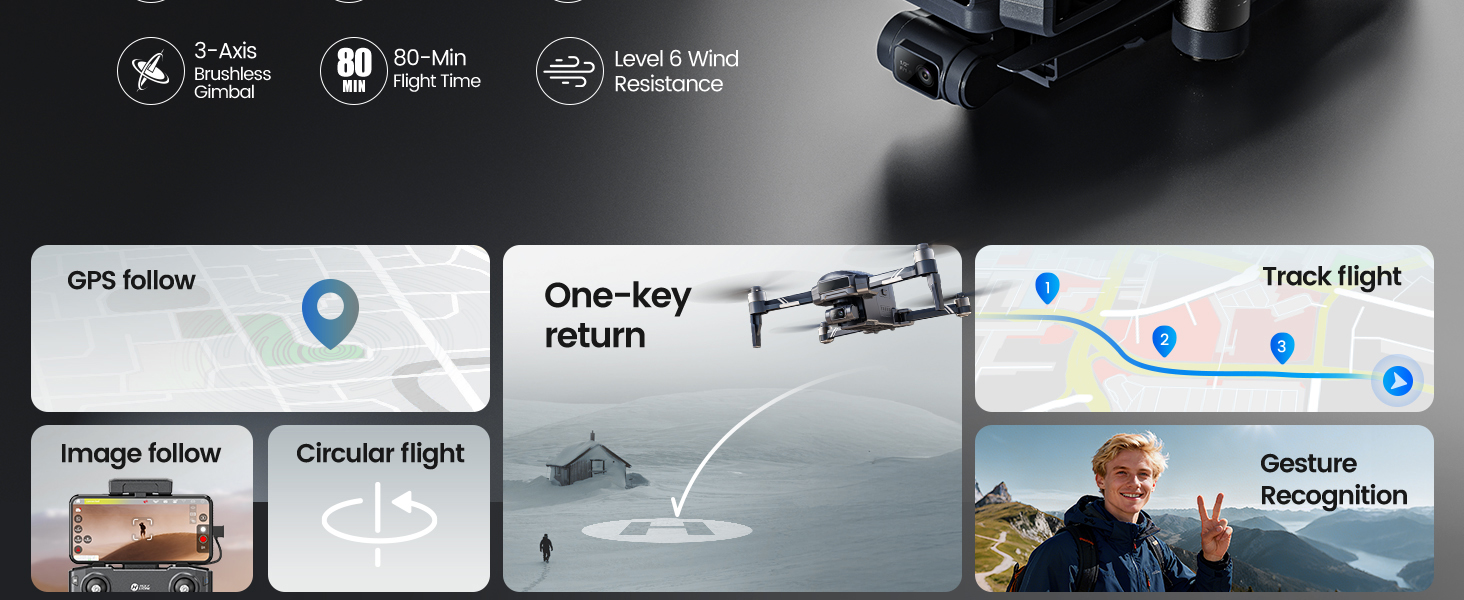
Figure 6: The Holy Stone HS600D drone supports panoramic and time-lapse shooting modes.
7. การบำรุงรักษา
- Regularly inspect propellers for damage and replace if necessary.
- Keep the camera lens clean and free from dust or smudges.
- Store the drone and batteries in a cool, dry place away from direct sunlight.
- Ensure batteries are charged periodically even when not in use to maintain their health.
8 การแก้ไขปัญหา
- โดรนไม่เปิดเครื่อง: ตรวจสอบให้แน่ใจว่าแบตเตอรี่ชาร์จเต็มและติดตั้งอย่างถูกต้อง
- Loss of video feed: Check the wired connection between your smartphone and the remote controller. Ensure the Holy Stone app is running correctly.
- เที่ยวบินไม่เสถียร: Perform compass and IMU calibration as per the user manual. Ensure flight is conducted in suitable weather conditions (within Level-6 wind resistance).
- ปัญหาการติดตาม GPS: Ensure strong GPS signal before initiating smart flight modes.
For more detailed troubleshooting or persistent issues, please refer to the full user manual or contact Holy Stone customer support.
9. ข้อมูลจำเพาะ
| ยี่ห้อ | หินศักดิ์สิทธิ์ |
| ชื่อรุ่น | HS600D |
| น้ำหนักสินค้า | 603 กรัม (1.33 ปอนด์) |
| ขนาดสินค้า | ยาว 14.8 นิ้ว x กว้าง 3.3 นิ้ว x สูง 10.2 นิ้ว |
| ความละเอียดในการจับภาพวิดีโอ | 4K |
| ความละเอียดของภาพนิ่งที่มีประสิทธิภาพ | 48 MP |
| เทคโนโลยีเซ็นเซอร์ออปติคัล | CMOS (Sony sensor) |
| เทคโนโลยีการเชื่อมต่อ | Wired Relay |
| ระยะสูงสุด | 20000 Feet (6KM) |
| ความจุของแบตเตอรี่ | 3500 มิลลิวินาทีamp ชั่วโมง (ต่อแบตเตอรี่) |
| เวลาบิน | สูงสุด 80 นาที (พร้อมแบตเตอรี่ 2 ก้อน) |
| คุณสมบัติพิเศษ | 3-Axis Brushless Gimbal + EIS, GPS + Optical Flow + TOF Positioning, Level-6 Wind Resistance |
10. การรับประกันและการสนับสนุน
Holy Stone is committed to providing dedicated support for its products. A professional support team is available to assist with setup, operation, and troubleshooting. Step-by-step video guides and prompt technical assistance are offered to ensure a smooth flying experience.
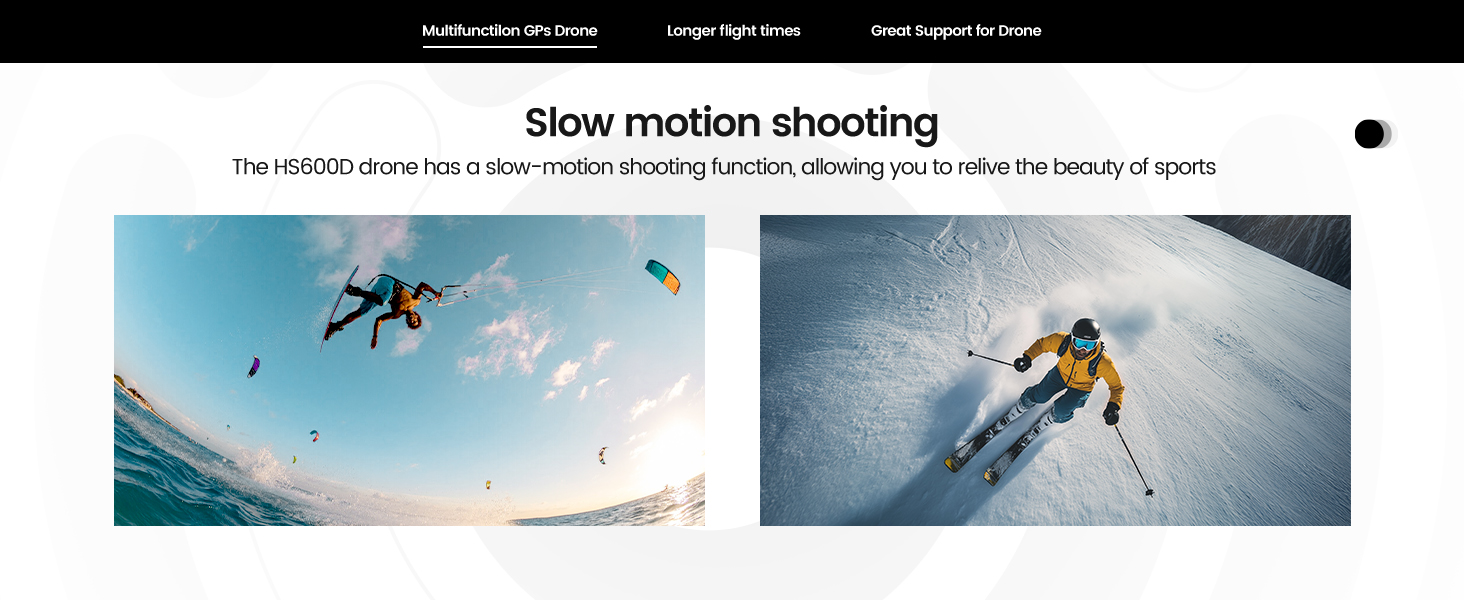
Figure 7: Holy Stone customer support details.
For specific warranty details, please refer to the warranty card included in your product packaging or visit the official Holy Stone webเว็บไซต์.


