การแนะนำ
Thank you for choosing the BUGANI Bluetooth Speaker. This powerful and versatile speaker is designed to deliver high-fidelity audio with deep bass and clear highs, perfect for both indoor and outdoor environments. Featuring advanced Bluetooth 5.4 technology, TWS connectivity, and a durable, portable design, it ensures an immersive listening experience wherever you go. Please read this manual carefully to ensure proper use and maintenance of your speaker.

ภาพ: ด้านหน้า view of the BUGANI Bluetooth Speaker in gold and black, showcasinด้วยดีไซน์ที่เรียบหรูและด้ามจับที่ออกแบบมาอย่างลงตัว
มีอะไรอยู่ในกล่อง
กรุณาตรวจสอบเนื้อหาในแพ็คเกจของคุณเพื่อให้แน่ใจว่ามีสินค้าครบทั้งหมด:
- 1 x BUGANI Brief Pro Speaker
- สาย USB-C 1 เส้น
- 1 x AUX IN Cable
- 1 x คู่มือผู้ใช้
- คู่มือเริ่มต้นอย่างรวดเร็ว 1 ชุด

Image: The BUGANI Brief Pro speaker, USB-C cable, AUX cable, user manual, and quick start guide laid out, indicating package contents.
คุณสมบัติผลิตภัณฑ์
Powerful 160W Audio System
Experience thunderous low-end clarity and rich sound with the BUGANI speaker's 160W peak output. It features a rear-mounted super-sized passive bass radiator, two 4-inch subwoofers, and two 1.6-inch tweeters (41mmx2) with AK-Y Silk Film Material for low distortion and natural sound up to 50kHz.

ภาพ: ระเบิด view of the speaker's internal components, highlighting the 4-inch subwoofers and 1.6-inch tweeters, and the 160W power output.
รองรับเสียงความละเอียดสูง
The BUGANI Brief Pro is Hi-Res Audio certified, delivering exceptional detail and clarity to your music. Rediscover the charm of jazz and other genres with pure, rich sound that brings melodies, rhythms, and bass lines to life.

Image: The BUGANI speaker prominently displaying Hi-Res Audio and Hi-Res Audio Wireless certifications, emphasizing its high-fidelity sound capabilities.
Bluetooth 5.4 and TWS Connectivity
Equipped with the latest Bluetooth 5.4 module, the speaker ensures stable pairing, extended range, and high-fidelity sound. Utilize True Wireless Stereo (TWS) technology to connect two BUGANI Brief Pro speakers for an even more immersive stereo sound experience.
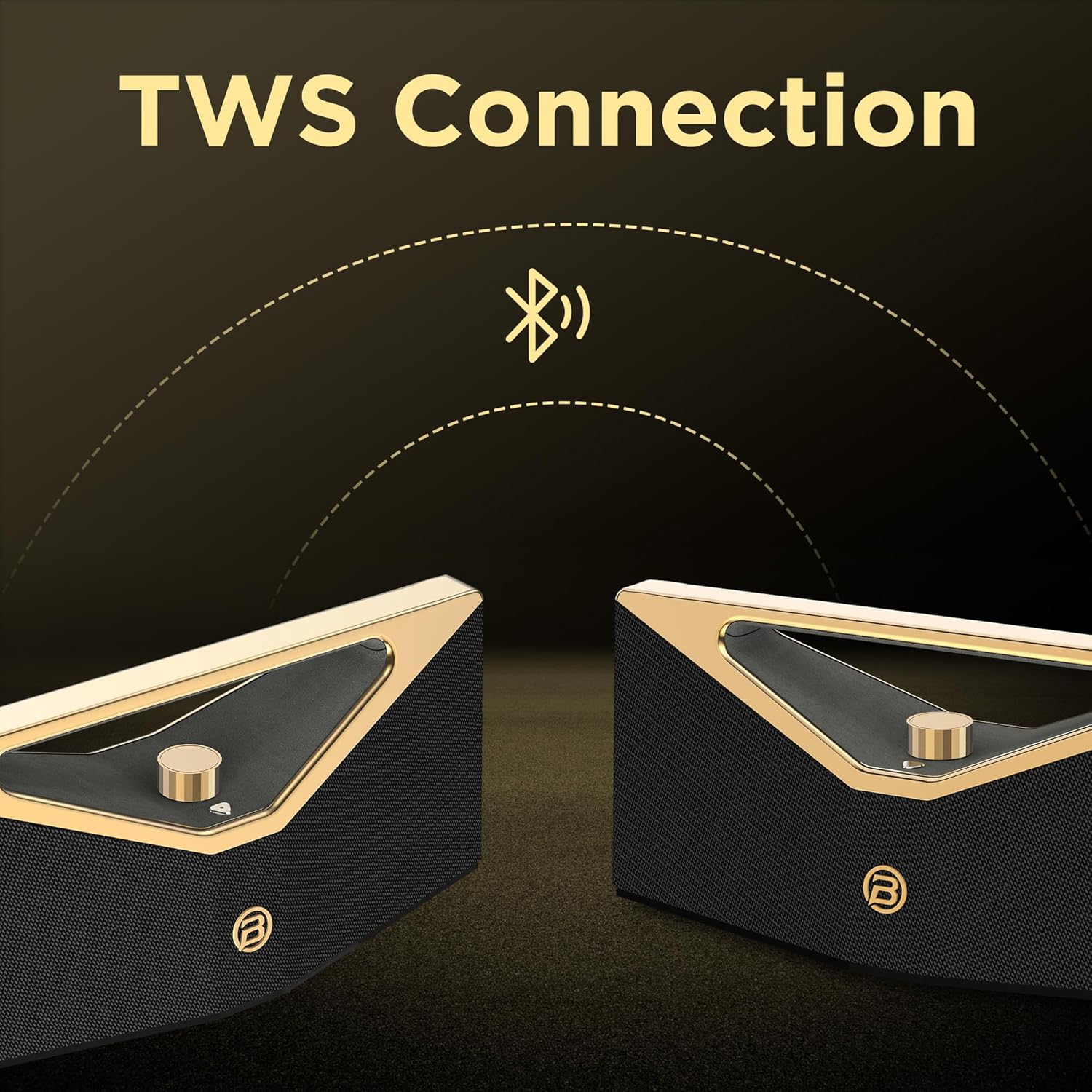
Image: Two BUGANI speakers shown connecting wirelessly via TWS (True Wireless Stereo) technology, indicating stereo pairing capability.
12-Hour Playtime & Portable Design
Enjoy up to 12 hours of continuous playtime on a single charge, making it ideal for all-day outdoor use. The speaker features an ergonomic handle design, making it easy to carry and enjoy music anytime, anywhere.

Image: The BUGANI speaker on a golden pedestal, highlighting its 12-hour continuous playtime feature.

Image: A person carrying the BUGANI speaker by its integrated handle, emphasizing its portability and ease of transport.
Versatile Connectivity & IPX5 Water Resistance
In addition to Bluetooth, the speaker supports AUX and USB inputs, allowing you to connect various devices. With IPX5 water resistance, it is protected against splashing water from any direction, making it suitable for outdoor adventures, beach parties, or poolside enjoyment.

Image: The BUGANI speaker with water droplets on its surface, illustrating its IPX5 water-resistant feature for outdoor use.
การตั้งค่า
1. ชาร์จลำโพง
Before first use, fully charge the speaker. Connect the provided USB-C cable to the speaker's charging port and the other end to a compatible USB power adapter (not included). The charging indicator light will show the charging status. A full charge takes approximately 5 hours.
2. การเปิด/ปิดเครื่อง
To power on the speaker, press and hold the power button located on the control panel until you hear an audible prompt. To power off, press and hold the power button again.
3. การจับคู่บลูทู ธ
- ตรวจสอบให้แน่ใจว่าลำโพงเปิดอยู่และอยู่ในโหมดจับคู่บลูทูธ (ระบุด้วยไฟ LED กะพริบ)
- บนอุปกรณ์ของคุณ (สมาร์ทโฟน แท็บเล็ต ฯลฯ) เปิดใช้งานบลูทูธและค้นหาอุปกรณ์ที่มีอยู่
- Select "BUGANI Brief Pro" from the list of devices.
- เมื่อเชื่อมต่อเสร็จแล้ว คุณจะได้ยินเสียงยืนยัน และไฟ LED จะติดสว่างค้าง
4. การจับคู่ True Wireless Stereo (TWS)
For an enhanced stereo experience, you can pair two BUGANI Brief Pro speakers together:
- ตรวจสอบให้แน่ใจว่าลำโพงทั้งสองเปิดอยู่และไม่ได้เชื่อมต่อกับอุปกรณ์ Bluetooth อื่นใด
- On one speaker (this will be the primary speaker), press and hold the TWS button (if available, or a specific button designated for TWS pairing, usually indicated in the quick start guide).
- The speakers will automatically search for and connect to each other. Once paired, you will hear a confirmation sound.
- Connect your device to the primary speaker via Bluetooth as described in step 3. Audio will now play in stereo through both speakers.
5. AUX/USB Connection
To play audio from devices without Bluetooth, use the provided AUX IN cable or a USB drive:
- อินพุต AUX: Connect one end of the 3.5mm AUX cable to the speaker's AUX IN port and the other end to your audio device's headphone jack. The speaker will automatically switch to AUX mode.
- ช่องต่อ USB: เสียบไดรฟ์ USB ที่มีไฟล์เสียง files into the speaker's USB port. The speaker will automatically switch to USB mode and begin playing.
คำแนะนำการใช้งาน
การควบคุมระดับเสียง
The speaker features a prominent rotary knob for volume adjustment. Rotate the knob clockwise to increase volume and counter-clockwise to decrease volume.
ภาพ: ภาพระยะใกล้ view of the gold rotary volume knob on the BUGANI speaker, indicating its control functionality.
การควบคุมการเล่น
Specific playback controls (play/pause, next/previous track) are typically integrated into the speaker's control panel. Refer to the Quick Start Guide for detailed button functions.
การสลับโหมด
The speaker automatically switches modes when an AUX cable or USB drive is inserted. To manually switch between Bluetooth, AUX, and USB modes, press the mode button (if available) on the control panel.
วิดีโอ: วิดีโอแสดงผลิตภัณฑ์อย่างเป็นทางการasing the BUGANI Brief Pro Speaker's design, internal components, and key features like 160W power, Bluetooth 5.3 (note: product specs say 5.4, video might be older), and TWS connectivity. This video provides a visual overview of the speaker's capabilities and aesthetic.
การซ่อมบำรุง
- การทำความสะอาด: ใช้ผ้าแห้งนุ่มเช็ดทำความสะอาดพื้นผิวลำโพง สำหรับคราบสกปรกที่ติดแน่น ให้ใช้ผ้าชุบน้ำหมาดๆ เช็ดเบาๆamp สามารถใช้ผ้าได้ ห้ามใช้สารเคมีรุนแรงหรือน้ำยาทำความสะอาดที่มีฤทธิ์กัดกร่อน
- ความต้านทานน้ำ: The speaker is IPX5 water-resistant, meaning it can withstand splashes. Do not submerge the speaker in water or expose it to strong jets of water. Ensure the charging port cover is securely closed when near water.
- พื้นที่จัดเก็บ: เก็บลำโพงไว้ในที่แห้งและเย็น หลีกเลี่ยงแสงแดดโดยตรงและอุณหภูมิที่สูงหรือต่ำเกินไป
- การดูแลแบตเตอรี่ เพื่อยืดอายุการใช้งานแบตเตอรี่ ควรหลีกเลี่ยงการปล่อยประจุแบตเตอรี่จนหมดบ่อยๆ ควรชาร์จลำโพงเป็นประจำ แม้จะไม่ได้ใช้งานเป็นเวลานานก็ตาม
การแก้ไขปัญหา
| ปัญหา | สาเหตุที่เป็นไปได้ | สารละลาย |
|---|---|---|
| ลำโพงไม่เปิดเครื่อง | แบตเตอรี่อ่อน ปุ่มเปิดปิดค้างนานพอ | ชาร์จลำโพงให้เต็ม กดปุ่มเปิด/ปิดค้างไว้ 3-5 วินาที |
| ไม่สามารถจับคู่ผ่านบลูทูธได้ | ลำโพงไม่อยู่ในโหมดจับคู่; บลูทูธของอุปกรณ์ปิดอยู่; อยู่ห่างจากลำโพงมากเกินไป; เชื่อมต่อกับอุปกรณ์อื่นอยู่แล้ว | Ensure speaker is flashing LED for pairing. Turn device Bluetooth off/on. Move device closer. Disconnect from other devices. |
| ไม่มีเสียงหรือเสียงเบา | Volume too low on speaker/device; Incorrect input mode; Cable not fully inserted (AUX). | Increase volume on both speaker and device. Check if speaker is in correct mode (Bluetooth/AUX/USB). Re-insert AUX cable firmly. |
| ความผิดเพี้ยนของเสียง | Volume too high; Low battery; Interference. | ลดระดับเสียง ชาร์จลำโพง ย้ายลำโพงให้ห่างจากอุปกรณ์อิเล็กทรอนิกส์อื่นๆ |
| การจับคู่ TWS ล้มเหลว | ลำโพงเชื่อมต่อกับอุปกรณ์อื่นอยู่แล้ว; ลำโพงอยู่ห่างกันเกินไป | Ensure both speakers are disconnected from other devices. Place speakers close to each other during pairing. |
ข้อมูลจำเพาะ
| คุณสมบัติ | รายละเอียด |
|---|---|
| ชื่อรุ่น | Brief Pro (M192) |
| กำลังขับ | 160W (สูงสุด) |
| ประเภทลำโพง | ซับวูฟเฟอร์ |
| วูฟเฟอร์ | 4" x 2 |
| ทวีตเตอร์ | 1.6" x 2 (41mm x 2) |
| เวอร์ชันบลูทูธ | 5.4 (Note: Video mentions 5.3, product specs indicate 5.4) |
| คุณสมบัติพิเศษ | Hi-Res Audio, TWS Function |
| ความจุของแบตเตอรี่ | 52.92Wh (Lithium Polymer) |
| เวลาในการชาร์จ | ประมาณ 5 ชั่วโมง |
| เวลาเล่น | Approx. 12 hours (Normal Volume) |
| พอร์ตชาร์จ | ยูเอสบี-ซี |
| ความต้านทานต่อน้ำ | IPX5 |
| ขนาดสินค้า | ลึก 18.5 นิ้ว x กว้าง 7.9 นิ้ว x สูง 7.9 นิ้ว |
| น้ำหนักสินค้า | 10.08 ปอนด์ |
| โปรโตคอลการเชื่อมต่อ | บลูทูธ |
| อุปกรณ์ที่รองรับ | Projector, Laptop, MP3 Player, Television, Tablet, Smartphone |

Image: A visual representation of the BUGANI Brief Pro speaker's technical specifications, including output power, input types, speaker dimensions, and battery life.
การรับประกันและการสนับสนุน
The BUGANI Bluetooth Speaker comes with a การรับประกันแบบจำกัด. For specific warranty terms and conditions, please refer to the warranty card included in your package or contact BUGANI customer support.
If you encounter any issues or have questions not covered in this manual, please contact BUGANI customer support through the retailer's platform or the official BUGANI webเว็บไซต์เพื่อขอความช่วยเหลือ


