1. บทนำ
Thank you for choosing the Holyton Drone Strobe Light. This anti-collision lamp is designed to enhance the visibility of your drone during night flights and in various other scenarios. It features multiple colors and modes, ensuring compliance with aviation regulations and improving safety. Please read this manual thoroughly before use to ensure proper operation and maintenance.
2. ข้อมูลด้านความปลอดภัย
- Always ensure the strobe light is securely attached to your drone or other object before operation.
- Adhere to all local aviation authority regulations regarding drone lighting, especially for night flying. This light meets FAA requirements for anti-collision lighting.
- Do not expose the device to extreme temperatures, direct sunlight for prolonged periods, or moisture.
- เก็บให้พ้นจากมือเด็ก
- ห้ามถอดประกอบหรือดัดแปลงไฟ เนื่องจากจะทำให้การรับประกันเป็นโมฆะและอาจทำให้เกิดความเสียหายได้
3. เนื้อหาบรรจุภัณฑ์
- Holyton Drone Strobe Light (1 unit)
- สายชาร์จ USB
- Mounting Accessories (e.g., adhesive pads, rubber bands)
- คู่มือการใช้งาน
4. คุณสมบัติของผลิตภัณฑ์
- การมองเห็นสูง: 120 lumens brightness with 360° coverage.
- Multiple Colors & Modes: 7 switchable colors and 7 adjustable flashing modes.
- แบตเตอรี่แบบชาร์จไฟได้: Provides extended use time after a quick charge.
- น้ำหนักเบาและกะทัดรัด: Weighs only 6.5g, ideal for various drones and other applications.
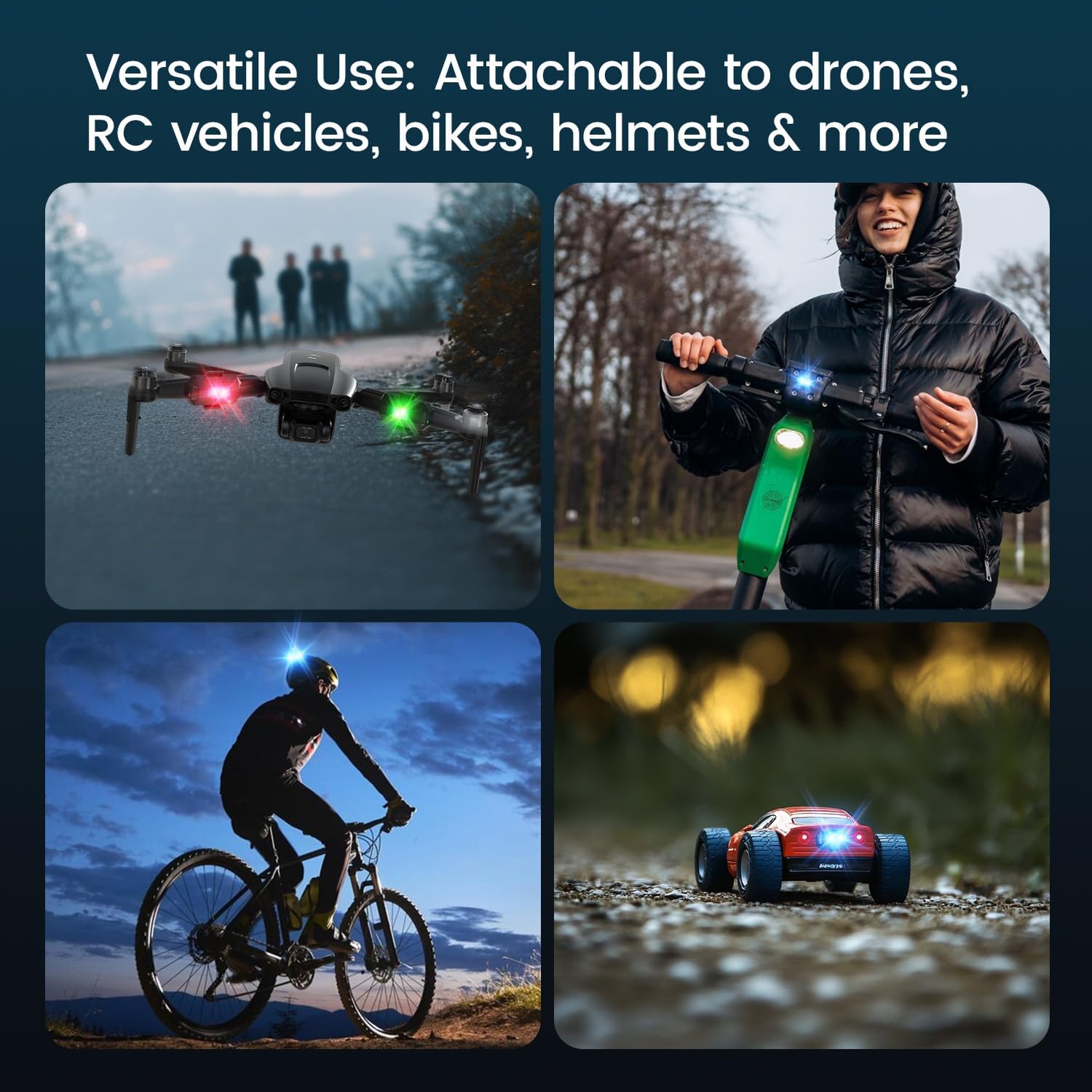
- การใช้งานที่หลากหลาย: Suitable for drones, RC vehicles, bicycles, motorcycles, helmets, and more.
- FAA Compliant: Meets requirements for anti-collision lighting during night flights.
5. การตั้งค่าและการติดตั้ง
5.1 ค่าบริการเริ่มต้น
Before first use, fully charge the strobe light. Refer to Section 6 for charging instructions.
5.2 Mounting the Strobe Light
The Holyton Drone Strobe Light can be attached to various objects using the provided mounting accessories. For drones, ensure the light does not interfere with propellers, sensors, or flight stability.
- พื้นผิวสะอาด: Ensure the mounting surface on your drone or object is clean and dry.
- การใช้กาว: Peel the backing from an adhesive pad and firmly press it onto the designated area on the strobe light.
- Attach to Drone: Peel the remaining backing from the adhesive pad and attach the strobe light to your drone. Apply firm pressure for a few seconds to ensure a secure bond. Alternatively, use rubber bands or other suitable fasteners for temporary attachment.

6. คู่มือการใช้งาน
6.1 เปิด/ปิดเครื่อง
- เปิดเครื่อง: กดปุ่มเปิด/ปิดค้างไว้ประมาณ 2 วินาที จนกว่าไฟแสดงสถานะจะสว่างขึ้น
- หมดแรง: กดปุ่มเปิด/ปิดค้างไว้ประมาณ 2 วินาทีจนกว่าไฟจะดับลง
6.2 Changing Colors and Modes
The strobe light offers 7 different colors and 7 distinct flashing modes.
- เปลี่ยนสี: While the light is on, short press the power button to cycle through the available colors (e.g., white, red, green, blue, yellow, pink, ice blue).
- เปลี่ยนโหมด: Double-press the power button quickly to cycle through the different flashing modes (e.g., constant, slow flash, fast flash, alternating colors).

7. การชาร์จไฟ
The Holyton Drone Strobe Light is equipped with a rechargeable Lithium Ion battery.
- พอร์ตชาร์จ: ไมโคร USB
- เวลาในการชาร์จ: ใช้เวลาประมาณ 12 นาทีต่อการชาร์จเต็ม
- เวลาการใช้งาน: Up to 5 hours on a full charge, depending on the selected mode and color.
To charge, connect the provided USB charging cable to the Micro USB port on the strobe light and plug the other end into a standard USB power source (e.g., computer, wall adapter).

8. การบำรุงรักษา
- การทำความสะอาด: ใช้ผ้าแห้งเนื้อนุ่มเช็ดทำความสะอาดไฟ อย่าใช้สารเคมีรุนแรงหรือวัสดุขัดถู
- พื้นที่จัดเก็บ: Store the strobe light in a cool, dry place away from direct sunlight when not in use.
- การดูแลแบตเตอรี่ เพื่อให้แบตเตอรี่ใช้งานได้นานที่สุด ควรหลีกเลี่ยงการปล่อยให้แบตเตอรี่หมดจนเกลี้ยงบ่อยๆ ชาร์จอุปกรณ์เป็นประจำ แม้ว่าจะไม่ได้ใช้งาน เพื่อรักษาสุขภาพของแบตเตอรี่
9 การแก้ไขปัญหา
| ปัญหา | สาเหตุที่เป็นไปได้ | สารละลาย |
|---|---|---|
| ไฟไม่เปิด | แบตเตอรี่หมด | Charge the strobe light fully. |
| ไฟไม่ชาร์จ | Charging cable or power source is faulty. | Try a different USB cable or power adapter. Ensure the Micro USB connector is inserted correctly. |
| แสงสว่างไม่สว่างเพียงพอ | แบตเตอรี่อ่อนหรือโหมดไม่ถูกต้อง | Charge the device. Ensure a bright mode is selected (e.g., constant white light). |
| Light falls off during use. | Improper mounting or worn adhesive. | Ensure the mounting surface is clean and dry. Use new adhesive pads or more secure fastening methods. |
10. ข้อมูลจำเพาะ
| คุณสมบัติ | รายละเอียด |
|---|---|
| หมายเลขรุ่น | US03A76731000HT70402 |
| ยี่ห้อ | โฮลีตัน |
| สี | สีดำ |
| รูปร่าง | สี่เหลี่ยมผืนผ้า |
| ประเภทการเสร็จสิ้น | ทาสี |
| ประเภทแหล่งกำเนิดแสง | ไดโอดเปล่งแสง (LED) |
| วัสดุบังแสง | พลาสติก |
| น้ำหนักสินค้า | 0.352 ออนซ์ (ประมาณ 10 กรัม) |
| จำนวนแบตเตอรี่ | ลิเธียมไอออน 1 อัน (รวมอยู่ด้วย) |
| สไตล์ | ขนาดกะทัดรัด |
| ความสว่าง | 120 Lumens (Maximum Light Output) |
| ประเภทการติดตั้ง | Drone Mount (Adhesive/Strap) |
| คุณสมบัติหลอดไฟ | Strobe, Flashing, Anti-Collision, Search and Rescue |
| ขนาดสินค้า | ขนาด 1 นิ้ว (ยาว) x 1 นิ้ว (กว้าง) x 1 นิ้ว (สูง) (โดยประมาณ) |

11. การรับประกันและการสนับสนุน
Holyton products are designed for reliability and performance. This product comes with a standard manufacturer's warranty against defects in materials and workmanship. Please refer to the product packaging or our official webเว็บไซต์สำหรับข้อกำหนดและเงื่อนไขการรับประกันโดยเฉพาะ
หากต้องการความช่วยเหลือด้านเทคนิค การแก้ไขปัญหา หรือการเรียกร้องการรับประกัน โปรดติดต่อทีมบริการลูกค้าของเรา:
- อีเมล: อีเมล: Holyton@foxmail.com
- โทรศัพท์: +1 (866) 514-8669
Our support team is available to assist you within 24 hours.


