1. บทนำ
The SINGER M1000 Mending Machine is designed for light to medium weight fabrics, offering portability and ease of use for basic mending and garment repairs. This manual provides essential information to help you operate and maintain your machine effectively.
2. ข้อมูลด้านความปลอดภัยที่สำคัญ
ปฏิบัติตามข้อควรระวังด้านความปลอดภัยขั้นพื้นฐานเสมอเมื่อใช้เครื่องใช้ไฟฟ้า เพื่อลดความเสี่ยงต่อการเกิดไฟไหม้ ไฟฟ้าช็อต หรือการบาดเจ็บต่อบุคคล
- อ่านคำแนะนำทั้งหมดก่อนใช้เครื่อง
- ควรวางเครื่องให้ห่างจากน้ำหรือพื้นผิวที่เปียก
- ถอดปลั๊กเครื่องออกจากเต้ารับไฟฟ้าเมื่อไม่ใช้งาน เมื่อทำการซ่อมบำรุง หรือเมื่อเปลี่ยนอุปกรณ์เสริม
- ห้ามให้เด็กใช้งานเครื่องโดยไม่มีผู้ดูแล
- ใช้เครื่องจักรตามวัตถุประสงค์ที่อธิบายไว้ในคู่มือนี้เท่านั้น
- ห้ามใช้งานเครื่องหากสายไฟหรือปลั๊กชำรุด หากเครื่องทำงานผิดปกติ หรือหากเครื่องตกหล่นหรือได้รับความเสียหาย
3. เนื้อหาบรรจุภัณฑ์
ตรวจสอบว่ามีรายการทั้งหมดอยู่ในแพ็คเกจของคุณ:
- SINGER M1000 Mending Machine
- All-Purpose Foot
- Transparent Class 15 Bobbins
- Extra Needle
- ที่สนเข็มแบบแมนนวล
- สายไฟ

Image: The SINGER M1000 Mending Machine in blue, shown with its power cord, foot pedal, bobbins, and other accessories.
4. เครื่องโอเวอร์view
Familiarize yourself with the main components of your SINGER M1000 Mending Machine.

Image: This image highlights key features: the Easy Stitch Selection dial, a visual representation of 32 stitch applications, and the Reverse Lever for securing stitches.
- แป้นหมุนเลือกตะเข็บ: Located on the front of the machine, used to choose desired stitch patterns.
- คันโยกถอยหลัง: ใช้การเย็บแบบย้อนกลับเพื่อยึดตะเข็บให้แน่น
- Top Drop-in Bobbin: Provides easy access for bobbin insertion and monitoring thread supply.
- แขนอิสระ: Accessible by removing the accessory compartment, ideal for sewing cuffs and hems.
- ไฟ LED: ช่วยให้มองเห็นบริเวณเย็บผ้าได้ชัดเจนยิ่งขึ้น
5. การตั้งค่า
5.1 การเชื่อมต่อสายไฟ
Connect the power cord to the machine and then to a suitable electrical outlet. Ensure the foot pedal is also connected.
5.2 การพันด้ายเข้ากระสวย
- Place an empty Class 15 transparent bobbin onto the bobbin winder spindle.
- Follow the threading guides for bobbin winding, typically indicated by dashed lines or numbers on the machine.
- Engage the bobbin winder and press the foot pedal to start winding.
- Stop when the bobbin is full and trim the thread.
5.3 การร้อยด้ายเครื่องจักร
การร้อยด้ายที่ถูกต้องมีความสำคัญอย่างยิ่งต่อการเย็บที่ได้ผลลัพธ์ที่ดี โปรดปฏิบัติตามคำแนะนำการร้อยด้ายที่มีหมายเลขกำกับบนเครื่องอย่างระมัดระวัง
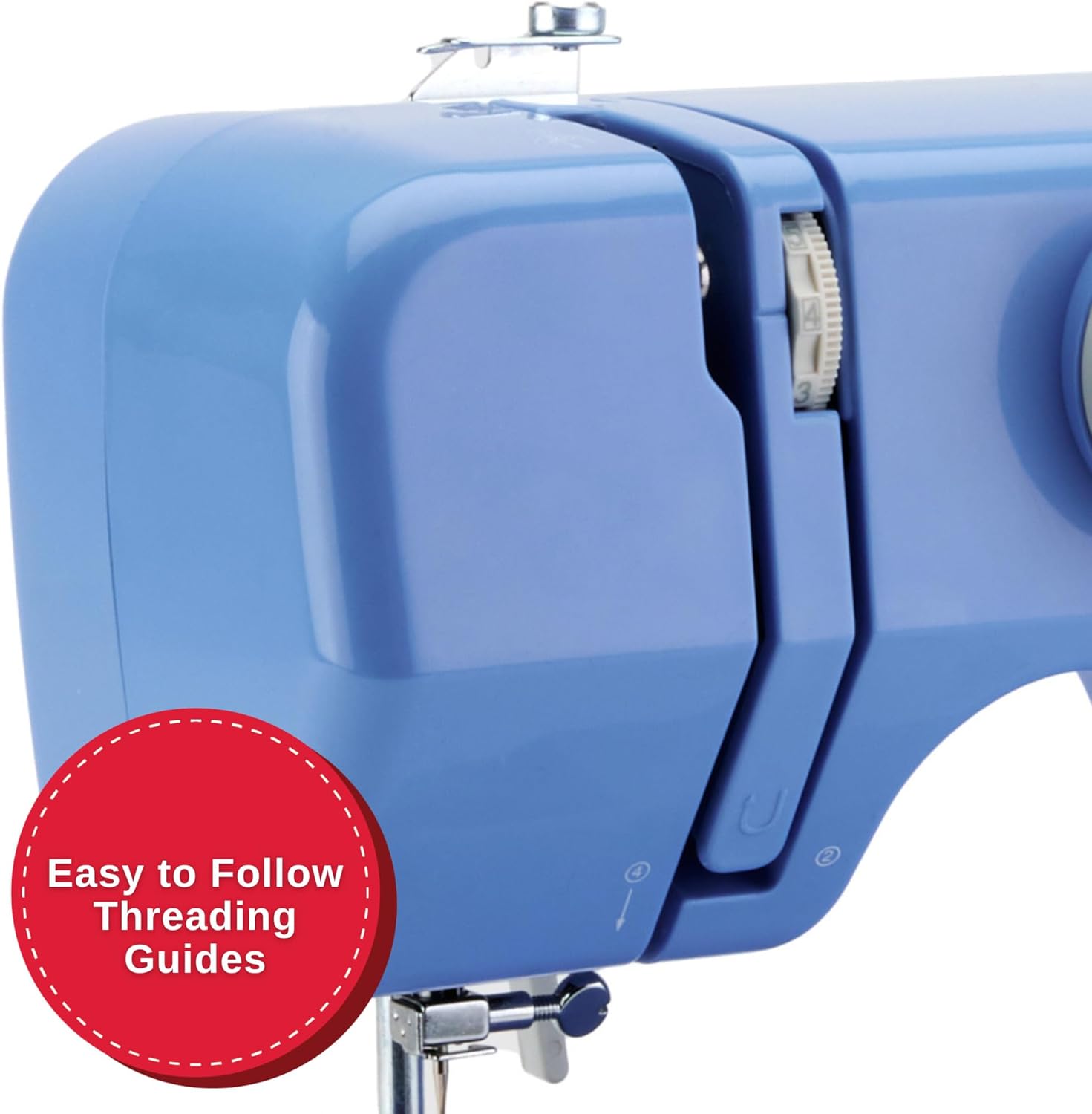
ภาพ: รายละเอียด view of the machine's side, illustrating the clear, numbered threading guides to ensure correct upper thread path.
- ยกตีนผีขึ้น
- วางหลอดด้ายไว้บนแกนยึดหลอดด้าย
- Guide the thread through the upper threading path, following the numbered steps or arrows.
- ร้อยเข็มจากด้านหน้าไปด้านหลัง
- Insert the wound bobbin into the top drop-in bobbin case.
- ดึงด้ายกระสวยขึ้นมาทางช่องเปิดของแผ่นรองเข็ม

Image: A close-up showing the transparent cover of the top drop-in bobbin, indicating easy access and visibility of the bobbin thread supply.
6. คู่มือการใช้งาน
6.1 การเลือกเย็บ
Turn the Stitch Selection Dial to choose one of the 32 available stitch applications. The machine automatically sets the optimal stitch width and length for the selected stitch.
- ตะเข็บตรง: สำหรับงานเย็บตะเข็บพื้นฐานและงานเย็บตกแต่ง
- ตะเข็บซิกแซก: For finishing raw edges, appliqué, and decorative purposes.
- Multi-step Zigzag: Suitable for elastic insertion and seam finishing.
- การเย็บตะเข็บซ่อน: For creating invisible hems.
6.2 เริ่มต้นเย็บผ้า
- วางผ้าไว้ใต้ตีนผีเย็บผ้า
- ลดระดับตีนผีลง
- Gently press the foot pedal to begin sewing. The machine operates at a single speed.
6.3 Using the Reverse Lever
To secure the beginning and end of a seam, press and hold the Reverse Lever while sewing. Release the lever to continue sewing forward.
6.4 การเย็บแขนแบบอิสระ
Remove the accessory compartment to expose the free arm. This feature is useful for sewing small, tubular items such as cuffs, pant hems, and necklines.
6.5 Adjustable Thread Tension
The machine's tension control allows you to adjust the balance between the upper and bobbin threads. Proper tension ensures a smooth, even stitch. Adjust as needed based on fabric type and thread thickness.
7. การบำรุงรักษา
Regular maintenance ensures optimal performance and longevity of your sewing machine.
- การทำความสะอาด: Periodically clean lint and dust from the bobbin area and feed dogs using a small brush. Always unplug the machine before cleaning.
- การเปลี่ยนเข็ม: Replace needles regularly, especially if they become bent or dull, to prevent skipped stitches and fabric damage.
- ประเภทกระสวย: Use only SINGER Class 15 Transparent bobbins for best results.
8 การแก้ไขปัญหา
This section addresses common issues you might encounter. For more complex problems, refer to the official SINGER support resources.
| ปัญหา | สาเหตุที่เป็นไปได้ | สารละลาย |
|---|---|---|
| ข้ามตะเข็บ | Incorrectly threaded needle, bent needle, wrong needle size for fabric. | Re-thread the machine, replace the needle, use appropriate needle for fabric type. |
| ด้ายแตก | ความตึงด้ายไม่ถูกต้อง คุณภาพด้ายไม่ดี กระสวยม้วนไม่ถูกต้อง มีเสี้ยนที่แผ่นเข็ม | ปรับความตึง ใช้ด้ายคุณภาพดี ม้วนกระสวยกลับ ตรวจสอบรอยเสี้ยน |
| ผ้าไม่ให้อาหาร | ตีนผีเย็บผ้าไม่ได้ลดลง และฟันเฟืองป้อนผ้าอุดตันด้วยเศษผ้า | ลดตีนผีลง ทำความสะอาดฟันเฟืองป้อนผ้า |
| Machine Runs Slowly / Stops | Overload (too thick fabric), motor issue, internal jam. | Ensure fabric is suitable for the machine (light to medium weight). If problem persists, contact support. |
9. ข้อมูลจำเพาะ
- แบบอย่าง: M1000
- ขนาด : ลึก 5.1 นิ้ว x กว้าง 11.5 นิ้ว x สูง 9.4 นิ้ว
- น้ำหนัก: 5.5 ปอนด์ (2.5 กก.)
- การประยุกต์ใช้การเย็บ: 32
- ประเภทกระสวย: Class 15 Transparent
- Sewing Space (Needle to Tower): 4.25 นิ้ว
- พลัง: รวมสายไฟ

Image: The SINGER M1000 Mending Machine, illustrating its compact dimensions of 11.5 inches width and 9.5 inches height, highlighting its portability.
10. การรับประกันและการสนับสนุน
The SINGER M1000 Mending Machine comes with a warranty (1 year / 25 years, as per product description). For detailed warranty information and to register your product, please visit the official SINGER webเว็บไซต์.
For additional support, tutorials, and troubleshooting guides, download the free Creativate app:

Image: A mobile phone displaying the Creativate app, which offers a user manual, quick start guide, tutorials, and troubleshooting assistance for SINGER machines.
ดาวน์โหลดแอป:
You can also download the PDF user manual directly: SINGER M1000 User Manual PDF


