การแนะนำ
This manual provides comprehensive instructions for the setup, operation, and maintenance of your ViewSonic LS901-4K UHD 4K Laser Projector. Designed for both home theater and commercial venues, this projector delivers stunning 4K resolution with high brightness and flexible installation options. Please read this manual thoroughly before using the projector to ensure optimal performance and longevity.
เนื้อหาแพ็คเกจ
ตรวจสอบว่ารายการทั้งหมดที่ระบุไว้ด้านล่างนี้รวมอยู่ในแพ็คเกจของคุณ:
- ViewSonic LS901-4K Laser Projector
- สายไฟ
- รีโมทคอนโทรล (พร้อมแบตเตอรี่)
- คู่มือเริ่มต้นอย่างรวดเร็ว

Image: The contents of the projector box, including the projector unit, power cable, remote control, and quick start guide.
คู่มือการติดตั้ง
1. การจัดวางทางกายภาพ
การ ViewSonic LS901-4K projector offers flexible placement options, including table-top and ceiling mounting. Consider the desired screen size and throw distance for optimal image quality.
- Screen Size and Throw Distance: This projector can project screen sizes from 80 inches to 150 inches. For a 100-inch image, a throw distance of approximately 8.7 feet (2.6 meters) is recommended. The overall throw distance range is 7 ft to 13.1 ft (2.1m to 4m).
- การติดตั้ง: The projector is ceiling mountable. For ceiling installations, ensure proper ventilation and use a compatible mount such as the ViewSonic PJ-WMK-007.

Image: Projector distance and image size guide.

ภาพ: อดีตample of a ceiling-mounted projector setup.
2. อุปกรณ์เชื่อมต่อ
Connect your video sources and other peripherals to the projector using the available ports on the rear panel.

Image: Rear panel connectivity options.
- ช่องต่อ HDMI: Two HDMI 2.0 ports with HDCP 2.2 support for connecting high-definition video sources like Blu-ray players, gaming consoles, or streaming devices.
- ยูเอสบี ประเภท-A: One USB Type-A port for firmware updates or powering external devices.
- เสียงออก: One 3.5mm audio output jack for connecting external speakers or audio systems.
- ทริกเกอร์ 12V: One 3.5mm 12V trigger port for synchronized control of motorized screens or other compatible devices.
- อาร์เอส232: One RS232 port for advanced control and automation systems.
- RJ45 (อีเธอร์เน็ต): One RJ45 Ethernet port for LAN control in commercial settings.
3. เปิด/ปิดเครื่อง
Connect the power cord to the projector and a power outlet. Press the power button on the projector or the remote control to turn the unit on or off.
การดำเนินการ
1. การควบคุมพื้นฐาน
The projector can be controlled using the included remote control or the control panel located on the top of the unit.

Image: Top control panel of the projector.
- รีโมทคอนโทรล: Use the remote for full functionality, including power, source selection, menu navigation, and image adjustments.
- การควบคุมบนอุปกรณ์: The top panel provides essential controls for power, source, menu navigation, and basic image adjustments, serving as a backup if the remote is unavailable.
2. การปรับแต่งภาพ
Achieve a perfectly aligned and focused image using the following adjustment features:
- Optical Zoom (1.7x): Adjust the image size without moving the projector.
- Digital Zoom (0.8x-2.0x): Fine-tune the image size digitally.
- H/V Keystone Correction: Correct trapezoidal distortion when the projector is not perfectly perpendicular to the screen.
- การปรับแต่ง 4 มุม: Independently adjust each corner of the image to achieve a perfectly rectangular shape on uneven surfaces.
- การเลื่อนเลนส์แนวตั้ง: Shift the image vertically without tilting the projector, simplifying installation.
- การฉายภาพ 360 องศา: Allows for flexible installation at any angle, including portrait mode or projecting onto a ceiling.
- การฉายภาพบนจอโค้ง: Optimizes the image for projection onto curved surfaces.

Image: Visual representation of image adjustment features.
3. Picture Modes and Features
The LS901-4K offers various modes and features to enhance your viewประสบการณ์การ:
- 4K UHD Resolution (3840x2160p): ให้ภาพที่คมชัดและมีรายละเอียดสูง
- รองรับ HDR/HLG: Provides enhanced contrast and vibrant colors for compatible content.
- คุณสมบัติการเล่นเกม: Experience smooth, high-action gaming with 4.2ms low input lag and a 240Hz refresh rate.
- โหมดกอล์ฟ: Specifically designed to optimize visuals for golf simulators, offering lifelike play.

Image: True 4K UHD Projector with HLG/HDR support.
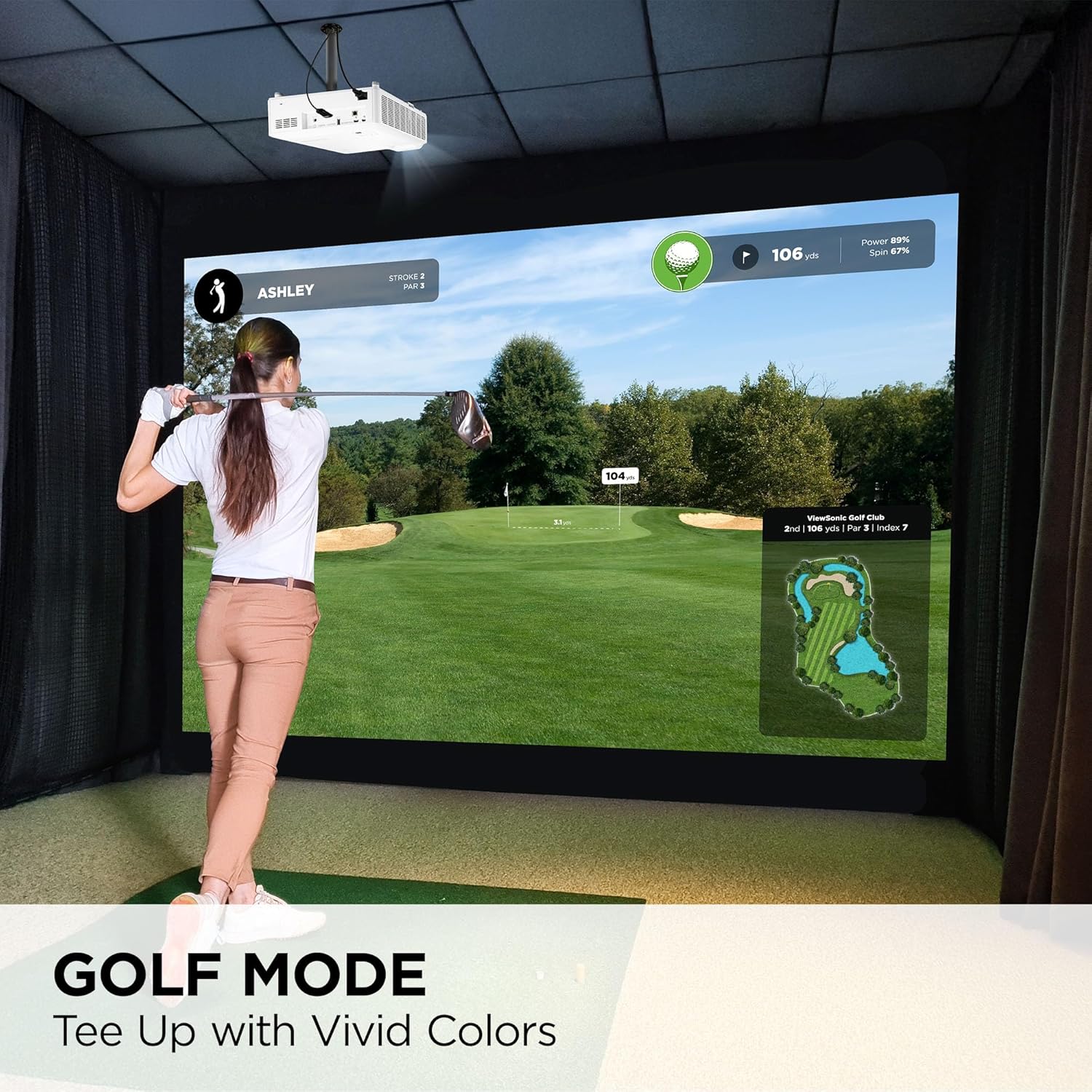
Image: Golf Mode for realistic simulation.
การซ่อมบำรุง
การบำรุงรักษาอย่างถูกต้องจะช่วยให้โปรเจ็กเตอร์ของคุณมีอายุการใช้งานยาวนานและมีประสิทธิภาพเหมาะสมที่สุด
- แหล่งกำเนิดแสงเลเซอร์: The LS901-4K utilizes a laser light source with a lifespan of over 20,000 hours, significantly reducing the need for lamp replacements compared to traditional projectors.
- การทำความสะอาด: Regularly clean the projector's exterior with a soft, dry cloth. For the lens, use a specialized lens cleaning cloth and solution to avoid scratches. Ensure the projector is turned off and unplugged before cleaning.
- การระบายอากาศ : ตรวจสอบให้แน่ใจว่าช่องระบายอากาศของโปรเจ็กเตอร์โล่งและไม่มีสิ่งกีดขวางเพื่อป้องกันความร้อนสูงเกินไป อย่าวางโปรเจ็กเตอร์บนพื้นผิวที่อ่อนนุ่มซึ่งอาจปิดกั้นการไหลเวียนของอากาศ

Image: Laser light source lifespan information.
การแก้ไขปัญหา
หากคุณพบปัญหาเกี่ยวกับโปรเจ็กเตอร์ โปรดดูวิธีแก้ไขปัญหาทั่วไปต่อไปนี้:
- ไม่มีภาพแสดง:
- ตรวจสอบให้แน่ใจว่าโปรเจคเตอร์เปิดใช้งานอยู่และเชื่อมต่อกับแหล่งจ่ายไฟแล้ว
- Verify that the video source is properly connected to the correct HDMI input.
- Select the correct input source using the remote or on-device controls.
- ตรวจสอบว่าฝาครอบเลนส์ถูกถอดออกหรือไม่
- Image is Distorted or Blurry:
- ปรับวงแหวนปรับโฟกัสบนเลนส์จนกว่าภาพจะคมชัด
- Use Keystone Correction and 4-Corner Adjustment to correct image shape.
- Ensure the projector is placed at an appropriate distance from the screen.
- รีโมทคอนโทรลไม่ทำงาน:
- ตรวจสอบและเปลี่ยนแบตเตอรี่ในรีโมทคอนโทรล
- ตรวจสอบให้แน่ใจว่าไม่มีสิ่งกีดขวางระหว่างรีโมทและตัวรับ IR ของโปรเจ็กเตอร์
For further assistance, please consult the full user manual available on the Viewโซนิค webไซต์หรือติดต่อฝ่ายสนับสนุนลูกค้า
ข้อมูลจำเพาะทางเทคนิค
| คุณสมบัติ | ข้อมูลจำเพาะ |
|---|---|
| หมายเลขรุ่น | LS901-4K |
| ปณิธาน | UHD (3840x2160p) |
| ความสว่าง | 5500 ANSI Lumens |
| แหล่งกำเนิดแสง | เลเซอร์ |
| อายุการใช้งานของแหล่งกำเนิดแสง | 20,000+ hours (SuperEco+ Mode: 30,000 hours) |
| อัตราการโยน | 1.2-2.0 |
| ซูมออปติคอล | 1.7 เท่า |
| ซูมดิจิตอล | 0.8x-2.0x |
| ความล่าช้าในการป้อนข้อมูล | 4.2มิลลิวินาที |
| อัตราการรีเฟรช | สูงถึง 240Hz |
| รองรับ HDR/HLG | ใช่ |
| Keystone Correction | H/V Keystone, 4-Corner Adjustment |
| เลื่อนเลนส์ | แนวตั้ง |
| มุมการฉายภาพ | 360 องศา |
| การเชื่อมต่อ | 2x HDMI 2.0, 1x USB Type-A, 1x 3.5mm Audio Out, 1x 3.5mm 12V Trigger, 1x RS232, 1x RJ45 |
| ขนาดสินค้า (กว้าง x ยาว x สูง) | 11" x 13.3" x 5.2" (27.9 ซม. x 33.8 ซม. x 13.2 ซม.) |
| น้ำหนักสินค้า | 10.69 ปอนด์ (4.85 กก.) |
| สี | สีขาว |
การรับประกันและการสนับสนุน
ViewSonic offers a 3-year warranty for this product. For detailed warranty information, technical support, or to download the full user manual, please visit the official Viewโซนิค webเว็บไซต์:
US-based customer support is available to assist with any product-related inquiries.


