1. บทนำ
The MOOKA PR1 Air Purifier is designed to improve indoor air quality by effectively removing various airborne pollutants. Featuring a multi-stage filtration system, including a washable pre-filter, PM2.5 sensor, and specialized modes for pets, this device is suitable for large rooms up to 2200 sq.ft. This manual provides essential information for the safe and efficient operation and maintenance of your air purifier.

Image 1.1: The MOOKA PR1 Air Purifier, designed for home use, shown next to a dog, illustrating its effectiveness in pet-friendly environments.
2. คำแนะนำด้านความปลอดภัย
โปรดอ่านคำแนะนำด้านความปลอดภัยอย่างละเอียดก่อนใช้เครื่องใช้ไฟฟ้าเพื่อป้องกันการบาดเจ็บหรือความเสียหาย
- ควรถอดปลั๊กเครื่องฟอกอากาศทุกครั้งก่อนเคลื่อนย้าย ทำความสะอาด หรือบำรุงรักษา
- ห้ามใช้งานเครื่องใช้ไฟฟ้าหากสายไฟหรือปลั๊กชำรุด หากสายไฟหรือปลั๊กชำรุด โปรดติดต่อฝ่ายสนับสนุนลูกค้า
- Keep the air purifier away from water or other liquids. Do not use in wet environments such as bathrooms.
- Ensure the air inlet and outlet are not blocked. Maintain at least 15 cm (6 inches) clearance from walls and furniture.
- ห้ามสอดนิ้วหรือวัตถุแปลกปลอมเข้าไปในช่องรับหรือช่องระบายอากาศ
- เครื่องใช้ไฟฟ้าตัวนี้ไม่ได้มีวัตถุประสงค์เพื่อให้บุคคล (รวมทั้งเด็ก) ที่มีความบกพร่องทางร่างกาย ทางประสาทสัมผัส หรือทางจิตใจ หรือขาดประสบการณ์และความรู้ ใช้งาน เว้นแต่จะมีการดูแลหรือคำแนะนำเกี่ยวกับการใช้เครื่องใช้ไฟฟ้าโดยบุคคลที่รับผิดชอบด้านความปลอดภัยของบุคคลดังกล่าว
- Use only MOOKA official replacement filters.
3. ส่วนประกอบผลิตภัณฑ์
The MOOKA PR1 Air Purifier consists of the main unit, a multi-layer filter, and a control panel.
- หน่วยหลัก: Houses the fan, motor, and air quality sensor.
- แผงควบคุม: Located on the top of the unit, with touch-sensitive buttons and a digital display.
- ช่องกรอง: Located at the back/bottom for filter installation and replacement.

Image 3.1: An internal diagram of the air purifier, highlighting the high CADR, quiet operation, and extra-large fan for efficient air circulation.
4. การตั้งค่า
4.1 การแกะกล่อง
- นำเครื่องฟอกอากาศออกจากบรรจุภัณฑ์อย่างระมัดระวัง
- Remove all plastic wrapping from the unit and the filter.
4.2 การติดตั้งตัวกรอง
The filter comes pre-installed but is wrapped in plastic for protection during shipping. This plastic must be removed before first use.
- Turn the air purifier upside down or open the back cover (depending on model design).
- หมุนฝาครอบตัวกรองทวนเข็มนาฬิกาเพื่อปลดล็อกและถอดออก
- Take out the filter and remove the plastic bag.
- ใส่ตัวกรองกลับเข้าไปในเครื่อง โดยตรวจสอบให้แน่ใจว่าเข้าที่อย่างถูกต้อง
- ใส่ฝาครอบตัวกรองกลับเข้าไป แล้วหมุนตามเข็มนาฬิกาเพื่อล็อคให้แน่น
4.3 การจัดวาง
For optimal performance, place the air purifier on a flat, stable surface in the room where purification is desired. Ensure there is adequate space around the unit for proper airflow.
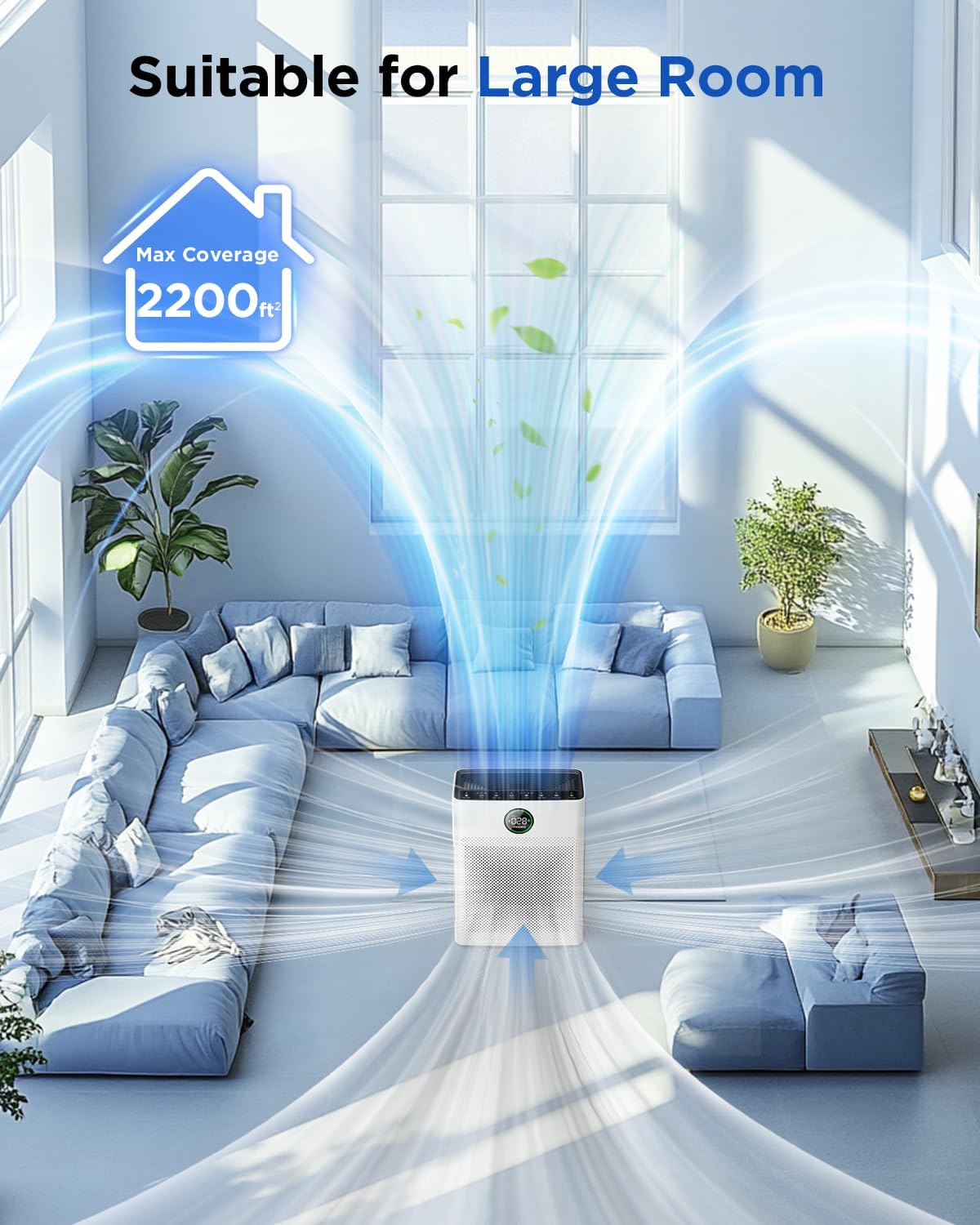
Image 4.1: The MOOKA PR1 Air Purifier positioned in a spacious living area, demonstrating its capability to purify air in large rooms up to 2200 sq.ft.
5. คู่มือการใช้งาน
ทำความคุ้นเคยกับแผงควบคุมและฟังก์ชันต่างๆ
5.1 เปิด/ปิดเครื่อง
- เสียบสายไฟเข้ากับเต้ารับไฟฟ้าที่เหมาะสม
- กดปุ่ม พลัง ปุ่มเพื่อเปิดหรือปิดเครื่อง
5.2 Fan Speed Modes
The air purifier offers 6 adjustable fan speed modes:
- โหมดสลีป: Operates at the lowest fan speed (26dB) for quiet operation during rest.
- I, II, III: Manual fan speed settings from low to high.
- โหมดอัตโนมัติ: ความเร็วพัดลมจะปรับโดยอัตโนมัติตามคุณภาพอากาศที่ตรวจพบ
- โหมดสัตว์เลี้ยง: Increases purification effect to capture pet hair and odors faster.
กดปุ่ม ความเร็ว button to cycle through the available modes.

Image 5.1: The MOOKA PR1 Air Purifier with a dog, emphasizing the 'Pet Mode' feature on the control panel, designed for pet owners.
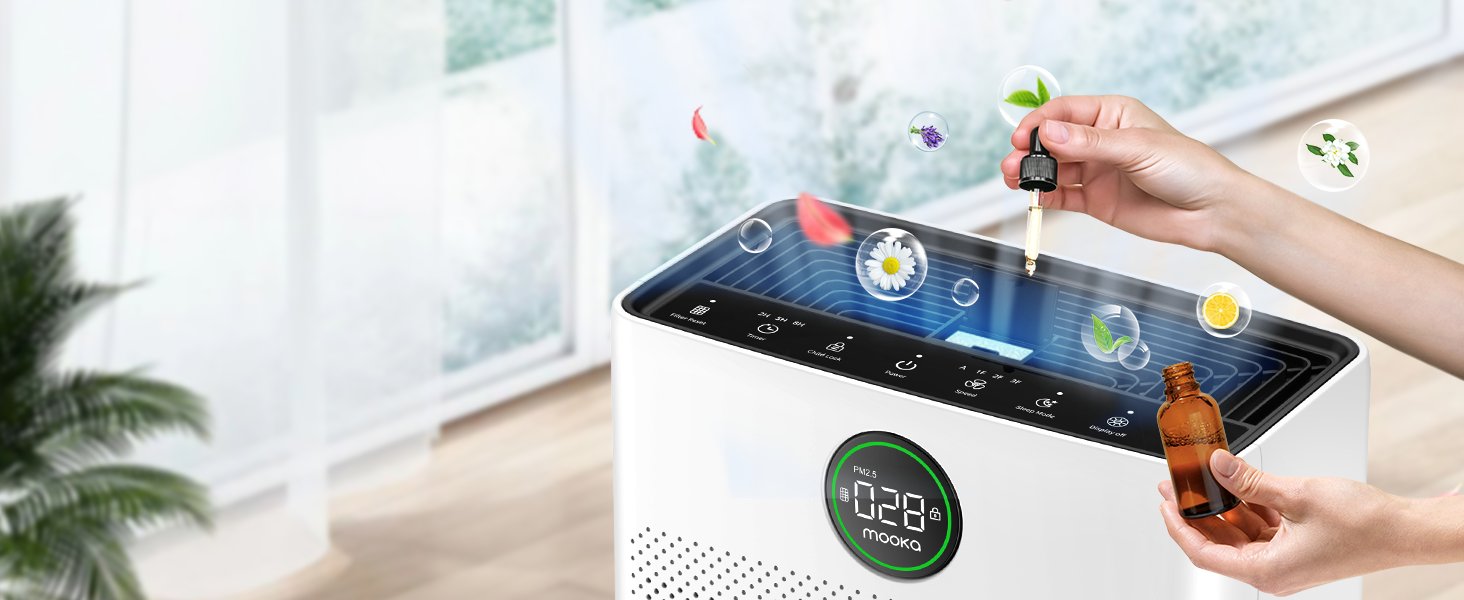
Image 5.2: The air purifier operating quietly in a bedroom at 26dB, indicating its suitability for undisturbed sleep.
5.3 การแสดงคุณภาพอากาศ
The PR1 is equipped with a PM2.5 sensor that displays real-time air quality levels on the screen. The indicator light changes color to reflect air quality:
- สีเขียว: Good air quality (0-75 PM2.5)
- ส้ม: คุณภาพอากาศปานกลาง (76-150 PM2.5)
- สีแดง: Poor air quality (>150 PM2.5)
Upon powering on, the air purifier enters a preheating state, and the indicator light will flash for approximately one minute before displaying the current air quality.

Image 5.3: The air quality sensor display on the MOOKA PR1, showing PM2.5 levels and their corresponding color-coded air quality ratings.
5.4 ฟังก์ชั่นจับเวลา
The timer allows you to set the air purifier to operate for a specific duration before automatically turning off.
- กดปุ่ม ตัวจับเวลา button to select desired operating hours (e.g., 2H, 5H, 8H).
5.5 ล็อคป้องกันเด็ก
The Child Lock feature prevents accidental changes to settings.
- กดปุ่มค้างไว้ ระบบล็อคเด็ก button for 3 seconds to activate or deactivate.
5.6 ฟังก์ชั่นกลิ่นหอม
The air purifier includes an aroma function to diffuse essential oils.
- Locate the aroma pad compartment.
- Add a few drops of essential oil to the aroma pad. For first-time use, moisten the pad with more essential oil.
- ปิดช่อง.

Image 5.4: A user adding essential oils to the aroma diffuser compartment of the air purifier, demonstrating the aromatherapy feature.
6. การบำรุงรักษา
การบำรุงรักษาตามปกติจะช่วยให้เครื่องฟอกอากาศของคุณทำงานได้อย่างเหมาะสมที่สุดและยืดอายุการใช้งาน
6.1 การทำความสะอาดแผ่นกรองขั้นต้นแบบล้างได้
The pre-filter can be cleaned to maintain efficiency.
- ถอดปลั๊กเครื่องฟอกอากาศ
- Remove the pre-filter (refer to Filter Installation section).
- Rinse the pre-filter under running water to remove accumulated pet hair and dust.
- Allow the pre-filter to air dry completely in the shade before re-installing.

Image 6.1: The washable pre-filter, illustrating its ability to capture pet hair and the ease of cleaning under water.
6.2 การเปลี่ยนไส้กรอง
The air purifier has a filter replacement reminder function. The filter indicator light will illuminate when it's time to replace the filter.
- Recommended replacement frequency: Every 3-6 months for optimal purification.
- To reset the filter reminder: After replacing the filter, press and hold the รีเซ็ตตัวกรอง กดปุ่มนี้เป็นเวลา 3 วินาที
- รุ่นตัวกรองทดแทน: ค้นหา B0DD3ZZ7ZV.

Image 6.2: The 'Pet Owners Choice' filter, designed to effectively filter pet dander, fluff, pollen, and absorb unwanted odors.
6.3 การทำความสะอาดเซ็นเซอร์
Regularly clean the PM2.5 sensor to maintain accurate air quality readings.
- The air quality sensor is located on the left back position of the unit.
- Gently wipe the sensor opening with a dry cotton swab or soft cloth to remove any dust accumulation.
7 การแก้ไขปัญหา
หัวข้อนี้จะกล่าวถึงปัญหาทั่วไปที่คุณอาจพบเจอ
7.1 Why does the screen show 005 air quality?
If the screen consistently displays '005' or an unexpectedly low reading, consider the following:
- ตำแหน่งเซนเซอร์: The air quality sensor is located on the left back position of the unit. Ensure this area is not obstructed.
- ความสะอาดของเซ็นเซอร์: Dust accumulation on the sensor can affect its accuracy. Refer to Section 6.3 for sensor cleaning instructions.
- การอุ่นเครื่องล่วงหน้า: After powering on, the air purifier is in a preheating state for about one minute, during which the indicator light flashes. Wait for this process to complete for accurate readings.
- ปัจจัยด้านสิ่งแวดล้อม: In very clean environments, a low reading is normal.
7.2 หน่วยไม่เปิด
- ตรวจสอบว่าสายไฟเสียบเข้ากับตัวเครื่องและเต้ารับไฟฟ้าอย่างแน่นหนาหรือไม่
- Ensure the electrical outlet is functioning by testing it with another appliance.
7.3 Poor Air Purification
- Check if the filter's plastic packaging has been removed.
- Ensure the filter is correctly installed and not clogged. Replace if necessary (refer to Section 6.2).
- Verify that the air inlet and outlet are not obstructed.
- Select an appropriate fan speed or Auto/Pet mode for the room size and air quality.
8. ข้อมูลจำเพาะ
| คุณสมบัติ | ข้อมูลจำเพาะ |
|---|---|
| หมายเลขรุ่น | PR1 |
| ขนาดสินค้า | ลึก 12.3 นิ้ว x กว้าง 6.4 นิ้ว x สูง 16.3 นิ้ว |
| น้ำหนัก | 8.93 ปอนด์ |
| การครอบคลุมพื้นที่ | สูงถึง 2200 ตารางฟุต |
| ระดับเสียง (โหมดสลีป) | 26 เดซิเบล |
| สี | สีขาว |
| การรับรอง | CARB, ETL, DOE, FCC |
| Ozone Release | เลขที่ |
| แสงยูวี | เลขที่ |
9. การรับประกันและการสนับสนุน
MOOKA products are designed for long-term use and safety. This product is backed by authoritative certifications.
- For any questions or concerns regarding your MOOKA PR1 Air Purifier, please contact MOOKA customer support.
- โปรดดูเอกสารประกอบการซื้อสำหรับรายละเอียดการรับประกันเฉพาะเจาะจง


