1. บทนำ
Thank you for choosing the Irfora Handheld X5 Jet Fan. This powerful and compact device is designed for efficient dust blowing and cleaning across various applications. Featuring a high-speed brushless motor, it delivers strong airflow for effective results. Please read this manual thoroughly before use to ensure proper operation and maintenance.
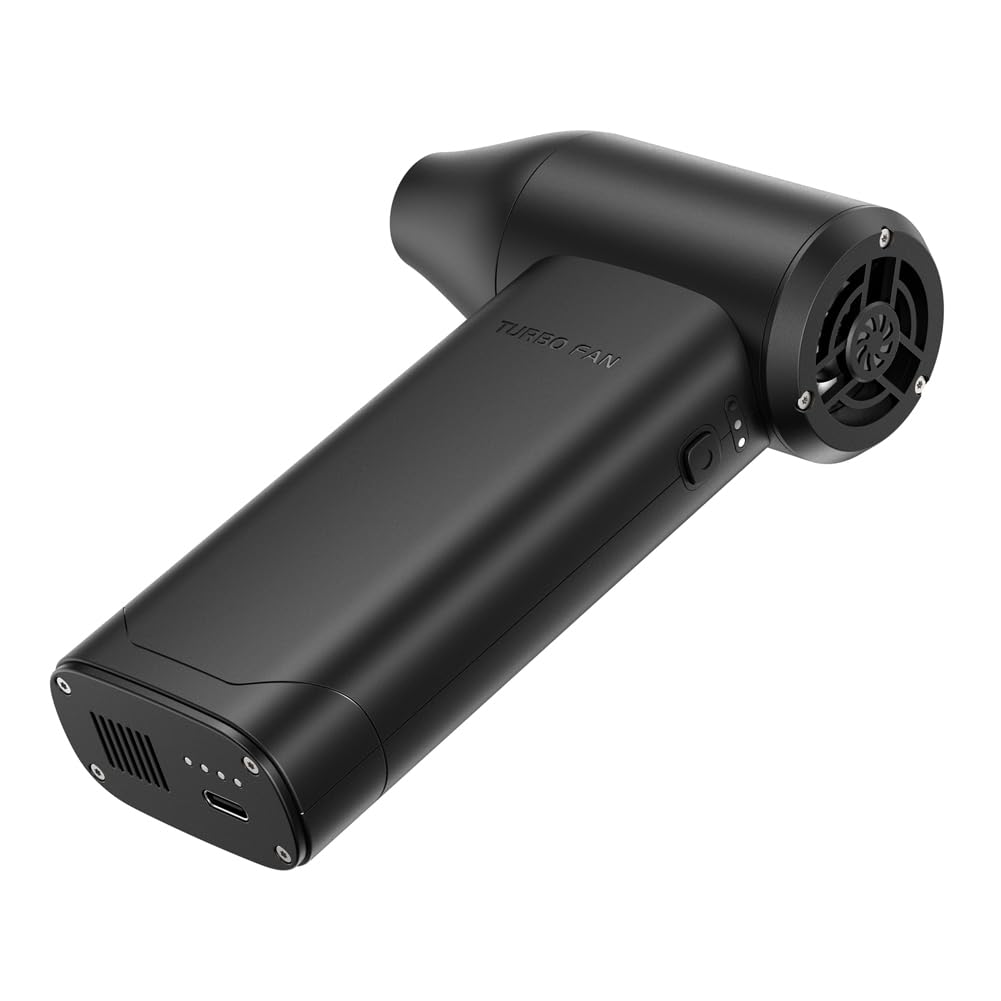
Image 1.1: The Irfora Handheld X5 Jet Fan.
2. ข้อมูลด้านความปลอดภัย
เพื่อป้องกันการบาดเจ็บหรือความเสียหายต่ออุปกรณ์ โปรดปฏิบัติตามข้อควรระวังด้านความปลอดภัยต่อไปนี้:
- Do not operate the fan near flammable liquids or gases.
- เก็บอุปกรณ์ให้ห่างจากน้ำและความชื้นที่มากเกินไป
- ห้ามสอดวัตถุเข้าไปในช่องลมเข้าหรือช่องลมออก
- เก็บให้พ้นจากมือเด็ก
- ใช้เฉพาะสาย Type-C ที่ให้มาสำหรับการชาร์จ
- อย่าพยายามถอดประกอบหรือดัดแปลงอุปกรณ์
- Avoid directing airflow directly at eyes or sensitive body parts.
3. ส่วนประกอบผลิตภัณฑ์
The Irfora Handheld X5 Jet Fan package includes the following items:
- 1 x Handheld X5 Jet Fan Unit
- 1 x Magnetic Suction Nozzle
- สายชาร์จ Type-C 1 เส้น

Image 3.1: Packaging and included components of the Irfora Handheld X5 Jet Fan.
4. การตั้งค่า
4.1 การชาร์จอุปกรณ์
Before first use, fully charge the jet fan. The device is equipped with two 3000mAh lithium batteries.
- Connect the provided Type-C charging cable to the charging port on the fan.
- Plug the other end of the cable into a compatible 5V, 2A USB power adapter (not included).
- The charging indicator light will illuminate. Charging time is approximately 2.5 hours or more for a full charge.
- เมื่อชาร์จเต็มแล้ว ให้ถอดสายชาร์จออก
4.2 การติดหัวฉีด
The fan features a magnetic suction nozzle for easy attachment and removal.
- Align the nozzle with the air outlet of the fan.
- The magnetic connection will secure the nozzle in place.
- To remove, gently pull the nozzle away from the fan.
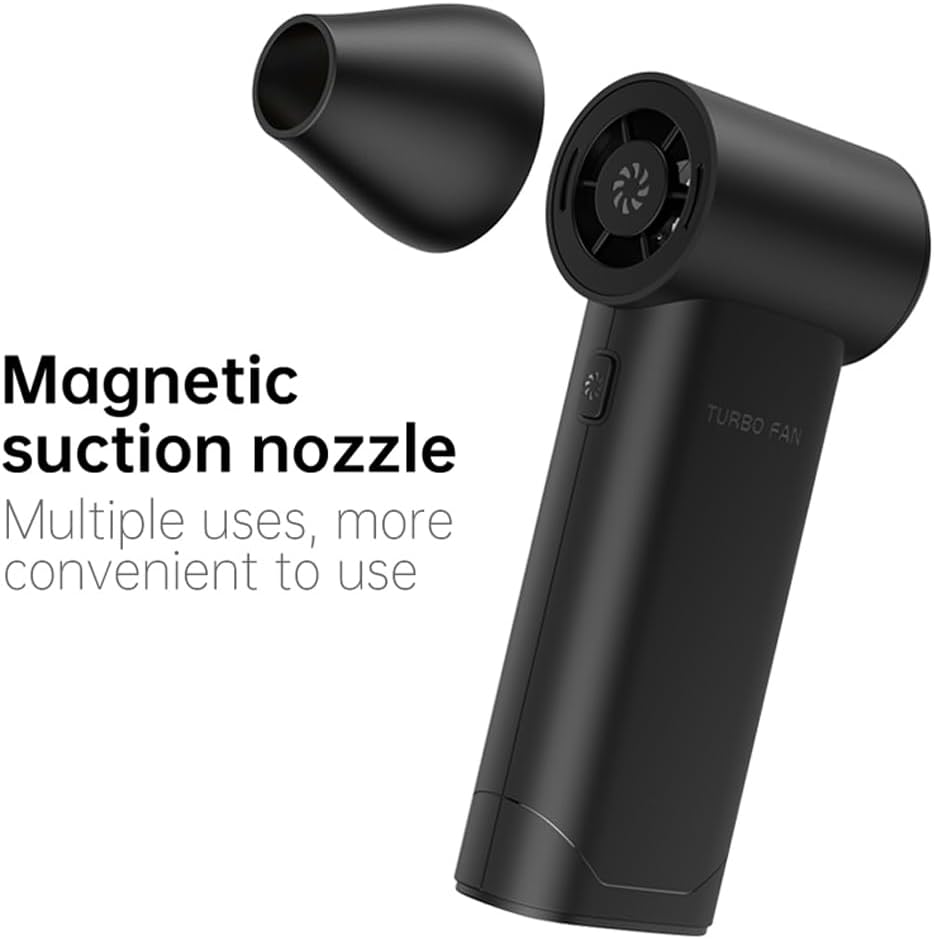
Image 4.1: Attaching the magnetic suction nozzle.
5. คู่มือการใช้งาน
5.1 การเปิด/ปิดเครื่องและการปรับความเร็ว
The fan features a single button for power control and three-speed adjustment.
- การเปิดเครื่อง: Press and hold the power button for a few seconds until the fan starts.
- การปรับความเร็ว: กดปุ่มเปิด/ปิดสั้นๆ เพื่อสลับระหว่างระดับความเร็วทั้งสามระดับ (ต่ำ ปานกลาง สูง)
- วิธีปิดเครื่อง: Press and hold the power button again for a few seconds until the fan stops.
5.2 สถานการณ์การใช้งาน
The Irfora Handheld X5 Jet Fan is suitable for a wide range of cleaning and blowing tasks:
- การพัดฝุ่น: Effectively removes dust from keyboards, electronics, camera lenses, and other delicate surfaces.
- ทำความสะอาดรถยนต์: Ideal for cleaning car interiors, crevices, and engine compartments.
- การใช้งานกลางแจ้ง: Useful for blowing leaves, clearing debris, or assisting with outdoor combustion (e.g., starting a campไฟ).
- กำจัดขนสัตว์เลี้ยง: Can be used to blow pet hair from furniture or carpets.

Image 5.1: The Irfora Handheld X5 Jet Fan used in multiple scenarios.
6. การบำรุงรักษา
6.1 การทำความสะอาดพัดลม
Regular cleaning ensures optimal performance and longevity of your device.
- Ensure the fan is powered off and disconnected from any charging source before cleaning.
- ใช้ผ้าแห้งนุ่มเช็ดภายนอกพัดลม
- สำหรับสิ่งสกปรกฝังแน่น ให้เช็ดออกเล็กน้อยamp cloth can be used, but ensure no moisture enters the air inlets or outlets.
- ห้ามใช้สารเคมีรุนแรง น้ำยาทำความสะอาดที่มีฤทธิ์กัดกร่อน หรือตัวทำละลาย
6.2 การดูแลแบตเตอรี่
- หลีกเลี่ยงการปล่อยแบตเตอรี่จนหมดบ่อยครั้ง
- เก็บอุปกรณ์ไว้ในที่แห้งและเย็นเมื่อไม่ได้ใช้งานเป็นเวลานาน
- Charge the device at least once every three months to maintain battery health.
7 การแก้ไขปัญหา
If you encounter issues with your Irfora Handheld X5 Jet Fan, please refer to the following common problems and solutions:
| ปัญหา | สาเหตุที่เป็นไปได้ | สารละลาย |
|---|---|---|
| พัดลมไม่เปิด | Low battery; Device not powered on correctly | Charge the device fully; Press and hold the power button for a few seconds |
| การไหลเวียนของอากาศที่อ่อนแอ | Low battery; Obstruction in air inlet/outlet; Incorrect speed setting | Charge the device; Check for and remove any obstructions; Increase speed setting |
| อุปกรณ์ไม่ชาร์จ | สายเคเบิลหรืออะแดปเตอร์ชำรุด; การเชื่อมต่อหลวม | Ensure cable is securely connected; Try a different Type-C cable or USB adapter |
| หัวฉีดถอดออกได้ง่าย | Nozzle not properly aligned | Ensure the nozzle is correctly aligned with the magnetic attachment point |
หากปัญหายังคงมีอยู่หลังจากลองวิธีแก้ไขเหล่านี้แล้ว โปรดติดต่อฝ่ายสนับสนุนลูกค้า
8. ข้อมูลจำเพาะ
| คุณสมบัติ | ข้อมูลจำเพาะ |
|---|---|
| ชื่อสินค้า | พัดลมไอพ่น |
| แบบอย่าง | X5 |
| วัสดุ | เอบีเอส |
| สี | สีดำ |
| แบตเตอรี่ | 2 x 3000mAh Lithium Battery (included) |
| Max Brushless Motor Speed | 130,000 รอบต่อนาที |
| ความเร็วลม | สูงสุด 52 ม./วินาที |
| ฉบับทำงานtage | 6-8.4โวลต์ |
| อินพุตที่ได้รับการจัดอันดับ | 5V, 2A |
| เวลาในการชาร์จ | >2.5 ชั่วโมง |
| ขนาดสินค้า | 145 x 96 x 41 มม. (5.71 x 3.78 x 1.61 นิ้ว) |
| น้ำหนักสินค้า | 305 กรัม (10.76 ออนซ์) |
| ผู้ผลิต | อิรฟอร่า |
| หมายเลขรุ่น | LAKUSET00454B |
9. การรับประกันและการสนับสนุน
For warranty information and customer support, please refer to the documentation provided at the point of purchase or contact your retailer. You may also visit the official Irfora webเว็บไซต์เพื่อขอความช่วยเหลือเพิ่มเติม


