การแนะนำ
This manual provides detailed instructions for the installation, operation, and maintenance of the ASD NLS Microwave Motion Sensor with Q-Base. This sensor utilizes advanced microwave technology for precise motion detection, offering an efficient and adaptable lighting control solution designed to enhance energy savings and convenience in various environments.

Image: The ASD NLS Microwave Motion Sensor, its packaging, remote control, and a smartphone displaying the control app.
คุณสมบัติผลิตภัณฑ์
- Intelligent Lighting Control: Offers versatile control via a dedicated app, including On/Off switching, 0-10V dimming (1-100%), and adjustable time delays (30 seconds to 30 minutes), with an optional cut-off delay for energy efficiency.
- Advanced Microwave Detection: Employs high-frequency electromagnetic waves for accurate motion detection, even through certain obstacles like doors and walls.
- การประหยัดพลังงาน: Activates lights only when movement is detected, contributing to reduced electricity consumption and operational costs.
- ช่วงการครอบคลุมกว้าง: Designed for extensive detection coverage, suitable for various commercial and residential applications.
- การบูรณาการที่ง่ายดาย: Q-base design facilitates seamless integration with existing lighting systems without requiring extensive modifications.
- ความไวที่ปรับแต่งได้: Adjustable sensitivity settings allow for tailored detection to specific environments, minimizing false triggers.
- การใช้งานที่หลากหลาย: Ideal for hallways, parking lots, warehouses, and other areas requiring efficient, motion-activated lighting.
- การจัดอันดับสถานที่เปียก: Suitable for use in wet and damp สภาพแวดล้อม
- Emergency Back-up Compatibility: Designed to integrate with emergency lighting systems.

Image: Key features of the ASD NLS sensor, including smart control, high installation height, wet location rating, and emergency compatibility.
ข้อมูลจำเพาะ

Image: Detailed product specifications including physical dimensions and adjustable parameters like detection area, hold time, daylight threshold, and standby period.
| ข้อมูลจำเพาะ | รายละเอียด |
|---|---|
| ยี่ห้อ | เอเอสดี |
| หมายเลขรุ่น | A-09MW-NLS-WH |
| สี | สีขาว |
| แหล่งพลังงาน | Q-Base |
| น้ำหนักสินค้า | 1.6 ออนซ์ |
| ประเภทการติดตั้ง | ติดผนัง |
| ขนาดสินค้า | 2.13 x 2.13 x 1.31 นิ้ว |
| วัสดุ | พลาสติก |
| สภาพแวดล้อมการใช้งาน | เปียกและDamp ตำแหน่งที่ตั้ง |
| ส่วนประกอบที่รวมอยู่ | เซ็นเซอร์ตรวจจับความเคลื่อนไหว |
| อุปกรณ์ที่รองรับ | LSB5A, LSB5B, LSB5R, CAN07A, CAN09S, UHB2A, UHB3, UHB5, WHB5A |
การติดตั้งและการตั้งค่า
The ASD NLS Microwave Motion Sensor is designed for straightforward installation with its Q-Base system. Ensure power is disconnected before beginning installation.
การติดตั้ง
- The sensor is designed for wall mount applications.
- It features a 3-pin base for secure and easy connection to compatible lighting fixtures.
- The sensor is rated for wet locations, allowing for versatile indoor and outdoor placement.
- Optimal installation height can be up to 49 feet for effective detection.
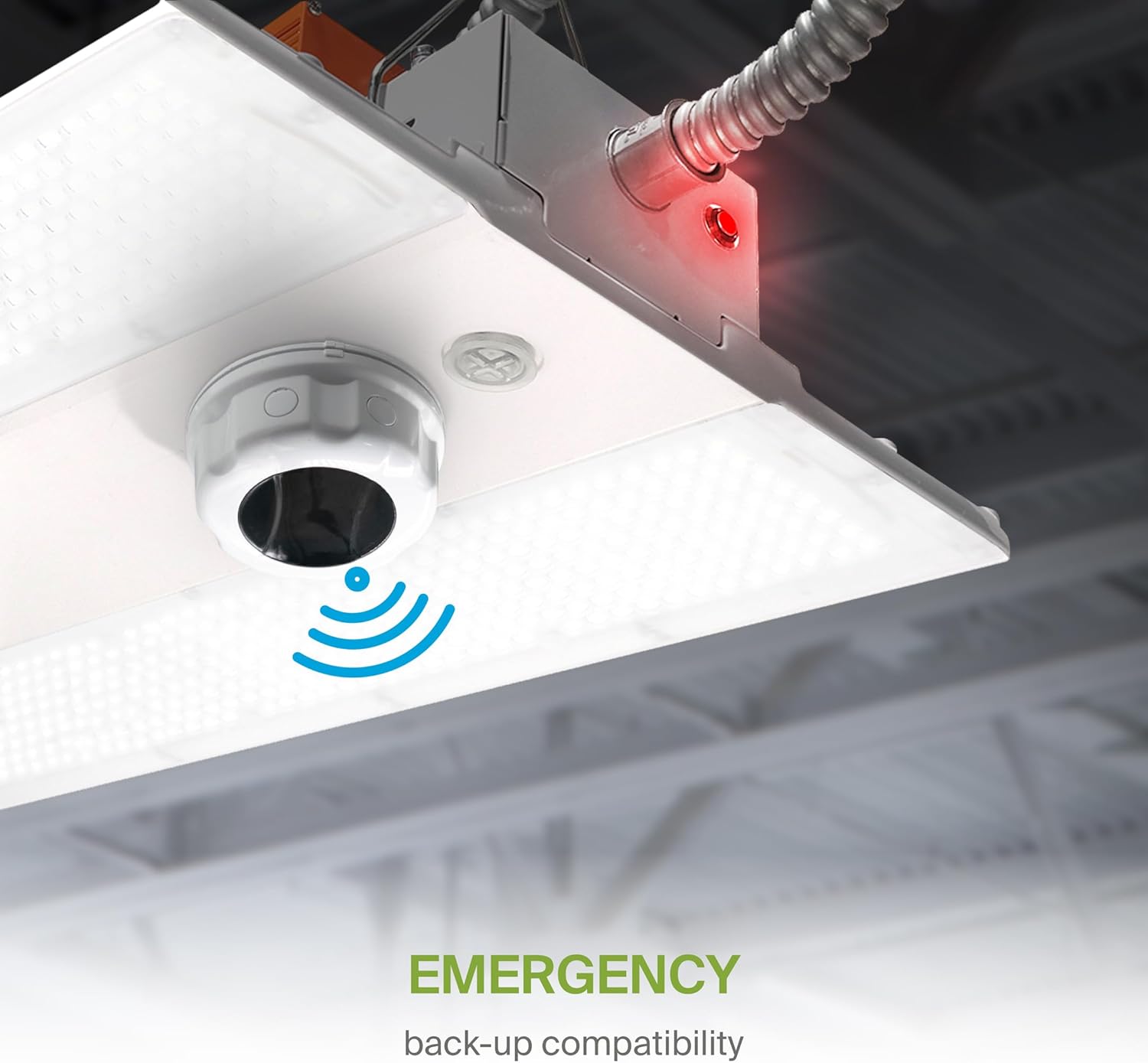
Image: The sensor's 3-pin base and Q-Base connection method, highlighting its wet location rating.

ภาพ: อดีตample of a high-ceiling installation, demonstrating the sensor's suitability for heights up to 49 feet.
การเดินสายไฟ
Connect the 3-pin base of the sensor to the corresponding Q-Base receptacle on your compatible LED light fixture. Ensure a secure connection to prevent power interruptions.
คำแนะนำการใช้งาน
The ASD NLS Microwave Motion Sensor can be controlled via a dedicated smartphone application or a remote control unit.
Smart Control (ASD NLS App)
For advanced control and customization, download the ASD NLS app on your smartphone. The app allows for precise adjustments of detection range, hold time, daylight sensitivity, and dimming levels.

Image: QR codes for downloading the ASD NLS app for Android and iOS, enabling fixture control, advanced area management, scheduling, and energy consumption monitoring.
- ดาวน์โหลดแอป: Scan the QR code or visit the respective app store:
ร้านค้า Google Play
แอปสโตร์ของแอปเปิล - การจับคู่: Follow the in-app instructions to pair your sensor with the application.
- การตั้งค่า: Adjust parameters such as:
- Detection Area (25-100%)
- Hold Time (5 seconds - 30 minutes)
- Daylight Threshold (2-400 Lux)
- Standby Period (0 seconds - infinite)
- Dimming Levels (0-10V, 1-100%)
การควบคุมการทำงานด้วยรีโมทคอนโทรล
The included remote control provides quick access to essential functions and settings. Refer to the table below for button descriptions.

Image: The remote control unit with a comprehensive guide to each button's function for controlling the motion sensor.
| ปุ่ม | หมายเหตุ |
|---|---|
| เปิด/ปิด | Turns the sensor ON/OFF. |
| ออโต้ | Enters 'sensor mode' and performs previous settings. |
| รีเซ็ต | Enters 'sensor mode' and performs the default settings. |
| ฉากต่างๆ | แสดงการตั้งค่าปัจจุบันที่บันทึกไว้ในระยะไกล |
| เริ่ม | กดปุ่มนี้เพื่อเริ่มการตั้งค่าฉาก |
| หน่วยความจำ | บันทึกการตั้งค่าฉาก |
| นำมาใช้ | ใช้การตั้งค่าฉากปัจจุบันกับฟิกซ์เจอร์ |
| M H (Mounting Height) | Adjusts detection area/sensitivity levels according to real installation situations, higher or lower. |
| ส่ง | จดจำและส่งค่าการตั้งค่าพารามิเตอร์ส่วนบุคคลก่อนหน้าออกไป |
| ระยะการตรวจจับ | Also known as 'sensitivity', 100% means the highest sensitivity and longest distance. Use this button and the +/- buttons to adjust. |
| เซ็นเซอร์วัดแสงธรรมชาติ | ระดับความสว่างที่ตั้งไว้ล่วงหน้าซึ่งจะใช้ในการตรวจจับการเคลื่อนไหว ใช้ปุ่มนี้และปุ่ม +/- เพื่อปรับระดับ |
| การหรี่แสงขณะสแตนด์บาย | After hold time, the light will dim from 100% to optional standby dimming levels. Use this button and the +/- buttons to adjust. |
| ระยะเวลาการถือครอง | ระยะเวลาที่ไฟจะสว่าง 100% หลังจากตรวจไม่พบการเคลื่อนไหว ใช้ปุ่มนี้และปุ่ม +/- เพื่อปรับค่า |
| ระยะเวลาสแตนด์บาย | The period after hold time, during which the light keeps standby dimming level. Use this button and the +/- buttons to adjust. |
| Up | ปุ่มฟังก์ชั่นหลักสำหรับปรับปัจจัยให้อยู่ในระดับที่ต้องการ |
| ลง | Press +/- button to dim light directly in non-detection mode. |
| ซีซีที | ไม่สามารถใช้ได้กับผลิตภัณฑ์นี้ |
| พลัง | Adjust brightness in both ON/OFF mode & sensor mode, minimum 10%, max 100%, each time this button is pressed it changes by 5%. |
| ปุ่มจอง | ไม่สามารถใช้ได้กับผลิตภัณฑ์นี้ |
| การเก็บเกี่ยวแสงแดด | เปิดหรือปิดฟังก์ชันการเก็บเกี่ยวแสงธรรมชาติ |
| ปุ่มทดสอบ | Press this button to test the sensor; it will temporarily change the hold time to 2s. The setting cannot be saved. |
การซ่อมบำรุง
The ASD NLS Microwave Motion Sensor requires minimal maintenance. To ensure optimal performance:
- การทำความสะอาด: Periodically wipe the sensor's exterior with a soft, dry cloth to remove dust or debris. Avoid using abrasive cleaners or solvents.
- การตรวจสอบ: ตรวจสอบความเสียหายทางกายภาพหรือการเชื่อมต่อที่หลวมเป็นประจำ
- สิ่งแวดล้อม: Ensure the sensor is not obstructed by new installations or objects that could interfere with its detection capabilities.
การแก้ไขปัญหา
If you encounter issues with your ASD NLS Microwave Motion Sensor, consider the following common solutions:
- Sensor Not Detecting Motion:
- Check the detection range setting on the remote or app; increase if necessary.
- Ensure there are no physical obstructions blocking the sensor's field of view.
- Verify the power supply to the sensor and connected fixture.
- ไฟไม่ดับ:
- Review the hold time and standby period settings; adjust to shorter durations if needed.
- Check for continuous motion within the detection area.
- Lights Not Dimming Correctly:
- Verify the dimming level settings in the app or via remote.
- Ensure the connected fixture is compatible with 0-10V dimming.
- False Triggers:
- Decrease the detection range or sensitivity setting.
- Ensure the sensor is not exposed to vibrations or rapid temperature changes that could cause false readings.
- ปัญหาการเชื่อมต่อแอพ:
- Ensure your smartphone's Bluetooth or Wi-Fi is enabled and working correctly.
- Restart the app and attempt to re-pair the device.
หากปัญหายังคงมีอยู่หลังจากพยายามทำตามขั้นตอนเหล่านี้แล้ว โปรดติดต่อฝ่ายสนับสนุนลูกค้า
ความเข้ากันได้
The ASD NLS Microwave Motion Sensor is compatible with the following ASD LED light fixtures:
- LSB5A
- LSB5B
- LSB5R
- แคน07เอ
- CAN09S
- UHB2A
- UHB3
- UHB5
- WHB5A
ข้อมูลด้านความปลอดภัย
- Always disconnect power before installing or servicing the sensor.
- การติดตั้งควรดำเนินการโดยช่างไฟฟ้าที่มีคุณสมบัติตามมาตรฐานไฟฟ้าท้องถิ่น
- Do not attempt to disassemble or modify the sensor. There are no user-serviceable parts inside.
- Keep the sensor away from strong electromagnetic fields, which may interfere with its operation.
การรับประกันและการสนับสนุน
For warranty information and technical support, please refer to the official ASD Lighting Corporation webหรือติดต่อฝ่ายบริการลูกค้า เก็บใบเสร็จรับเงินไว้เพื่อใช้ในการเคลมประกัน