การแนะนำ
Thank you for choosing the Doubc Q13 Wireless Bluetooth 5.3 Earbuds. These earbuds are designed to provide a high-quality audio experience with advanced features such as HiFi stereo sound, ENC noise-cancelling microphones, and IPX7 waterproofing. This manual will guide you through the setup, operation, and maintenance of your new earbuds.

Image: The Doubc Q13 Wireless Bluetooth 5.3 Earbuds in their open charging case, displaying the digital battery indicator.
เนื้อหาแพ็คเกจ
กรุณาตรวจสอบแพ็คเกจสำหรับรายการต่อไปนี้:
- Doubc Q13 Wireless Earbuds (Left and Right)
- เคสชาร์จไฟ
- สายชาร์จแบบ USB Type-C
- คู่มือการใช้งาน
- จุกหูฟัง (มีหลายขนาด โดยทั่วไปคือ S/M/L)
การตั้งค่า
1. การชาร์จครั้งแรก
Before first use, fully charge the earbuds and the charging case. Connect the provided USB Type-C cable to the charging port on the case and a power source. The LED display on the charging case will show the battery percentage. A full charge takes approximately 1.5 hours.
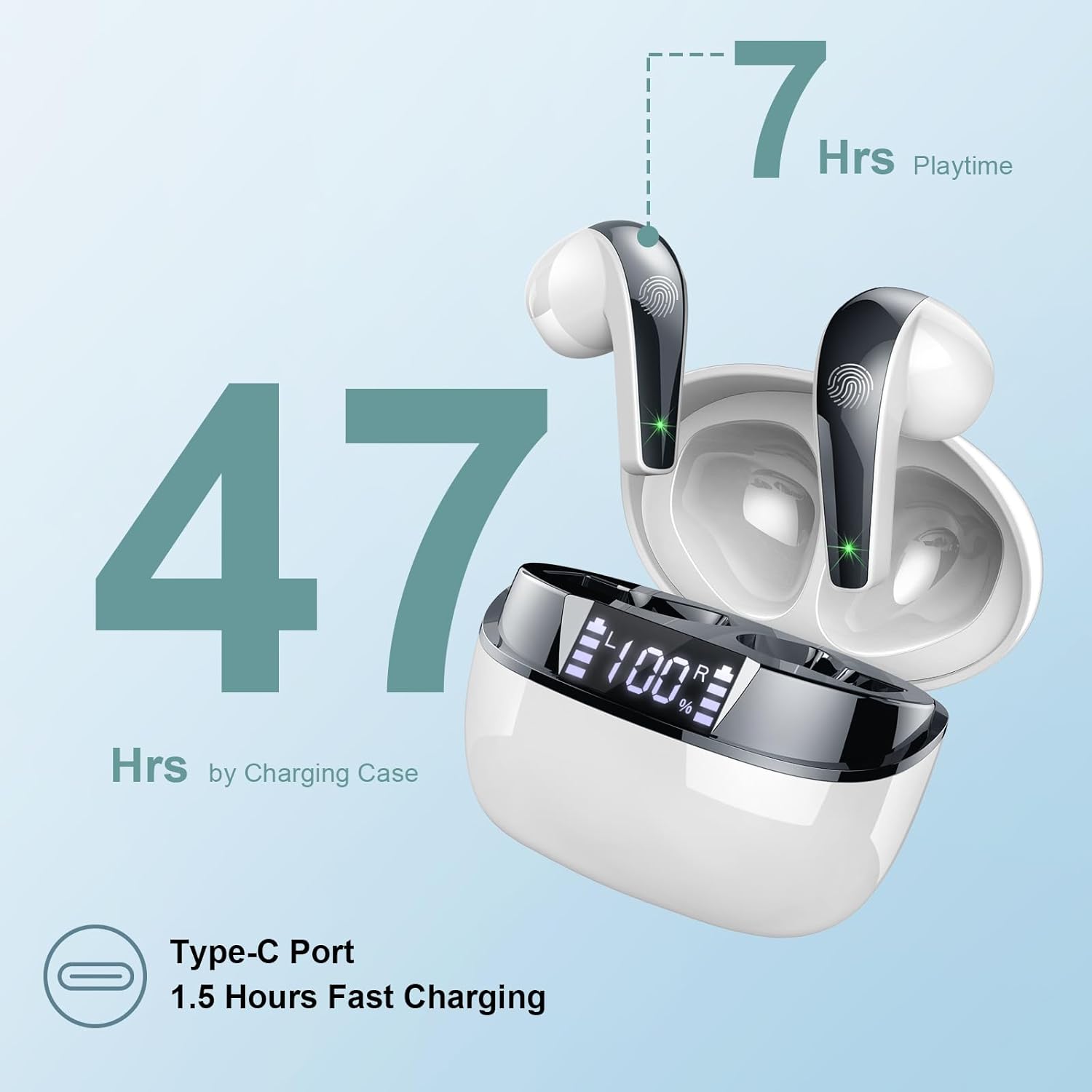
Image: The charging case highlighting 47 hours of total playtime and the Type-C charging port.

Image: A visual representation of the earbuds and charging case, emphasizing 7 hours of music time per charge and 47 hours total with the charging case, along with the dual LED digital display.
2. การจับคู่กับอุปกรณ์
- ตรวจสอบให้แน่ใจว่าได้ชาร์จเอียร์บัดแล้ว
- เปิดกล่องชาร์จ หูฟังจะเข้าสู่โหมดจับคู่โดยอัตโนมัติ
- บนอุปกรณ์ของคุณ (สมาร์ทโฟน แท็บเล็ต คอมพิวเตอร์) ไปที่การตั้งค่าบลูทูธ
- ค้นหา available devices and select "Q13" from the list.
- เมื่อเชื่อมต่อแล้ว คุณจะได้ยินเสียงยืนยัน และหูฟังจะพร้อมใช้งาน
The Doubc Q13 earbuds feature one-step pairing and wide compatibility with iOS, Android, and Windows devices.

Image: The earbuds in their charging case next to a smartphone displaying Bluetooth settings, showing "Q13" as a discoverable device, illustrating the one-step pairing process.
คำแนะนำการใช้งาน
การควบคุมแบบสัมผัส
The Doubc Q13 earbuds feature smart touch controls for easy management of music and calls. The touch sensitive area is located on the outer surface of each earbud.

Image: A user wearing an earbud, with icons indicating various touch control functions such as volume adjustment, call management, music playback, and voice assistant activation.
| การกระทำ | การทำงาน |
|---|---|
| แตะครั้งเดียว (L/R) | เล่น/หยุดเพลง, รับ/วางสาย |
| แตะสองครั้ง (ขวา) | เพลงถัดไป |
| แตะสองครั้ง (ซ้าย) | เพลงก่อนหน้า |
| แตะสามครั้ง (ขวา) | เพิ่มระดับเสียง |
| แตะสามครั้ง (ซ้าย) | ลดระดับเสียง |
| กดค้าง (2 วินาที) (ซ้าย/ขวา) | ปฏิเสธสาย เปิดใช้งานผู้ช่วยเสียง |
เปิด/ปิดเครื่อง
- เปิดเครื่อง: เปิดกล่องชาร์จ หูฟังจะเปิดใช้งานโดยอัตโนมัติ หรืออีกวิธีหนึ่งคือ กดบริเวณสัมผัสบนหูฟังทั้งสองข้างค้างไว้ 3 วินาที
- หมดแรง: วางหูฟังกลับเข้าไปในกล่องชาร์จและปิดฝา หูฟังจะปิดเครื่องและเริ่มชาร์จโดยอัตโนมัติ หรืออีกวิธีหนึ่งคือ กดบริเวณสัมผัสบนหูฟังทั้งสองข้างค้างไว้ 5 วินาที
การซ่อมบำรุง
การทำความสะอาด
To ensure optimal performance and charging, regularly clean the charging contacts on both the earbuds and the charging case. Use a cotton swab lightly dampened with alcohol to gently wipe the contacts.

Image: A diagram illustrating the location of charging contacts on the earbuds and inside the charging case, with instructions to clean them if charging issues occur.
ความต้านทานต่อน้ำ
The earbuds are IPX7 waterproof, meaning they can withstand immersion in water up to 1 meter for 30 minutes. This makes them suitable for workouts and light rain. However, the charging case is not waterproof. Do not expose the charging case to water.

Image: Two earbuds covered in water droplets, visually representing their IPX7 waterproof capability.
พื้นที่จัดเก็บ
Store the earbuds in their charging case when not in use to protect them and keep them charged. Avoid extreme temperatures and direct sunlight.
การแก้ไขปัญหา
หูฟังเอียร์บัดไม่ชาร์จ
- ตรวจสอบให้แน่ใจว่าสายชาร์จเชื่อมต่อกับเคสและแหล่งจ่ายไฟอย่างแน่นหนา
- Verify that the charging contacts on both the earbuds and the case are clean and free of debris. Use alcohol to clean them if necessary.
- ตรวจสอบว่าเคสชาร์จมีแบตเตอรี่เหลือเพียงพอหรือไม่
Only One Earbud Has Sound
- ใส่หูฟังทั้งสองข้างกลับเข้าไปในกล่องชาร์จแล้วปิดฝา
- On your phone's Bluetooth settings, manually "forget" or "unpair" the "Q13" device.
- After approximately 10 seconds, open the charging case. The earbuds should automatically re-enter pairing mode.
- Reconnect the earbuds with your phone via Bluetooth.
Image: A diagram illustrating solutions for common issues: cleaning charging contacts for charging problems and re-pairing steps for when only one earbud produces sound.
หูฟังไม่เชื่อมต่อ
- ตรวจสอบให้แน่ใจว่าได้เปิดใช้งานบลูทูธบนอุปกรณ์ของคุณแล้ว
- Make sure the earbuds are within the effective range (typically 10 meters) of your device.
- ปิดและเปิดบลูทูธของอุปกรณ์ของคุณอีกครั้ง
- Repeat the pairing process as described in the "Setup" section.
ข้อมูลจำเพาะ
| คุณสมบัติ | รายละเอียด |
|---|---|
| หมายเลขรุ่น | คำถามที่ 13 |
| เวอร์ชันบลูทูธ | 5.3 |
| ไดร์เวอร์เสียง | 13mm Graphene Audio Driver |
| ช่วงความถี่ | 20Hz - 20,000Hz |
| เวลาเล่น (เอียร์บัด) | สูงสุด 7 ชั่วโมง (ชาร์จครั้งเดียว) |
| เวลาเล่นทั้งหมด (รวมเคส) | นานถึง 47 ชั่วโมง |
| พอร์ตชาร์จ | ยูเอสบี ไทป์ ซี |
| เวลาในการชาร์จ | ประมาณ 1.5 ชั่วโมง (ต่อกรณี) |
| ระดับการกันน้ำ | IPX7 (หูฟังเท่านั้น) |
| ไมโครโฟน | ไมโครโฟนตัดเสียงรบกวน ENC 4 ตัว |
| น้ำหนักเอียร์บัด | Approx. 3g (each) |
| น้ำหนักเคสชาร์จ | ประมาณ 29กรัม |
| ขนาดสินค้า | ขนาด 2.13 x 1.81 x 1.34 นิ้ว (กล่องชาร์จ) |

ภาพ: รายละเอียด view of the 13mm Graphene Audio Driver, emphasizing HiFi Stereo Sound and built-in microphones with noise reduction for HD calling.

Image: A diagram illustrating the benefits of Advanced Bluetooth 5.3 technology, including faster transfer, lower power consumption, more stable connection, and lower latency.

Image: A visual showing the comfortable and lightweight design of the earbuds and charging case, including their dimensions and individual weights (3g per earbud, 29g for the case).
การรับประกันและการสนับสนุน
The Doubc Q13 Wireless Bluetooth 5.3 Earbuds come with a รับประกัน 3 ปีเพื่อความอุ่นใจในเรื่องคุณภาพและประสิทธิภาพของผลิตภัณฑ์
For technical support, warranty claims, or any inquiries, please refer to the contact information provided on the product packaging or the official Doubc website. Specific support contact details are not available in this manual.
ข้อมูลด้านความปลอดภัยที่สำคัญ
- ห้ามถอดประกอบหรือดัดแปลงผลิตภัณฑ์
- หลีกเลี่ยงอุณหภูมิที่สูงและแสงแดดโดยตรง
- Avoid exposing the charging case to water.
- ใช้เฉพาะสายชาร์จที่ให้มาหรือที่เทียบเท่าที่ได้รับการรับรองเท่านั้น
- กำจัดผลิตภัณฑ์ด้วยความรับผิดชอบตามข้อบังคับท้องถิ่น


